# 📑 Misc Guides
Source: https://rsg.mintlify.app/MiscGuides
Extra guides and tools are listed here
## Getting the Players
**To get a list of players on the server we must use either a native that is like this**
```lua theme={null}
for _, player in ipairs(GetActivePlayers()) do
local ped = GetPlayerPed(player)
-- do stuff
end
```
**Using the RSG function you can do it like this**
```lua theme={null}
for _, player in pairs(RSGCore.Functions.GetPlayers()) do
local ped = GetPlayerPed(player)
-- do stuff
end
```
## Database Connection
txAdmin does this automatically already but if needed then in your server.cfg put this and fill it in with the correct information. For the database wrapper [oxmysql](https://github.com/overextended/oxmysql)
### Installation[](https://overextended.github.io/docs/oxmysql/#installation)
* Download the [latest build](https://github.com/overextended/oxmysql/releases/latest) of oxmysql (not the source code).
* Extract the contents of the archive to your resources folder.
* Start the resource near the top of your resources in your `server.cfg`.
* If you have a lot of streamed assets, load them first to prevent timing out the connection.
### [](https://docs.qbcore.org/qbcore-documentation/guides/miscellaneous-guides#configuration)Configuration[](https://overextended.github.io/docs/oxmysql/#configuration)
You can change the configuration settings by using convars inside your `server.cfg`. Reference the following for an idea of how to set your connection options. You must include one of the following lines, adjusted for your connection and database settings.
```
set mysql_slow_query_warning 150set mysql_debug true
```
Certain special characters are reserved or blocked and may cause issues when used in your password.
For more optional settings (such as multiple statements) you can reference [pool.d.ts](https://github.com/sidorares/node-mysql2/blob/master/typings/mysql/lib/Pool.d.ts#L10) and [connection.d.ts](https://github.com/sidorares/node-mysql2/blob/master/typings/mysql/lib/Connection.d.ts#L8).
You can also add the following convars if you require extra information when testing queries.
```
set mysql_slow_query_warning 150set mysql_debug true
```
## Server.cfg
Setting up your server.cfg is really simple and is already completed upon a successful txAdmin recipe install! You can also find additional information on server configuration files [**here**](https://docs.fivem.net/docs/server-manual/setting-up-a-server/)**.** In case of a manual install then here's a template to use
```
## server main settings
{{serverEndpoints}}
sv_maxclients {{maxClients}}
set gamename rdr3
set sv_enforceGameBuild 1491
# https://docs.fivem.net/docs/server-manual/server-commands/#sv_purelevel-level
#sets sv_pureLevel 1
#sets sv_pureLevel 2
# locale config
setr rsg_locale "en"
setr ox:locale en
## key license settings
sv_licenseKey "{{svLicense}}"
set steam_webApiKey "none"
## database settings
set mysql_connection_string "{{dbConnectionString}}"
set mysql_slow_query_warning 300
## server settings
sv_hostname "{{serverName}} built with {{recipeName}} by {{recipeAuthor}}!"
sets sv_projectName "[{{recipeName}}] {{serverName}}"
sets sv_projectDesc "{{recipeDescription}}"
sets locale "en-US"
load_server_icon myLogo.png
sets Framework "RSG"
sets Framework Discord "https://discord.gg/eW3ADkf4Af"
sets banner_detail "link"
sets banner_connecting "link"
sets Discord "link"
sets Developer "link"
sets tags "rsg,roleplay"
sv_endpointprivacy true
set txAdmin-menuPtfxDisable true # Disable TXAdmin NoClip Particle Effect
set sv_experimentalNetGameEventHandler false
# https://v6.mantine.dev/theming/colors/#default-colors
setr ox:primaryColor red
setr ox:primaryShade 8
# use target
setr UseTarget false
# default resources
ensure mapmanager
ensure spawnmanager
ensure sessionmanager-rdr3
#ensure basic-gamemode
#ensure hardcap
# database and library
ensure oxmysql
ensure ox_lib
# resources
ensure rsg-core
ensure rsg-multicharacter
ensure rsg-spawn
ensure rsg-menubase
ensure ox_target
ensure ip-chat
ensure [standalone]
ensure [framework]
ensure [mapmods]
## weathersync permissions
exec resources/[standalone]/weathersync/permissions.cfg
## Permissions ##
add_ace group.admin command allow # allow all commands
add_principal identifier.license:xxxxxxxxxxxxxxxxxxxxxxxxxxxxxxxxxxxxxxxx rsgcore.god # << your rockstar licence
add_principal identifier.license:xxxxxxxxxxxxxxxxxxxxxxxxxxxxxxxxxxxxxxxx group.admin # << your rockstar licence
# Resources
add_ace resource.rsg-core command allow # Allow rsg-core to execute commands
# Gods
add_ace rsgcore.god command allow # Allow all commands
# Inheritance
add_principal rsgcore.god group.admin # Allow gods access to the main admin group used to get all default permissions
add_principal rsgcore.god rsgcore.admin # Allow gods access to admin commands
add_principal rsgcore.admin rsgcore.mod # Allow admins access to mod commands
```
## GitHub Pull Request
**Github:** [RSG RedM Framework](https://github.com/Rexshack-RedM)
* Visit the resource you would like to propose changes on
* Navigate to the exact file within that resource
* Click on the pencil icon and you will be able to make edits to the code
* Once you are satisfied with your edits, scroll down to the box labeled "Propose Changes"
* Write a title and short description of what the changes are
* Once that's filled out, press the green "Propose Changes" button
* You will see a screen showing your edits compared to the existing code
* If you are satisfied with the edits shown, press the green "Create Pull Request" button
* Fill in the title and description if necessary
* Click on the green "Create Pull Request" button and it's finished!
If you have email notifications enabled, you will get any updates on the pull request by email
# 🎮 Client Events
Source: https://rsg.mintlify.app/api-reference/endpoint/clienteventreference
Complete guide to RSG Core client-side events and event handlers
## Introduction
Client events are essential for handling player-specific actions, UI updates, and local game state changes in RSG Framework. They run on each player's machine and allow for responsive, individualized gameplay experiences.
Client events run locally on each player's machine and can be triggered by the server using `TriggerClientEvent` or by other client-side code using `TriggerEvent`.
***
## How It Works
### Event Flow
```
Server Script → TriggerClientEvent('eventName', source, args) → Client Listens → Client Processes
```
Or locally:
```
Client Script → TriggerEvent('eventName', args) → Same Client Listens → Client Processes
```
### Registering Events
Client events are registered using `RegisterNetEvent`:
```lua theme={null}
-- CLIENT SIDE
RegisterNetEvent('eventName', function(arg1, arg2)
-- Process event locally
print('Received:', arg1, arg2)
end)
```
Client events are **not synchronized** between players. Each player's client runs independently!
***
## Core Lifecycle Events
### RSGCore:Client:OnPlayerLoaded
Triggered when a player successfully loads into the server after character selection. This is the most important event for initializing player-specific client-side features.
```lua theme={null}
-- CLIENT SIDE
local RSGCore = exports['rsg-core']:GetCoreObject()
RegisterNetEvent('RSGCore:Client:OnPlayerLoaded', function()
local PlayerData = RSGCore.Functions.GetPlayerData()
print('Player loaded:', PlayerData.charinfo.firstname)
-- Initialize player-specific features
-- Set up HUD
-- Load player blips
-- Start player threads
end)
```
**Use Cases:**
* Initialize HUD elements
* Start player status monitors
* Load player-specific blips/markers
* Set up keybinds
* Initialize job-specific UI
* Restore player settings
**Complete Example:**
```lua theme={null}
-- CLIENT SIDE
RegisterNetEvent('RSGCore:Client:OnPlayerLoaded', function()
local PlayerData = RSGCore.Functions.GetPlayerData()
-- Start HUD
TriggerEvent('hud:client:LoadHud', PlayerData)
-- Start status update thread
CreateThread(function()
while true do
-- Update hunger/thirst display
Wait(30000) -- Every 30 seconds
end
end)
-- Show welcome message
lib.notify({
title = 'Welcome Back!',
description = 'Hello, ' .. PlayerData.charinfo.firstname,
type = 'success',
duration = 5000
})
-- Job-specific initialization
if PlayerData.job.name == 'police' then
TriggerEvent('police:client:initPoliceJob')
end
end)
```
### RSGCore:Client:OnPlayerUnload
Triggered when a player logs out or returns to character selection. Use this to clean up client-side data and stop threads.
```lua theme={null}
-- CLIENT SIDE
RegisterNetEvent('RSGCore:Client:OnPlayerUnload', function()
print('Player unloading...')
-- Clean up HUD
TriggerEvent('hud:client:UnloadHud')
-- Stop custom threads
-- Clear temporary blips
-- Reset UI elements
-- Save client settings
end)
```
**Use Cases:**
* Stop running threads
* Clear temporary blips/markers
* Reset UI to default state
* Save client-side settings
* Clean up job-specific features
**Complete Example:**
```lua theme={null}
-- CLIENT SIDE
local activeThreads = {}
local playerBlips = {}
RegisterNetEvent('RSGCore:Client:OnPlayerUnload', function()
-- Stop all active threads
for _, thread in pairs(activeThreads) do
thread.active = false
end
activeThreads = {}
-- Remove all player blips
for _, blip in pairs(playerBlips) do
if DoesBlipExist(blip) then
RemoveBlip(blip)
end
end
playerBlips = {}
-- Clear UI
SendNUIMessage({
action = 'hideAll'
})
print('Player unloaded and cleaned up')
end)
```
***
## Player Data Events
### RSGCore:Player:SetPlayerData
Triggered whenever player data changes (job update, money change, metadata update, etc.). Essential for keeping UI synchronized with server data.
```lua theme={null}
-- CLIENT SIDE
local RSGCore = exports['rsg-core']:GetCoreObject()
RegisterNetEvent('RSGCore:Player:SetPlayerData', function(newData)
-- Update local PlayerData
RSGCore.PlayerData = newData
-- Update HUD with new data
TriggerEvent('hud:client:UpdatePlayerData', newData)
print('Player data updated')
end)
```
**Use Cases:**
* Update HUD when money changes
* Refresh job display when job updates
* Update status bars when metadata changes
* Sync inventory UI
* Update player name displays
**Complete Example with Specific Updates:**
```lua theme={null}
-- CLIENT SIDE
local RSGCore = exports['rsg-core']:GetCoreObject()
local lastMoney = {}
local lastJob = nil
RegisterNetEvent('RSGCore:Player:SetPlayerData', function(newData)
local oldData = RSGCore.PlayerData
RSGCore.PlayerData = newData
-- Check for money changes
if oldData.money then
for moneyType, amount in pairs(newData.money) do
if lastMoney[moneyType] and lastMoney[moneyType] ~= amount then
local difference = amount - lastMoney[moneyType]
if difference > 0 then
lib.notify({
description = '+$' .. difference .. ' ' .. moneyType,
type = 'success'
})
end
end
lastMoney[moneyType] = amount
end
end
-- Check for job changes
if newData.job and newData.job.name ~= lastJob then
lib.notify({
title = 'Job Updated',
description = 'You are now: ' .. newData.job.label,
type = 'info'
})
lastJob = newData.job.name
-- Trigger job-specific initialization
TriggerEvent('job:client:onJobChange', newData.job)
end
-- Update HUD
SendNUIMessage({
action = 'updatePlayerData',
data = newData
})
end)
```
***
## Job & Duty Events
### RSGCore:Client:OnJobUpdate
Triggered when a player's job changes.
```lua theme={null}
-- CLIENT SIDE
RegisterNetEvent('RSGCore:Client:OnJobUpdate', function(job)
print('Job updated to:', job.label)
print('Grade:', job.grade.name)
print('On Duty:', job.onduty)
-- Update job-specific UI
SendNUIMessage({
action = 'updateJob',
job = job
})
-- Job-specific logic
if job.name == 'police' then
TriggerEvent('police:client:setupPoliceJob')
elseif job.name == 'doctor' then
TriggerEvent('doctor:client:setupDoctorJob')
end
end)
```
**Complete Example:**
```lua theme={null}
-- CLIENT SIDE
local currentJobBlips = {}
RegisterNetEvent('RSGCore:Client:OnJobUpdate', function(job)
-- Clean up old job blips
for _, blip in pairs(currentJobBlips) do
if DoesBlipExist(blip) then
RemoveBlip(blip)
end
end
currentJobBlips = {}
-- Add new job blips
if job.name == 'police' then
-- Add police station blip
local blip = Citizen.InvokeNative(0x554D9D53F696D002, 1664425300, Config.PoliceStation.x, Config.PoliceStation.y, Config.PoliceStation.z)
SetBlipSprite(blip, -1282792512, 1)
currentJobBlips[#currentJobBlips + 1] = blip
end
lib.notify({
title = 'Job Changed',
description = 'You are now a ' .. job.label,
type = 'info'
})
end)
```
### RSGCore:Client:SetDuty
Triggered when a player's duty status changes.
```lua theme={null}
-- CLIENT SIDE
RegisterNetEvent('RSGCore:Client:SetDuty', function(onDuty)
print('Duty status:', onDuty and 'ON DUTY' or 'OFF DUTY')
-- Update duty indicator
SendNUIMessage({
action = 'setDuty',
onDuty = onDuty
})
-- Show/hide duty-specific features
if onDuty then
-- Enable job features
else
-- Disable job features
end
end)
```
***
## Vehicle Events
### RSGCore:Command:SpawnVehicle
Spawns a vehicle near the player.
```lua theme={null}
-- CLIENT SIDE
RegisterNetEvent('RSGCore:Command:SpawnVehicle', function(model)
local ped = PlayerPedId()
local coords = GetEntityCoords(ped)
local heading = GetEntityHeading(ped)
-- Load vehicle model
local modelHash = GetHashKey(model)
lib.requestModel(modelHash)
-- Spawn vehicle
local vehicle = CreateVehicle(modelHash, coords.x + 2, coords.y, coords.z, heading, true, false)
-- Set player in vehicle
SetPedIntoVehicle(ped, vehicle, -1)
-- Clean up
SetModelAsNoLongerNeeded(modelHash)
lib.notify({
description = 'Vehicle spawned: ' .. model,
type = 'success'
})
end)
```
**Trigger from Server:**
```lua theme={null}
-- SERVER SIDE
RSGCore.Commands.Add('spawnveh', 'Spawn vehicle', {{name = 'model', help = 'Vehicle model'}}, true, function(source, args)
TriggerClientEvent('RSGCore:Command:SpawnVehicle', source, args[1])
end, 'admin')
```
**Trigger from Client:**
```lua theme={null}
-- CLIENT SIDE
RegisterCommand('spawnveh', function(_, args)
local model = args[1]
if not model then
lib.notify({description = 'Usage: /spawnveh [model]', type = 'error'})
return
end
TriggerEvent('RSGCore:Command:SpawnVehicle', model)
end)
```
### RSGCore:Command:DeleteVehicle
Deletes the vehicle the player is in or near.
```lua theme={null}
-- CLIENT SIDE
RegisterNetEvent('RSGCore:Command:DeleteVehicle', function()
local ped = PlayerPedId()
local vehicle = GetVehiclePedIsIn(ped, false)
-- If not in vehicle, get closest vehicle
if vehicle == 0 then
local coords = GetEntityCoords(ped)
vehicle = GetClosestVehicle(coords.x, coords.y, coords.z, 5.0, 0, 70)
end
if vehicle ~= 0 then
DeleteEntity(vehicle)
lib.notify({
description = 'Vehicle deleted',
type = 'success'
})
else
lib.notify({
description = 'No vehicle nearby',
type = 'error'
})
end
end)
```
**Trigger from Command:**
```lua theme={null}
-- CLIENT SIDE
RegisterCommand('dv', function()
TriggerEvent('RSGCore:Command:DeleteVehicle')
end)
```
***
## Item & Inventory Events
### RSGCore:Client:UseItem
Triggered when a player uses an item. Often called by the server after validation.
```lua theme={null}
-- CLIENT SIDE
RegisterNetEvent('RSGCore:Client:UseItem', function(item)
print('Using item:', item.name)
print('Amount:', item.amount)
print('Slot:', item.slot)
-- Play animation
local ped = PlayerPedId()
lib.requestAnimDict('mech_inventory@eating')
TaskPlayAnim(ped, 'mech_inventory@eating', 'eat', 8.0, 8.0, 3000, 0, 0, true, true, true)
-- Wait for animation
Wait(3000)
-- Clean up
ClearPedTasks(ped)
RemoveAnimDict('mech_inventory@eating')
end)
```
**Complete Example with Progress Bar:**
```lua theme={null}
-- CLIENT SIDE
RegisterNetEvent('RSGCore:Client:UseItem', function(item)
if item.name == 'bread' then
-- Show progress bar
if lib.progressBar({
duration = 3000,
label = 'Eating bread...',
useWhileDead = false,
canCancel = true,
disable = {
move = false,
car = true,
combat = true
},
anim = {
dict = 'mech_inventory@eating@multi_bite@wedge_sandwich',
clip = 'eat_wedge_sandwich'
}
}) then
-- Notify server item was consumed
TriggerServerEvent('consumables:server:eatFood', item.slot)
lib.notify({
description = 'You ate bread',
type = 'success'
})
else
lib.notify({
description = 'Cancelled',
type = 'error'
})
end
end
end)
```
***
## System Events
### RSGCore:Client:PvpHasToggled
Triggered when PVP mode is enabled or disabled for the player.
```lua theme={null}
-- CLIENT SIDE
RegisterNetEvent('RSGCore:Client:PvpHasToggled', function(pvpEnabled)
print('PVP mode:', pvpEnabled and 'ENABLED' or 'DISABLED')
-- Update network mode
SetCanAttackFriendly(PlayerPedId(), true, pvpEnabled)
NetworkSetFriendlyFireOption(pvpEnabled)
-- Notify player
lib.notify({
description = pvpEnabled and 'PVP Enabled' or 'PVP Disabled',
type = 'info'
})
-- Update UI
SendNUIMessage({
action = 'setPvp',
enabled = pvpEnabled
})
end)
```
### RSGCore:Client:UpdateObject
Used to refresh the RSGCore object when using shared exports. Important for hot-reloading.
```lua theme={null}
-- CLIENT SIDE
local RSGCore = exports['rsg-core']:GetCoreObject()
RegisterNetEvent('RSGCore:Client:UpdateObject', function()
RSGCore = exports['rsg-core']:GetCoreObject()
print('Core object updated')
end)
```
This event is automatically triggered when rsg-core restarts. Include it in your resources to support hot-reloading!
***
## Notification Events
### Common Notification Pattern
```lua theme={null}
-- CLIENT SIDE
RegisterNetEvent('myresource:client:notify', function(message, type)
lib.notify({
description = message,
type = type or 'info'
})
end)
-- Trigger from server
-- SERVER SIDE
TriggerClientEvent('myresource:client:notify', source, 'Action completed!', 'success')
```
***
## Best Practices
### 1. Always Get Fresh PlayerData
```lua theme={null}
-- GOOD
RegisterNetEvent('myEvent', function()
local PlayerData = RSGCore.Functions.GetPlayerData()
-- Use fresh data
end)
-- BAD (can be outdated)
local PlayerData = RSGCore.Functions.GetPlayerData()
RegisterNetEvent('myEvent', function()
-- Using old PlayerData
end)
```
### 2. Clean Up on Player Unload
```lua theme={null}
-- GOOD
local myBlips = {}
local myThreads = {}
RegisterNetEvent('RSGCore:Client:OnPlayerUnload', function()
-- Clean up blips
for _, blip in pairs(myBlips) do
if DoesBlipExist(blip) then
RemoveBlip(blip)
end
end
-- Stop threads
for _, thread in pairs(myThreads) do
thread.active = false
end
end)
```
### 3. Use Progress Bars for Actions
```lua theme={null}
-- GOOD
if lib.progressBar({
duration = 5000,
label = 'Mining...',
useWhileDead = false,
canCancel = true,
disable = {
move = true,
car = true,
combat = true
}
}) then
-- Action completed
TriggerServerEvent('mining:server:collectOre')
else
-- Action cancelled
end
```
### 4. Validate Before Processing
```lua theme={null}
-- GOOD
RegisterNetEvent('myEvent', function(data)
if not data or type(data) ~= 'table' then
print('Invalid data received')
return
end
-- Process data
end)
```
***
## Common Patterns
### Pattern 1: Animation with Callback
```lua theme={null}
RegisterNetEvent('animations:client:playAnim', function(dict, anim, duration)
local ped = PlayerPedId()
lib.requestAnimDict(dict)
TaskPlayAnim(ped, dict, anim, 8.0, 8.0, duration or -1, 0, 0, true, true, true)
if duration and duration > 0 then
Wait(duration)
ClearPedTasks(ped)
end
RemoveAnimDict(dict)
end)
```
### Pattern 2: Proximity Activation
```lua theme={null}
CreateThread(function()
local shopCoords = vector3(2633.0, -1220.0, 53.0)
local inRange = false
while true do
local ped = PlayerPedId()
local coords = GetEntityCoords(ped)
local distance = #(coords - shopCoords)
if distance < 2.0 and not inRange then
inRange = true
lib.showTextUI('[E] Open Shop')
elseif distance >= 2.0 and inRange then
inRange = false
lib.hideTextUI()
end
if inRange and IsControlJustPressed(0, RSGCore.Shared.Keybinds['E']) then
TriggerServerEvent('shop:server:openShop')
end
Wait(inRange and 0 or 1000)
end
end)
```
### Pattern 3: Status Monitor
```lua theme={null}
RegisterNetEvent('RSGCore:Client:OnPlayerLoaded', function()
CreateThread(function()
while true do
local PlayerData = RSGCore.Functions.GetPlayerData()
if PlayerData.metadata then
-- Update HUD
SendNUIMessage({
action = 'updateStatus',
hunger = PlayerData.metadata.hunger,
thirst = PlayerData.metadata.thirst
})
end
Wait(5000) -- Update every 5 seconds
end
end)
end)
```
***
## Troubleshooting
### Event Not Triggering
Some events only work after `RSGCore:Client:OnPlayerLoaded`
Event names are case-sensitive and must match exactly
Press F8 to open client console and look for error messages
### PlayerData is Nil
```lua theme={null}
-- Wait for player to load
RegisterNetEvent('myEvent', function()
local PlayerData = RSGCore.Functions.GetPlayerData()
if not PlayerData or not PlayerData.citizenid then
print('Player not loaded yet')
return
end
-- Safe to use PlayerData
end)
```
### UI Not Updating
```lua theme={null}
-- Make sure to listen to PlayerData updates
RegisterNetEvent('RSGCore:Player:SetPlayerData', function(newData)
-- Update UI
SendNUIMessage({
action = 'update',
data = newData
})
end)
```
***
## Summary
| Event | Purpose | Triggered By |
| ------------------------------- | -------------- | ------------- |
| `RSGCore:Client:OnPlayerLoaded` | Player login | Server |
| `RSGCore:Client:OnPlayerUnload` | Player logout | Server |
| `RSGCore:Player:SetPlayerData` | Data update | Server |
| `RSGCore:Client:OnJobUpdate` | Job change | Server |
| `RSGCore:Client:SetDuty` | Duty toggle | Server |
| `RSGCore:Command:SpawnVehicle` | Spawn vehicle | Server/Client |
| `RSGCore:Command:DeleteVehicle` | Delete vehicle | Server/Client |
| `RSGCore:Client:UseItem` | Use item | Server |
| `RSGCore:Client:PvpHasToggled` | PVP toggle | Server |
| `RSGCore:Client:UpdateObject` | Refresh core | Server |
***
## Next Steps
* [Server Events](/api-reference/endpoint/servereventreference) - Server-side event reference
* [Client Functions](/api-reference/endpoint/clientfunctionreference) - Client function reference
* [Threads & Loops](/lua-reference/threads) - Learn about CreateThread
***
Need more help? Join the [RSG Framework Discord](https://discord.gg/rsg-redm-framework-914413479157448744)!
# 🎮Client Function Reference
Source: https://rsg.mintlify.app/api-reference/endpoint/clientfunctionreference
Learn about and how to use common core client functions!!
### RSGCore.Functions.GetPlayerData
* Perhaps the most used function in the framework. This function returns the players data of the current source which, since its used client side, is automatically the client or player. It can be used with modifiers on the end starting with a "." (period)
```lua theme={null}
function RSGCore.Functions.GetPlayerData(cb)
if not cb then return RSGCore.PlayerData end
cb(RSGCore.PlayerData)
end
-- Example
local Player = RSGCore.Functions.GetPlayerData()
print(RSGCore.Debug(Player))
OR
local Player = RSGCore.Functions.GetPlayerData()
local jobName = Player.job.name
print(jobName)
```
### RSGCore.Functions.GetCoords
* This function operates very similarly to how the native GetEntityCoords does, but it returns the heading as well
```lua theme={null}
---@param entity number
---@return vector4
function RSGCore.Functions.GetCoords(entity)
local coords = GetEntityCoords(entity, false)
local heading = GetEntityHeading(entity)
return vector4(coords.x, coords.y, coords.z, heading)
end
-- Example
local coords = RSGCore.Functions.GetCoords(PlayerPedId())
print(coords)
```
### RSGCore.Functions.HasItem
* Returns whether a player has a certain item
```lua theme={null}
function RSGCore.Functions.HasItem(items, amount)
return exports['rsg-inventory']:HasItem(items, amount)
end
local hasItem = RSGCore.Functions.HasItem('my_cool_item', 1)
print(hasItem)
```
### RSGCore.Functions.TriggerCaback
* Function used to cal from the client to the server anbd receive a value back
```lua theme={null}
function RSGCore.Functions.TriggerCallback(name, cb, ...)
RSGCore.ServerCallbacks[name] = cb
TriggerServerEvent('RSGCore:Server:TriggerCallback', name, ...)
end
-- Example
RSGCore.Functions.TriggerCallback('callbackName', function(result)
print('I got this from the CreateCallBack --> '..result)
end, 'my_parameter_name')
```
### RSGCore.Functions.GetVehicles
* Returns a vehice game pool (for backwards compatibility) - Not worth
using
```lua theme={null}
function RSGCore.Functions.GetVehicles()
return GetGamePool('CVehicle')
end
-- Example
local vehicles = RSGCore.Functions.GetVehicles()
print(RSGCore.Debug(vehicles))
OR -- preferred method
local vehicles = GetGamePool('CVehicle')
print(RSGCore.Debug(vehicles))
```
### RSGCore.Function.GetCoreObject
* Returns the core object of the game
```lua theme={null}
exports('GetCoreObject', function()
return RSGCore
end)
local RSGCore = exports['rsg-core']:GetCoreObject()
OR -- call the core in a single file that loads before the others
RSGCore = exports['rsg-core']:GetCoreObject()
```
### RSGCore.Function.GetPlayers
* Returns a table of all players in the game - not worth using
```lua theme={null}
function RSGCore.Functions.GetPlayers()
return GetActivePlayers()
end
-- Example
local players = RSGCore.Functions.GetPlayers()
print(RSGCore.Debug(players))
OR -- preferred method
local players = GetActivePlayers()
print(RSGCore.Debug(players))
```
### RSGCore.Function.GetPeds
* Returns a model hash filtered ped game pool
```lua theme={null}
function RSGCore.Functions.GetPeds(ignoreList)
local pedPool = GetGamePool('CPed')
local peds = {}
local ignoreTable = {}
ignoreList = ignoreList or {}
for i = 1, #ignoreList do
ignoreTable[ignoreList[i]] = true
end
for i = 1, #pedPool do
if not ignoreTable[pedPool[i]] then
peds[#peds + 1] = pedPool[i]
end
end
return peds
end
-- Example
local peds = RSGCore.Functions.GetPeds({`mp_m_freemode_01`})
print(RSGCore.Debug(peds))
```
### RSGCore.Function.GetClosestPed
* Returns the closest ped to the player's position
```lua theme={null}
function RSGCore.Functions.GetClosestPed(coords, ignoreList)
local ped = PlayerPedId()
if coords then
coords = type(coords) == 'table' and vec3(coords.x, coords.y, coords.z) or coords
else
coords = GetEntityCoords(ped)
end
ignoreList = ignoreList or {}
local peds = RSGCore.Functions.GetPeds(ignoreList)
local closestDistance = -1
local closestPed = -1
for i = 1, #peds, 1 do
local pedCoords = GetEntityCoords(peds[i])
local distance = #(pedCoords - coords)
if closestDistance == -1 or closestDistance > distance then
closestPed = peds[i]
closestDistance = distance
end
end
return closestPed, closestDistance
end
-- Example
local coords = GetEntityCoords(PlayerPedId())
local closestPed, distance = RSGCore.Functions.GetClosestPed(coords)
print(closestPed, distance)
```
### RSGCore.Functions.GetClosestVehicle
* Returns the closest vehicle to the player
```lua theme={null}
function RSGCore.Functions.GetClosestVehicle(coords)
local ped = PlayerPedId()
local vehicles = GetGamePool('CVehicle')
local closestDistance = -1
local closestVehicle = -1
if coords then
coords = type(coords) == 'table' and vec3(coords.x, coords.y, coords.z) or coords
else
coords = GetEntityCoords(ped)
end
for i = 1, #vehicles, 1 do
local vehicleCoords = GetEntityCoords(vehicles[i])
local distance = #(vehicleCoords - coords)
if closestDistance == -1 or closestDistance > distance then
closestVehicle = vehicles[i]
closestDistance = distance
end
end
return closestVehicle, closestDistance
end
-- Example
local coords = GetEntityCoords(PlayerPedId())
local closestVehicle, distance = RSGCore.Functions.GetClosestVehicle(coords)
print(closestVehicle, distance)
```
### RSGCore.Functions.GetClosestObject
* Returns the closest player to the client
```lua theme={null}
function RSGCore.Functions.GetClosestObject(coords)
local ped = PlayerPedId()
local objects = GetGamePool('CObject')
local closestDistance = -1
local closestObject = -1
if coords then
coords = type(coords) == 'table' and vec3(coords.x, coords.y, coords.z) or coords
else
coords = GetEntityCoords(ped)
end
for i = 1, #objects, 1 do
local objectCoords = GetEntityCoords(objects[i])
local distance = #(objectCoords - coords)
if closestDistance == -1 or closestDistance > distance then
closestObject = objects[i]
closestDistance = distance
end
end
return closestObject, closestDistance
end
-- Example
local coords = GetEntityCoords(PlayerPedId())
local closestObject, distance = RSGCore.Functions.GetClosestObject(coords)
print(closestObject, distance)
```
### RSGCore.Functions.GetPlayersFromCoords
* Returns a list of players within a certain radius from the given coordinates
```lua theme={null}
function RSGCore.Functions.GetPlayersFromCoords(coords, distance)
local players = GetActivePlayers()
local ped = PlayerPedId()
if coords then
coords = type(coords) == 'table' and vec3(coords.x, coords.y, coords.z) or coords
else
coords = GetEntityCoords(ped)
end
distance = distance or 5
local closePlayers = {}
for _, player in ipairs(players) do
local targetCoords = GetEntityCoords(GetPlayerPed(player))
local targetdistance = #(targetCoords - coords)
if targetdistance <= distance then
closePlayers[#closePlayers + 1] = player
end
end
return closePlayers
end
-- Example
local coords = GetEntityCoords(PlayerPedId())
local radius = 5.0
local closestPlayers = RSGCore.Functions.GetPlayersFromCoords(coords, radius)
print(RSGCore.Debug(closestPlayers))
```
### RSGCore.Functions.SpawnVehicle
* Spawns a vehicle at the given coordinates with the given model and color
```lua theme={null}
---@param model string|number
---@param cb? fun(vehicle: number)
---@param coords? vector4 player position if not specified
---@param isnetworked? boolean defaults to true
---@param teleportInto boolean teleport player to driver seat if true
function RSGCore.Functions.SpawnVehicle(model, cb, coords, isnetworked, teleportInto)
local playerCoords = GetEntityCoords(cache.ped)
local combinedCoords = vec4(playerCoords.x, playerCoords.y, playerCoords.z, GetEntityHeading(cache.ped))
coords = type(coords) == 'table' and vec4(coords.x, coords.y, coords.z, coords.w or combinedCoords.w) or coords or combinedCoords
model = type(model) == 'string' and joaat(model) or model
if not IsModelInCdimage(model) then return end
isnetworked = isnetworked == nil or isnetworked
lib.requestModel(model)
local veh = CreateVehicle(model, coords.x, coords.y, coords.z, coords.w, isnetworked, false)
local netid = NetworkGetNetworkIdFromEntity(veh)
SetVehicleHasBeenOwnedByPlayer(veh, true)
SetNetworkIdCanMigrate(netid, true)
SetModelAsNoLongerNeeded(model)
if teleportInto then TaskWarpPedIntoVehicle(cache.ped, veh, -1) end
if cb then cb(veh) end
end
--- Example
local coords = RSGCore.Functions.GetCoords(PlayerPedId()) -- Ensure `coords` is vector4 with a heading value
coords = vec4(coords.x, coords.y, coords.z, coords.w or GetEntityHeading(PlayerPedId()))
RSGCore.Functions.SpawnVehicle('CART01', function(veh)
SetEntityHeading(veh, coords.w) -- Set the heading of the vehicle
TaskWarpPedIntoVehicle(PlayerPedId(), veh, -1) -- Teleport player into the vehicle
end, coords, true)
```
### RSGCore.Functions.DeleteVehicle
* Deletes a vehicle at the given entity ID
```lua theme={null}
function RSGCore.Functions.DeleteVehicle(vehicle)
SetEntityAsMissionEntity(vehicle, true, true)
DeleteVehicle(vehicle)
end
-- Example
local ped = PlayerPedId()
local veh = GetVehiclePedIsUsing(ped)
if veh ~= 0 then
RSGCore.Functions.DeleteVehicle(veh)
else
local pcoords = GetEntityCoords(ped)
local vehicles = GetGamePool('CVehicle')
for k, v in pairs(vehicles) do
if #(pcoords - GetEntityCoords(v)) <= 5.0 then
RSGCore.Functions.DeleteVehicle(v)
end
end
end
OR -- preferred method
local ped = PlayerPedId()
local veh = GetVehiclePedIsUsing(ped)
if veh ~= 0 then
SetEntityAsMissionEntity(veh, true, true)
DeleteVehicle(veh)
else
local pcoords = GetEntityCoords(ped)
local vehicles = GetGamePool('CVehicle')
for k, v in pairs(vehicles) do
if #(pcoords - GetEntityCoords(v)) <= 5.0 then
SetEntityAsMissionEntity(v, true, true)
DeleteVehicle(v)
end
end
end
```
### RSGCore.Functions.GetPlate
* Get the license plate of a vehicle
```lua theme={null}
function RSGCore.Functions.GetPlate(vehicle)
if vehicle == 0 then return end
return RSGCore.Shared.Trim(GetVehicleNumberPlateText(vehicle))
end
-- Example
local vehicle = GetVehiclePedIsIn(PlayerPedId(), false)
local plate = RSGCore.Functions.GetPlate(vehicle)
print('Vehicle plate: ' .. plate)
```
### RSGCore.Functions.GetVehicleLabel
* Get the display label/name of a vehicle
```lua theme={null}
function RSGCore.Functions.GetVehicleLabel(vehicle)
if vehicle == nil or vehicle == 0 then return end
return GetLabelText(GetDisplayNameFromVehicleModel(GetEntityModel(vehicle)))
end
-- Example
local vehicle = GetVehiclePedIsIn(PlayerPedId(), false)
local label = RSGCore.Functions.GetVehicleLabel(vehicle)
print('Vehicle name: ' .. label)
```
### RSGCore.Functions.GetVehicleProperties
* Get all properties of a vehicle (used for saving vehicle data)
```lua theme={null}
function RSGCore.Functions.GetVehicleProperties(vehicle)
if DoesEntityExist(vehicle) then
-- Returns table with all vehicle properties
return {
model = GetEntityModel(vehicle),
plate = RSGCore.Functions.GetPlate(vehicle),
bodyHealth = GetVehicleBodyHealth(vehicle),
engineHealth = GetVehicleEngineHealth(vehicle),
fuelLevel = GetVehicleFuelLevel(vehicle),
dirtLevel = GetVehicleDirtLevel(vehicle),
color1 = colorPrimary,
color2 = colorSecondary,
-- and many more...
}
end
end
-- Example
local vehicle = GetVehiclePedIsIn(PlayerPedId(), false)
local props = RSGCore.Functions.GetVehicleProperties(vehicle)
print(json.encode(props))
```
### RSGCore.Functions.SetVehicleProperties
* Set all properties of a vehicle (used for loading saved vehicle data)
```lua theme={null}
function RSGCore.Functions.SetVehicleProperties(vehicle, props)
if DoesEntityExist(vehicle) then
-- Sets all vehicle properties from the props table
end
end
-- Example
local vehicle = GetVehiclePedIsIn(PlayerPedId(), false)
local props = {
plate = 'NEWPLATE',
bodyHealth = 1000.0,
engineHealth = 1000.0,
color1 = 12,
color2 = 0
}
RSGCore.Functions.SetVehicleProperties(vehicle, props)
```
### RSGCore.Functions.LookAtEntity
* Make the player ped look at an entity
```lua theme={null}
---@param entity number - The entity to look at
---@param timeout number - The time in milliseconds before the function times out
---@param speed number - The speed at which the entity should turn
---@return number - The time at which the entity was looked at
function RSGCore.Functions.LookAtEntity(entity, timeout, speed)
-- Smoothly turns player to face entity
end
-- Example
local targetPed = GetClosestPed(coords)
RSGCore.Functions.LookAtEntity(targetPed, 3000, 2.0)
```
### RSGCore.Functions.PlayAnim
* Play an animation on the player (deprecated - use ox\_lib)
```lua theme={null}
---@param animDict string - The name of the animation dictionary
---@param animName string - The name of the animation within the dictionary
---@param duration number - The duration of the animation in milliseconds. -1 will play indefinitely
---@param upperbodyOnly boolean - If true, only affects the upper body
function RSGCore.Functions.PlayAnim(animDict, animName, upperbodyOnly, duration)
local flags = upperbodyOnly and 16 or 0
local runTime = duration or -1
lib.playAnim(cache.ped, animDict, animName, 8.0, 3.0, runTime, flags, 0.0, false, false, true)
end
-- Example
RSGCore.Functions.PlayAnim('amb_misc@world_human_smoke@male@male_b@idle_a', 'idle_a', false, -1)
```
### RSGCore.Functions.IsWearingGloves
* Check if the player is wearing gloves
```lua theme={null}
function RSGCore.Functions.IsWearingGloves()
local ped = PlayerPedId()
local armIndex = GetPedDrawableVariation(ped, 3)
local model = GetEntityModel(ped)
if model == `mp_m_freemode_01` then
if RSGCore.Shared.MaleNoGloves[armIndex] then
return false
end
else
if RSGCore.Shared.FemaleNoGloves[armIndex] then
return false
end
end
return true
end
-- Example
if RSGCore.Functions.IsWearingGloves() then
print('Player is wearing gloves - no fingerprints left')
else
print('Player is not wearing gloves - fingerprints left behind')
end
```
### RSGCore.Functions.GetObjects
* Get all objects in the game world
```lua theme={null}
function RSGCore.Functions.GetObjects()
return GetGamePool('CObject')
end
-- Example
local objects = RSGCore.Functions.GetObjects()
for i = 1, #objects do
local objCoords = GetEntityCoords(objects[i])
print('Object ' .. i .. ' at: ' .. objCoords)
end
```
### RSGCore.Functions.GetClosestPlayer
* Get the closest player to the local player or coordinates
```lua theme={null}
function RSGCore.Functions.GetClosestPlayer(coords)
-- Returns closestPlayer (id), closestDistance
end
-- Example
local closestPlayer, distance = RSGCore.Functions.GetClosestPlayer()
if closestPlayer ~= -1 and distance < 3.0 then
print('Closest player is ' .. distance .. ' units away')
end
```
### RSGCore.Functions.GetPeds
* Get all peds in the game world with optional ignore list
```lua theme={null}
function RSGCore.Functions.GetPeds(ignoreList)
local pedPool = GetGamePool('CPed')
local peds = {}
local ignoreTable = {}
ignoreList = ignoreList or {}
for i = 1, #ignoreList do
ignoreTable[ignoreList[i]] = true
end
for i = 1, #pedPool do
if not ignoreTable[pedPool[i]] then
peds[#peds + 1] = pedPool[i]
end
end
return peds
end
-- Example
local peds = RSGCore.Functions.GetPeds({PlayerPedId()}) -- Get all peds except player
for i = 1, #peds do
print('Ped ' .. i .. ': ' .. peds[i])
end
```
### RSGCore.Functions.GetClosestPed
* Get the closest ped to player or coordinates
```lua theme={null}
function RSGCore.Functions.GetClosestPed(coords, ignoreList)
-- Returns closestPed, closestDistance
end
-- Example
local closestPed, distance = RSGCore.Functions.GetClosestPed(nil, {PlayerPedId()})
if closestPed ~= -1 then
print('Closest ped is ' .. distance .. ' units away')
end
```
### RSGCore.Functions.GetClosestObject
* Get the closest object to player or coordinates
```lua theme={null}
function RSGCore.Functions.GetClosestObject(coords)
-- Returns closestObject, closestDistance
end
-- Example
local coords = GetEntityCoords(PlayerPedId())
local closestObject, distance = RSGCore.Functions.GetClosestObject(coords)
if closestObject ~= -1 then
print('Closest object is ' .. distance .. ' units away')
end
```
### RSGCore.Functions.SpawnClear
* Check if an area is clear of vehicles for spawning
```lua theme={null}
function RSGCore.Functions.SpawnClear(coords, radius)
if coords then
coords = type(coords) == 'table' and vec3(coords.x, coords.y, coords.z) or coords
else
coords = GetEntityCoords(PlayerPedId())
end
local vehicles = GetGamePool('CVehicle')
local closeVeh = {}
for i = 1, #vehicles, 1 do
local vehicleCoords = GetEntityCoords(vehicles[i])
local distance = #(vehicleCoords - coords)
if distance <= radius then
closeVeh[#closeVeh + 1] = vehicles[i]
end
end
if #closeVeh > 0 then return false end
return true
end
-- Example
local coords = GetEntityCoords(PlayerPedId())
if RSGCore.Functions.SpawnClear(coords, 5.0) then
print('Area is clear for spawning')
else
print('Area has vehicles blocking spawn')
end
```
### RSGCore.Functions.GetCardinalDirection
* Get the cardinal direction an entity is facing
```lua theme={null}
function RSGCore.Functions.GetCardinalDirection(entity)
entity = DoesEntityExist(entity) and entity or PlayerPedId()
if DoesEntityExist(entity) then
local heading = GetEntityHeading(entity)
if ((heading >= 0 and heading < 45) or (heading >= 315 and heading < 360)) then
return 'North'
elseif (heading >= 45 and heading < 135) then
return 'West'
elseif (heading >= 135 and heading < 225) then
return 'South'
elseif (heading >= 225 and heading < 315) then
return 'East'
end
else
return 'Cardinal Direction Error'
end
end
-- Example
local direction = RSGCore.Functions.GetCardinalDirection(PlayerPedId())
print('You are facing: ' .. direction)
```
### RSGCore.Functions.GetStreetNametAtCoords
* Get street names at coordinates
```lua theme={null}
function RSGCore.Functions.GetStreetNametAtCoords(coords)
local streetname1, streetname2 = GetStreetNameAtCoord(coords.x, coords.y, coords.z)
return { main = GetStreetNameFromHashKey(streetname1), cross = GetStreetNameFromHashKey(streetname2) }
end
-- Example
local coords = GetEntityCoords(PlayerPedId())
local streets = RSGCore.Functions.GetStreetNametAtCoords(coords)
print('Main street: ' .. streets.main)
print('Cross street: ' .. streets.cross)
```
### RSGCore.Functions.GetZoneAtCoords
* Get the zone/area name at coordinates
```lua theme={null}
function RSGCore.Functions.GetZoneAtCoords(coords)
return GetLabelText(GetNameOfZone(coords))
end
-- Example
local coords = GetEntityCoords(PlayerPedId())
local zone = RSGCore.Functions.GetZoneAtCoords(coords)
print('Current zone: ' .. zone)
```
### RSGCore.Functions.GetCurrentTime
* Get the current in-game time
```lua theme={null}
function RSGCore.Functions.GetCurrentTime()
local obj = {}
obj.min = GetClockMinutes()
obj.hour = GetClockHours()
if obj.hour <= 12 then
obj.ampm = 'AM'
elseif obj.hour >= 13 then
obj.ampm = 'PM'
obj.formattedHour = obj.hour - 12
end
if obj.min <= 9 then
obj.formattedMin = '0' .. obj.min
end
return obj
end
-- Example
local time = RSGCore.Functions.GetCurrentTime()
print('Time: ' .. (time.formattedHour or time.hour) .. ':' .. (time.formattedMin or time.min) .. ' ' .. time.ampm)
```
### RSGCore.Functions.GetGroundZCoord
* Get the ground Z coordinate at given coordinates
```lua theme={null}
function RSGCore.Functions.GetGroundZCoord(coords)
if not coords then return end
local retval, groundZ = GetGroundZFor_3dCoord(coords.x, coords.y, coords.z, 0)
if retval then
return vector3(coords.x, coords.y, groundZ)
else
return coords
end
end
-- Example
local coords = GetEntityCoords(PlayerPedId())
local groundCoords = RSGCore.Functions.GetGroundZCoord(coords)
print('Ground Z: ' .. groundCoords.z)
```
# 🐮 Overextended Library
Source: https://rsg.mintlify.app/api-reference/endpoint/oxlibreference
A standalone library for providing easily reusable code as importable modules and exports.
## Installation
To enable the ox\_lib library inside of your resource, add `@ox_lib/init.lua` as a shared\_script in your fxmanifest.lua file:
```lua fxmanifest.lua theme={null}
fx_version 'cerulean'
game 'rdr3'
shared_scripts {
'@ox_lib/init.lua',
}
```
Make sure ox\_lib is started before any resources that depend on it in your server.cfg!
***
## Building the UI
For advanced UI building with ox\_lib, please visit the official documentation:
* **Ox\_Lib Docs**: [https://overextended.dev/ox\_lib#building-the-ui](https://overextended.dev/ox_lib#building-the-ui)
* **UI Components**: [https://overextended.dev/ox\_lib/Interface/Client/context](https://overextended.dev/ox_lib/Interface/Client/context)
* **Input Dialogs**: [https://overextended.dev/ox\_lib/Modules/Interface/Client/input](https://overextended.dev/ox_lib/Modules/Interface/Client/input)
***
## Context Menus
Context menus provide an intuitive way to display multiple options to players.
### Registering a Context Menu
Use `lib.registerContext` to define a menu's structure:
```lua theme={null}
lib.registerContext({
id = 'example_menu',
title = 'Example Menu',
options = {
{
title = 'Open Inventory',
description = 'View your inventory items.',
icon = 'fa-solid fa-box',
iconColor = '#C53030',
event = 'inventory:client:open',
arrow = true
},
{
title = 'Toggle Duty',
description = 'Clock in or out of duty',
icon = 'fa-solid fa-shield',
iconColor = '#48BB78',
event = 'job:client:toggleDuty',
arrow = true
},
{
title = 'Check Money',
description = 'View your current balance',
icon = 'fa-solid fa-dollar-sign',
iconColor = '#F6E05E',
onSelect = function()
local PlayerData = RSGCore.Functions.GetPlayerData()
local cash = PlayerData.money.cash
lib.notify({
title = 'Bank Balance',
description = 'You have $'..cash,
type = 'success'
})
end
},
{
title = 'Open Sub Menu',
description = 'Navigate to another menu',
icon = 'fa-solid fa-arrow-right',
menu = 'sub_menu_id', -- Opens another registered menu
arrow = true
}
}
})
```
### Menu Options Properties
* **title** `string` - The display text for the option
* **description** `string` (optional) - Additional information shown below the title
* **icon** `string` (optional) - Font Awesome icon class (e.g., `'fa-solid fa-box'`)
* **iconColor** `string` (optional) - Hex color for the icon (e.g., `'#C53030'`)
* **event** `string` (optional) - Client event to trigger when selected
* **serverEvent** `string` (optional) - Server event to trigger when selected
* **onSelect** `function` (optional) - Function to execute when selected
* **args** `any` (optional) - Arguments to pass to the event/function
* **arrow** `boolean` (optional) - Shows an arrow indicator
* **menu** `string` (optional) - ID of another menu to open
* **disabled** `boolean` (optional) - Greys out and disables the option
* **metadata** `table` (optional) - Additional data displayed on the right side
### Showing a Menu
Display a registered menu using `lib.showContext`:
```lua theme={null}
lib.showContext('example_menu')
```
### Complete Example
```lua theme={null}
-- Register main menu
lib.registerContext({
id = 'police_menu',
title = 'Law Enforcement Menu',
options = {
{
title = 'Check ID',
description = 'View citizen identification',
icon = 'fa-solid fa-id-card',
event = 'police:client:checkId',
arrow = true
},
{
title = 'Search Player',
description = 'Search nearby citizen',
icon = 'fa-solid fa-magnifying-glass',
event = 'police:client:searchPlayer',
arrow = true
},
{
title = 'Jail Options',
description = 'Access jail system',
icon = 'fa-solid fa-handcuffs',
menu = 'jail_submenu',
arrow = true
}
}
})
-- Register sub-menu
lib.registerContext({
id = 'jail_submenu',
title = 'Jail Menu',
menu = 'police_menu', -- Back button returns to this menu
options = {
{
title = 'Send to Jail',
icon = 'fa-solid fa-lock',
serverEvent = 'police:server:jailPlayer',
args = { time = 300 }
},
{
title = 'Release from Jail',
icon = 'fa-solid fa-unlock',
serverEvent = 'police:server:releasePlayer'
}
}
})
-- Show the menu
lib.showContext('police_menu')
```
***
## Notifications
Custom notifications with extensive styling options.
### Client-Side Notifications
```lua theme={null}
lib.notify({
title = 'Success!',
description = 'You have received $500',
type = 'success',
icon = 'fa-solid fa-dollar-sign',
iconColor = '#48BB78',
duration = 5000,
position = 'top-right'
})
```
### Server-Side Notifications
```lua theme={null}
TriggerClientEvent('ox_lib:notify', source, {
title = 'Error!',
description = 'You do not have permission',
type = 'error',
icon = 'fa-solid fa-triangle-exclamation',
iconAnimation = 'shake',
duration = 7000
})
```
### Notification Properties
* **title** `string` (optional) - The notification title
* **description** `string` - The main notification message
* **type** `string` - Type of notification: `'success'`, `'error'`, `'warning'`, `'info'`
* **icon** `string` (optional) - Font Awesome icon class
* **iconColor** `string` (optional) - Hex color for the icon
* **iconAnimation** `string` (optional) - Animation: `'spin'`, `'shake'`, `'beat'`, `'fade'`, `'bounce'`
* **duration** `number` (optional) - Duration in milliseconds (default: 5000)
* **position** `string` (optional) - Position: `'top'`, `'top-right'`, `'top-left'`, `'bottom'`, `'bottom-right'`, `'bottom-left'`, `'center-right'`, `'center-left'`
### Notification Types Examples
```lua theme={null}
-- Success
lib.notify({
title = 'Item Purchased',
description = 'You bought a canteen for $15',
type = 'success'
})
-- Error
lib.notify({
title = 'Purchase Failed',
description = 'Not enough money',
type = 'error'
})
-- Warning
lib.notify({
title = 'Low Hunger',
description = 'Your hunger is getting low',
type = 'warning'
})
-- Info
lib.notify({
title = 'Server Restart',
description = 'Server will restart in 10 minutes',
type = 'info'
})
```
***
## Input Dialogs
Request user input with customizable forms.
### Basic Input Dialog
```lua theme={null}
local input = lib.inputDialog('Horse Name', {
{ type = 'input', label = 'Horse Name', description = 'Enter a name for your horse', required = true, min = 3, max = 20 }
})
if input then
local horseName = input[1]
print('Horse named: ' .. horseName)
end
```
### Multi-Field Input
```lua theme={null}
local input = lib.inputDialog('Player Report', {
{
type = 'input',
label = 'Player ID',
description = 'Enter the player server ID',
required = true,
icon = 'fa-solid fa-hashtag'
},
{
type = 'select',
label = 'Report Type',
description = 'Select the type of report',
required = true,
options = {
{ value = 'rdm', label = 'Random Deathmatch' },
{ value = 'vdm', label = 'Vehicle Deathmatch' },
{ value = 'exploit', label = 'Exploiting' },
{ value = 'other', label = 'Other' }
},
icon = 'fa-solid fa-list'
},
{
type = 'textarea',
label = 'Description',
description = 'Describe what happened',
required = true,
min = 10,
max = 500,
icon = 'fa-solid fa-pen'
},
})
if input then
local playerId = input[1]
local reportType = input[2]
local description = input[3]
TriggerServerEvent('admin:server:createReport', playerId, reportType, description)
end
```
### Input Types
**Text Input**:
```lua theme={null}
{ type = 'input', label = 'Name', placeholder = 'John Doe', required = true, min = 3, max = 50 }
```
**Number Input**:
```lua theme={null}
{ type = 'number', label = 'Amount', placeholder = '100', required = true, min = 1, max = 1000 }
```
**Select Dropdown**:
```lua theme={null}
{
type = 'select',
label = 'Choose Option',
options = {
{ value = 'option1', label = 'Option 1' },
{ value = 'option2', label = 'Option 2' }
}
}
```
**Multi-Select**:
```lua theme={null}
{
type = 'multi-select',
label = 'Select Multiple',
options = {
{ value = 'opt1', label = 'Option 1' },
{ value = 'opt2', label = 'Option 2' },
{ value = 'opt3', label = 'Option 3' }
}
}
```
**Checkbox**:
```lua theme={null}
{ type = 'checkbox', label = 'Accept Terms', required = true }
```
**Textarea**:
```lua theme={null}
{ type = 'textarea', label = 'Long Description', min = 10, max = 500 }
```
**Date Picker**:
```lua theme={null}
{ type = 'date', label = 'Birth Date', format = 'DD/MM/YYYY' }
```
**Time Picker**:
```lua theme={null}
{ type = 'time', label = 'Meeting Time', format = '24' }
```
***
## Progress Bars
Display progress for actions.
### Basic Progress Bar
```lua theme={null}
if lib.progressBar({
duration = 5000,
label = 'Cooking meal...',
useWhileDead = false,
canCancel = true,
disable = {
move = true,
car = true,
combat = true
},
}) then
-- Action completed
lib.notify({ description = 'Meal cooked!', type = 'success' })
else
-- Action cancelled
lib.notify({ description = 'Cooking cancelled', type = 'error' })
end
```
### Progress with Animation
```lua theme={null}
if lib.progressBar({
duration = 3000,
label = 'Fishing...',
useWhileDead = false,
canCancel = true,
disable = {
move = true,
},
anim = {
dict = 'amb_work@world_human_box_pickup@1@male_a@stand_exit_withprop',
clip = 'exit_front'
},
}) then
-- Fishing complete
end
```
***
## Localization
Text elements support multi-language via locale files.
### Setup Localization
1. Add to fxmanifest.lua:
```lua theme={null}
ox_lib 'locale'
files {
'locales/*.json',
}
```
2. Create locale files (e.g., `locales/en.json`):
```json theme={null}
{
"horse_name": "Horse Name",
"horse_desc": "Enter a name for your horse",
"purchase_success": "Purchase successful!",
"not_enough_money": "You don't have enough money"
}
```
3. Use in code:
```lua theme={null}
lib.notify({
title = lib.locale('purchase_success'),
description = lib.locale('not_enough_money'),
type = 'error'
})
```
Always use locales for multi-language support! Make sure to call `lib.locale()` at the top of your script if needed.
***
## Alert Dialogs
Simple confirmation dialogs.
```lua theme={null}
local alert = lib.alertDialog({
header = 'Confirm Purchase',
content = 'Are you sure you want to buy this horse for $500?',
centered = true,
cancel = true,
labels = {
confirm = 'Buy',
cancel = 'Cancel'
}
})
if alert == 'confirm' then
-- Player confirmed
TriggerServerEvent('horses:server:buyHorse')
end
```
***
## Useful Utilities
### Request Model
```lua theme={null}
local model = `A_C_Horse_AmericanPaint_Overo`
lib.requestModel(model, 5000) -- 5 second timeout
-- Use model
local horse = CreatePed(model, coords.x, coords.y, coords.z, heading, true, false, false, false)
-- Clean up
SetModelAsNoLongerNeeded(model)
```
### Request Animation Dictionary
```lua theme={null}
lib.requestAnimDict('amb_work@world_human_box_pickup@1@male_a@stand_exit_withprop', 5000)
-- Use animation
TaskPlayAnim(ped, 'amb_work@world_human_box_pickup@1@male_a@stand_exit_withprop', 'exit_front', 8.0, -8.0, -1, 0, 0, false, false, false)
-- Clean up
RemoveAnimDict('amb_work@world_human_box_pickup@1@male_a@stand_exit_withprop')
```
***
## Best Practices
**Use context menus for multiple options**: They provide a better UX than command-based systems
**Always validate user input**: Never trust client-side input on the server without validation
**Use locales from the start**: It's easier to add translations early than to retrofit them later
### Performance Tips
1. **Request resources once**: Don't request the same model/animation repeatedly
2. **Clean up resources**: Always call `SetModelAsNoLongerNeeded` and `RemoveAnimDict`
3. **Use progress bars for long actions**: Improves player experience
4. **Cache frequently used data**: Don't query the same data repeatedly
***
For more advanced features, visit the official ox\_lib documentation: [https://overextended.dev/ox\_lib](https://overextended.dev/ox_lib)
# 👁️ Overextended Target
Source: https://rsg.mintlify.app/api-reference/endpoint/oxtargetreference
A performant and flexible standalone targeting resource or third-eye, with additional functionality for Cfx.re.
## Target Options
* label: `string`
* name?: `string`
* * An identifier used when removing an option.
* icon?: `string`
* * Name of a Font Awesome icon.
* iconColor?: `string`
* distance?: `number`
* * The max distance to display the option.
* bones?: `string` or `string[]`
* * A bone name or array of bone names (see [GetEntityBoneIndexByName](https://rdr3natives.com/?_0xBACA8FE9C76C124E)).
* offset?: `vector3`
* * Offset the targetable area of an entity, relative to the model dimensions.
* offsetAbsolute?: `vector3`
* * Offset the targetable area of an entity, relative to the entity's world coords.
* offsetSize?: `number`
* * The radius of the targetable area for an entity offset.
* groups?: `string` or `string[]` or `table`
* * A group, array of groups, or pairs of groups-grades required to show the option.
* * Groups are framework dependent, and may refer to jobs, gangs, etc.
* items?: `string` or `string[]` or `table`
* * An item, array of items, or pairs of items-count required to show the option.
* * Items are framework dependent.
* anyItem?: `boolean`
* * Only require a single item from the items table to exist.
* canInteract?: `function(entity, distance, coords, name, bone)`
* * Options will always display if this is undefined.
* menuName?: `string`
* * The option is only displayed when a menu has been set with openMenu.
* openMenu?: string
* * Sets the current menu name, displaying only options for the menuName.
* onSelect?: `function(data)`
* export?: `string`
* event?: `string`
* serverEvent?: `string`
* command?: `string`
***
## Overview
ox\_target (previously known as qtarget) is a performant and flexible targeting resource for RedM. It allows players to interact with entities, zones, and models using a "third-eye" targeting system.
ox\_target is already included and used extensively in RSG Framework resources!
***
## Installation
ox\_target is already included in RSG Framework. To use it in your custom resources:
```lua fxmanifest.lua theme={null}
dependencies {
'ox_target'
}
```
***
## Entity Targeting
### addEntity
Add targeting options to a specific entity.
```lua theme={null}
exports.ox_target:addEntity(entity, options)
```
**Parameters**:
* `entity` (number) - The entity handle
* `options` (table) - Array of target options
**Example**:
```lua theme={null}
local npc = CreatePed(model, coords.x, coords.y, coords.z, heading, true, false, false, false)
exports.ox_target:addEntity(npc, {
{
label = 'Talk to Shopkeeper',
icon = 'fa-solid fa-comments',
distance = 2.5,
onSelect = function(data)
print('Talking to shopkeeper')
-- Open shop menu
end
},
{
label = 'Rob Shopkeeper',
icon = 'fa-solid fa-mask',
distance = 2.0,
canInteract = function(entity, distance, coords, name, bone)
local Player = RSGCore.Functions.GetPlayerData()
return Player.job.name ~= 'vallaw'
end,
onSelect = function(data)
-- Trigger robbery
TriggerEvent('robbery:client:start')
end
}
})
```
***
### removeEntity
Remove targeting options from a specific entity.
```lua theme={null}
exports.ox_target:removeEntity(entity, optionNames)
```
**Parameters**:
* `entity` (number) - The entity handle
* `optionNames` (string|table|nil) - Specific option names to remove, or nil to remove all
**Example**:
```lua theme={null}
-- Remove specific option
exports.ox_target:removeEntity(npc, 'talk_option')
-- Remove all options
exports.ox_target:removeEntity(npc)
```
***
## Model Targeting
### addModel
Add targeting options to all entities with specific models.
```lua theme={null}
exports.ox_target:addModel(models, options)
```
**Parameters**:
* `models` (string|number|table) - Model hash(es) or name(s)
* `options` (table) - Array of target options
**Example**:
```lua theme={null}
-- Target all hitching posts
exports.ox_target:addModel(`P_HITCHINGPOST01X`, {
{
label = 'Hitch Horse',
icon = 'fa-solid fa-horse',
distance = 3.0,
canInteract = function(entity, distance, coords, name, bone)
-- Check if player is on a horse
return IsPedOnMount(PlayerPedId())
end,
onSelect = function(data)
TriggerEvent('horses:client:hitchHorse', data.entity)
end
}
})
-- Multiple models
exports.ox_target:addModel({
`P_HITCHINGPOST01X`,
`P_HITCHINGPOST02X`,
`P_HITCHINGPOST03X`
}, {
{
label = 'Hitch Horse',
icon = 'fa-solid fa-horse',
distance = 3.0,
onSelect = function(data)
TriggerEvent('horses:client:hitchHorse', data.entity)
end
}
})
```
***
### removeModel
Remove targeting options from models.
```lua theme={null}
exports.ox_target:removeModel(models, optionNames)
```
**Parameters**:
* `models` (string|number|table) - Model hash(es) or name(s)
* `optionNames` (string|table|nil) - Option names to remove, or nil for all
**Example**:
```lua theme={null}
exports.ox_target:removeModel(`P_HITCHINGPOST01X`)
```
***
## Zone Targeting
### addBoxZone
Add a box-shaped targeting zone.
```lua theme={null}
exports.ox_target:addBoxZone(name, coords, size, rotation, options, targetoptions)
```
**Parameters**:
* `name` (string) - Unique zone identifier
* `coords` (vector3) - Center coordinates
* `size` (vector3) - Box dimensions (length, width, height)
* `rotation` (number) - Rotation in degrees
* `options` (table) - Array of target options
* `targetoptions` (table) - Additional zone settings
**Example**:
```lua theme={null}
exports.ox_target:addBoxZone('valentine_bank', vector3(-308.36, 775.58, 118.70), vector3(2.0, 2.0, 2.0), 0, {
{
label = 'Access Bank',
icon = 'fa-solid fa-piggy-bank',
onSelect = function()
TriggerEvent('rsg-banking:client:openBank', 'valentine')
end
}
})
```
***
### addSphereZone
Add a sphere-shaped targeting zone.
```lua theme={null}
exports.ox_target:addSphereZone(name, coords, radius, options, targetoptions)
```
**Parameters**:
* `name` (string) - Unique zone identifier
* `coords` (vector3) - Center coordinates
* `radius` (number) - Sphere radius
* `options` (table) - Array of target options
* `targetoptions` (table) - Additional zone settings
**Example**:
```lua theme={null}
exports.ox_target:addSphereZone('butcher_shop', vector3(-301.12, 800.34, 118.90), 2.5, {
{
label = 'Sell Meat',
icon = 'fa-solid fa-meat',
canInteract = function()
return exports['rsg-inventory']:HasItem(source, 'meat')
end,
onSelect = function()
TriggerServerEvent('butcher:server:sellMeat')
end
}
})
```
***
### removeZone
Remove a targeting zone.
```lua theme={null}
exports.ox_target:removeZone(name)
```
**Parameters**:
* `name` (string) - Zone identifier
**Example**:
```lua theme={null}
exports.ox_target:removeZone('valentine_bank')
```
***
## Advanced Options
### Job Restrictions
Restrict interactions to specific jobs:
```lua theme={null}
{
label = 'Access Evidence Locker',
icon = 'fa-solid fa-box',
groups = 'vallaw', -- Single job
onSelect = function()
-- Open evidence locker
end
}
-- Multiple jobs
{
label = 'Access Medical Supplies',
icon = 'fa-solid fa-briefcase-medical',
groups = {'doctor', 'vallaw'}, -- Array of jobs
onSelect = function()
-- Open supplies
end
}
-- Job with grade requirement
{
label = 'Access Sheriff Office',
icon = 'fa-solid fa-door-open',
groups = {
vallaw = 2 -- Valentine Law grade 2 or higher
},
onSelect = function()
-- Open office
end
}
```
***
### Item Requirements
Require specific items to see the interaction:
```lua theme={null}
{
label = 'Repair Wagon',
icon = 'fa-solid fa-wrench',
items = 'repair_kit', -- Single item
onSelect = function()
-- Repair wagon
end
}
-- Multiple items (requires all)
{
label = 'Cook Stew',
icon = 'fa-solid fa-pot',
items = {'meat', 'vegetables', 'water'},
onSelect = function()
-- Cook stew
end
}
-- Items with quantity
{
label = 'Craft Bandage',
icon = 'fa-solid fa-bandage',
items = {
cloth = 3,
thread = 1
},
onSelect = function()
-- Craft bandage
end
}
-- Require ANY item (not all)
{
label = 'Feed Horse',
icon = 'fa-solid fa-carrot',
items = {'apple', 'carrot', 'hay'},
anyItem = true, -- Only needs one of these items
onSelect = function()
-- Feed horse
end
}
```
***
### Distance Control
Control interaction distance:
```lua theme={null}
{
label = 'Open Door',
icon = 'fa-solid fa-door-open',
distance = 2.0, -- Can interact from 2 units away
onSelect = function()
-- Open door
end
}
```
***
### Bone Targeting
Target specific entity bones:
```lua theme={null}
{
label = 'Pat Horse',
icon = 'fa-solid fa-hand',
bones = 'neck', -- Single bone
distance = 2.0,
onSelect = function(data)
-- Pat horse
end
}
-- Multiple bones
{
label = 'Check Saddle',
icon = 'fa-solid fa-saddle',
bones = {'saddle', 'back'},
distance = 2.0,
onSelect = function(data)
-- Check saddle
end
}
```
***
### Can Interact Function
Dynamic interaction visibility:
```lua theme={null}
{
label = 'Lockpick Door',
icon = 'fa-solid fa-lock',
canInteract = function(entity, distance, coords, name, bone)
-- Check if player has lockpick
local hasLockpick = exports['rsg-inventory']:HasItem(source, 'lockpick')
-- Check if not a cop
local Player = RSGCore.Functions.GetPlayerData()
local isCop = Player.job.type == 'leo'
return hasLockpick and not isCop
end,
onSelect = function(data)
-- Start lockpicking
end
}
```
***
### Event Types
Different ways to handle interactions:
```lua theme={null}
-- Client Event
{
label = 'Open Menu',
icon = 'fa-solid fa-bars',
event = 'myresource:client:openMenu' -- Triggers client event
}
-- Server Event
{
label = 'Purchase Item',
icon = 'fa-solid fa-shopping-cart',
serverEvent = 'shop:server:purchase', -- Triggers server event
args = { item = 'bread', price = 5 } -- Arguments passed to event
}
-- OnSelect Function
{
label = 'Custom Action',
icon = 'fa-solid fa-cog',
onSelect = function(data)
-- data.entity = entity handle
-- data.coords = entity coordinates
-- data.model = entity model
-- Custom code here
end
}
-- Export
{
label = 'Use Export',
icon = 'fa-solid fa-box',
export = 'myresource:openThing' -- Calls an export
}
-- Command
{
label = 'Run Command',
icon = 'fa-solid fa-terminal',
command = 'emote wave' -- Executes a command
}
```
***
## Complete Examples
### Example 1: NPC Shopkeeper
```lua theme={null}
CreateThread(function()
-- Create NPC
local model = `U_M_M_VALTHESKINNER_01`
lib.requestModel(model, 5000)
local coords = vector3(-324.28, 803.50, 117.88)
local npc = CreatePed(model, coords.x, coords.y, coords.z, 90.0, false, false, false, false)
SetEntityCanBeDamaged(npc, false)
SetEntityInvincible(npc, true)
FreezeEntityPosition(npc, true)
SetBlockingOfNonTemporaryEvents(npc, true)
-- Add targeting
exports.ox_target:addEntity(npc, {
{
label = 'Browse Goods',
icon = 'fa-solid fa-shopping-basket',
distance = 2.5,
onSelect = function()
TriggerServerEvent('shop:server:open', 'general')
end
},
{
label = 'Sell Items',
icon = 'fa-solid fa-dollar-sign',
distance = 2.5,
canInteract = function()
-- Only show if player has items to sell
return exports['rsg-inventory']:GetItemCount(source, {'meat', 'pelt'}) > 0
end,
onSelect = function()
TriggerEvent('shop:client:sellMenu')
end
}
})
end)
```
***
### Example 2: Job-Restricted Zones
```lua theme={null}
-- Sheriff's Office Door
exports.ox_target:addBoxZone('sheriff_office', vector3(-275.42, 807.12, 119.38), vector3(1.5, 1.5, 2.5), 0, {
{
label = 'Enter Office',
icon = 'fa-solid fa-door-open',
groups = {
vallaw = 0 -- Any valentine law grade
},
onSelect = function()
-- Unlock and open door
TriggerEvent('doors:client:open', 'sheriff_office')
end
}
})
-- Evidence Locker (high rank only)
exports.ox_target:addBoxZone('evidence_locker', vector3(-270.11, 810.55, 119.38), vector3(2.0, 2.0, 2.0), 0, {
{
label = 'Access Evidence',
icon = 'fa-solid fa-box',
groups = {
vallaw = 3 -- Grade 3 or higher
},
onSelect = function()
TriggerServerEvent('police:server:openEvidence')
end
}
})
```
***
### Example 3: Crafting Station
```lua theme={null}
exports.ox_target:addSphereZone('crafting_bench', vector3(-280.50, 815.22, 119.50), 2.0, {
{
label = 'Craft Bandages',
icon = 'fa-solid fa-bandage',
items = {
cloth = 2,
thread = 1
},
onSelect = function()
TriggerEvent('crafting:client:start', 'bandage')
end
},
{
label = 'Craft Repair Kit',
icon = 'fa-solid fa-toolbox',
items = {
metal = 5,
wood = 3,
oil = 1
},
onSelect = function()
TriggerEvent('crafting:client:start', 'repair_kit')
end
},
{
label = 'Craft Lockpick',
icon = 'fa-solid fa-key',
items = {
metal = 2
},
canInteract = function()
local Player = RSGCore.Functions.GetPlayerData()
return Player.metadata.rep.crafting and Player.metadata.rep.crafting >= 10
end,
onSelect = function()
TriggerEvent('crafting:client:start', 'lockpick')
end
}
})
```
***
### Example 4: Dynamic Hitching Posts
```lua theme={null}
-- Target all hitching post models
local hitchingModels = {
`P_HITCHINGPOST01X`,
`P_HITCHINGPOST02X`,
`P_HITCHINGPOST03X`,
`P_HITCHINGPOST04X`,
`P_HITCHINGPOSTOLD01X`
}
exports.ox_target:addModel(hitchingModels, {
{
label = 'Hitch Horse',
icon = 'fa-solid fa-horse',
distance = 3.5,
canInteract = function(entity, distance, coords, name, bone)
return IsPedOnMount(PlayerPedId())
end,
onSelect = function(data)
local horse = GetMount(PlayerPedId())
if horse and horse ~= 0 then
TriggerServerEvent('horses:server:hitchHorse', NetworkGetNetworkIdFromEntity(horse), data.coords)
end
end
},
{
label = 'Retrieve Horse',
icon = 'fa-solid fa-hand-holding',
distance = 3.5,
canInteract = function(entity, distance, coords, name, bone)
-- Check if player has a horse hitched nearby
return not IsPedOnMount(PlayerPedId()) -- Not on horse
end,
onSelect = function(data)
TriggerServerEvent('horses:server:retrieveHorse', data.coords)
end
}
})
```
***
## Best Practices
**Use canInteract for dynamic visibility**: Hide options that aren't currently available instead of showing disabled options
**Always validate on server**: Never trust client-side data. Always re-check permissions and items on the server
**Use appropriate distances**: Keep interaction distances realistic (1.5-3.0 for most interactions)
### Performance Tips
1. **Don't add too many zones**: Each zone checks distance every frame
2. **Use models over entities**: Model targeting is more efficient than entity targeting for common objects
3. **Efficient canInteract**: Keep canInteract functions lightweight
4. **Clean up when done**: Remove zones/entities when they're no longer needed
***
## Troubleshooting
* Check distance - are you close enough?
* Verify canInteract function isn't returning false
* Check job/gang/item requirements
* Ensure ox\_target is started before your resource
* Verify the groups parameter is set correctly
* Check player's actual job name (not label)
* Ensure grade requirements are correct
* Check zone coordinates are correct
* Verify size/radius is appropriate
* Make sure zone name is unique
* Check for Lua errors in F8 console
***
For more advanced usage, check the official ox\_target documentation: [https://overextended.dev/ox\_target](https://overextended.dev/ox_target)
# 🤵 Player Information
Source: https://rsg.mintlify.app/api-reference/endpoint/playerinformationreference
Complete guide to accessing and using player information in RSG Framework
## Introduction
Player information is the core data structure that defines everything about a player in RSG Framework. Understanding how to access and manipulate this data is essential for creating any meaningful gameplay feature.
PlayerData contains all information about a player: identity, job, gang, money, inventory, metadata, and more!
***
## How It Works
### Getting Player Object
**Server-Side:**
```lua theme={null}
-- SERVER SIDE
local Player = RSGCore.Functions.GetPlayer(source)
if not Player then return end
-- Now you have access to all player data
local citizenid = Player.PlayerData.citizenid
```
**Client-Side:**
```lua theme={null}
-- CLIENT SIDE
local RSGCore = exports['rsg-core']:GetCoreObject()
local PlayerData = RSGCore.Functions.GetPlayerData()
-- Now you have access to local player data
local firstname = PlayerData.charinfo.firstname
```
**Server-side**: Always validate that `Player` exists before using it!
**Client-side**: Make sure player is loaded (`RSGCore:Client:OnPlayerLoaded`) before accessing PlayerData!
***
## PlayerData Structure
The complete PlayerData object structure:
```lua theme={null}
PlayerData = {
source = number, -- Player's server ID
citizenid = string, -- Unique citizen identifier
cid = number, -- Character ID in database
license = string, -- Player's RockstarGames license
name = string, -- Player's server name
charinfo = table, -- Character information
money = table, -- Player's money (all types)
job = table, -- Current job
gang = table, -- Current gang
metadata = table, -- Player stats/metadata
items = table, -- Inventory items
position = vector3, -- Last saved position
Offline = boolean -- If player is offline (for offline player operations)
}
```
***
## Character Information
### charinfo Structure
```lua theme={null}
PlayerData.charinfo = {
firstname = string, -- First name
lastname = string, -- Last name
birthdate = string, -- Date of birth (MM-DD-YYYY)
gender = number, -- Gender (0 = male, 1 = female)
nationality = string,-- Nationality
account = string, -- Bank account number
phone = string, -- Phone number
backstory = string -- Character backstory
}
```
### Accessing Character Info
**Server-Side:**
```lua theme={null}
-- SERVER SIDE
local Player = RSGCore.Functions.GetPlayer(source)
if not Player then return end
local fullName = Player.PlayerData.charinfo.firstname .. ' ' .. Player.PlayerData.charinfo.lastname
local birthdate = Player.PlayerData.charinfo.birthdate
local gender = Player.PlayerData.charinfo.gender == 0 and 'Male' or 'Female'
print(fullName, birthdate, gender)
```
**Client-Side:**
```lua theme={null}
-- CLIENT SIDE
local RSGCore = exports['rsg-core']:GetCoreObject()
RegisterNetEvent('RSGCore:Client:OnPlayerLoaded', function()
local PlayerData = RSGCore.Functions.GetPlayerData()
lib.notify({
title = 'Welcome!',
description = 'Hello, ' .. PlayerData.charinfo.firstname,
type = 'success'
})
end)
```
**Complete Example - Identity Card:**
```lua theme={null}
-- SERVER SIDE
RegisterNetEvent('identity:server:showCard', function(targetId)
local src = source
local Player = RSGCore.Functions.GetPlayer(src)
local Target = RSGCore.Functions.GetPlayer(targetId)
if not Player or not Target then return end
local cardData = {
name = Player.PlayerData.charinfo.firstname .. ' ' .. Player.PlayerData.charinfo.lastname,
dob = Player.PlayerData.charinfo.birthdate,
gender = Player.PlayerData.charinfo.gender == 0 and 'Male' or 'Female',
nationality = Player.PlayerData.charinfo.nationality,
citizenid = Player.PlayerData.citizenid
}
TriggerClientEvent('identity:client:showCard', targetId, cardData)
end)
```
***
## Money System
### money Structure
```lua theme={null}
PlayerData.money = {
cash = number, -- Cash on hand
bank = number, -- Bank account
bloodmoney = number, -- Blood money (criminal currency)
valbank = number, -- Valentine bank
rhobank = number, -- Rhodes bank
blkbank = number, -- Blackwater bank
stdbank = number -- Saint Denis bank
}
```
### Accessing Money
**Server-Side:**
```lua theme={null}
-- SERVER SIDE
local Player = RSGCore.Functions.GetPlayer(source)
if not Player then return end
-- Get specific money type
local cash = Player.Functions.GetMoney('cash')
local bank = Player.Functions.GetMoney('bank')
-- Get all money
local allMoney = Player.PlayerData.money
print('Cash: $' .. cash)
print('Bank: $' .. bank)
print('Total: $' .. (cash + bank))
```
**Client-Side:**
```lua theme={null}
-- CLIENT SIDE
local RSGCore = exports['rsg-core']:GetCoreObject()
local PlayerData = RSGCore.Functions.GetPlayerData()
local cash = PlayerData.money.cash
local bank = PlayerData.money.bank
print('You have $' .. cash .. ' cash and $' .. bank .. ' in bank')
```
**Complete Example - Money Display:**
```lua theme={null}
-- CLIENT SIDE
RegisterNetEvent('RSGCore:Player:SetPlayerData', function(newData)
local oldMoney = RSGCore.PlayerData.money or {}
RSGCore.PlayerData = newData
-- Check for money changes
for moneyType, amount in pairs(newData.money) do
if oldMoney[moneyType] and oldMoney[moneyType] ~= amount then
local difference = amount - oldMoney[moneyType]
if difference > 0 then
lib.notify({
description = '+$' .. difference .. ' ' .. moneyType,
type = 'success'
})
elseif difference < 0 then
lib.notify({
description = '-$' .. math.abs(difference) .. ' ' .. moneyType,
type = 'error'
})
end
end
end
end)
```
***
## Job System
### job Structure
```lua theme={null}
PlayerData.job = {
name = string, -- Job name (e.g., 'police')
label = string, -- Job display name (e.g., 'Police Department')
payment = number, -- Payment per paycheck
onduty = boolean, -- If player is on duty
isboss = boolean, -- If player is boss
grade = {
name = string, -- Grade name (e.g., 'chief')
level = number -- Grade level (0-10)
},
type = string -- Job type (e.g., 'leo', 'ems')
}
```
### Accessing Job Info
**Server-Side:**
```lua theme={null}
-- SERVER SIDE
local Player = RSGCore.Functions.GetPlayer(source)
if not Player then return end
local job = Player.PlayerData.job
print('Job:', job.label)
print('Grade:', job.grade.name)
print('Level:', job.grade.level)
print('On Duty:', job.onduty)
print('Is Boss:', job.isboss)
-- Check if specific job
if job.name == 'police' then
print('Player is police')
end
-- Check if specific grade or higher
if job.name == 'police' and job.grade.level >= 3 then
print('Player is high rank police (3+)')
end
```
**Client-Side:**
```lua theme={null}
-- CLIENT SIDE
RegisterNetEvent('RSGCore:Client:OnPlayerLoaded', function()
local PlayerData = RSGCore.Functions.GetPlayerData()
if PlayerData.job.name == 'doctor' then
-- Initialize doctor features
TriggerEvent('doctor:client:init')
end
end)
-- Listen for job changes
RegisterNetEvent('RSGCore:Client:OnJobUpdate', function(job)
print('New job:', job.label)
print('New grade:', job.grade.name)
end)
```
**Complete Example - Job Restricted Area:**
```lua theme={null}
-- CLIENT SIDE
CreateThread(function()
local policeStation = vector3(2516.0, -1306.0, 48.0)
while true do
local PlayerData = RSGCore.Functions.GetPlayerData()
local ped = PlayerPedId()
local coords = GetEntityCoords(ped)
local distance = #(coords - policeStation)
if distance < 50.0 and PlayerData.job.name ~= 'police' then
lib.notify({
description = 'Restricted area!',
type = 'error'
})
-- Teleport player away
SetEntityCoords(ped, coords.x + 10, coords.y, coords.z)
end
Wait(5000)
end
end)
```
***
## Gang System
### gang Structure
```lua theme={null}
PlayerData.gang = {
name = string, -- Gang name (e.g., 'lemoyne')
label = string, -- Gang display name (e.g., 'Lemoyne Raiders')
isboss = boolean, -- If player is gang leader
grade = {
name = string, -- Grade name
level = number -- Grade level
}
}
```
### Accessing Gang Info
```lua theme={null}
-- SERVER SIDE
local Player = RSGCore.Functions.GetPlayer(source)
if not Player then return end
local gang = Player.PlayerData.gang
if gang.name ~= 'none' then
print('Player is in gang:', gang.label)
print('Gang grade:', gang.grade.name)
print('Is boss:', gang.isboss)
else
print('Player has no gang')
end
```
***
## Metadata
### metadata Structure
Common metadata fields:
```lua theme={null}
PlayerData.metadata = {
hunger = number, -- 0-100
thirst = number, -- 0-100
cleanliness = number, -- 0-100
stress = number, -- 0-100
isdead = boolean, -- If player is dead
inlaststand = boolean, -- If player is in last stand
ishandcuffed = boolean, -- If player is handcuffed
tracker = boolean, -- If player has tracker
injail = number, -- Jail time remaining (0 = not in jail)
jailitems = table, -- Items stored before jail
status = table, -- Status effects
phonedata = table, -- Phone settings
callsign = string, -- Job callsign
bloodtype = string, -- Blood type (A+, B-, etc.)
dealerrep = number, -- Dealer reputation
craftingrep = number, -- Crafting reputation
attachmentcraftingrep = number, -- Attachment crafting reputation
currentapartment = number,-- Current apartment ID
jobrep = table, -- Job reputation
rep = table -- General reputation
}
```
### Accessing Metadata
**Server-Side:**
```lua theme={null}
-- SERVER SIDE
local Player = RSGCore.Functions.GetPlayer(source)
if not Player then return end
-- Get specific metadata
local hunger = Player.PlayerData.metadata.hunger
local thirst = Player.PlayerData.metadata.thirst
-- Check status
if Player.PlayerData.metadata.isdead then
print('Player is dead')
end
if Player.PlayerData.metadata.ishandcuffed then
print('Player is handcuffed')
end
-- Set metadata
Player.Functions.SetMetaData('hunger', 100)
Player.Functions.SetMetaData('thirst', 100)
```
**Client-Side:**
```lua theme={null}
-- CLIENT SIDE
CreateThread(function()
while true do
local PlayerData = RSGCore.Functions.GetPlayerData()
if PlayerData.metadata then
-- Update HUD
SendNUIMessage({
action = 'updateNeeds',
hunger = PlayerData.metadata.hunger,
thirst = PlayerData.metadata.thirst,
cleanliness = PlayerData.metadata.cleanliness
})
end
Wait(5000)
end
end)
```
***
## Inventory Items
### items Structure
```lua theme={null}
PlayerData.items = {
[1] = {
name = string, -- Item name
amount = number, -- Quantity
info = table, -- Item metadata
label = string, -- Display name
description = string, -- Item description
weight = number, -- Item weight
type = string, -- 'item' or 'weapon'
unique = boolean, -- If item is unique
useable = boolean, -- If item can be used
image = string, -- Image filename
slot = number, -- Inventory slot
shouldClose = boolean,-- If inventory should close on use
combinable = table -- Crafting combinations
},
-- More items...
}
```
### Accessing Inventory
**Server-Side:**
```lua theme={null}
-- SERVER SIDE
local Player = RSGCore.Functions.GetPlayer(source)
if not Player then return end
-- Get all items
for slot, item in pairs(Player.PlayerData.items) do
print('Slot', slot, ':', item.amount, 'x', item.label)
end
-- Check if has specific item
local hasBread = exports['rsg-inventory']:HasItem(source, 'bread', 5)
if hasBread then
print('Player has at least 5 bread')
end
-- Get item count
local breadCount = exports['rsg-inventory']:GetItemCount(source, 'bread')
print('Player has', breadCount, 'bread')
```
**Client-Side:**
```lua theme={null}
-- CLIENT SIDE
local RSGCore = exports['rsg-core']:GetCoreObject()
local PlayerData = RSGCore.Functions.GetPlayerData()
for slot, item in pairs(PlayerData.items) do
if item.name == 'weapon_revolver_cattleman' then
print('Found revolver in slot', slot)
print('Quality:', item.info.quality)
print('Serial:', item.info.serie)
end
end
```
***
## Position
### position Structure
```lua theme={null}
PlayerData.position = {
x = number,
y = number,
z = number
}
```
### Accessing Position
```lua theme={null}
-- SERVER SIDE
local Player = RSGCore.Functions.GetPlayer(source)
if not Player then return end
local lastPos = Player.PlayerData.position
print('Last saved position:', lastPos.x, lastPos.y, lastPos.z)
-- Get current position
local ped = GetPlayerPed(source)
local currentPos = GetEntityCoords(ped)
```
***
## Common Use Cases
### Use Case 1: Check Player Identity
```lua theme={null}
-- SERVER SIDE
RegisterNetEvent('bounty:server:checkBounty', function()
local src = source
local Player = RSGCore.Functions.GetPlayer(src)
if not Player then return end
local citizenid = Player.PlayerData.citizenid
local name = Player.PlayerData.charinfo.firstname .. ' ' .. Player.PlayerData.charinfo.lastname
-- Check bounty in database
MySQL.query('SELECT bounty FROM bounties WHERE citizenid = ?', {citizenid}, function(result)
if result[1] then
lib.notify(src, {
description = name .. ' has a $' .. result[1].bounty .. ' bounty!',
type = 'error'
})
end
end)
end)
```
### Use Case 2: Job Paycheck
```lua theme={null}
-- SERVER SIDE
CreateThread(function()
while true do
Wait(1800000) -- Every 30 minutes
for src, Player in pairs(RSGCore.Players) do
if Player then
local job = Player.PlayerData.job
if job.onduty and job.payment > 0 then
Player.Functions.AddMoney('bank', job.payment, 'job-paycheck')
lib.notify(src, {
description = 'Paycheck received: $' .. job.payment,
type = 'success'
})
end
end
end
end
end)
```
### Use Case 3: Metadata Status Effects
```lua theme={null}
-- SERVER SIDE
RegisterNetEvent('consumables:server:eatFood', function(itemSlot)
local src = source
local Player = RSGCore.Functions.GetPlayer(src)
if not Player then return end
-- Remove item
if exports['rsg-inventory']:RemoveItem(src, 'bread', 1, itemSlot, 'consumed') then
-- Restore hunger
local currentHunger = Player.PlayerData.metadata.hunger or 0
local newHunger = math.min(100, currentHunger + 25)
Player.Functions.SetMetaData('hunger', newHunger)
lib.notify(src, {
description = 'You ate bread (+25 hunger)',
type = 'success'
})
end
end)
```
***
## Best Practices
### 1. Always Validate Player Exists
```lua theme={null}
-- GOOD
local Player = RSGCore.Functions.GetPlayer(source)
if not Player then return end
-- Now safe to use Player
-- BAD
local Player = RSGCore.Functions.GetPlayer(source)
print(Player.PlayerData.citizenid) -- Can error!
```
### 2. Use Player Functions for Money
```lua theme={null}
-- GOOD - Uses built-in functions
Player.Functions.AddMoney('cash', 100, 'reward')
Player.Functions.RemoveMoney('cash', 50, 'purchase')
-- BAD - Direct modification
Player.PlayerData.money.cash = Player.PlayerData.money.cash + 100
```
### 3. Check Metadata Before Using
```lua theme={null}
-- GOOD
if Player.PlayerData.metadata and Player.PlayerData.metadata.hunger then
local hunger = Player.PlayerData.metadata.hunger
end
-- BAD
local hunger = Player.PlayerData.metadata.hunger -- Can error!
```
***
## Summary
| Data Type | Server Access | Client Access | Mutable |
| ---------- | ----------------------------- | --------------------- | ----------- |
| `charinfo` | `Player.PlayerData.charinfo` | `PlayerData.charinfo` | Rarely |
| `money` | `Player.Functions.GetMoney()` | `PlayerData.money` | Server only |
| `job` | `Player.PlayerData.job` | `PlayerData.job` | Server only |
| `gang` | `Player.PlayerData.gang` | `PlayerData.gang` | Server only |
| `metadata` | `Player.PlayerData.metadata` | `PlayerData.metadata` | Server only |
| `items` | `Player.PlayerData.items` | `PlayerData.items` | Via exports |
***
## Next Steps
* [Player Data Structure](/essentials/playerdata) - Complete PlayerData documentation
* [Server Functions](/api-reference/endpoint/serverfunctionreference) - Player manipulation functions
* [Inventory Functions](/inventory/functions) - Inventory management
***
Need more help? Join the [RSG Framework Discord](https://discord.gg/rsg-redm-framework-914413479157448744)!
# 🖥️ Server Events
Source: https://rsg.mintlify.app/api-reference/endpoint/servereventreference
Complete guide to RSG Core server-side events and event handlers
## Introduction
Server events are the backbone of RSG Framework's server-side communication system. They allow resources to listen for and respond to player actions, system events, and cross-resource communication.
Server events run on the server and can be triggered by clients using `TriggerServerEvent` or by other server-side code using `TriggerEvent`.
***
## How It Works
### Event Flow
```
Client Script → TriggerServerEvent('eventName', args) → Server Listens → Server Processes → Response
```
### Registering Events
Server events are registered using `RegisterNetEvent`:
```lua theme={null}
-- SERVER SIDE
RegisterNetEvent('eventName', function(arg1, arg2)
local src = source -- The player who triggered the event
-- Process event
end)
```
Always validate data received from client events! Never trust client input.
***
## Core Player Events
### RSGCore:Server:OnPlayerLoaded
Triggered when a player successfully loads into the server after character selection.
```lua theme={null}
-- SERVER SIDE
RegisterNetEvent('RSGCore:Server:OnPlayerLoaded', function()
local src = source
local Player = RSGCore.Functions.GetPlayer(src)
if not Player then return end
print('Player loaded:', Player.PlayerData.charinfo.firstname)
-- Your custom logic here
-- Example: Give welcome bonus
Player.Functions.AddMoney('cash', 100, 'welcome-bonus')
end)
```
**Use Cases:**
* Initialize player-specific data
* Load custom player stats
* Trigger welcome messages
* Set up player blips/markers
### RSGCore:Server:OnPlayerUnload
Triggered when a player logs out or returns to character selection.
```lua theme={null}
-- SERVER SIDE
RegisterNetEvent('RSGCore:Server:OnPlayerUnload', function()
local src = source
print('Player', src, 'logged out')
-- Clean up player-specific data
-- Remove from custom tables
-- Save additional data if needed
end)
```
**Use Cases:**
* Clean up temporary data
* Save custom player stats
* Remove player from active lists
* Stop player-specific threads
***
## Server Management Events
### RSGCore:Server:CloseServer
Closes the server to non-whitelisted players with a custom reason.
```lua theme={null}
-- SERVER SIDE
RegisterNetEvent('RSGCore:Server:CloseServer', function(reason)
local src = source
-- Permission check
if not RSGCore.Functions.HasPermission(src, 'admin') then
RSGCore.Functions.Kick(src, 'You don\'t have permissions for this', nil, nil)
return
end
reason = reason or 'Server maintenance'
RSGCore.Config.Server.Closed = true
RSGCore.Config.Server.ClosedReason = reason
-- Kick all non-whitelisted players
for playerId in pairs(RSGCore.Players) do
if not RSGCore.Functions.HasPermission(playerId, RSGCore.Config.Server.WhitelistPermission) then
RSGCore.Functions.Kick(playerId, reason, nil, nil)
end
end
print('Server closed:', reason)
end)
```
**Trigger from Client:**
```lua theme={null}
-- CLIENT SIDE (admin only)
TriggerServerEvent('RSGCore:Server:CloseServer', 'Emergency maintenance')
```
**Use Cases:**
* Emergency maintenance
* Scheduled restarts
* Server events preparation
* Testing with limited players
### RSGCore:Server:OpenServer
Reopens the server to all players.
```lua theme={null}
-- SERVER SIDE
RegisterNetEvent('RSGCore:Server:OpenServer', function()
local src = source
if not RSGCore.Functions.HasPermission(src, 'admin') then
RSGCore.Functions.Kick(src, 'You don\'t have permissions for this', nil, nil)
return
end
RSGCore.Config.Server.Closed = false
print('Server opened')
end)
```
**Trigger from Client:**
```lua theme={null}
-- CLIENT SIDE (admin only)
TriggerServerEvent('RSGCore:Server:OpenServer')
```
***
## Player Data Events
### RSGCore:UpdatePlayer
Updates and saves player needs (hunger, thirst, cleanliness).
```lua theme={null}
-- SERVER SIDE
RegisterNetEvent('RSGCore:UpdatePlayer', function()
local src = source
local Player = RSGCore.Functions.GetPlayer(src)
if not Player then return end
-- Decrease player needs
local newHunger = math.max(0, Player.PlayerData.metadata.hunger - RSGCore.Config.Player.HungerRate)
local newThirst = math.max(0, Player.PlayerData.metadata.thirst - RSGCore.Config.Player.ThirstRate)
local newCleanliness = math.max(0, Player.PlayerData.metadata.cleanliness - RSGCore.Config.Player.CleanlinessRate)
-- Update metadata
Player.Functions.SetMetaData('hunger', newHunger)
Player.Functions.SetMetaData('thirst', newThirst)
Player.Functions.SetMetaData('cleanliness', newCleanliness)
-- Notify client
TriggerClientEvent('hud:client:UpdateNeeds', src, newHunger, newThirst, newCleanliness)
-- Save player data
Player.Functions.Save()
end)
```
This event is typically called on a timer to gradually decrease player needs over time.
**Complete Example with Timer:**
```lua theme={null}
-- SERVER SIDE
CreateThread(function()
while true do
Wait(RSGCore.Config.Player.UpdateInterval or 300000) -- 5 minutes default
for src, Player in pairs(RSGCore.Players) do
if Player then
TriggerEvent('RSGCore:UpdatePlayer', src)
end
end
end
end)
```
### RSGCore:Server:SetMetaData
Sets a specific metadata value for a player with validation.
```lua theme={null}
-- SERVER SIDE
RegisterNetEvent('RSGCore:Server:SetMetaData', function(meta, data)
local src = source
local Player = RSGCore.Functions.GetPlayer(src)
if not Player then return end
-- Validate needs (cap at 100)
if meta == 'hunger' or meta == 'thirst' or meta == 'cleanliness' then
if data > 100 then
data = 100
elseif data < 0 then
data = 0
end
end
-- Update metadata
Player.Functions.SetMetaData(meta, data)
-- Update HUD
TriggerClientEvent('hud:client:UpdateNeeds', src,
Player.PlayerData.metadata.hunger,
Player.PlayerData.metadata.thirst,
Player.PlayerData.metadata.cleanliness
)
end)
```
**Trigger from Client:**
```lua theme={null}
-- CLIENT SIDE
TriggerServerEvent('RSGCore:Server:SetMetaData', 'hunger', 75)
```
**Use Cases:**
* Restore hunger after eating
* Restore thirst after drinking
* Restore cleanliness after bathing
* Custom metadata updates
***
## Job & Duty Events
### RSGCore:ToggleDuty
Toggles a player's on-duty status for their job.
```lua theme={null}
-- SERVER SIDE
RegisterNetEvent('RSGCore:ToggleDuty', function()
local src = source
local Player = RSGCore.Functions.GetPlayer(src)
if not Player then return end
-- Check if job has duty system
if not Player.PlayerData.job.name then return end
-- Toggle duty
local newDutyStatus = not Player.PlayerData.job.onduty
Player.Functions.SetJobDuty(newDutyStatus)
-- Notify player
lib.notify(src, {
description = newDutyStatus and 'You are now on duty' or 'You are now off duty',
type = 'info'
})
-- Trigger client event for additional logic
TriggerClientEvent('RSGCore:Client:SetDuty', src, newDutyStatus)
end)
```
**Trigger from Client:**
```lua theme={null}
-- CLIENT SIDE
RegisterCommand('duty', function()
TriggerServerEvent('RSGCore:ToggleDuty')
end)
```
**Complete Example with Job Restrictions:**
```lua theme={null}
-- SERVER SIDE
local dutyJobs = {
['police'] = true,
['doctor'] = true,
['mechanic'] = true
}
RegisterNetEvent('RSGCore:ToggleDuty', function()
local src = source
local Player = RSGCore.Functions.GetPlayer(src)
if not Player then return end
-- Check if job has duty system
if not dutyJobs[Player.PlayerData.job.name] then
lib.notify(src, {
description = 'Your job doesn\'t have a duty system',
type = 'error'
})
return
end
-- Toggle duty
local newDutyStatus = not Player.PlayerData.job.onduty
Player.Functions.SetJobDuty(newDutyStatus)
-- Job-specific logic
if Player.PlayerData.job.name == 'police' then
if newDutyStatus then
-- Add police blip
TriggerClientEvent('police:client:addBlip', src)
else
-- Remove police blip
TriggerClientEvent('police:client:removeBlip', src)
end
end
lib.notify(src, {
description = newDutyStatus and 'Clocked in' or 'Clocked out',
type = 'success'
})
end)
```
***
## Callback Events
### RSGCore:Server:TriggerCallback
Handles server-side callback requests from clients.
```lua theme={null}
-- SERVER SIDE (internal - used by callback system)
RegisterNetEvent('RSGCore:Server:TriggerCallback', function(name, ...)
local src = source
if not RSGCore.ServerCallbacks[name] then
print('^1[ERROR]^7 Callback', name, 'does not exist')
return
end
RSGCore.ServerCallbacks[name](src, function(...)
TriggerClientEvent('RSGCore:Client:TriggerCallback', src, name, ...)
end, ...)
end)
```
This is an internal event used by the callback system. Use `RSGCore.Functions.CreateCallback` instead of listening to this event directly.
**Proper Usage:**
```lua theme={null}
-- SERVER SIDE - Create callback
RSGCore.Functions.CreateCallback('myCallback', function(source, cb, arg1)
local Player = RSGCore.Functions.GetPlayer(source)
if not Player then
cb(nil)
return
end
cb(Player.PlayerData.money.cash)
end)
```
```lua theme={null}
-- CLIENT SIDE - Trigger callback
RSGCore.Functions.TriggerCallback('myCallback', function(cashAmount)
print('Player has $' .. cashAmount)
end, someArgument)
```
***
## Permission Events
### RSGCore:Server:GivePermission
Grants a permission level to a player (typically admin/god).
```lua theme={null}
-- SERVER SIDE
RegisterNetEvent('RSGCore:Server:GivePermission', function(targetId, permission)
local src = source
-- Only admins can grant permissions
if not RSGCore.Functions.HasPermission(src, 'god') then
lib.notify(src, {
description = 'You don\'t have permission to do this',
type = 'error'
})
return
end
local Target = RSGCore.Functions.GetPlayer(targetId)
if not Target then
lib.notify(src, {
description = 'Player not found',
type = 'error'
})
return
end
-- Grant permission
RSGCore.Functions.AddPermission(targetId, permission)
lib.notify(src, {
description = 'Granted ' .. permission .. ' to player',
type = 'success'
})
lib.notify(targetId, {
description = 'You have been granted ' .. permission .. ' permissions',
type = 'info'
})
end)
```
### RSGCore:Server:RemovePermission
Removes a permission level from a player.
```lua theme={null}
-- SERVER SIDE
RegisterNetEvent('RSGCore:Server:RemovePermission', function(targetId, permission)
local src = source
if not RSGCore.Functions.HasPermission(src, 'god') then
lib.notify(src, {
description = 'You don\'t have permission to do this',
type = 'error'
})
return
end
-- Remove permission
RSGCore.Functions.RemovePermission(targetId, permission)
lib.notify(src, {
description = 'Removed ' .. permission .. ' from player',
type = 'success'
})
end)
```
***
## Best Practices
### 1. Always Validate Player
```lua theme={null}
-- GOOD
RegisterNetEvent('myEvent', function(arg)
local src = source
local Player = RSGCore.Functions.GetPlayer(src)
if not Player then return end
-- Safe to use Player
end)
-- BAD
RegisterNetEvent('myEvent', function(arg)
local src = source
local Player = RSGCore.Functions.GetPlayer(src)
-- No check - will error if player doesn't exist!
Player.Functions.AddMoney('cash', 100)
end)
```
### 2. Validate Client Input
```lua theme={null}
-- GOOD
RegisterNetEvent('shop:purchase', function(itemName, amount)
local src = source
local Player = RSGCore.Functions.GetPlayer(src)
if not Player then return end
-- Validate item exists
if not RSGCore.Shared.Items[itemName] then
return
end
-- Validate amount
if type(amount) ~= 'number' or amount < 1 or amount > 100 then
return
end
-- Process purchase
end)
```
### 3. Use Meaningful Event Names
```lua theme={null}
-- GOOD
RegisterNetEvent('banking:server:deposit', ...)
RegisterNetEvent('inventory:server:giveItem', ...)
RegisterNetEvent('police:server:handcuff', ...)
-- BAD
RegisterNetEvent('doStuff', ...)
RegisterNetEvent('event1', ...)
RegisterNetEvent('handle', ...)
```
### 4. Handle Permissions Properly
```lua theme={null}
-- GOOD
RegisterNetEvent('admin:giveWeapon', function(targetId, weapon)
local src = source
if not RSGCore.Functions.HasPermission(src, 'admin') then
return -- Silent fail or notify
end
-- Admin action
end)
```
***
## Common Patterns
### Pattern 1: Transaction Event
```lua theme={null}
RegisterNetEvent('banking:server:deposit', function(amount)
local src = source
local Player = RSGCore.Functions.GetPlayer(src)
if not Player then return end
-- Validate amount
if type(amount) ~= 'number' or amount < 1 then
lib.notify(src, {description = 'Invalid amount', type = 'error'})
return
end
-- Check player has cash
if Player.Functions.GetMoney('cash') < amount then
lib.notify(src, {description = 'Not enough cash', type = 'error'})
return
end
-- Process deposit
Player.Functions.RemoveMoney('cash', amount, 'bank-deposit')
Player.Functions.AddMoney('bank', amount, 'bank-deposit')
lib.notify(src, {
description = 'Deposited $' .. amount,
type = 'success'
})
end)
```
### Pattern 2: Item Give/Take Event
```lua theme={null}
RegisterNetEvent('admin:giveItem', function(targetId, itemName, amount)
local src = source
-- Permission check
if not RSGCore.Functions.HasPermission(src, 'admin') then
return
end
-- Validate inputs
local Target = RSGCore.Functions.GetPlayer(targetId)
if not Target then return end
if not RSGCore.Shared.Items[itemName] then return end
amount = tonumber(amount) or 1
-- Give item
exports['rsg-inventory']:AddItem(targetId, itemName, amount, nil, nil, 'admin-give')
lib.notify(src, {
description = 'Gave item to player',
type = 'success'
})
end)
```
### Pattern 3: Proximity Check Event
```lua theme={null}
RegisterNetEvent('shop:server:purchase', function(shopId, itemName)
local src = source
local Player = RSGCore.Functions.GetPlayer(src)
if not Player then return end
-- Get shop location
local shopCoords = Config.Shops[shopId].coords
-- Check if player is near
local ped = GetPlayerPed(src)
local playerCoords = GetEntityCoords(ped)
local distance = #(playerCoords - shopCoords)
if distance > 5.0 then
lib.notify(src, {description = 'Too far from shop', type = 'error'})
return
end
-- Process purchase
end)
```
***
## Troubleshooting
### Event Not Triggering
Make sure the event name matches exactly between client and server
Use `RegisterNetEvent` for networked events triggered across client/server
Always validate `source` exists before using it
### Player Not Found
```lua theme={null}
-- Common issue
RegisterNetEvent('myEvent', function()
local src = source
local Player = RSGCore.Functions.GetPlayer(src)
if not Player then
print('Player not loaded yet or disconnected')
return
end
end)
```
### Permission Denied
```lua theme={null}
-- Always check permissions
if not RSGCore.Functions.HasPermission(src, 'admin') then
print('Player', src, 'tried to use admin command')
return
end
```
***
## Summary
| Event | Purpose | Permission Required |
| --------------------------------- | ------------------- | ------------------- |
| `RSGCore:Server:OnPlayerLoaded` | Player login | None |
| `RSGCore:Server:OnPlayerUnload` | Player logout | None |
| `RSGCore:Server:CloseServer` | Close server | Admin |
| `RSGCore:Server:OpenServer` | Open server | Admin |
| `RSGCore:UpdatePlayer` | Update needs | None |
| `RSGCore:Server:SetMetaData` | Set player metadata | None |
| `RSGCore:ToggleDuty` | Toggle job duty | None |
| `RSGCore:Server:GivePermission` | Grant permissions | God |
| `RSGCore:Server:RemovePermission` | Remove permissions | God |
***
## Next Steps
* [Client Events](/api-reference/endpoint/clienteventreference) - Client-side event reference
* [Server Functions](/api-reference/endpoint/serverfunctionreference) - Server function reference
* [Callbacks](/essentials/callbacks) - Learn about the callback system
***
Need more help? Join the [RSG Framework Discord](https://discord.gg/rsg-redm-framework-914413479157448744)!
# 🖥️ Server Function Reference
Source: https://rsg.mintlify.app/api-reference/endpoint/serverfunctionreference
Learn about and how to use common core server functions!
### RSGCore.Functions.GetCoords
* Get the coords of a passed entity
```lua theme={null}
---@param entity number
---@return vector4
function RSGCore.Functions.GetCoords(entity)
local coords = GetEntityCoords(entity, false)
local heading = GetEntityHeading(entity)
return vector4(coords.x, coords.y, coords.z, heading)
end
-- Example
local ped = GetPlayerPed(source)
local coords = RSGCore.Functions.GetCoords(ped)
print(coords)
```
### RSGCore.Functions.GetIdentifier
* Get the identifier of a passed entity
```lua theme={null}
---@param source any
---@param idtype string
---@return string?
function RSGCore.Functions.GetIdentifier(source, idtype)
return GetPlayerIdentifierByType(source, idtype or 'license')
end
-- Example
local identifier = RSGCore.Functions.GetIdentifier(source, 'license')
print(identifier)
OR -- defaults to the identifier in the config of rsg-core
local identifier = RSGCore.Functions.GetIdentifier(source)
print(identifier)
```
### RSGCore.Functions.GetSource
* Gets a players server id (source). Returns 0 if no player is found.
```lua theme={null}
---@param identifier string
---@return number
function RSGCore.Functions.GetSource(identifier)
for src, _ in pairs(RSGCore.Players) do
local idens = GetPlayerIdentifiers(src)
for _, id in pairs(idens) do
if identifier == id then
return src
end
end
end
return 0
end
-- Example
local identifier = RSGCore.Functions.GetIdentifier(source, 'license')
local playerSource = RSGCore.Functions.GetSource(identifier)
print(playerSource)
```
### RSGCore.Functions.GetPlayer
* Get player with given server id (source)
```lua theme={null}
---@param source any
---@return table
function RSGCore.Functions.GetPlayer(source)
if type(source) == 'number' then
return RSGCore.Players[source]
else
return RSGCore.Players[RSGCore.Functions.GetSource(source)]
end
end
-- Example
local Player = RSGCore.Functions.GetPlayer(source)
print(RSGCore.Debug(Player))
OR -- access some player data
local Player = RSGCore.Functions.GetPlayer(source)
print(Player.PlayerData.citizenid)
```
### RSGCore.Functions.GetPlayerByCitizenId
* Get player by citizen id
```lua theme={null}
---@param citizenid string
---@return table?
function RSGCore.Functions.GetPlayerByCitizenId(citizenid)
for src in pairs(RSGCore.Players) do
if RSGCore.Players[src].PlayerData.citizenid == citizenid then
return RSGCore.Players[src]
end
end
return nil
end
-- Example
local Player = RSGCore.Functions.GetPlayerByCitizenId('ONZ55343')
print(RSGCore.Debug(Player))
OR -- access some player data
local Player = RSGCore.Functions.GetPlayerByCitizenId('ONZ55343')
print(Player.PlayerData.license)
```
### RSGCore.Functions.GetPlayers
* Get all players. Returns the server ids of all players.
```lua theme={null}
---@return table
function RSGCore.Functions.GetPlayers()
local sources = {}
for k in pairs(RSGCore.Players) do
sources[#sources + 1] = k
end
return sources
end
-- Example
local Players = RSGCore.Functions.GetPlayers()
print(RSGCore.Debug(Players))
```
### RSGCore.Functions.GetRSGPlayers
* Will return an array of RSG Player class instances unlike the GetPlayers() wrapper which only returns IDs
```lua theme={null}
---@return table
function RSGCore.Functions.GetRSGPlayers()
return RSGCore.Players
end
-- Example
local Players = RSGCore.Functions.GetRSGPlayers()
print(RSGCore.Debug(Players))
```
### RSGCore.Functions.CreateCallBack
* Create Server Callback.
```lua theme={null}
---@param name string
---@param cb function
function RSGCore.Functions.CreateCallback(name, cb)
RSGCore.ServerCallbacks[name] = cb
end
-- Example
RSGCore.Functions.CreateCallback('callbackName', function(source, cb)
cb('Ok')
end)
```
### RSGCore.Functions.CreateUseableItem
* Create a usable item
```lua theme={null}
---@param item string
---@param data function
function RSGCore.Functions.CreateUseableItem(item, data)
RSGCore.UsableItems[item] = data
end
-- Example
RSGCore.Functions.CreateUseableItem('my_cool_item', function(source, item)
local Player = RSGCore.Functions.GetPlayer(source)
if not Player.Functions.GetItemByName(item.name) then return end
-- Trigger code here for what item should do
end)
```
### RSGCore.Functions.CanUseItem
* Check if a player can use an item
```lua theme={null}
---@param item string
---@return any
function RSGCore.Functions.CanUseItem(item)
return RSGCore.UsableItems[item]
end
-- Example
local canUse = RSGCore.Functions.CanUseItem('my_cool_item')
print(canUse)
OR
local canUse = RSGCore.Functions.CanUseItem('my_cool_item')
if not canUse then return end
-- Trigger code here
```
### RSGCore.Functions.UseItem
* Use an item
```lua theme={null}
---@param source any
---@param item string
function RSGCore.Functions.UseItem(source, item)
if GetResourceState('rsg-inventory') == 'missing' then return end
exports['rsg-inventory']:UseItem(source, item)
end
-- Example
local Player = RSGCore.Functions.GetPlayer(source)
if not Player.Functions.GetItemByName('my_cool_item') then return end
RSGCore.Functions.UseItem(source, 'my_cool_item')
```
### RSGCore.Functions.GetOfflinePlayerByCitizenId
* Get offline player data by citizen id (pulls from database)
```lua theme={null}
---@param citizenid string
---@return table?
function RSGCore.Functions.GetOfflinePlayerByCitizenId(citizenid)
return RSGCore.Player.GetOfflinePlayer(citizenid)
end
-- Example
local OfflinePlayer = RSGCore.Functions.GetOfflinePlayerByCitizenId('ABC12345')
if OfflinePlayer then
print(OfflinePlayer.PlayerData.charinfo.firstname)
end
```
### RSGCore.Functions.GetPlayerByLicense
* Get player by license (checks online players first, then database)
```lua theme={null}
---@param license string
---@return table?
function RSGCore.Functions.GetPlayerByLicense(license)
return RSGCore.Player.GetPlayerByLicense(license)
end
-- Example
local license = 'license:1234567890abcdef'
local Player = RSGCore.Functions.GetPlayerByLicense(license)
if Player then
print(Player.PlayerData.name)
end
```
### RSGCore.Functions.GetPlayerByAccount
* Get player by account number
```lua theme={null}
---@param account string
---@return table?
function RSGCore.Functions.GetPlayerByAccount(account)
for src in pairs(RSGCore.Players) do
if RSGCore.Players[src].PlayerData.charinfo.account == account then
return RSGCore.Players[src]
end
end
return nil
end
-- Example
local Player = RSGCore.Functions.GetPlayerByAccount('US04RSG1234567890')
if Player then
print(Player.PlayerData.citizenid)
end
```
### RSGCore.Functions.GetPlayerByCharInfo
* Get player by any character info property
```lua theme={null}
---@param property string
---@param value string
---@return table?
function RSGCore.Functions.GetPlayerByCharInfo(property, value)
for src in pairs(RSGCore.Players) do
local charinfo = RSGCore.Players[src].PlayerData.charinfo
if charinfo[property] ~= nil and charinfo[property] == value then
return RSGCore.Players[src]
end
end
return nil
end
-- Example
-- Find player by first name
local Player = RSGCore.Functions.GetPlayerByCharInfo('firstname', 'John')
if Player then
print(Player.PlayerData.charinfo.lastname)
end
```
### RSGCore.Functions.GetPlayersOnDuty
* Get all players on duty for a specific job
```lua theme={null}
---@param job string
---@return table, number
function RSGCore.Functions.GetPlayersOnDuty(job)
local players = {}
local count = 0
for src, Player in pairs(RSGCore.Players) do
if Player.PlayerData.job.name == job then
if Player.PlayerData.job.onduty then
players[#players + 1] = src
count += 1
end
end
end
return players, count
end
-- Example
local cops, copCount = RSGCore.Functions.GetPlayersOnDuty('vallaw')
print('There are '.. copCount ..' cops on duty')
for i = 1, #cops do
print('Cop source: '.. cops[i])
end
```
### RSGCore.Functions.GetDutyCount
* Get the count of players on duty for a specific job
```lua theme={null}
---@param job string
---@return number
function RSGCore.Functions.GetDutyCount(job)
local count = 0
for _, Player in pairs(RSGCore.Players) do
if Player.PlayerData.job.name == job then
if Player.PlayerData.job.onduty then
count += 1
end
end
end
return count
end
-- Example
local copCount = RSGCore.Functions.GetDutyCount('vallaw')
if copCount < 2 then
print('Not enough cops online!')
end
```
### RSGCore.Functions.GetClosestPlayer
* Get the closest player to a source player or coordinates
```lua theme={null}
---@param source number
---@param coords vector
---@return number, number
function RSGCore.Functions.GetClosestPlayer(source, coords)
-- Returns closestPlayer (server id), closestDistance
end
-- Example
local closestPlayer, distance = RSGCore.Functions.GetClosestPlayer(source)
if closestPlayer ~= -1 and distance < 3.0 then
print('Player '.. closestPlayer ..' is '.. distance ..' units away')
end
```
### RSGCore.Functions.SetPlayerBucket
* Set a player's routing bucket (for instancing)
```lua theme={null}
---@param source any
---@param bucket any
---@return boolean
function RSGCore.Functions.SetPlayerBucket(source, bucket)
if source and bucket then
local plicense = RSGCore.Functions.GetIdentifier(source, 'license')
Player(source).state:set('instance', bucket, true)
SetPlayerRoutingBucket(source, bucket)
RSGCore.Player_Buckets[plicense] = { id = source, bucket = bucket }
return true
else
return false
end
end
-- Example
-- Put player in their own instance (bucket 1)
RSGCore.Functions.SetPlayerBucket(source, 1)
```
### RSGCore.Functions.SetEntityBucket
* Set an entity's routing bucket
```lua theme={null}
---@param entity number
---@param bucket number
---@return boolean
function RSGCore.Functions.SetEntityBucket(entity, bucket)
if entity and bucket then
SetEntityRoutingBucket(entity, bucket)
RSGCore.Entity_Buckets[entity] = { id = entity, bucket = bucket }
return true
else
return false
end
end
-- Example
local vehicle = GetVehiclePedIsIn(GetPlayerPed(source))
RSGCore.Functions.SetEntityBucket(vehicle, 1)
```
### RSGCore.Functions.GetPlayersInBucket
* Get all players in a specific routing bucket
```lua theme={null}
---@param bucket number
---@return table|boolean
function RSGCore.Functions.GetPlayersInBucket(bucket)
local curr_bucket_pool = {}
if RSGCore.Player_Buckets and next(RSGCore.Player_Buckets) then
for _, v in pairs(RSGCore.Player_Buckets) do
if v.bucket == bucket then
curr_bucket_pool[#curr_bucket_pool + 1] = v.id
end
end
return curr_bucket_pool
else
return false
end
end
-- Example
local playersInBucket = RSGCore.Functions.GetPlayersInBucket(1)
if playersInBucket then
for i = 1, #playersInBucket do
print('Player in bucket: '.. playersInBucket[i])
end
end
```
### RSGCore.Functions.SpawnVehicle
* Server-side vehicle spawning
```lua theme={null}
---@param source any
---@param model any
---@param coords vector
---@param warp boolean
---@return number
function RSGCore.Functions.SpawnVehicle(source, model, coords, warp)
-- Spawns vehicle and returns vehicle handle
end
-- Example
local coords = GetEntityCoords(GetPlayerPed(source))
local veh = RSGCore.Functions.SpawnVehicle(source, 'CART01', coords, true)
print('Spawned vehicle: '.. veh)
```
### RSGCore.Functions.Kick
* Kick a player from the server
```lua theme={null}
---@param source any
---@param reason string
---@param setKickReason boolean
---@param deferrals boolean
function RSGCore.Functions.Kick(source, reason, setKickReason, deferrals)
reason = '\n' .. reason .. '\n🔸 Check our Discord for further information: ' .. RSGCore.Config.Server.Discord
-- Handles the kick with retries
end
-- Example
RSGCore.Functions.Kick(source, 'You have been kicked for: Cheating', false, false)
```
### RSGCore.Functions.IsWhitelisted
* Check if a player is whitelisted
```lua theme={null}
---@param source any
---@return boolean
function RSGCore.Functions.IsWhitelisted(source)
if not RSGCore.Config.Server.Whitelist then return true end
if RSGCore.Functions.HasPermission(source, RSGCore.Config.Server.WhitelistPermission) then return true end
return false
end
-- Example
if not RSGCore.Functions.IsWhitelisted(source) then
RSGCore.Functions.Kick(source, 'You are not whitelisted', false, false)
end
```
### RSGCore.Functions.AddPermission
* Add a permission to a player
```lua theme={null}
---@param source any
---@param permission string
function RSGCore.Functions.AddPermission(source, permission)
if not IsPlayerAceAllowed(source, permission) then
ExecuteCommand(('add_principal player.%s rsgcore.%s'):format(source, permission))
RSGCore.Commands.Refresh(source)
end
end
-- Example
RSGCore.Functions.AddPermission(source, 'admin')
```
### RSGCore.Functions.RemovePermission
* Remove a permission from a player
```lua theme={null}
---@param source any
---@param permission string
function RSGCore.Functions.RemovePermission(source, permission)
if permission then
if IsPlayerAceAllowed(source, permission) then
ExecuteCommand(('remove_principal player.%s rsgcore.%s'):format(source, permission))
RSGCore.Commands.Refresh(source)
end
end
end
-- Example
RSGCore.Functions.RemovePermission(source, 'admin')
```
### RSGCore.Functions.HasPermission
* Check if a player has a specific permission
```lua theme={null}
---@param source any
---@param permission string|table
---@return boolean
function RSGCore.Functions.HasPermission(source, permission)
if type(permission) == 'string' then
if IsPlayerAceAllowed(source, permission) then return true end
elseif type(permission) == 'table' then
for _, permLevel in pairs(permission) do
if IsPlayerAceAllowed(source, permLevel) then return true end
end
end
return false
end
-- Example
if RSGCore.Functions.HasPermission(source, 'admin') then
print('Player is an admin')
end
-- Check multiple permissions
if RSGCore.Functions.HasPermission(source, {'admin', 'mod'}) then
print('Player is admin or mod')
end
```
### RSGCore.Functions.GetPermission
* Get all permissions for a player
```lua theme={null}
---@param source any
---@return table
function RSGCore.Functions.GetPermission(source)
local perms = {}
for _, v in pairs(RSGCore.Config.Server.Permissions) do
if IsPlayerAceAllowed(src, v) then
perms[v] = true
end
end
return perms
end
-- Example
local perms = RSGCore.Functions.GetPermission(source)
for perm, enabled in pairs(perms) do
print(perm .. ': ' .. tostring(enabled))
end
```
### RSGCore.Functions.IsPlayerBanned
* Check if a player is banned
```lua theme={null}
---@param source any
---@return boolean, string?
function RSGCore.Functions.IsPlayerBanned(source)
local plicense = RSGCore.Functions.GetIdentifier(source, 'license')
local result = MySQL.single.await('SELECT id, reason, expire FROM bans WHERE license = ?', { plicense })
if not result then return false end
if os.time() < result.expire then
-- Returns true and ban message
return true, 'Ban message here...'
else
MySQL.query('DELETE FROM bans WHERE id = ?', { result.id })
end
return false
end
-- Example
local isBanned, reason = RSGCore.Functions.IsPlayerBanned(source)
if isBanned then
RSGCore.Functions.Kick(source, reason, false, false)
end
```
### RSGCore.Functions.IsLicenseInUse
* Check if a license is currently in use (duplicate check)
```lua theme={null}
---@param license any
---@return boolean
function RSGCore.Functions.IsLicenseInUse(license)
local players = GetPlayers()
for _, player in pairs(players) do
local playerLicense = RSGCore.Functions.GetIdentifier(player, 'license')
if playerLicense == license then return true end
end
return false
end
-- Example
if RSGCore.Functions.IsLicenseInUse(license) then
print('This license is already connected')
end
```
# 🤓 Development Guides
Source: https://rsg.mintlify.app/development
Learn how to write optimized code!
## General Practices
* **Localize as many functions and variables as possible. Lua can read them faster**
```lua theme={null}
myVariable = false -- Don't use this
local myVariable = false -- Use this
function someFunction() -- Don't use this
print('Im a global function!')
end
local function someFunction() -- Use this
print('Im a local function!')
end
```
* **Instead of using `table.insert` use `tableName[#tableName+1] = data`**
```lua theme={null}
function someFunction()
local table = {}
table.insert(table, {}) -- Don't use this
table[#table+1] = {} -- Use this
end
```
* **Instead of using `if something ~= nil` use `if something then`. This method checks for nil and/or false at the same time**
```lua theme={null}
function someFunction()
local bool = nil
if bool ~= nil then -- Don't use this
print('bool was not nil but also could be false!')
end
if bool then -- Use this
print('bool was neither nil or false!')
end
end
```
* **If you are creating a function or an event, make it so that it can be used in different scenarios with different variables. Keep it universal basically**
```lua theme={null}
local function someFunction(param1, param2, param3)
print('Im a function that accepts 3 parameters which allows for multiple conditions!')
if param1 == 'something' then
print('I met condition number one!')
elseif param2 == 'somethingelse' then
print('I met condition number two!')
elseif param3 == 'somethingelsemore' then
print('I met condition number three!')
end
end
RegisterNetEvent('someEvent', function(param1, param2, param3)
print('Im an event that accepts 3 parameters which allows for multiple conditions!')
if param1 == 'something' then
print('I met condition number one!')
elseif param2 == 'somethingelse' then
print('I met condition number two!')
elseif param3 == 'somethingelsemore' then
print('I met condition number three!')
end
end)
```
* **When writing code use what's known as "short returns" for failed conditions**
```lua theme={null}
local function someFunction(param1, param2, param3)
if not param1 then return end
print('I met condition number one!')
if not param2 then return end
print('I met condition number two!')
if not param3 then return end
print('I met condition number three!')
end
```
## Native Usage
* **Always replace `GetPlayerPed(-1)` with `PlayerPedId()`**
```lua theme={null}
local function someFunction()
local ped = GetPlayerPed(-1) -- Don't use this
local ped = PlayerPedId() -- Use this
end
```
* **Always replace `GetDistanceBetweenCoords` with lua math aka `#(vector3 - vector3)`**
```lua theme={null}
local function someFunction()
local ped = PlayerPedId()
local pCoords = GetEntityCoords(ped)
local coords = vector3(-29.53, -1103.67, 26.42)
local dist = GetDistanceBetweenCoords(pCoords, coords, true) -- Don't use this
local dist = #(pCoords - coords) -- Use this
if dist < 5 then
print('Im within 5 distance units of the coords!')
end
end
```
### Native Research Sites/Tools
* [RedM Native Reference](https://rdr3natives.com/)
* [Natives | RedLookup](https://redlookup.com/natives?v=2\&p=1\&pp=50)
* [femga/rdr3\_discoveries: Some interesting things from Red Dead Redemption 2.](https://github.com/femga/rdr3_discoveries)
* [Halen84/RDR3-Native-Flags-And-Enums: Contains flags and enums for natives](https://github.com/Halen84/RDR3-Native-Flags-And-Enums)
## Loops
* **Control your while loops and when they run**
```lua theme={null}
local function exampleLoop()
CreateThread(function()
while listen do
print('running while loop only when needed')
Wait(1)
end
end)
end
local listen = false
CreateThread(function()
LoopZone = CircleZone:Create(vector3(-851.63, 74.36, 51.86), 5.0, {
name = "ExampleLoop",
debugPoly = true,
})
LoopZone:onPlayerInOut(function(isPointInside)
if isPointInside then
listen = true
exampleLoop() -- Initiate loop
else
listen = false -- turns off when your outside the zone
end
end)
end)
```
* **If you do have to create a thread that includes a "while" loop, always avoid using "while true do" if able. If you have to use this, follow the next tip, and it won’t impact performance as much**
* **Control your thread times by using a variable that changes the wait time retroactively. So, you can set the thread wait time to say 1000ms which checks for your if statement every second and if it makes it into the statement, you can lower the wait time by just changing the variable value. Wait(sleep)**
```lua theme={null}
CreateThread(function()
while true do
Wait(1)
inRange = false
local pos = GetEntityCoords(PlayerPedId())
if #(pos - vector3(-829.11, 75.03, 52.73)) < 10.0 then
inRange = true
print('Im in range and the loop runs faster')
else
print('Im not in range so i run only onces every 2.5 seconds')
end
if not inRange then
Wait(2500)
end
end
end)
```
* **If you have job specific loops, make sure they only apply to players with that job. There's no reason for someone who is not a cop to be running a loop on their machine that does not apply to them**
```lua theme={null}
local function exampleJobLoop()
local job = RSGCore.Functions.GetPlayerData().job.name
CreateThread(function()
while job == 'law' do
print('im a lawman!')
Wait(1)
end
end)
end
```
## Security
* A surplus amount of security in a code is not a bad thing. Don't be afraid to add in multiple if checks or create random variables to pass through your events
* Never do any type of transaction with the player regarding money or items on the client side of a resource
## Event Handlers
* **When setting variables inside your resource, handlers come in especially handy due to not needing to constantly run checks**
```lua theme={null}
-- These are client-side examples
local isLoggedIn = false
local PlayerData = {}
AddStateBagChangeHandler('isLoggedIn', nil, function(_, _, value) -- FiveM native method
if value then
isLoggedIn = true
PlayerData = RSGCore.Functions.GetPlayerData()
else
isLoggedIn = false
PlayerData = {}
end
end)
AddEventHandler('RSGCore:Client:OnPlayerLoaded', function() -- Don't use this with the native method
isLoggedIn = true
PlayerData = RSGCore.Functions.GetPlayerData()
end)
RegisterNetEvent('RSGCore:Client:OnPlayerUnload', function() -- Don't use this with the native method
isLoggedIn = false
PlayerData = {}
end)
RegisterNetEvent('RSGCore:Player:SetPlayerData', function(val)
PlayerData = val
end)
```
# 🔄 Callbacks Guide
Source: https://rsg.mintlify.app/essentials/callbacks
Learn how to use RSG Core's callback system for client-server communication
## Introduction
Callbacks in RSG Core provide a way to request data from the server and wait for a response, or vice versa. They're essential for synchronous communication between client and server scripts.
**Location**: `resources/[framework]/rsg-core/server/functions.lua` & `client/functions.lua`
Callbacks are perfect for situations where you need to wait for data before continuing execution, like checking if a player has an item, getting database information, or validating actions.
***
## Core Features
### 📡 Bidirectional Communication
* **Server Callbacks**: Client requests data from server
* **Client Callbacks**: Server requests data from specific client
* **Multiple Arguments**: Pass any number of arguments
* **Any Data Types**: Return tables, strings, numbers, booleans
### 🔒 Secure by Design
* **Server-side Validation**: All sensitive logic stays on server
* **No Client Trust**: Client only receives processed results
* **Source Tracking**: Always know which player triggered callback
### ⚡ Efficient Data Flow
* **Async Processing**: Non-blocking operations
* **Promise Support**: Await pattern for cleaner code
* **No Event Spam**: Request-response pattern prevents loops
***
## Server Callbacks
Server callbacks allow you to request data from the server and wait for the response on the client.
### Creating a Server Callback
Use `RSGCore.Functions.CreateCallback` on the **server** to create a callback:
```lua theme={null}
-- SERVER SIDE (server/main.lua or your resource's server file)
RSGCore.Functions.CreateCallback('rsg-example:server:getData', function(source, cb, arg1, arg2)
local src = source
local Player = RSGCore.Functions.GetPlayer(src)
if not Player then
cb(nil)
return
end
-- Do your server-side logic
local data = {
name = Player.PlayerData.charinfo.firstname .. ' ' .. Player.PlayerData.charinfo.lastname,
job = Player.PlayerData.job.label,
money = Player.PlayerData.money.cash,
customArg1 = arg1,
customArg2 = arg2
}
-- Send data back to client
cb(data)
end)
```
**Parameters**:
* `source`: The player who triggered the callback
* `cb`: The callback function to send data back
* `...`: Any additional arguments passed from the client
### Triggering a Server Callback
Use `RSGCore.Functions.TriggerCallback` on the **client** to call the callback:
```lua theme={null}
-- CLIENT SIDE (client/main.lua or your resource's client file)
RSGCore.Functions.TriggerCallback('rsg-example:server:getData', function(data)
if data then
print('Player Name: ' .. data.name)
print('Job: ' .. data.job)
print('Cash: $' .. data.money)
else
print('No data received')
end
end, 'argument1', 'argument2')
```
***
## Client Callbacks
Client callbacks allow the server to request data from a specific client and wait for the response.
### Creating a Client Callback
Use `RSGCore.Functions.CreateClientCallback` on the **client** to create a callback:
```lua theme={null}
-- CLIENT SIDE
RSGCore.Functions.CreateClientCallback('rsg-example:client:getVehicleData', function(cb)
local ped = PlayerPedId()
local vehicle = GetVehiclePedIsIn(ped, false)
if vehicle ~= 0 then
local data = {
model = GetEntityModel(vehicle),
plate = GetVehicleNumberPlateText(vehicle),
health = GetVehicleEngineHealth(vehicle),
coords = GetEntityCoords(vehicle)
}
cb(data)
else
cb(nil) -- Player not in a vehicle
end
end)
```
### Triggering a Client Callback
Use `RSGCore.Functions.TriggerClientCallback` on the **server** to call the callback:
```lua theme={null}
-- SERVER SIDE
RSGCore.Functions.TriggerClientCallback('rsg-example:client:getVehicleData', source, function(data)
if data then
print('Vehicle Model: ' .. data.model)
print('Plate: ' .. data.plate)
print('Engine Health: ' .. data.health)
else
print('Player is not in a vehicle')
end
end)
```
***
## Practical Examples
### Example 1: Checking if Player Has Item
**Server Callback**:
```lua theme={null}
-- SERVER
RSGCore.Functions.CreateCallback('rsg-shop:server:hasEnoughMoney', function(source, cb, amount)
local src = source
local Player = RSGCore.Functions.GetPlayer(src)
if not Player then
cb(false)
return
end
if Player.Functions.GetMoney('cash') >= amount then
cb(true)
else
cb(false)
end
end)
```
**Client Usage**:
```lua theme={null}
-- CLIENT
local price = 50
RSGCore.Functions.TriggerCallback('rsg-shop:server:hasEnoughMoney', function(hasEnough)
if hasEnough then
print('You have enough money!')
-- Proceed with purchase
else
print('You don\'t have enough money!')
end
end, price)
```
### Example 2: Getting Player's Horses
**Server Callback with Database**:
```lua theme={null}
-- SERVER
RSGCore.Functions.CreateCallback('rsg-horses:server:getOwnedHorses', function(source, cb)
local src = source
local Player = RSGCore.Functions.GetPlayer(src)
if not Player then
cb({})
return
end
local result = MySQL.query.await('SELECT * FROM player_horses WHERE citizenid = ?', {
Player.PlayerData.citizenid
})
if result and result[1] then
cb(result)
else
cb({})
end
end)
```
**Client Usage**:
```lua theme={null}
-- CLIENT
RSGCore.Functions.TriggerCallback('rsg-horses:server:getOwnedHorses', function(horses)
if #horses > 0 then
print('You own ' .. #horses .. ' horses:')
for i = 1, #horses do
print(' - ' .. horses[i].name)
end
else
print('You don\'t own any horses')
end
end)
```
### Example 3: Purchasing Item
**Server Callback**:
```lua theme={null}
-- SERVER
RSGCore.Functions.CreateCallback('rsg-shop:server:purchaseItem', function(source, cb, itemName, amount, price)
local src = source
local Player = RSGCore.Functions.GetPlayer(src)
if not Player then
cb({ success = false, message = 'Player not found' })
return
end
local totalPrice = price * amount
-- Check if player has enough money
if Player.Functions.GetMoney('cash') < totalPrice then
cb({ success = false, message = 'Not enough money' })
return
end
-- Check if player has inventory space
if not exports['rsg-inventory']:CanAddItem(src, itemName, amount) then
cb({ success = false, message = 'Not enough inventory space' })
return
end
-- Remove money
if not Player.Functions.RemoveMoney('cash', totalPrice, 'shop-purchase') then
cb({ success = false, message = 'Failed to remove money' })
return
end
-- Add item
if exports['rsg-inventory']:AddItem(src, itemName, amount, nil, nil, 'shop-purchase') then
cb({ success = true, message = 'Purchase successful' })
else
-- Refund money if item add fails
Player.Functions.AddMoney('cash', totalPrice, 'shop-refund')
cb({ success = false, message = 'Failed to add item' })
end
end)
```
**Client Usage**:
```lua theme={null}
-- CLIENT
local itemName = 'bread'
local amount = 3
local pricePerUnit = 5
RSGCore.Functions.TriggerCallback('rsg-shop:server:purchaseItem', function(result)
if result.success then
lib.notify({ title = 'Shop', description = result.message, type = 'success' })
else
lib.notify({ title = 'Shop', description = result.message, type = 'error' })
end
end, itemName, amount, pricePerUnit)
```
### Example 4: Client Callback for Coordinates
**Client Callback**:
```lua theme={null}
-- CLIENT
RSGCore.Functions.CreateClientCallback('rsg-admin:client:getPlayerCoords', function(cb)
local ped = PlayerPedId()
local coords = GetEntityCoords(ped)
local heading = GetEntityHeading(ped)
cb({
x = coords.x,
y = coords.y,
z = coords.z,
heading = heading
})
end)
```
**Server Usage**:
```lua theme={null}
-- SERVER
RegisterCommand('getcoords', function(source, args)
local src = source
if not RSGCore.Functions.HasPermission(src, 'admin') then return end
RSGCore.Functions.TriggerClientCallback('rsg-admin:client:getPlayerCoords', src, function(coords)
if coords then
print(('Player coords: x=%.2f, y=%.2f, z=%.2f, heading=%.2f'):format(
coords.x, coords.y, coords.z, coords.heading
))
end
end)
end)
```
***
## Best Practices
**Use Descriptive Names**: Name your callbacks clearly to indicate what they do
* Good: `'rsg-shop:server:purchaseItem'`
* Bad: `'shop:buy'`
**Always Validate Data**: Never trust client-sent data without validation
```lua theme={null}
-- BAD
RSGCore.Functions.CreateCallback('example', function(source, cb, amount)
Player.Functions.AddMoney('cash', amount) -- NO VALIDATION!
end)
-- GOOD
RSGCore.Functions.CreateCallback('example', function(source, cb, amount)
if type(amount) ~= 'number' or amount <= 0 or amount > 1000 then
cb(false)
return
end
Player.Functions.AddMoney('cash', amount)
cb(true)
end)
```
**Always Provide Fallbacks**: Handle cases where data might be nil
```lua theme={null}
RSGCore.Functions.TriggerCallback('example:getData', function(data)
if not data then
print('Failed to get data')
return
end
-- Use data
end)
```
### Performance Tips
1. **Don't spam callbacks**: Avoid calling callbacks in loops or every frame
2. **Cache results**: If data doesn't change often, cache it instead of calling repeatedly
3. **Use events for one-way communication**: If you don't need a response, use events instead
```lua theme={null}
-- BAD: Callback every second
CreateThread(function()
while true do
Wait(1000)
RSGCore.Functions.TriggerCallback('getData', function(data)
-- Do something
end)
end
end)
-- GOOD: Event for one-way or cache for repeated use
local cachedData = nil
RegisterNetEvent('updateData', function(data)
cachedData = data
end)
-- Request once and cache
RSGCore.Functions.TriggerCallback('getData', function(data)
cachedData = data
end)
```
***
## Common Patterns
### Pattern 1: Permission Check
```lua theme={null}
-- SERVER
RSGCore.Functions.CreateCallback('checkPermission', function(source, cb, permission)
cb(RSGCore.Functions.HasPermission(source, permission))
end)
-- CLIENT
RSGCore.Functions.TriggerCallback('checkPermission', function(hasPermission)
if hasPermission then
-- Show admin menu
end
end, 'admin')
```
### Pattern 2: Database Fetch
```lua theme={null}
-- SERVER
RSGCore.Functions.CreateCallback('getPlayerStats', function(source, cb)
local Player = RSGCore.Functions.GetPlayer(source)
if not Player then cb(nil) return end
local stats = MySQL.query.await('SELECT * FROM player_stats WHERE citizenid = ?', {
Player.PlayerData.citizenid
})
cb(stats[1] or {})
end)
```
### Pattern 3: Multi-Step Validation
```lua theme={null}
-- SERVER
RSGCore.Functions.CreateCallback('canCraftItem', function(source, cb, itemName, amount)
local Player = RSGCore.Functions.GetPlayer(source)
if not Player then cb({ canCraft = false, reason = 'Invalid player' }) return end
-- Check recipe exists
local recipe = Config.Recipes[itemName]
if not recipe then
cb({ canCraft = false, reason = 'Unknown recipe' })
return
end
-- Check player has required items
for _, ingredient in pairs(recipe.required) do
if not Player.Functions.HasItem(ingredient.item, ingredient.amount * amount) then
cb({ canCraft = false, reason = 'Missing ' .. ingredient.item })
return
end
end
-- Check inventory space
if not exports['rsg-inventory']:CanAddItem(source, itemName, amount) then
cb({ canCraft = false, reason = 'Inventory full' })
return
end
cb({ canCraft = true })
end)
```
***
## Troubleshooting
### Callback Not Responding
Ensure `CreateCallback` is called before you try to trigger it:
```lua theme={null}
-- Make sure this runs when resource starts
RSGCore.Functions.CreateCallback('example', function(source, cb)
cb('data')
end)
```
Look in your server/client console for Lua errors that might prevent the callback from executing
Make sure the resource containing the callback is actually started:
```
ensure your-resource
```
### Callback Returns Nil
Common causes:
* Player object is nil (player left server)
* Database query returned no results
* Logic error in callback function
Always handle nil returns:
```lua theme={null}
RSGCore.Functions.TriggerCallback('getData', function(data)
if not data then
print('Callback returned nil')
return
end
-- Process data
end)
```
***
## Advanced: Async/Await Pattern
For cleaner code, you can wrap callbacks in promises:
```lua theme={null}
-- CLIENT
function GetServerDataAsync(arg1, arg2)
local p = promise.new()
RSGCore.Functions.TriggerCallback('example:getData', function(data)
p:resolve(data)
end, arg1, arg2)
return Citizen.Await(p)
end
-- Usage
CreateThread(function()
local data = GetServerDataAsync('test', 123)
if data then
print('Got data: ' .. json.encode(data))
end
end)
```
***
## Summary
* **Server Callbacks**: Client requests data from server
* `CreateCallback` on server
* `TriggerCallback` on client
* **Client Callbacks**: Server requests data from client
* `CreateClientCallback` on client
* `TriggerClientCallback` on server
* **Always validate** data on the server
* **Always handle** nil responses
* **Use events** for one-way communication
* **Cache data** when possible to avoid repeated callbacks
***
## Next Steps
* [Server Events Guide](/essentials/events) - One-way server-client communication
* [Player Data](/essentials/playerdata) - Access and modify player data
* [Server Functions Reference](/api-reference/endpoint/serverfunctionreference) - Complete function list
* [Inventory Functions](/inventory/functions) - Work with inventory items
***
Need help? Join the [RSG Framework Discord](https://discord.gg/rsg-redm-framework-914413479157448744)!
# ❗ Commands
Source: https://rsg.mintlify.app/essentials/commands
Complete guide to creating and using commands in RSG Framework
## Introduction
RSG Framework provides a robust command system that allows you to create custom commands with permission levels, argument validation, and suggestions. Commands can be restricted to specific permission groups like admin, mod, or user.
**Location**: `resources/[framework]/rsg-core/server/commands.lua`
Commands are automatically registered with FiveM's native suggestion system, showing available commands and their arguments based on player permissions.
***
## Core Features
### 🔐 Permission-based Access
* **User**: Available to all players
* **Mod**: Moderator-only commands
* **Admin**: Administrator commands
* **God**: Super admin commands
### 📝 Argument Handling
* **Required/Optional**: Control if arguments are mandatory
* **Help Text**: Descriptions shown in suggestions
* **Type Validation**: Validate argument types in callbacks
### ⚡ Auto-completion
* **Dynamic Suggestions**: Commands show based on permissions
* **Argument Hints**: Display help text for each argument
* **Refresh System**: Update suggestions when permissions change
***
## Creating Commands
### RSGCore.Commands.Add
This function allows you to register a command with a specified user level
```lua theme={null}
RSGCore.Commands.Add(name, help, arguments, argsrequired, callback, permission, ...)
```
* name: `string`
* help: `string`
* arguments: `table`
* argsrequired: `boolean`
* callback: `function`
* permission: `string`
Example:
```lua theme={null}
local arguments = {
{ name = 'arg 1', help = 'This will give helpful hints on what arg is for' },
{ name = 'arg 2', help = 'This will give helpful hints on what arg is for' }
}
local argsRequired = true -- if this is true the command won't work without args entered
RSGCore.Commands.Add('test', 'Trigger a test command', arguments, argsRequired, function(source)
print('Congrats, you made a test command that anyone can trigger!')
end, 'user')
```
## RSGCore.Commands.Refresh
This function will trigger a refresh of all commands suggestions. This is helpful for when setting permissions to a higher level, it will refresh the suggestions list so the player can now see the new commands they have access to!
```lua theme={null}
RSGCore.Commands.Refresh(source)
```
* source: `number`
Example:
```lua theme={null}
RegisterCommand('refreshCommands', function()
RSGCore.Commands.Refresh(source)
print('You have refreshed all command suggestions for yourself')
end, true)
```
***
## Practical Examples
### Example 1: Basic User Command
```lua theme={null}
-- Simple command any player can use
RSGCore.Commands.Add('mycoords', 'Get your current coordinates', {}, false, function(source)
local src = source
local ped = GetPlayerPed(src)
local coords = GetEntityCoords(ped)
TriggerClientEvent('ox_lib:notify', src, {
title = 'Coordinates',
description = string.format('X: %.2f Y: %.2f Z: %.2f', coords.x, coords.y, coords.z),
type = 'inform'
})
end, 'user')
```
### Example 2: Admin Command with Arguments
```lua theme={null}
-- Give item to player
local arguments = {
{ name = 'id', help = 'Player ID to give item to' },
{ name = 'item', help = 'Item name from shared/items.lua' },
{ name = 'amount', help = 'Amount to give (default: 1)' }
}
RSGCore.Commands.Add('giveitem', 'Give an item to a player', arguments, true, function(source, args)
local targetId = tonumber(args[1])
local itemName = args[2]
local amount = tonumber(args[3]) or 1
local Player = RSGCore.Functions.GetPlayer(targetId)
if not Player then
TriggerClientEvent('ox_lib:notify', source, {
description = 'Player not found',
type = 'error'
})
return
end
if exports['rsg-inventory']:AddItem(targetId, itemName, amount) then
TriggerClientEvent('ox_lib:notify', source, {
description = 'Gave '.. amount ..'x '.. itemName ..' to player '.. targetId,
type = 'success'
})
end
end, 'admin')
```
### Example 3: Command with Optional Arguments
```lua theme={null}
-- Heal command - heal yourself or another player
local arguments = {
{ name = 'id', help = 'Player ID (optional, heals yourself if empty)' }
}
RSGCore.Commands.Add('heal', 'Heal yourself or another player', arguments, false, function(source, args)
local targetId = tonumber(args[1]) or source
local targetPed = GetPlayerPed(targetId)
if not targetPed or targetPed == 0 then
TriggerClientEvent('ox_lib:notify', source, {
description = 'Invalid player',
type = 'error'
})
return
end
-- Heal the player
local Player = RSGCore.Functions.GetPlayer(targetId)
if Player then
Player.Functions.SetMetaData('isdead', false)
Player.Functions.SetMetaData('hunger', 100)
Player.Functions.SetMetaData('thirst', 100)
TriggerClientEvent('rsg-player:client:heal', targetId)
TriggerClientEvent('ox_lib:notify', source, {
description = targetId == source and 'You have been healed' or 'Player '.. targetId ..' has been healed',
type = 'success'
})
end
end, 'admin')
```
***
## Built-in Commands
## AdminMenu
Teleports you to either a player with the given `id` or to a given `x, y, z` location
**Permission level:** admin
* **id or x** - (required) The player id or x coordinate
* **y** - (optional) The y coordinate (required if using x for the first argument)
* **z** - (optional) The z coordinate (required if using x for the first argument)
Teleports you to the marked location on the map.
**Permission level:** admin
Allows you to fly around the map.
**Permission level:** admin
Toggles Player vs Player mode on the server
**Permission level:** admin
Toggles Player vs Player mode on the server
**Permission level:** admin
Removes the given `permission` from the player with the given `id`. The player must be online.
**Permission level:** god
Opens the server allowing everyone to join.
**Permission level:** admin
Closes the server for people without the correct permission. Kicks any players currently online without the required permission giving the `reason` in the kick message.
**Permission level:** admin
Spawns a wagon of the given `model` type.
**Permission level:** admin
Spawns a wagon of the given `model` type.
**Permission level:** admin
Deletes the vehicle you are sitting in or deletes all vehicles within 5.0 units of your position.
**Permission level:** admin
Gives money to a player
**Permission level:** admin
* **id** - (required) The `id` of the player
* **type** - (required) The money type \[cash, bank etc...]
* **amount** - (required) The amount to give
Sets the amount of money a player has.
**Permission level:** admin
* **id** - (required) The `id` of the player
* **type** - (required) The money type \[cash, bank etc...]
* **amount** - (required) The amount to set
Displays your current job name and grade
**Permission level:** user
Displays your current job name and grade
**Permission level:** user
Displays your current gang name and grade
**Permission level:** user
Sets a player with the given `id` to be part of the given `gang` with the given `grade`
**Permission level:** admin
* **id** - (required) The `id` of the player
* **gang** - (required) The gang name
* **grade** (required) The gang grade
Sets a player with the given `id` to be part of the given `gang` with the given `grade`
**Permission level:** admin
* **id** - (required) The `id` of the player
* **gang** - (required) The gang name
* **grade** (required) The gang grade
Give An Item to player
**Permission level:** admin
* **id** - The id of a player
* **item** - The itenm of shared/items.lua
* **amount** - (optional) The amount item receive of a player
Give Random Items
**Permission level:** god
Reset the inventory of type and id/plate (ID of stash or license plate)
* **type** - The type of stash / trunk / glovebox
* **id** - The id of stash or license plate
**Permission level:** admin
Notify you of your server ID
**Permission level:** user
Notify you of your citizen ID
**Permission level:** user
Stealing between players, when the target has his hands raised
**Permission level:** user
Refresh Skin player
**Permission level:** user
Access to the menu of components, materials and engravings
**Permission level:** admin
Access to the info of weapon
**Permission level:** admin
Refresh Skin wepaon player
**Permission level:** user
Opens Address book for player
**Permission level:** user
***
## Best Practices
**Use Clear Names**: Command names should be short but descriptive
* Good: `giveitem`, `setjob`, `tpm`
* Bad: `gi`, `sj`, `thing`
**Always Validate Input**: Never trust user input - always validate arguments
```lua theme={null}
RSGCore.Commands.Add('setcash', 'Set player cash', arguments, true, function(source, args)
local amount = tonumber(args[1])
if not amount or amount < 0 or amount > 1000000 then
TriggerClientEvent('ox_lib:notify', source, {
description = 'Invalid amount',
type = 'error'
})
return
end
-- Process valid amount
end, 'admin')
```
**Provide Helpful Arguments**: Good help text makes commands easier to use
```lua theme={null}
local arguments = {
{ name = 'id', help = 'Target player server ID (1-255)' },
{ name = 'amount', help = 'Dollar amount (max: 100000)' }
}
```
### Permission Levels
When choosing permission levels, follow these guidelines:
| Level | Use For |
| ------- | -------------------------------------------------------------- |
| `user` | Safe commands any player can use (view own data, cosmetic) |
| `mod` | Commands that affect other players but not severely |
| `admin` | Commands that modify game state, spawn items, teleport |
| `god` | Dangerous commands that can break things or affect all players |
***
## Next Steps
* [Server Functions Reference](/api-reference/endpoint/serverfunctionreference) - Complete function reference
* [Player Data](/essentials/playerdata) - Access player data in commands
* [Callbacks](/essentials/callbacks) - Client-server communication
* [Configuration](/essentials/configuration) - Configure permission levels
***
Need help? Join the [RSG Framework Discord](https://discord.gg/rsg-redm-framework-914413479157448744)!
# ⚙️ RSG Core Configuration
Source: https://rsg.mintlify.app/essentials/configuration
Complete guide to configuring RSG Core (config.lua)
## Introduction
The `rsg-core/config.lua` file contains all the core configuration options for your RSG Framework server. This file controls player defaults, money systems, server settings, and more.
**Location**: `resources/[framework]/rsg-core/config.lua`
***
## General Settings
### Max Players
```lua theme={null}
RSGConfig.MaxPlayers = GetConvarInt('sv_maxclients', 48)
```
* Gets the maximum players from your `server.cfg`
* Default: 48 players
* Set in `server.cfg`: `sv_maxclients 48`
### Default Spawn
```lua theme={null}
RSGConfig.DefaultSpawn = vector4(-1035.71, -2731.87, 12.86, 0.0)
```
* The default spawn location for new players
* Format: `vector4(x, y, z, heading)`
* This is used when a player has no saved position
### Update Interval
```lua theme={null}
RSGConfig.UpdateInterval = 5
```
* How often (in minutes) player data is automatically saved to the database
* Default: 5 minutes
* Lower values = more frequent saves but more database load
### Hide Player Names
```lua theme={null}
RSGConfig.HidePlayerNames = true
```
* Whether to hide player names above their heads
* `true` = Names hidden (more immersive RP)
* `false` = Names visible
### Reveal Map
```lua theme={null}
RSGConfig.Player.RevealMap = true
```
* Whether the map is fully revealed for players
* `true` = Full map revealed
* `false` = Map fog of war enabled
***
## Money System Configuration
### Money Types
```lua theme={null}
RSGConfig.Money.MoneyTypes = {
cash = 50, -- Starting cash
bank = 0, -- ⚠️ DEPRECATED - kept at 0
valbank = 0, -- Valentine Bank
rhobank = 0, -- Rhodes Bank
blkbank = 0, -- Blackwater Bank
armbank = 0, -- Armadillo Bank
bloodmoney = 0 -- Illegal money
}
```
* Defines all money types and their starting amounts
* **cash**: Physical money in player's pocket (can be dropped/stolen)
* **bank**: ⚠️ **DEPRECATED** - Legacy bank account (set to 0, use location-specific banks)
* **valbank**: Valentine Bank account
* **rhobank**: Rhodes Bank account
* **blkbank**: Blackwater Bank account
* **armbank**: Armadillo Bank account
* **bloodmoney**: Illegal money for criminal activities (physical item when EnableMoneyItems is true)
The `bank` money type is **DEPRECATED**. Always use location-specific banks (valbank, rhobank, blkbank, armbank) instead!
When `EnableMoneyItems = true`, cash and bloodmoney become physical inventory items that can be dropped, traded, or stolen.
**Why Multiple Banks?**
* **Realism**: Players must travel to specific towns to access accounts
* **Gameplay**: Creates opportunities for bank robberies and escorts
* **Risk**: Traveling with cash adds danger and roleplay opportunities
### Don't Allow Minus
```lua theme={null}
RSGConfig.Money.DontAllowMinus = { 'cash', 'bloodmoney' }
```
* Money types that cannot go below \$0
* These types will prevent transactions if the player doesn't have enough
* Bank accounts can go negative (up to the minus limit)
### Minus Limit
```lua theme={null}
RSGConfig.Money.MinusLimit = -5000
```
* The maximum amount bank accounts can go into debt
* Default: -\$5000
* Only affects money types NOT in `DontAllowMinus`
### Paycheck Timeout
```lua theme={null}
RSGConfig.Money.PayCheckTimeOut = 10
```
* How often (in minutes) players receive their job paycheck
* Default: 10 minutes
* Payment amount is defined in `shared/jobs.lua`
### Paycheck from Society
```lua theme={null}
RSGConfig.Money.PayCheckSociety = false
```
* If `true`: Paychecks come from the society/business account (requires rsg-banking)
* If `false`: Paychecks are generated (money printer)
* When true, businesses need funds to pay employees
### Enable Money Items
```lua theme={null}
RSGConfig.Money.EnableMoneyItems = true
```
* If `true`: Cash and bloodmoney are physical inventory items
* If `false`: Cash and bloodmoney are virtual (like GTA Online)
* When enabled, cash can be dropped, traded, stolen
This setting makes the economy more realistic as players must physically carry cash
***
## Player Configuration
### Blood Types
```lua theme={null}
RSGConfig.Player.Bloodtypes = {
'A+', 'A-', 'B+', 'B-', 'AB+', 'AB-', 'O+', 'O-',
}
```
* Available blood types for players
* Randomly assigned on character creation
* Can be used for medical RP
### Player Defaults
The `RSGConfig.Player.PlayerDefaults` table defines all default values for new characters:
#### Character Info Defaults
```lua theme={null}
charinfo = {
firstname = 'Firstname',
lastname = 'Lastname',
birthdate = '00-00-0000',
gender = 0,
nationality = 'USA',
account = function() return RSGCore.Functions.CreateAccountNumber() end
}
```
* **gender**: `0` = Male, `1` = Female
* **account**: Automatically generated bank account number
#### Job Defaults
```lua theme={null}
job = {
name = 'unemployed',
label = 'Civilian',
payment = 10,
type = 'none',
onduty = false,
isboss = false,
grade = {
name = 'Freelancer',
level = 0
}
}
```
* New players start as unemployed civilians
* Grade 0 with \$10 payment per paycheck
#### Gang Defaults
```lua theme={null}
gang = {
name = 'none',
label = 'No Gang Affiliation',
isboss = false,
grade = {
name = 'none',
level = 0
}
}
```
* New players have no gang affiliation by default
#### Metadata Defaults
```lua theme={null}
metadata = {
health = 600,
hunger = 100,
thirst = 100,
cleanliness = 100,
stress = 0,
isdead = false,
armor = 0,
ishandcuffed = false,
injail = 0,
jailitems = {},
status = {},
rep = {},
callsign = 'NO CALLSIGN',
bloodtype = function() return RSGConfig.Player.Bloodtypes[math.random(1, #RSGConfig.Player.Bloodtypes)] end,
fingerprint = function() return RSGCore.Player.CreateFingerId() end,
walletid = function() return RSGCore.Player.CreateWalletId() end,
criminalrecord = {
hasRecord = false,
date = nil
},
}
```
**Hunger, Thirst, Cleanliness**: Scale from 0-100
* 100 = Full/Clean
* 0 = Empty/Dirty
**Health**: RedM uses 0-600 scale (not 0-100 like GTA)
#### Inventory Defaults
```lua theme={null}
weight = 35000, -- Player default weight (35kg)
slots = 25, -- Player default slots
```
* **weight**: Maximum carry weight for new players (35kg = 35000 grams)
* **slots**: Number of inventory slots for new players
**Player Defaults vs Inventory Limits**: These are starting values for players. The actual inventory system limits are configured in `rsg-inventory/shared/config.lua`:
* `MaxWeight = 120000` (120kg maximum)
* `MaxSlots = 40` (40 slots maximum)
**Inventory Configuration Hierarchy**:
1. **Player Defaults** (`rsg-core/config.lua`) - Starting values for new characters
2. **Inventory Limits** (`rsg-inventory/shared/config.lua`) - System-wide maximums
3. **Player-Specific** - Can be modified per player via `Player.Functions.SetPlayerData()`
```lua theme={null}
-- Example: Give player more inventory space
local Player = RSGCore.Functions.GetPlayer(source)
Player.Functions.SetPlayerData('weight', 50000) -- Up to 50kg (still under 120kg max)
Player.Functions.SetPlayerData('slots', 35) -- Up to 35 slots (still under 40 max)
```
***
## Server Configuration
### Server Closed
```lua theme={null}
RSGConfig.Server.Closed = false
RSGConfig.Server.ClosedReason = 'Server Closed'
```
* `Closed = true`: Only players with admin permission can join
* `ClosedReason`: Message shown to players when server is closed
* Useful for maintenance or development
### Whitelist
```lua theme={null}
RSGConfig.Server.Whitelist = false
RSGConfig.Server.WhitelistPermission = 'admin'
```
* `Whitelist = true`: Only whitelisted players can join
* `WhitelistPermission`: The ace permission required to join when whitelist is on
* Players need the permission set in `server.cfg`
### PVP Settings
```lua theme={null}
RSGConfig.Server.PVP = true
RSGConfig.EnablePVP = true
```
* Controls whether players can damage each other
* `true` = PVP enabled
* `false` = PVP disabled (players cannot hurt each other)
### Discord Link
```lua theme={null}
RSGConfig.Server.Discord = ''
```
* Your Discord invite link
* Shown in kick messages
* Example: `'https://discord.gg/your-invite'`
### Check Duplicate License
```lua theme={null}
RSGConfig.Server.CheckDuplicateLicense = true
```
* If `true`: Prevents players from connecting with duplicate Rockstar licenses
* Prevents multi-boxing/multiple accounts
* Recommended: keep as `true`
### Permissions
```lua theme={null}
RSGConfig.Server.Permissions = { 'god', 'admin', 'mod' }
```
* Available permission levels for your server
* You can add custom levels (e.g., `'helper'`, `'vip'`)
* Set in `server.cfg` using ace permissions:
```lua theme={null}
# Example in server.cfg
add_ace rsgcore.god command allow
add_principal rsgcore.god group.admin
add_principal rsgcore.god rsgcore.admin
add_principal rsgcore.admin rsgcore.mod
```
***
## Commands Configuration
### OOC Color
```lua theme={null}
RSGConfig.Commands.OOCColor = { 255, 151, 133 }
```
* RGB color code for Out-Of-Character (OOC) chat messages
* Format: `{ Red, Green, Blue }` (0-255 for each)
***
## Prompt Distance
```lua theme={null}
RSGConfig.PromptDistance = 1.5
```
* Default interaction distance for prompts (in meters)
* Used by the prompt system in `rsg-core/client/prompts.lua`
* Players must be within this distance to see/use prompts
***
## Example: Custom Configuration
Here's an example of how you might customize your config:
```lua theme={null}
-- Increase player capacity
RSGConfig.MaxPlayers = GetConvarInt('sv_maxclients', 64)
-- Change default spawn to Valentine
RSGConfig.DefaultSpawn = vector4(-175.89, 627.01, 114.09, 180.0)
-- Give players more starting money
RSGConfig.Money.MoneyTypes = {
cash = 250,
bank = 0,
valbank = 500,
rhobank = 0,
blkbank = 0,
armbank = 0,
bloodmoney = 0
}
-- Enable whitelist
RSGConfig.Server.Whitelist = true
RSGConfig.Server.WhitelistPermission = 'whitelist'
-- Disable PVP for RP server
RSGConfig.Server.PVP = false
RSGConfig.EnablePVP = false
-- Faster paychecks
RSGConfig.Money.PayCheckTimeOut = 5
-- More inventory space
RSGConfig.Player.PlayerDefaults.weight = 50000
RSGConfig.Player.PlayerDefaults.slots = 30
```
***
## Tips & Best Practices
**Save before editing**: Always backup your `config.lua` before making changes
**Restart required**: Changes to `config.lua` require a full server restart to take effect
**Test thoroughly**: Test all config changes on a development server before applying to production
### Performance Considerations
* **UpdateInterval**: Lower values increase database writes
* 5 minutes is a good balance
* Don't go below 3 minutes on busy servers
* **PayCheckTimeOut**: More frequent paychecks = more economy velocity
* 10 minutes is standard
* Consider your server's economy when adjusting
### Roleplay Considerations
* **EnableMoneyItems**: Most RP servers keep this `true` for realism
* **HidePlayerNames**: Set to `true` for immersive RP
* **PVP**: Many RP servers disable this except in specific zones
* **Whitelist**: Recommended for serious RP communities
***
## Need Help?
If you're unsure about any setting, join the [RSG Framework Discord](https://discord.gg/rsg-redm-framework-914413479157448744) for support!
# 📥 Installation
Source: https://rsg.mintlify.app/essentials/installation
RSG Framework Installation Info
## Generate a CFX Key
Creating a license key for your server is easy!
Just head over to [https://keymaster.fivem.net/](https://keymaster.fivem.net/) and click "New server" in the navigation menu.
**Watch the below video of the Installation of a RSG RedM Server via txAdmin**
XAMPP is optional here, you can install [MariaDB](https://native-network.net/downloads/download/895/) by itself! Just remember to configure your [ports](https://zap-hosting.com/guides/docs/en/vserver_windows_port/)!
## Install [XAMPP ](https://www.apachefriends.org/download.html)and [HeidiSQL.](https://www.heidisql.com/download.php)
Start XAMPP and start the first two boxes, "Apache" and "MySQL"

## HeidiSQL
* Open HeidiSQL, click the green circle with the plus sign and name it something
The names don't matter, you can name them whatever you want!

**Press new to create a session**

**Rename this to whatever you'd like and press open**
## Download the CFX Artifacts
1. Go to[ Windows Server Build](https://runtime.fivem.net/artifacts/fivem/build_server_windows/master/) and download the Latest Recommended or Newest it doesn't really matter. (*I would recommend making sure to have* [*WinRAR* ](https://www.rarlab.com/download.htm)*for this*)
2. Open the file that you just downloaded that should be named something with **server.7z**
3. Optionally create a folder in your `C:\` drive
1. Create folder `C:\SERVER_NAME`
2. Create folder `C:\SERVER_NAME\Artifacts`
3. Create folder `C:\SERVER_NAME\Server`
4. Extract from the server.7z everything into the `C:\SERVER_NAME\Artifacts` folder we created
## Starting your new RedM Server
1. Find the file called `FXServer.exe` and double click it, this will launch the TXAdmin launcher for you to get started
2. In the Launch you should get your browser opened with TXAdmin asking you to link your account, link and proceed.
3. After you completed this you should see a TXAdmin Launch setup page follow the instructions on page for Server Name etc.
4. Once you get to Deployment type you will choose **Remote URL Template**

5. Enter the following Recipe link :
1. [https://raw.githubusercontent.com/Rexshack-RedM/txAdminRecipe/main/rsgcore.yaml](https://raw.githubusercontent.com/Rexshack-RedM/txAdminRecipe/main/rsgcore.yaml)
6. Click `Change Path` and enter the following file path `C:\SERVER_NAME\Server` and click `Save` then follow on screen instructions to continue
7. You should be in `Recipe Deployer` , review the recipe and click `Next `
8. Now we are almost ready to launch our newly created server, now enter the key you just made on the [Keymaster](https://keymaster.fivem.net/) where it says `License Key` and then select `Run Recipe`
9. Congratulations! 🎉 Your Server is now ready, once the Recipe is ready `Click Save & Run Server`

Let yarn install all the way through on the initial startup
Once this is complete, we recommend visiting [Setting Permissions](https://rsg.mintlify.app/quickstart) to configure your **server.cfg** with any players you'd like to give elevated permissions!
# 🐧 Linux Installation
Source: https://rsg.mintlify.app/essentials/linuxinstall
Installing a RSGCore Server on Linux step by step
## MariaDb
While Windows has XAMPP, we'll be using a standalone version of SQL called MariaDB. We will be installing this via shell.
The first thing that is recommended to do before installing a package is updating your system, we do that with the following command
```
sudo apt-get update
```
Make sure to always use a user that has sudo privileges. On Linux, root accounts have access to everything on the system. It is advised that a specific user has sudo privileges and remote root access is turned off to prevent any incidents related to possible breaches. You can read more about initial Linux security [here](https://blog.avast.com/secure-your-linux-server-avast).
After you've updated your system, it's time to install the MariaDB server. You do so by entering the command below
```
sudo apt-get install mariadb-server
```
Follow the setup that guides you through. There should be a few options that you select with the space key. Eventually, when you've completed the installation, you'll need to run through a secure installation with the command below.
```
sudo mysql_secure_installation
```
The script will prompt you to set up the root user password, remove the anonymous user, restrict root user access to the local machine and remove the test database. At the end the script will reload the privilege tables ensuring that all changes take effect immediately.
All steps are explained in detail and it is recommended to answer “Y” (yes) to all questions.
After you've done the secure installation above, you can then connect to your mysql service via the command below. You log in as the local mysql root user with the password that you've set in the secure installation.
```
mysql -u root -p
```
If you've done the secure installation but forgot the root user password, a sudo privileged user can bypass logging into the mysql service by running the command
**sudo mysql -u root**
## Creating Admin user
After you've done the steps above, you should now have a fully functional MariaDB service on your server. Congratulations! We now have to set up a user with proper credentials, as well as a database that we'll use for setting up QBCore.
Let's start by creating an administrative user that can handle creation of other users and databases. It is very much advised that the user you're running is not the standard root user, because it has access to everything that goes on with MariaDB.
Open up your mysql instance with the command below
```
mysql -u root -p
```
Once you're in the console, it should look a bit like this

MariaDB Command Line
We will now proceed with creating an administrator user account. Enter the commands as they are seen below in numerical order. You will only need to edit a few things (Such as username, password and host)
```
CREATE USER 'user1'@localhost IDENTIFIED BY 'password1';
(Check the user created by running this line) SELECT User FROM mysql.user;
GRANT ALL PRIVILEGES ON *.* TO 'user1'@localhost IDENTIFIED BY 'password1';
FLUSH PRIVILEGES;
```
'user1', localhost and 'password1' variables are all expected to be changed. You can change anything in the 'user1' and 'password1' fields to your desired values as that's what you'll use while logging in.
Localhost is a bit tricky. Since Linux does not natively feature a Desktop Environment, you will most likely access the database with the user remotely. To do so, instead of localhost, enter a % (A % means any host) so it looks as 'user1'@'%' We will be covering how to connect and what ports to open below.
## Allowing remote access (DB)
As a default setting, MariaDB and MySQL both only allow connections from the local network. In order to connect to the database with external software (Such as HeidiSQL) and from our PC, we will need to change those settings.
The file that has these settings can be found in /etc/mysql/mariadb.conf.d/50-server.cnf
We open this file using the command sudo `nano 50-server.cnf`, which opens a command line text file editor.
The screenshot below shows you what line needs changing. The default setting will have the bind address set to 127.0.0.1, which only allows local host connections. We will change this to 0.0.0.0 to allow any and all connections to the database.

Editing in nano is fairly simple, it's the same as using a notepad but without a mouse. Use arrow keys to move through the code and normally edit the file as you would in a normal environment.
After you've edited the bind address to 0.0.0.0, you can exit the file using CTRL+X, pressing Y when prompted to save changes and Enter when prompted what to save the file as (It will always be the same file name as when it was open).

**After pressing CTRL+X we press Y to save changes**

**Leave the file name the same and press enter.**
After that, we restart the mariadb service to confirm changes to the files using the commands below
`sudo systemctl restart mariadb`
You can check the status of the service by using the below command
`sudo systemctl status mariadb`

**systemctl status of MariaDB**
We have allowed remote access from all other hosts. Are we able to connect now? Not quite yet. There is one more thing left to do.
## Opening ports
Ports can be a pain to understand, especially for a beginner. Let's break it down.
Ports are like doors that have specific things behind them. A door needs to be unlocked in order to pass through it. Without an open door, no traffic can pass through our services.
MySQL services have a default port of 3306, you can change these in the settings, but you do not need to do so. We will be using a firewall software called iptables that allows us to open these ports. These usually do come as standard and already installed with certain distributions of Linux. You can check if iptables is already installed with the command below.
`sudo iptables --version`
If you get a response similiar to what is below in the screenshot, then you've got iptables installed and ready for use.

`iptables returning its version`
Once you've verified that you have iptables installed, just run the following command to open the 3306 port for MySQL Connections.
`sudo iptables -A INPUT -p tcp --dport 3306 -j ACCEPT`
You can check if the port is open and able to be seen by using this website [here](https://portchecker.co/).
## Running Artifacts
Using artifacts is the most important bit, because it is essentially the brain of the server. We use wget, a tool present on the Linux system to directly download the archive from Cfx's Webpage. [Here](https://runtime.fivem.net/artifacts/fivem/build_proot_linux/master/) is a list of all Linux artifacts, but it's best if you just get the latest one. Once you've made your decision on which version of the artifacts to get, simply right click and use "Copy Link". This will copy a direct link to the artifacts that we'll use in the wget command.
Move to whichever folder you are going to download the file to. (I usually make a seperate folder for Artifacts and Files, just so they're seperated.) Use the following command (Remember to replace the link with whatever you get from the Artifacts website)
`wget https://runtime.fivem.net/artifacts/fivem/build_proot_linux/master/5742-ded89bc6acf29a720a7686a1de70d28b62c75af8/fx.tar.xz`
After this is done, you will have the files in the directory you currently are. You then simply "untar" the archive with the tar command found below
`tar -xf fx.tar.xz`
The console will hang for a bit. After it is done, you should see the files in the directory after you run the dir command.

*Using tar and dir command*
The only thing left to do now is running the actual artifacts. While Windows uses .exe and .bat files, Linux uses so called .sh files to run Cfx Artifacts. Make sure that you're in a screen like we've discussed earlier and run the following command in the directory with the run.sh file to start your FiveM server.
`./run.sh`
The rest of the setup is relatively easy, since you are now setting up txAdmin, it is identical to the Windows installation. Continue the tutorial in the Windows section, just skipping the part about the artifacts and continuing after the .exe is ran [here](https://rsg.mintlify.app/essentials/installation).
# 💰 Money System
Source: https://rsg.mintlify.app/essentials/money-system
Complete guide to the RSG Framework money system with multiple bank types and physical money items
## Introduction
The RSG Framework features a comprehensive money system designed for RedM that includes multiple bank types, physical money items, and bloodmoney for illegal activities. Unlike traditional frameworks with a single bank account, RSG provides location-specific banks throughout the map.
**Version**: 2.3.6+
The legacy `bank` money type is **DEPRECATED** and set to 0 by default. Use location-specific banks instead!
***
## Core Features
### 💵 Money Types
The framework supports **7 different money types**:
1. **cash** - Physical money in hand (can be dropped/stolen)
2. **valbank** - Valentine Bank account
3. **rhobank** - Rhodes Bank account
4. **blkbank** - Blackwater Bank account
5. **armbank** - Armadillo Bank account
6. **bloodmoney** - Illegal money from criminal activities
7. **bank** - ⚠️ **DEPRECATED** (legacy, set to 0)
### 🏦 Physical Money Items
When `EnableMoneyItems` is `true` (default):
* **cash** becomes a physical inventory item (`dollar`)
* **bloodmoney** becomes a physical inventory item (`blood_dollar`)
* Players can see, drop, and trade physical money
* Money can be stolen from players when downed/robbed
### 📊 Money Logging
All money transactions are automatically logged:
* Transactions over **\$100,000** trigger special high-value logging
* All AddMoney/RemoveMoney/SetMoney calls include reason tracking
* Integration with `rsg-log` for audit trails
***
## How It Works
### Money Storage
Money is stored in the player's data as a JSON object:
```lua theme={null}
PlayerData.money = {
cash = 50, -- Starting cash
valbank = 0, -- Valentine Bank
rhobank = 0, -- Rhodes Bank
blkbank = 0, -- Blackwater Bank
armbank = 0, -- Armadillo Bank
bloodmoney = 0, -- Bloodstained money
bank = 0 -- DEPRECATED
}
```
### Default Starting Money
Configured in `rsg-core/config.lua`:
```lua theme={null}
RSGConfig.Money.MoneyTypes = {
cash = 50, -- $50 starting cash
bank = 0, -- Deprecated
valbank = 0,
rhobank = 0,
blkbank = 0,
armbank = 0,
bloodmoney = 0
}
```
### Physical Money Items
Enable/disable in `rsg-core/config.lua`:
```lua theme={null}
RSGConfig.Money.EnableMoneyItems = true -- Default: true
```
When enabled:
* `cash` → `dollar` item (weight: 1g each)
* `bloodmoney` → `blood_dollar` item (weight: 1g each)
Item definitions in `rsg-core/shared/items.lua`:
```lua theme={null}
['dollar'] = {
name = 'dollar',
label = 'Dollars',
weight = 1,
type = 'item',
image = 'dollar.png',
unique = false,
useable = false,
shouldClose = false,
combinable = nil,
description = 'US Dollar'
},
['blood_dollar'] = {
name = 'blood_dollar',
label = 'Bloodstained Dollars',
weight = 1,
type = 'item',
image = 'bloodmoney.png',
unique = false,
useable = false,
shouldClose = false,
combinable = nil,
description = 'Blood-stained money from illegal activities'
}
```
***
## Player Money Functions
### Add Money
Adds money to a player's account.
```lua theme={null}
Player.Functions.AddMoney(moneytype, amount, reason)
```
**Parameters**:
* `moneytype` (string) - Type of money ('cash', 'valbank', etc.)
* `amount` (number) - Amount to add
* `reason` (string) - Reason for logging (optional)
**Returns**: `boolean` - True if successful, false if failed
**Example**:
```lua theme={null}
-- SERVER SIDE
RegisterNetEvent('job:server:payPlayer', function(amount)
local src = source
local Player = RSGCore.Functions.GetPlayer(src)
if not Player then return end
-- Add cash
if Player.Functions.AddMoney('cash', amount, 'job-payment') then
TriggerClientEvent('ox_lib:notify', src, {
title = 'Payment Received',
description = 'You received $'.. amount,
type = 'success',
duration = 5000
})
end
end)
-- Add to Valentine Bank
Player.Functions.AddMoney('valbank', 500, 'bank-deposit')
-- Add bloodmoney from robbery
Player.Functions.AddMoney('bloodmoney', 250, 'store-robbery')
```
Money over \$100,000 triggers special high-value logging for admin monitoring
***
### Remove Money
Removes money from a player's account.
```lua theme={null}
Player.Functions.RemoveMoney(moneytype, amount, reason)
```
**Parameters**:
* `moneytype` (string) - Type of money
* `amount` (number) - Amount to remove
* `reason` (string) - Reason for logging (optional)
**Returns**: `boolean` - True if successful, false if insufficient funds
**Example**:
```lua theme={null}
-- SERVER SIDE
RegisterNetEvent('shop:server:purchase', function(itemPrice)
local src = source
local Player = RSGCore.Functions.GetPlayer(src)
if not Player then return end
-- Check if player has enough cash
if Player.Functions.GetMoney('cash') < itemPrice then
TriggerClientEvent('ox_lib:notify', src, {
title = 'Not Enough Money',
description = 'You need $'.. itemPrice,
type = 'error',
duration = 5000
})
return
end
-- Remove money
if Player.Functions.RemoveMoney('cash', itemPrice, 'shop-purchase') then
-- Give item
exports['rsg-inventory']:AddItem(src, 'bread', 1, nil, nil, 'purchased')
TriggerClientEvent('ox_lib:notify', src, {
title = 'Purchase Successful',
type = 'success',
duration = 5000
})
end
end)
```
Money types in `DontAllowMinus` config cannot go below 0. Transaction will fail instead.
***
### Set Money
Sets a specific money amount (overwrites current value).
```lua theme={null}
Player.Functions.SetMoney(moneytype, amount, reason)
```
**Parameters**:
* `moneytype` (string) - Type of money
* `amount` (number) - New amount
* `reason` (string) - Reason for logging (optional)
**Returns**: `boolean` - True if successful, false if failed
**Example**:
```lua theme={null}
-- SERVER SIDE
-- Admin command to set player money
RegisterCommand('setmoney', function(source, args)
local src = source
if not RSGCore.Functions.HasPermission(src, 'admin') then return end
local targetId = tonumber(args[1])
local moneyType = args[2] or 'cash'
local amount = tonumber(args[3]) or 0
local Target = RSGCore.Functions.GetPlayer(targetId)
if not Target then return end
if Target.Functions.SetMoney(moneyType, amount, 'admin-set') then
TriggerClientEvent('ox_lib:notify', src, {
description = 'Set '.. moneyType ..' to $'.. amount,
type = 'success'
})
end
end, false)
```
SetMoney completely overwrites the current amount. Use AddMoney/RemoveMoney for relative changes.
***
### Get Money
Gets the current amount of a specific money type.
```lua theme={null}
Player.Functions.GetMoney(moneytype)
```
**Parameters**:
* `moneytype` (string) - Type of money to check
**Returns**: `number|boolean` - Amount or false if invalid type
**Example**:
```lua theme={null}
-- SERVER SIDE
local Player = RSGCore.Functions.GetPlayer(source)
-- Check cash
local cashAmount = Player.Functions.GetMoney('cash')
print('Player has $'.. cashAmount ..' cash')
-- Check Valentine Bank balance
local valbankAmount = Player.Functions.GetMoney('valbank')
print('Valentine Bank: $'.. valbankAmount)
-- Check total money across all accounts
local totalMoney = 0
for moneyType, _ in pairs(Player.PlayerData.money) do
if moneyType ~= 'bank' then -- Skip deprecated bank
totalMoney = totalMoney + Player.Functions.GetMoney(moneyType)
end
end
print('Total wealth: $'.. totalMoney)
```
***
## Money Configuration
### Config Settings
Located in `rsg-core/config.lua`:
```lua theme={null}
RSGConfig.Money = {
-- Starting amounts for new players
MoneyTypes = {
cash = 50,
bank = 0, -- DEPRECATED
valbank = 0,
rhobank = 0,
blkbank = 0,
armbank = 0,
bloodmoney = 0
},
-- Enable physical money items
EnableMoneyItems = true,
-- Money types that cannot go below 0
DontAllowMinus = { 'cash', 'valbank', 'rhobank', 'blkbank', 'armbank', 'bloodmoney' },
-- Minimum balance allowed (for types not in DontAllowMinus)
MinusLimit = -5000,
-- Paycheck settings
PayCheckTimeOut = 30, -- Minutes between paychecks
PayCheckSociety = false -- Deduct paychecks from society accounts
}
```
### Money Item Configuration
Physical money behavior:
* When player receives cash → automatically converted to `dollar` item
* When player spends cash → `dollar` items are removed
* Can drop/trade dollar items like any other inventory item
* Death/robbery can result in cash loss
***
## Bank System
### Location-Specific Banks
Each major town has its own bank:
| Bank Type | Location | Config Key |
| --------------- | ---------- | ---------- |
| Valentine Bank | Valentine | `valbank` |
| Rhodes Bank | Rhodes | `rhobank` |
| Blackwater Bank | Blackwater | `blkbank` |
| Armadillo Bank | Armadillo | `armbank` |
### Why Multiple Banks?
1. **Realism**: Players must travel to specific towns to access their accounts
2. **Gameplay**: Creates opportunities for bank robberies and escorts
3. **Economy**: Different regions can have different banking features
4. **Risk**: Traveling with cash adds danger and roleplay opportunities
### Bank Account Management
```lua theme={null}
-- SERVER SIDE
-- Deposit cash into Valentine Bank
RegisterNetEvent('bank:server:deposit', function(bankType, amount)
local src = source
local Player = RSGCore.Functions.GetPlayer(src)
if not Player then return end
-- Validate bank type
local validBanks = { 'valbank', 'rhobank', 'blkbank', 'armbank' }
if not lib.table.contains(validBanks, bankType) then
return
end
-- Check player has enough cash
if Player.Functions.GetMoney('cash') < amount then
TriggerClientEvent('ox_lib:notify', src, {
description = 'Not enough cash',
type = 'error'
})
return
end
-- Process deposit
if Player.Functions.RemoveMoney('cash', amount, 'bank-deposit') then
if Player.Functions.AddMoney(bankType, amount, 'bank-deposit') then
TriggerClientEvent('ox_lib:notify', src, {
description = 'Deposited $'.. amount,
type = 'success'
})
end
end
end)
-- Withdraw from Rhodes Bank
RegisterNetEvent('bank:server:withdraw', function(bankType, amount)
local src = source
local Player = RSGCore.Functions.GetPlayer(src)
if not Player then return end
-- Check bank balance
if Player.Functions.GetMoney(bankType) < amount then
TriggerClientEvent('ox_lib:notify', src, {
description = 'Insufficient funds',
type = 'error'
})
return
end
-- Process withdrawal
if Player.Functions.RemoveMoney(bankType, amount, 'bank-withdrawal') then
if Player.Functions.AddMoney('cash', amount, 'bank-withdrawal') then
TriggerClientEvent('ox_lib:notify', src, {
description = 'Withdrew $'.. amount,
type = 'success'
})
end
end
end)
```
***
## Bloodmoney System
### What is Bloodmoney?
Bloodmoney is illegal currency obtained through:
* Store/bank robberies
* Drug sales
* Gang activities
* Stolen goods fencing
### Bloodmoney Features
* **Separate Currency**: Cannot be deposited in legitimate banks
* **Physical Item**: Appears as `blood_dollar` when money items enabled
* **Illegal Use**: Used for black market purchases
* **Risk Factor**: Can be confiscated by law enforcement
### Using Bloodmoney
```lua theme={null}
-- SERVER SIDE
-- Award bloodmoney from robbery
RegisterNetEvent('robbery:server:complete', function()
local src = source
local Player = RSGCore.Functions.GetPlayer(src)
if not Player then return end
local bloodReward = math.random(100, 500)
if Player.Functions.AddMoney('bloodmoney', bloodReward, 'store-robbery') then
TriggerClientEvent('ox_lib:notify', src, {
description = 'You got $'.. bloodReward ..' in bloodmoney',
type = 'error',
duration = 5000
})
end
end)
-- Black market shop accepting bloodmoney
RegisterNetEvent('blackmarket:server:purchase', function(itemName, price)
local src = source
local Player = RSGCore.Functions.GetPlayer(src)
if not Player then return end
-- Check bloodmoney balance
if Player.Functions.GetMoney('bloodmoney') < price then
TriggerClientEvent('ox_lib:notify', src, {
description = 'Not enough bloodmoney',
type = 'error'
})
return
end
-- Process purchase
if Player.Functions.RemoveMoney('bloodmoney', price, 'blackmarket-purchase') then
exports['rsg-inventory']:AddItem(src, itemName, 1, nil, nil, 'blackmarket')
end
end)
-- Law enforcement confiscation
RegisterNetEvent('police:server:confiscateBloodmoney', function(targetId)
local src = source
local Officer = RSGCore.Functions.GetPlayer(src)
local Target = RSGCore.Functions.GetPlayer(targetId)
if not Officer or not Target then return end
-- Check officer is law enforcement
if Officer.PlayerData.job.type ~= 'leo' then return end
local bloodAmount = Target.Functions.GetMoney('bloodmoney')
if bloodAmount > 0 then
Target.Functions.SetMoney('bloodmoney', 0, 'police-confiscation')
TriggerClientEvent('ox_lib:notify', targetId, {
description = 'Police confiscated $'.. bloodAmount ..' bloodmoney',
type = 'error'
})
TriggerClientEvent('ox_lib:notify', src, {
description = 'Confiscated $'.. bloodAmount ..' bloodmoney',
type = 'success'
})
end
end)
```
***
## Money Events
### Server Events
Listen for money changes in your resources:
```lua theme={null}
-- Triggered when money is added/removed/set
AddEventHandler('RSGCore:Server:OnMoneyChange', function(source, moneyType, amount, changeType, reason)
print('Player '.. source ..' '.. changeType ..' $'.. amount ..' '.. moneyType)
print('Reason: '.. reason)
-- changeType can be: 'add', 'remove', 'set'
end)
```
### Client Events
```lua theme={null}
-- CLIENT SIDE
RegisterNetEvent('RSGCore:Client:OnMoneyChange', function(moneyType, amount, changeType, reason)
print('Your '.. moneyType ..' was '.. changeType ..'ed by $'.. amount)
-- Optional: Update custom UI
if moneyType == 'cash' then
-- Update cash display
end
end)
```
***
## Complete Examples
### Example 1: Paycheck System
```lua theme={null}
-- SERVER SIDE
-- Automatic paycheck (called by rsg-core every X minutes)
function PaycheckInterval()
if next(RSGCore.Players) then
for _, Player in pairs(RSGCore.Players) do
if Player then
local job = Player.PlayerData.job
local payment = RSGShared.Jobs[job.name]['grades'][tostring(job.grade.level)].payment
-- Only pay if on duty (or job allows off-duty pay)
if payment > 0 and (RSGShared.Jobs[job.name].offDutyPay or job.onduty) then
Player.Functions.AddMoney('cash', payment, 'paycheck')
TriggerClientEvent('ox_lib:notify', Player.PlayerData.source, {
title = 'Paycheck',
description = 'Received $'.. payment,
type = 'info',
duration = 5000
})
end
end
end
end
SetTimeout(RSGCore.Config.Money.PayCheckTimeOut * 60000, PaycheckInterval)
end
```
### Example 2: ATM/Bank UI
```lua theme={null}
-- SERVER SIDE
RegisterNetEvent('bank:server:getBalance', function()
local src = source
local Player = RSGCore.Functions.GetPlayer(src)
if not Player then return end
local bankData = {
cash = Player.Functions.GetMoney('cash'),
valbank = Player.Functions.GetMoney('valbank'),
rhobank = Player.Functions.GetMoney('rhobank'),
blkbank = Player.Functions.GetMoney('blkbank'),
armbank = Player.Functions.GetMoney('armbank'),
bloodmoney = Player.Functions.GetMoney('bloodmoney')
}
TriggerClientEvent('bank:client:displayBalance', src, bankData)
end)
-- Transfer between accounts
RegisterNetEvent('bank:server:transfer', function(fromBank, toBank, amount)
local src = source
local Player = RSGCore.Functions.GetPlayer(src)
if not Player then return end
-- Validate
if Player.Functions.GetMoney(fromBank) < amount then
TriggerClientEvent('ox_lib:notify', src, {
description = 'Insufficient funds',
type = 'error'
})
return
end
-- Process transfer
if Player.Functions.RemoveMoney(fromBank, amount, 'bank-transfer') then
if Player.Functions.AddMoney(toBank, amount, 'bank-transfer') then
TriggerClientEvent('ox_lib:notify', src, {
description = 'Transfer successful',
type = 'success'
})
end
end
end)
```
### Example 3: Money Drop on Death
```lua theme={null}
-- SERVER SIDE
RegisterNetEvent('player:server:onDeath', function()
local src = source
local Player = RSGCore.Functions.GetPlayer(src)
if not Player then return end
-- Drop random percentage of cash (10-30%)
local cashAmount = Player.Functions.GetMoney('cash')
if cashAmount > 0 then
local dropPercent = math.random(10, 30) / 100
local dropAmount = math.floor(cashAmount * dropPercent)
if Player.Functions.RemoveMoney('cash', dropAmount, 'death-penalty') then
-- Create ground drop
local playerPed = GetPlayerPed(src)
local coords = GetEntityCoords(playerPed)
exports['rsg-inventory']:ForceDropItem(src, 'dollar', dropAmount, {}, 'death')
TriggerClientEvent('ox_lib:notify', src, {
description = 'You dropped $'.. dropAmount ..' when you died',
type = 'error',
duration = 5000
})
end
end
end)
```
***
## Best Practices
**Always validate before transactions**: Check if player has sufficient funds before attempting to remove money
**Use the deprecated 'bank' type carefully**: It's set to 0 by default. Migrate to location-specific banks
**Include descriptive reasons**: Always provide a reason parameter for audit logging and debugging
### Common Patterns
1. **Check before removing**:
```lua theme={null}
if Player.Functions.GetMoney('cash') >= price then
Player.Functions.RemoveMoney('cash', price, 'purchase')
end
```
2. **Handle failures**:
```lua theme={null}
if not Player.Functions.AddMoney('cash', reward, 'quest-reward') then
-- Player inventory might be full if money items enabled
-- Money will be dropped on ground automatically
end
```
3. **Use appropriate money type**:
```lua theme={null}
-- Legal job payment
Player.Functions.AddMoney('cash', payment, 'job-salary')
-- Illegal activity
Player.Functions.AddMoney('bloodmoney', reward, 'drug-sale')
-- Bank deposit
Player.Functions.AddMoney('valbank', amount, 'deposit')
```
***
## Troubleshooting
Check that player data is being saved correctly. Money is saved as JSON in the `money` column of the `players` table.
Verify `RSGConfig.Money.EnableMoneyItems = true` in config.lua and ensure `dollar` and `blood_dollar` items exist in shared/items.lua
The 'bank' type is deprecated. Use location-specific banks: valbank, rhobank, blkbank, or armbank
Check `DontAllowMinus` config array. Money types in this list cannot go below 0.
***
## Migration from Old Bank System
If migrating from an older framework with single 'bank' type:
```lua theme={null}
-- SERVER SIDE - Migration script
RegisterCommand('migratebanks', function(source)
if not RSGCore.Functions.HasPermission(source, 'admin') then return end
MySQL.query('SELECT citizenid, money FROM players', {}, function(result)
if result then
for i = 1, #result do
local money = json.decode(result[i].money)
if money.bank and money.bank > 0 then
-- Transfer old 'bank' to 'valbank' (or chosen default)
money.valbank = money.valbank + money.bank
money.bank = 0
MySQL.update('UPDATE players SET money = ? WHERE citizenid = ?', {
json.encode(money),
result[i].citizenid
})
end
end
print('Bank migration complete!')
end
end)
end, false)
```
***
## Next Steps
* [Player Data Reference](/essentials/playerdata) - Learn about PlayerData structure
* [Configuration Guide](/essentials/configuration) - Configure money settings
* [Server Functions](/api-reference/endpoint/serverfunctionreference) - All money-related functions
***
Need help? Join the [RSG Framework Discord](https://discord.gg/rsg-redm-framework-914413479157448744)!
# 📊 Player Data
Source: https://rsg.mintlify.app/essentials/playerdata
Complete guide to accessing and modifying player data in RSG Framework
## Introduction
The Player Data system is the heart of RSG Framework's player management. It handles all player information including character data, jobs, gangs, money, metadata, and inventory. Understanding this system is essential for creating resources that interact with players.
**Location**: `resources/[framework]/rsg-core/server/player.lua`
Player data is automatically saved to the database at intervals defined in config (`UpdateInterval`), and on logout.
***
## Core Features
### 📋 Comprehensive Data Management
* **Character Info**: Names, birthdate, gender, nationality
* **Money System**: Multiple currency types with transaction logging
* **Jobs & Gangs**: Full hierarchy system with grades and boss status
* **Metadata**: Health, hunger, thirst, stress, and custom data
* **Reputation**: Flexible reputation system for any activity
### 🔄 Real-time Synchronization
* **StateBags**: Instant sync for frequently updated data
* **Events**: Server and client events for data changes
* **Auto-save**: Periodic database persistence
### ⚙️ Flexible API
* **Player Functions**: Comprehensive function set for data manipulation
* **Direct Access**: Read player data directly from PlayerData table
* **Extension**: Add custom methods and fields dynamically
***
## Core Server Functions
### RSGCore.Player.Login
* On player login, gets their data or sets default values
```lua theme={null}
function RSGCore.Player.Login(source, citizenid, newData)
if source and source ~= '' then
if citizenid then
local license = RSGCore.Functions.GetIdentifier(source, 'license')
local PlayerData = MySQL.prepare.await('SELECT * FROM players where citizenid = ?', { citizenid })
if PlayerData and license == PlayerData.license then
PlayerData.money = json.decode(PlayerData.money)
PlayerData.job = json.decode(PlayerData.job)
PlayerData.gang = json.decode(PlayerData.gang)
PlayerData.position = json.decode(PlayerData.position)
PlayerData.metadata = json.decode(PlayerData.metadata)
PlayerData.charinfo = json.decode(PlayerData.charinfo)
RSGCore.Player.CheckPlayerData(source, PlayerData)
else
DropPlayer(source, Lang:t('info.exploit_dropped'))
TriggerEvent('rsg-log:server:CreateLog', 'anticheat', 'Anti-Cheat', 'white', GetPlayerName(source) .. ' Has Been Dropped For Character Joining Exploit', false)
end
else
RSGCore.Player.CheckPlayerData(source, newData)
end
return true
else
RSGCore.ShowError(resourceName, 'ERROR RSGCore.PLAYER.LOGIN - NO SOURCE GIVEN!')
return false
end
end
```
### RSGCore.Player.CheckPlayerData
* Function called above on player join to gather player data (this is where you can add/remove additional player data)
```lua theme={null}
function RSGCore.Player.CheckPlayerData(source, PlayerData)
PlayerData = PlayerData or {}
local Offline = not source
if source then
PlayerData.source = source
PlayerData.license = PlayerData.license or RSGCore.Functions.GetIdentifier(source, 'license')
PlayerData.name = GetPlayerName(source)
end
local validatedJob = false
if PlayerData.job and PlayerData.job.name ~= nil and PlayerData.job.grade and PlayerData.job.grade.level ~= nil then
local jobInfo = RSGCore.Shared.Jobs[PlayerData.job.name]
if jobInfo then
local jobGradeInfo = jobInfo.grades[tostring(PlayerData.job.grade.level)]
if jobGradeInfo then
PlayerData.job.label = jobInfo.label
PlayerData.job.grade.name = jobGradeInfo.name
PlayerData.job.payment = jobGradeInfo.payment
PlayerData.job.grade.isboss = jobGradeInfo.isboss or false
PlayerData.job.isboss = jobGradeInfo.isboss or false
validatedJob = true
end
end
end
if validatedJob == false then
-- set to nil, as the default job (unemployed) will be added by `applyDefaults`
PlayerData.job = nil
end
local validatedGang = false
if PlayerData.gang and PlayerData.gang.name ~= nil and PlayerData.gang.grade and PlayerData.gang.grade.level ~= nil then
local gangInfo = RSGCore.Shared.Gangs[PlayerData.gang.name]
if gangInfo then
local gangGradeInfo = gangInfo.grades[tostring(PlayerData.gang.grade.level)]
if gangGradeInfo then
PlayerData.gang.label = gangInfo.label
PlayerData.gang.grade.name = gangGradeInfo.name
PlayerData.gang.payment = gangGradeInfo.payment
PlayerData.gang.grade.isboss = gangGradeInfo.isboss or false
PlayerData.gang.isboss = gangGradeInfo.isboss or false
validatedGang = true
end
end
end
if validatedGang == false then
-- set to nil, as the default gang (unemployed) will be added by `applyDefaults`
PlayerData.gang = nil
end
applyDefaults(PlayerData, RSGCore.Config.Player.PlayerDefaults)
if GetResourceState('rsg-inventory') ~= 'missing' then
PlayerData.items = exports['rsg-inventory']:LoadInventory(PlayerData.source, PlayerData.citizenid)
end
return RSGCore.Player.CreatePlayer(PlayerData, Offline)
end
```
### RSGCore.Player.Logout
* Saves player on logout and removes them from active players table
```lua theme={null}
function RSGCore.Player.Logout(source)
TriggerClientEvent('RSGCore:Client:OnPlayerUnload', source)
TriggerEvent('RSGCore:Server:OnPlayerUnload', source)
TriggerClientEvent('RSGCore:Player:UpdatePlayerData', source)
Wait(200)
RSGCore.Players[source] = nil
end
```
### RSGCore.Player.CreatePlayer
* Creates a new character and sets default data (any function inside the self table can be called on the player after using the GetPlayer function)
```lua theme={null}
function RSGCore.Player.CreatePlayer(PlayerData, Offline)
local self = {}
self.Functions = {}
self.PlayerData = PlayerData
self.Offline = Offline
function self.Functions.UpdatePlayerData()
if self.Offline then return end
TriggerEvent('RSGCore:Player:SetPlayerData', self.PlayerData)
TriggerClientEvent('RSGCore:Player:SetPlayerData', self.PlayerData.source, self.PlayerData)
end
function self.Functions.SetJob(job, grade)
job = job:lower()
grade = grade or '0'
if not RSGCore.Shared.Jobs[job] then return false end
self.PlayerData.job = {
name = job,
label = RSGCore.Shared.Jobs[job].label,
onduty = RSGCore.Shared.Jobs[job].defaultDuty,
type = RSGCore.Shared.Jobs[job].type or 'none',
grade = {
name = 'No Grades',
level = 0,
payment = 30,
isboss = false
}
}
local gradeKey = tostring(grade)
local jobGradeInfo = RSGCore.Shared.Jobs[job].grades[gradeKey]
if jobGradeInfo then
self.PlayerData.job.grade.name = jobGradeInfo.name
self.PlayerData.job.grade.level = tonumber(gradeKey)
self.PlayerData.job.grade.payment = jobGradeInfo.payment
self.PlayerData.job.grade.isboss = jobGradeInfo.isboss or false
self.PlayerData.job.isboss = jobGradeInfo.isboss or false
end
if not self.Offline then
self.Functions.UpdatePlayerData()
TriggerEvent('RSGCore:Server:OnJobUpdate', self.PlayerData.source, self.PlayerData.job)
TriggerClientEvent('RSGCore:Client:OnJobUpdate', self.PlayerData.source, self.PlayerData.job)
end
return true
end
function self.Functions.SetGang(gang, grade)
gang = gang:lower()
grade = grade or '0'
if not RSGCore.Shared.Gangs[gang] then return false end
self.PlayerData.gang = {
name = gang,
label = RSGCore.Shared.Gangs[gang].label,
grade = {
name = 'No Grades',
level = 0,
isboss = false
}
}
local gradeKey = tostring(grade)
local gangGradeInfo = RSGCore.Shared.Gangs[gang].grades[gradeKey]
if gangGradeInfo then
self.PlayerData.gang.grade.name = gangGradeInfo.name
self.PlayerData.gang.grade.level = tonumber(gradeKey)
self.PlayerData.gang.grade.isboss = gangGradeInfo.isboss or false
self.PlayerData.gang.isboss = gangGradeInfo.isboss or false
end
if not self.Offline then
self.Functions.UpdatePlayerData()
TriggerEvent('RSGCore:Server:OnGangUpdate', self.PlayerData.source, self.PlayerData.gang)
TriggerClientEvent('RSGCore:Client:OnGangUpdate', self.PlayerData.source, self.PlayerData.gang)
end
return true
end
function self.Functions.HasItem(items, amount)
return RSGCore.Functions.HasItem(self.PlayerData.source, items, amount)
end
function self.Functions.SetJobDuty(onDuty)
self.PlayerData.job.onduty = not not onDuty
TriggerEvent('RSGCore:Server:OnJobUpdate', self.PlayerData.source, self.PlayerData.job)
TriggerClientEvent('RSGCore:Client:OnJobUpdate', self.PlayerData.source, self.PlayerData.job)
self.Functions.UpdatePlayerData()
end
function self.Functions.SetPlayerData(key, val)
if not key or type(key) ~= 'string' then return end
self.PlayerData[key] = val
self.Functions.UpdatePlayerData()
end
function self.Functions.SetMetaData(meta, val)
if not meta or type(meta) ~= 'string' then return end
if meta == 'hunger' or meta == 'thirst' or meta == 'cleanliness' then
val = val > 100 and 100 or val
end
self.PlayerData.metadata[meta] = val
self.Functions.UpdatePlayerData()
end
function self.Functions.GetMetaData(meta)
if not meta or type(meta) ~= 'string' then return end
return self.PlayerData.metadata[meta]
end
function self.Functions.AddRep(rep, amount)
if not rep or not amount then return end
local addAmount = tonumber(amount)
local currentRep = self.PlayerData.metadata['rep'][rep] or 0
self.PlayerData.metadata['rep'][rep] = currentRep + addAmount
self.Functions.UpdatePlayerData()
end
function self.Functions.RemoveRep(rep, amount)
if not rep or not amount then return end
local removeAmount = tonumber(amount)
local currentRep = self.PlayerData.metadata['rep'][rep] or 0
if currentRep - removeAmount < 0 then
self.PlayerData.metadata['rep'][rep] = 0
else
self.PlayerData.metadata['rep'][rep] = currentRep - removeAmount
end
self.Functions.UpdatePlayerData()
end
function self.Functions.GetRep(rep)
if not rep then return end
return self.PlayerData.metadata['rep'][rep] or 0
end
function self.Functions.AddMoney(moneytype, amount, reason)
reason = reason or 'unknown'
moneytype = moneytype:lower()
amount = tonumber(amount)
if amount < 0 then return end
if not self.PlayerData.money[moneytype] then return false end
self.PlayerData.money[moneytype] = self.PlayerData.money[moneytype] + amount
if not self.Offline then
self.Functions.UpdatePlayerData()
if amount > 100000 then
TriggerEvent('rsg-log:server:CreateLog', 'playermoney', 'AddMoney', 'lightgreen', '**' .. GetPlayerName(self.PlayerData.source) .. ' (citizenid: ' .. self.PlayerData.citizenid .. ' | id: ' .. self.PlayerData.source .. ')** $' .. amount .. ' (' .. moneytype .. ') added, new ' .. moneytype .. ' balance: ' .. self.PlayerData.money[moneytype] .. ' reason: ' .. reason, true)
else
TriggerEvent('rsg-log:server:CreateLog', 'playermoney', 'AddMoney', 'lightgreen', '**' .. GetPlayerName(self.PlayerData.source) .. ' (citizenid: ' .. self.PlayerData.citizenid .. ' | id: ' .. self.PlayerData.source .. ')** $' .. amount .. ' (' .. moneytype .. ') added, new ' .. moneytype .. ' balance: ' .. self.PlayerData.money[moneytype] .. ' reason: ' .. reason)
end
TriggerClientEvent('hud:client:OnMoneyChange', self.PlayerData.source, moneytype, amount, false)
TriggerClientEvent('RSGCore:Client:OnMoneyChange', self.PlayerData.source, moneytype, amount, 'add', reason)
TriggerEvent('RSGCore:Server:OnMoneyChange', self.PlayerData.source, moneytype, amount, 'add', reason)
end
return true
end
function self.Functions.RemoveMoney(moneytype, amount, reason)
reason = reason or 'unknown'
moneytype = moneytype:lower()
amount = tonumber(amount)
if amount < 0 then return end
if not self.PlayerData.money[moneytype] then return false end
for _, mtype in pairs(RSGCore.Config.Money.DontAllowMinus) do
if mtype == moneytype then
if (self.PlayerData.money[moneytype] - amount) < 0 then
return false
end
end
end
self.PlayerData.money[moneytype] = self.PlayerData.money[moneytype] - amount
if not self.Offline then
self.Functions.UpdatePlayerData()
if amount > 100000 then
TriggerEvent('rsg-log:server:CreateLog', 'playermoney', 'RemoveMoney', 'red', '**' .. GetPlayerName(self.PlayerData.source) .. ' (citizenid: ' .. self.PlayerData.citizenid .. ' | id: ' .. self.PlayerData.source .. ')** $' .. amount .. ' (' .. moneytype .. ') removed, new ' .. moneytype .. ' balance: ' .. self.PlayerData.money[moneytype] .. ' reason: ' .. reason, true)
else
TriggerEvent('rsg-log:server:CreateLog', 'playermoney', 'RemoveMoney', 'red', '**' .. GetPlayerName(self.PlayerData.source) .. ' (citizenid: ' .. self.PlayerData.citizenid .. ' | id: ' .. self.PlayerData.source .. ')** $' .. amount .. ' (' .. moneytype .. ') removed, new ' .. moneytype .. ' balance: ' .. self.PlayerData.money[moneytype] .. ' reason: ' .. reason)
end
TriggerClientEvent('hud:client:OnMoneyChange', self.PlayerData.source, moneytype, amount, true)
if moneytype == 'bank' then
TriggerClientEvent('rsg-phone:client:RemoveBankMoney', self.PlayerData.source, amount)
end
TriggerClientEvent('RSGCore:Client:OnMoneyChange', self.PlayerData.source, moneytype, amount, 'remove', reason)
TriggerEvent('RSGCore:Server:OnMoneyChange', self.PlayerData.source, moneytype, amount, 'remove', reason)
end
return true
end
function self.Functions.SetMoney(moneytype, amount, reason)
reason = reason or 'unknown'
moneytype = moneytype:lower()
amount = tonumber(amount)
if amount < 0 then return false end
if not self.PlayerData.money[moneytype] then return false end
local difference = amount - self.PlayerData.money[moneytype]
self.PlayerData.money[moneytype] = amount
if not self.Offline then
self.Functions.UpdatePlayerData()
TriggerEvent('rsg-log:server:CreateLog', 'playermoney', 'SetMoney', 'green', '**' .. GetPlayerName(self.PlayerData.source) .. ' (citizenid: ' .. self.PlayerData.citizenid .. ' | id: ' .. self.PlayerData.source .. ')** $' .. amount .. ' (' .. moneytype .. ') set, new ' .. moneytype .. ' balance: ' .. self.PlayerData.money[moneytype] .. ' reason: ' .. reason)
TriggerClientEvent('hud:client:OnMoneyChange', self.PlayerData.source, moneytype, math.abs(difference), difference < 0)
TriggerClientEvent('RSGCore:Client:OnMoneyChange', self.PlayerData.source, moneytype, amount, 'set', reason)
TriggerEvent('RSGCore:Server:OnMoneyChange', self.PlayerData.source, moneytype, amount, 'set', reason)
end
return true
end
function self.Functions.GetMoney(moneytype)
if not moneytype then return false end
moneytype = moneytype:lower()
return self.PlayerData.money[moneytype]
end
function self.Functions.Save()
if self.Offline then
RSGCore.Player.SaveOffline(self.PlayerData)
else
RSGCore.Player.Save(self.PlayerData.source)
end
end
function self.Functions.Logout()
if self.Offline then return end
RSGCore.Player.Logout(self.PlayerData.source)
end
function self.Functions.AddMethod(methodName, handler)
self.Functions[methodName] = handler
end
function self.Functions.AddField(fieldName, data)
self[fieldName] = data
end
if self.Offline then
return self
else
RSGCore.Players[self.PlayerData.source] = self
RSGCore.Player.Save(self.PlayerData.source)
TriggerEvent('RSGCore:Server:PlayerLoaded', self)
self.Functions.UpdatePlayerData()
end
end
```
### RSGCore.Player.Save
* Saves the player's info to the database
```lua theme={null}
function RSGCore.Player.Save(source)
local ped = GetPlayerPed(source)
local pcoords = GetEntityCoords(ped)
local PlayerData = RSGCore.Players[source].PlayerData
if PlayerData then
MySQL.insert('INSERT INTO players (citizenid, cid, license, name, money, charinfo, job, gang, position, metadata) VALUES (:citizenid, :cid, :license, :name, :money, :charinfo, :job, :gang, :position, :metadata) ON DUPLICATE KEY UPDATE cid = :cid, name = :name, money = :money, charinfo = :charinfo, job = :job, gang = :gang, position = :position, metadata = :metadata', {
citizenid = PlayerData.citizenid,
cid = tonumber(PlayerData.cid),
license = PlayerData.license,
name = PlayerData.name,
money = json.encode(PlayerData.money),
charinfo = json.encode(PlayerData.charinfo),
job = json.encode(PlayerData.job),
gang = json.encode(PlayerData.gang),
position = json.encode(pcoords),
metadata = json.encode(PlayerData.metadata)
})
if GetResourceState('rsg-inventory') ~= 'missing' then exports['rsg-inventory']:SaveInventory(source) end
RSGCore.ShowSuccess(resourceName, PlayerData.name .. ' PLAYER SAVED!')
else
RSGCore.ShowError(resourceName, 'ERROR RSGCore.PLAYER.SAVE - PLAYERDATA IS EMPTY!')
end
end
```
### RSGCore.Player.DeleteCharacter
* Deletes a character and all corresponding data in the database
```lua theme={null}
local playertables = { -- Add tables as needed
{ table = 'players'},
{ table = 'playeroutfit'},
{ table = 'playerskins'},
{ table = 'player_horses'},
{ table = 'player_weapons'},
{ table = 'address_book'},
{ table = 'telegrams'},
}
function RSGCore.Player.DeleteCharacter(source, citizenid)
local license = RSGCore.Functions.GetIdentifier(source, 'license')
local result = MySQL.scalar.await('SELECT license FROM players where citizenid = ?', { citizenid })
if license == result then
local query = 'DELETE FROM %s WHERE citizenid = ?'
local tableCount = #playertables
local queries = table.create(tableCount, 0)
for i = 1, tableCount do
local v = playertables[i]
queries[i] = { query = query:format(v.table), values = { citizenid } }
end
MySQL.transaction(queries, function(result2)
if result2 then
TriggerEvent('rsg-log:server:CreateLog', 'joinleave', 'Character Deleted', 'red', '**' .. GetPlayerName(source) .. '** ' .. license .. ' deleted **' .. citizenid .. '**..')
end
end)
else
DropPlayer(source, Lang:t('info.exploit_dropped'))
TriggerEvent('rsg-log:server:CreateLog', 'anticheat', 'Anti-Cheat', 'white', GetPlayerName(source) .. ' Has Been Dropped For Character Deletion Exploit', true)
end
end
```
***
## Player Object Functions
Once you have a Player object (via `RSGCore.Functions.GetPlayer(source)`), you can use the following functions on that player:
### Player.Functions.SetJob
* Sets a player's job and grade
```lua theme={null}
function Player.Functions.SetJob(job, grade)
job = job:lower()
grade = grade or '0'
-- Sets the job and triggers events
return true/false
end
-- Example
local Player = RSGCore.Functions.GetPlayer(source)
Player.Functions.SetJob('vallaw', '2') -- Set to Valentine Law Sheriff
```
### Player.Functions.SetGang
* Sets a player's gang and grade
```lua theme={null}
function Player.Functions.SetGang(gang, grade)
gang = gang:lower()
grade = grade or '0'
-- Sets the gang and triggers events
return true/false
end
-- Example
local Player = RSGCore.Functions.GetPlayer(source)
Player.Functions.SetGang('odriscoll', '1') -- Set to O'Driscoll Enforcer
```
### Player.Functions.SetJobDuty
* Sets a player's on/off duty status for their job
```lua theme={null}
function Player.Functions.SetJobDuty(onDuty)
-- Sets duty status and triggers events
end
-- Example
local Player = RSGCore.Functions.GetPlayer(source)
Player.Functions.SetJobDuty(true) -- Clock player in
Player.Functions.SetJobDuty(false) -- Clock player out
```
### Player.Functions.AddMoney
* Add money to a player's account
```lua theme={null}
function Player.Functions.AddMoney(moneytype, amount, reason)
-- Adds money and triggers events/logs
return true/false
end
-- Example
local Player = RSGCore.Functions.GetPlayer(source)
if Player.Functions.AddMoney('cash', 100, 'Sold item') then
print('Added $100 cash to player')
end
-- Different money types: 'cash', 'bank', 'valbank', 'rhobank', 'blkbank', 'armbank', 'bloodmoney'
```
### Player.Functions.RemoveMoney
* Remove money from a player's account
```lua theme={null}
function Player.Functions.RemoveMoney(moneytype, amount, reason)
-- Removes money if player has enough
return true/false
end
-- Example
local Player = RSGCore.Functions.GetPlayer(source)
if Player.Functions.RemoveMoney('cash', 50, 'Bought item') then
print('Removed $50 cash from player')
else
print('Player does not have enough money')
end
```
### Player.Functions.SetMoney
* Set a player's money to a specific amount
```lua theme={null}
function Player.Functions.SetMoney(moneytype, amount, reason)
-- Sets money to exact amount
return true/false
end
-- Example
local Player = RSGCore.Functions.GetPlayer(source)
Player.Functions.SetMoney('bank', 5000, 'Admin set money')
```
### Player.Functions.GetMoney
* Get the amount of money a player has in a specific account
```lua theme={null}
function Player.Functions.GetMoney(moneytype)
return amount
end
-- Example
local Player = RSGCore.Functions.GetPlayer(source)
local cashAmount = Player.Functions.GetMoney('cash')
print('Player has $' .. cashAmount .. ' cash')
```
### Player.Functions.SetMetaData
* Set metadata for a player
```lua theme={null}
function Player.Functions.SetMetaData(meta, val)
-- Sets metadata (hunger, thirst, cleanliness are clamped to 0-100)
end
-- Example
local Player = RSGCore.Functions.GetPlayer(source)
Player.Functions.SetMetaData('hunger', 75) -- Set hunger to 75
Player.Functions.SetMetaData('thirst', 80) -- Set thirst to 80
Player.Functions.SetMetaData('isdead', false) -- Set player as alive
Player.Functions.SetMetaData('armor', 100) -- Set armor to 100
-- You can also pass a table to set multiple at once
Player.Functions.SetMetaData({
hunger = 100,
thirst = 100,
stress = 0
})
```
### Player.Functions.GetMetaData
* Get metadata for a player
```lua theme={null}
function Player.Functions.GetMetaData(meta)
return value
end
-- Example
local Player = RSGCore.Functions.GetPlayer(source)
local hunger = Player.Functions.GetMetaData('hunger')
if hunger < 20 then
print('Player is very hungry!')
end
```
### Player.Functions.AddRep
* Add reputation points for a specific reputation type
```lua theme={null}
function Player.Functions.AddRep(rep, amount)
-- Adds reputation points to metadata.rep[rep]
end
-- Example
local Player = RSGCore.Functions.GetPlayer(source)
Player.Functions.AddRep('hunting', 10) -- Add 10 hunting rep
Player.Functions.AddRep('fishing', 5) -- Add 5 fishing rep
Player.Functions.AddRep('lawman', 25) -- Add 25 lawman rep
```
**Reputation System**: The framework includes a flexible reputation system stored in `metadata.rep`. You can create any reputation types you need (hunting, fishing, crafting, lawman, outlaw, etc.)
### Player.Functions.RemoveRep
* Remove reputation points for a specific reputation type
```lua theme={null}
function Player.Functions.RemoveRep(rep, amount)
-- Removes reputation points (won't go below 0)
end
-- Example
local Player = RSGCore.Functions.GetPlayer(source)
Player.Functions.RemoveRep('hunting', 5) -- Remove 5 hunting rep
-- Reputation is clamped at 0 (won't go negative)
Player.Functions.RemoveRep('lawman', 1000) -- If player has 50, it goes to 0, not -950
```
### Player.Functions.GetRep
* Get reputation points for a specific reputation type
```lua theme={null}
function Player.Functions.GetRep(rep)
return amount -- Returns 0 if reputation type doesn't exist
end
-- Example
local Player = RSGCore.Functions.GetPlayer(source)
local huntingRep = Player.Functions.GetRep('hunting')
if huntingRep >= 100 then
print('Player is a master hunter!')
-- Give special rewards or unlock content
end
-- Check multiple reputations
local totalRep = 0
totalRep = totalRep + Player.Functions.GetRep('hunting')
totalRep = totalRep + Player.Functions.GetRep('fishing')
totalRep = totalRep + Player.Functions.GetRep('crafting')
print('Player total rep: '.. totalRep)
```
**Common Reputation Types**:
* `hunting` - Tracking, animal kills, perfect pelts
* `fishing` - Fish caught, legendary fish
* `crafting` - Items crafted, quality of work
* `lawman` - Criminal arrests, bounties collected
* `outlaw` - Crimes committed, bounties escaped
* `trader` - Goods sold, trading reputation
* `doctor` - Patients healed, medical services
* Custom types as needed for your server
**Reputation Use Cases**:
```lua theme={null}
-- Grant bonuses based on reputation
RegisterNetEvent('hunting:server:sellPelt', function(peltType, quality)
local src = source
local Player = RSGCore.Functions.GetPlayer(src)
if not Player then return end
local huntingRep = Player.Functions.GetRep('hunting')
local basePrice = 10
local repBonus = math.floor(huntingRep / 10) -- 1% bonus per 10 rep
local finalPrice = basePrice + (basePrice * repBonus / 100)
Player.Functions.AddMoney('cash', finalPrice, 'pelt-sale')
Player.Functions.AddRep('hunting', 2) -- Gain rep for selling
TriggerClientEvent('ox_lib:notify', src, {
description = 'Sold pelt for $'.. finalPrice ..' (+' .. repBonus ..'% rep bonus)',
type = 'success'
})
end)
-- Lock content behind reputation requirements
RegisterNetEvent('shop:server:buySpecialItem', function(itemName)
local src = source
local Player = RSGCore.Functions.GetPlayer(src)
if not Player then return end
local requiredRep = 50
local playerRep = Player.Functions.GetRep('trader')
if playerRep < requiredRep then
TriggerClientEvent('ox_lib:notify', src, {
description = 'Requires '.. requiredRep ..' trader reputation (you have '.. playerRep ..')',
type = 'error'
})
return
end
-- Process purchase...
end)
```
### Player.Functions.HasItem
* Check if player has a specific item
```lua theme={null}
function Player.Functions.HasItem(items, amount)
return RSGCore.Functions.HasItem(source, items, amount)
end
-- Example
local Player = RSGCore.Functions.GetPlayer(source)
if Player.Functions.HasItem('bread', 1) then
print('Player has bread')
end
```
### Player.Functions.SetPlayerData
* Set any player data field
```lua theme={null}
function Player.Functions.SetPlayerData(key, val)
-- Sets player data and updates
end
-- Example
local Player = RSGCore.Functions.GetPlayer(source)
Player.Functions.SetPlayerData('weight', 50000) -- Change inventory weight
Player.Functions.SetPlayerData('slots', 30) -- Change inventory slots
```
### Player.Functions.Save
* Manually save a player's data to database
```lua theme={null}
function Player.Functions.Save()
-- Saves player data to database
end
-- Example
local Player = RSGCore.Functions.GetPlayer(source)
-- Make changes to player data
Player.Functions.SetMoney('cash', 1000, 'test')
-- Manually save
Player.Functions.Save()
```
### Player.Functions.Logout
* Log a player out (removes from active players)
```lua theme={null}
function Player.Functions.Logout()
-- Logs player out and triggers events
end
-- Example
local Player = RSGCore.Functions.GetPlayer(source)
Player.Functions.Logout()
```
### Player.Functions.UpdatePlayerData
* Trigger an update of player data to client
```lua theme={null}
function Player.Functions.UpdatePlayerData()
-- Updates player data on client
end
-- Example
local Player = RSGCore.Functions.GetPlayer(source)
-- Make changes
Player.PlayerData.charinfo.firstname = 'John'
-- Manually trigger update
Player.Functions.UpdatePlayerData()
```
***
## Accessing Player Data
Once you have a Player object, you can access their data directly:
```lua theme={null}
local Player = RSGCore.Functions.GetPlayer(source)
-- Access character info
local firstname = Player.PlayerData.charinfo.firstname
local lastname = Player.PlayerData.charinfo.lastname
local birthdate = Player.PlayerData.charinfo.birthdate
local gender = Player.PlayerData.charinfo.gender
local account = Player.PlayerData.charinfo.account
-- Access money
local cash = Player.PlayerData.money.cash
local bank = Player.PlayerData.money.bank
-- Access job info
local jobName = Player.PlayerData.job.name
local jobLabel = Player.PlayerData.job.label
local jobGrade = Player.PlayerData.job.grade.level
local jobGradeName = Player.PlayerData.job.grade.name
local jobPayment = Player.PlayerData.job.payment
local onDuty = Player.PlayerData.job.onduty
local isBoss = Player.PlayerData.job.isboss
-- Access gang info
local gangName = Player.PlayerData.gang.name
local gangLabel = Player.PlayerData.gang.label
local gangGrade = Player.PlayerData.gang.grade.level
local gangIsBoss = Player.PlayerData.gang.isboss
-- Access metadata
local hunger = Player.PlayerData.metadata.hunger
local thirst = Player.PlayerData.metadata.thirst
local cleanliness = Player.PlayerData.metadata.cleanliness
local stress = Player.PlayerData.metadata.stress
local isDead = Player.PlayerData.metadata.isdead
local armor = Player.PlayerData.metadata.armor
local bloodtype = Player.PlayerData.metadata.bloodtype
local fingerprint = Player.PlayerData.metadata.fingerprint
local walletid = Player.PlayerData.metadata.walletid
local callsign = Player.PlayerData.metadata.callsign
-- Access other info
local citizenid = Player.PlayerData.citizenid
local license = Player.PlayerData.license
local name = Player.PlayerData.name
local source = Player.PlayerData.source
```
***
## StateBags System
The RSG Framework uses FiveM's StateBags system to sync specific metadata between server and client in real-time. This provides better performance than constantly triggering events.
### What are StateBags?
StateBags are key-value stores attached to entities (players, vehicles, etc.) that automatically sync between server and client. They're more efficient than events for frequently updated data.
**Synced Metadata Keys**:
* `hunger` (0-100)
* `thirst` (0-100)
* `cleanliness` (0-100)
* `stress` (0-100)
* `health` (0-600)
* `isLoggedIn` (boolean)
### How StateBags Work
```lua theme={null}
-- SERVER SIDE - Automatically synced on player load
function Player.Functions.InitializeStateBags()
local metadata = self.PlayerData.metadata
local keys = { "hunger", "thirst", "cleanliness", "stress", "health" }
local state = Player(self.PlayerData.source).state
for _, key in ipairs(keys) do
if metadata[key] ~= nil then
state[key] = metadata[key] -- Automatically syncs to client
end
end
end
-- When player data saves, StateBags are persisted back to metadata
function Player.Functions.PersistStateBags()
local metadata = {}
local keys = { "hunger", "thirst", "cleanliness", "stress", "health" }
local state = Player(self.PlayerData.source).state
for _, key in ipairs(keys) do
if state[key] ~= nil then
metadata[key] = state[key]
end
end
if next(metadata) then
self.Functions.SetMetaData(metadata)
end
end
```
### Reading StateBags (Client-Side)
```lua theme={null}
-- CLIENT SIDE
-- Read player's own state
local hunger = LocalPlayer.state.hunger
local thirst = LocalPlayer.state.thirst
local health = LocalPlayer.state.health
if hunger < 20 then
print('You are very hungry!')
end
-- Watch for state changes
AddStateBagChangeHandler('hunger', nil, function(bagName, key, value)
if bagName ~= ('player:%s'):format(GetPlayerServerId(PlayerId())) then return end
print('Your hunger changed to: '.. value)
-- Update UI, trigger effects, etc.
end)
-- Read another player's state
local targetPlayerId = GetPlayerFromServerId(targetServerId)
local targetState = Player(targetPlayerId).state
local targetHunger = targetState.hunger
```
### Using StateBags in Resources
```lua theme={null}
-- SERVER SIDE - Update state directly
local state = Player(source).state
state.hunger = 50 -- Automatically syncs to client
-- Or use the player function (recommended)
local Player = RSGCore.Functions.GetPlayer(source)
Player.Functions.SetMetaData('hunger', 50) -- This updates StateBag automatically
-- CLIENT SIDE - React to state changes
CreateThread(function()
while true do
Wait(1000)
local hunger = LocalPlayer.state.hunger or 100
local thirst = LocalPlayer.state.thirst or 100
if hunger < 20 then
-- Show hunger warning
-- Apply debuffs
end
if thirst < 20 then
-- Show thirst warning
-- Apply debuffs
end
end
end)
-- Listen for login state
AddStateBagChangeHandler('isLoggedIn', nil, function(bagName, key, value)
if bagName ~= ('player:%s'):format(GetPlayerServerId(PlayerId())) then return end
if value then
print('Player is now logged in')
-- Initialize client-side systems
else
print('Player logged out')
-- Clean up client-side systems
end
end)
```
### Benefits of StateBags
**Performance**: No need to constantly trigger events for metadata updates
**Real-time**: Changes sync instantly without event delays
**Clean Code**: Access data directly instead of callback hell
### When to Use StateBags vs Events
**Use StateBags for:**
* Frequently updated data (hunger, thirst, health)
* Data that needs instant client access
* Simple value syncing
**Use Events for:**
* Complex data updates
* Actions that need validation
* One-time notifications
### Example: Custom HUD Using StateBags
```lua theme={null}
-- CLIENT SIDE
local function UpdateHUD()
local hunger = LocalPlayer.state.hunger or 100
local thirst = LocalPlayer.state.thirst or 100
local health = LocalPlayer.state.health or 600
local stress = LocalPlayer.state.stress or 0
-- Send to NUI
SendNUIMessage({
action = 'updateHud',
hunger = hunger,
thirst = thirst,
health = health,
stress = stress
})
end
-- Update HUD every second
CreateThread(function()
while true do
Wait(1000)
if LocalPlayer.state.isLoggedIn then
UpdateHUD()
end
end
end)
-- Also update immediately when states change
AddStateBagChangeHandler('hunger', nil, function(bagName, key, value)
if bagName ~= ('player:%s'):format(GetPlayerServerId(PlayerId())) then return end
UpdateHUD()
end)
AddStateBagChangeHandler('thirst', nil, function(bagName, key, value)
if bagName ~= ('player:%s'):format(GetPlayerServerId(PlayerId())) then return end
UpdateHUD()
end)
```
***
## Complete Metadata Structure
The full `metadata` table structure in PlayerData:
```lua theme={null}
metadata = {
-- Basic Stats (synced via StateBags)
health = 600, -- Player health (0-600, RedM scale)
hunger = 100, -- Hunger level (0-100)
thirst = 100, -- Thirst level (0-100)
cleanliness = 100, -- Cleanliness level (0-100)
stress = 0, -- Stress level (0-100)
-- Status Flags
isdead = false, -- Is player dead
ishandcuffed = false, -- Is player handcuffed
armor = 0, -- Armor value
-- Jail System
injail = 0, -- Jail time remaining (minutes)
jailitems = {}, -- Items confiscated during arrest
-- Character Info
bloodtype = 'O+', -- Blood type (randomly assigned)
fingerprint = 'AB123CD456', -- Unique fingerprint ID
walletid = 'WL789XY012', -- Wallet ID
callsign = 'NO CALLSIGN', -- Job callsign (for law/medic)
-- Criminal Record
criminalrecord = {
hasRecord = false, -- Has criminal record
date = nil -- Date of last offense
},
-- Reputation System
rep = {
hunting = 0, -- Hunting reputation
fishing = 0, -- Fishing reputation
-- Add custom reputation types as needed
},
-- Custom Status Effects
status = {}, -- Custom status effects table
}
```
***
## Best Practices
**Always Check Player Exists**: Before accessing player data, always verify the player object exists to prevent errors
```lua theme={null}
local Player = RSGCore.Functions.GetPlayer(source)
if not Player then return end
-- Now safe to use Player functions
```
**Don't Modify PlayerData Directly**: Always use Player.Functions to modify data - this ensures events fire and data syncs properly
```lua theme={null}
-- Bad
Player.PlayerData.money.cash = 1000
-- Good
Player.Functions.SetMoney('cash', 1000, 'admin-set')
```
**Use StateBags for HUDs**: For frequently updated display data (hunger, thirst, health), read from StateBags instead of triggering events
### Performance Tips
1. **Batch Updates**: When setting multiple metadata values, group them to reduce database writes
2. **Cache Player Objects**: Store the Player object in a variable instead of calling GetPlayer multiple times
3. **Use GetRep Sparingly**: If checking reputation frequently, cache the value locally
4. **Avoid Save Spam**: Don't call Player.Functions.Save() excessively - let auto-save handle it
### Common Patterns
```lua theme={null}
-- Get player with validation
local function GetValidPlayer(source)
local Player = RSGCore.Functions.GetPlayer(source)
if not Player then
TriggerClientEvent('ox_lib:notify', source, {
description = 'Player data not loaded',
type = 'error'
})
return nil
end
return Player
end
-- Check job with grade
local function HasJobWithMinGrade(source, jobName, minGrade)
local Player = RSGCore.Functions.GetPlayer(source)
if not Player then return false end
return Player.PlayerData.job.name == jobName
and Player.PlayerData.job.grade.level >= minGrade
end
-- Check any law job
local function IsLawEnforcement(source)
local Player = RSGCore.Functions.GetPlayer(source)
if not Player then return false end
return Player.PlayerData.job.type == 'leo'
end
```
***
## Next Steps
* [Server Functions Reference](/api-reference/endpoint/serverfunctionreference) - Complete server function list
* [Configuration Guide](/essentials/configuration) - Configure player defaults
* [Money System](/essentials/money-system) - Complete money system guide
* [StateBags System](/essentials/statebags) - Deep dive into state synchronization
* [Reputation System](/essentials/reputation) - Detailed reputation guide
***
Need help? Join the [RSG Framework Discord](https://discord.gg/rsg-redm-framework-914413479157448744)!
# 🎮 RSG Prompts
Source: https://rsg.mintlify.app/essentials/prompts
Complete guide to creating and managing interaction prompts in RSG Framework
## Introduction
RSG Framework includes a built-in prompt system that creates native Red Dead Redemption 2 style interaction prompts. These prompts appear when players approach specific locations and can trigger events when the correct key is pressed.
**Location**: `resources/[framework]/rsg-core/client/prompts.lua`
Prompts are the primary way players interact with the world in Red Dead Redemption 2. Using native prompts ensures a consistent and immersive experience.
***
## Core Features
### 🎯 Native RDR2 Style
* **Authentic Look**: Uses native RDR2 prompt system
* **Consistent UX**: Same style as game prompts
* **Visual Feedback**: Press-and-hold indicators
### 📍 Location-based
* **Distance Checking**: Only shows when player is nearby
* **Coordinates**: Precise 3D positioning
* **Automatic Hide**: Disappears when player leaves area
### ⚡ Event Integration
* **Client Events**: Trigger client-side events
* **Server Events**: Trigger server-side events
* **Arguments**: Pass custom data to events
***
## Creating Prompts
### Basic Syntax
```lua theme={null}
exports['rsg-core']:createPrompt(location, coords, key, label, options)
```
### Parameters
| Parameter | Type | Description |
| ---------- | ------- | ------------------------------------- |
| `location` | string | Unique identifier for this prompt |
| `coords` | vector3 | World coordinates for the prompt |
| `key` | string | Key hash from RSGCore.Shared.Keybinds |
| `label` | string | Text displayed to player |
| `options` | table | Event configuration |
### Options Table
| Property | Type | Description |
| -------- | ------ | ------------------------- |
| `type` | string | `'client'` or `'server'` |
| `event` | string | Event name to trigger |
| `args` | table | Arguments passed to event |
***
## Basic Examples
### Example 1: Simple Client Prompt
```lua theme={null}
-- CLIENT SIDE
local RSGCore = exports['rsg-core']:GetCoreObject()
-- Create a prompt at Valentine General Store
exports['rsg-core']:createPrompt(
'valentine_general_store', -- Unique location ID
vector3(-322.5, 773.2, 116.2), -- Store coordinates
RSGCore.Shared.Keybinds['E'], -- Press E to interact
'Open General Store', -- Display text
{
type = 'client', -- Trigger client event
event = 'store:client:openMenu', -- Event name
args = { storeId = 'valentine_general' } -- Event arguments
}
)
```
### Example 2: Server Event Prompt
```lua theme={null}
-- CLIENT SIDE
exports['rsg-core']:createPrompt(
'bank_valentine_teller',
vector3(-312.8, 770.5, 117.1),
RSGCore.Shared.Keybinds['E'],
'Talk to Bank Teller',
{
type = 'server', -- Trigger server event
event = 'bank:server:openAccount',
args = { bankId = 'valentine' }
}
)
```
### Example 3: Multiple Prompts
```lua theme={null}
-- CLIENT SIDE
local storeLocations = {
{
id = 'valentine_general',
coords = vector3(-322.5, 773.2, 116.2),
label = 'Valentine General Store'
},
{
id = 'rhodes_general',
coords = vector3(1295.3, -1293.7, 76.9),
label = 'Rhodes General Store'
},
{
id = 'strawberry_general',
coords = vector3(-1776.5, -396.8, 159.7),
label = 'Strawberry General Store'
}
}
-- Create prompts for all stores
for _, store in ipairs(storeLocations) do
exports['rsg-core']:createPrompt(
store.id,
store.coords,
RSGCore.Shared.Keybinds['E'],
'Open ' .. store.label,
{
type = 'client',
event = 'store:client:openMenu',
args = { storeId = store.id }
}
)
end
```
***
## Deleting Prompts
### Basic Syntax
```lua theme={null}
exports['rsg-core']:deletePrompt(handle)
```
### Example: Managing Prompt Lifecycle
```lua theme={null}
-- CLIENT SIDE
local createdPrompts = {}
-- Create prompts and store handles
local function CreateJobPrompts()
local prompt1 = exports['rsg-core']:createPrompt(
'job_start_point',
vector3(100.0, 200.0, 30.0),
RSGCore.Shared.Keybinds['E'],
'Start Job',
{
type = 'client',
event = 'job:client:start',
args = {}
}
)
table.insert(createdPrompts, prompt1)
end
-- Delete all created prompts
local function DeleteJobPrompts()
for i, handle in ipairs(createdPrompts) do
exports['rsg-core']:deletePrompt(handle)
end
createdPrompts = {}
end
-- Usage: Create prompts when player clocks in
RegisterNetEvent('job:client:clockIn', function()
CreateJobPrompts()
end)
-- Delete prompts when player clocks out
RegisterNetEvent('job:client:clockOut', function()
DeleteJobPrompts()
end)
```
***
## Advanced Usage
### Dynamic Prompts Based on Job
```lua theme={null}
-- CLIENT SIDE
local RSGCore = exports['rsg-core']:GetCoreObject()
local jobPrompts = {}
-- Create prompts based on player's job
local function SetupJobPrompts()
-- Clear existing prompts
for _, handle in ipairs(jobPrompts) do
exports['rsg-core']:deletePrompt(handle)
end
jobPrompts = {}
local PlayerData = RSGCore.Functions.GetPlayerData()
local jobName = PlayerData.job.name
if jobName == 'vallaw' then
-- Law enforcement prompts
local handle = exports['rsg-core']:createPrompt(
'sheriff_office_valentine',
vector3(-275.5, 807.8, 118.6),
RSGCore.Shared.Keybinds['E'],
'Access Sheriff Office',
{
type = 'client',
event = 'police:client:openOffice',
args = { office = 'valentine' }
}
)
table.insert(jobPrompts, handle)
elseif jobName == 'valmedic' then
-- Medic prompts
local handle = exports['rsg-core']:createPrompt(
'doctor_office_valentine',
vector3(-290.3, 810.2, 118.3),
RSGCore.Shared.Keybinds['E'],
'Access Medical Supplies',
{
type = 'client',
event = 'medic:client:openSupplies',
args = { office = 'valentine' }
}
)
table.insert(jobPrompts, handle)
end
end
-- Update prompts when job changes
RegisterNetEvent('RSGCore:Client:OnJobUpdate', function(job)
SetupJobPrompts()
end)
-- Setup on login
RegisterNetEvent('RSGCore:Client:OnPlayerLoaded', function()
SetupJobPrompts()
end)
```
### Conditional Prompts
```lua theme={null}
-- CLIENT SIDE
-- Show prompt only if player has required item
local function CreateConditionalPrompt()
-- First check if player has key
RSGCore.Functions.TriggerCallback('housing:server:hasKey', function(hasKey)
if hasKey then
exports['rsg-core']:createPrompt(
'house_door',
vector3(-350.5, 800.2, 116.8),
RSGCore.Shared.Keybinds['E'],
'Enter House',
{
type = 'client',
event = 'housing:client:enter',
args = { houseId = 1 }
}
)
end
end)
end
```
### Prompt with Hold Duration
For prompts that require holding the key, you can handle this in your event:
```lua theme={null}
-- The prompt system uses the native hold behavior
-- Configure hold time in your event handler
RegisterNetEvent('lockpick:client:start', function(args)
-- Show progress bar or use native hold indication
local success = exports['rsg-core']:Progressbar('lockpicking', 'Picking lock...', 5000, false, true, {
disableMovement = true,
disableMouse = false,
}, {
animDict = 'amb_work@world_human_pickaxe@base',
anim = 'base',
flags = 49,
}, {}, {}, function()
-- Success
TriggerServerEvent('lockpick:server:success', args.doorId)
end, function()
-- Cancelled
TriggerClientEvent('ox_lib:notify', source, {
description = 'Lockpicking cancelled',
type = 'error'
})
end)
end)
```
***
## Keybinds Reference
RSG Framework includes predefined keybinds in `RSGCore.Shared.Keybinds`:
```lua theme={null}
RSGCore.Shared.Keybinds = {
['E'] = 0x8CC9CD42, -- E key
['G'] = 0x760A9C6F, -- G key
['H'] = 0x24978A28, -- H key
['F'] = 0xB2F377E8, -- F key
['R'] = 0xE30CD707, -- R key
['Q'] = 0xDE794E3E, -- Q key
['TAB'] = 0xB238FE0B, -- Tab key
['ENTER'] = 0xC7B5340A, -- Enter key
['LSHIFT'] = 0x8FFC75D6, -- Left Shift
['LCTRL'] = 0xDB096B85, -- Left Control
-- ... more keybinds available
}
```
### Usage
```lua theme={null}
-- Use keybind in prompt
RSGCore.Shared.Keybinds['E'] -- E key
RSGCore.Shared.Keybinds['G'] -- G key
RSGCore.Shared.Keybinds['F'] -- F key
```
***
## Best Practices
**Use Unique Location IDs**: Each prompt needs a unique location identifier to prevent conflicts
```lua theme={null}
-- Good: Descriptive and unique
'valentine_bank_teller_1'
'rhodes_general_store_entrance'
-- Bad: Generic or duplicate
'bank'
'store'
```
**Always Clean Up Prompts**: Delete prompts when they're no longer needed to prevent memory leaks and ghost prompts
```lua theme={null}
-- Store handles when creating
local handle = exports['rsg-core']:createPrompt(...)
table.insert(myPrompts, handle)
-- Delete when done
for _, h in ipairs(myPrompts) do
exports['rsg-core']:deletePrompt(h)
end
```
**Use Config for Coordinates**: Store prompt locations in config files for easy adjustment
```lua theme={null}
Config.Prompts = {
{
id = 'valentine_store',
coords = vector3(-322.5, 773.2, 116.2),
label = 'General Store'
}
}
```
### Performance Tips
1. **Batch Creation**: Create multiple prompts in a single loop, not in separate threads
2. **Clean on Unload**: Delete all prompts in `onResourceStop`
3. **Minimal Distance**: Use appropriate interaction distances
4. **Avoid Duplicates**: Check if prompt exists before creating
```lua theme={null}
-- Clean up on resource stop
AddEventHandler('onResourceStop', function(resource)
if resource == GetCurrentResourceName() then
for _, handle in ipairs(createdPrompts) do
exports['rsg-core']:deletePrompt(handle)
end
end
end)
```
***
## Common Patterns
### Pattern 1: Shop System
```lua theme={null}
-- config.lua
Config.Shops = {
{
id = 'valentine_general',
name = 'Valentine General Store',
coords = vector3(-322.5, 773.2, 116.2),
items = { 'bread', 'water', 'bandage' }
}
}
-- client/main.lua
CreateThread(function()
for _, shop in ipairs(Config.Shops) do
exports['rsg-core']:createPrompt(
shop.id,
shop.coords,
RSGCore.Shared.Keybinds['E'],
'Browse ' .. shop.name,
{
type = 'client',
event = 'shop:client:open',
args = { shopId = shop.id, items = shop.items }
}
)
end
end)
```
### Pattern 2: Door System
```lua theme={null}
-- Create door prompts that change based on lock state
local function UpdateDoorPrompt(doorId, isLocked)
-- Delete existing prompt
if doorPrompts[doorId] then
exports['rsg-core']:deletePrompt(doorPrompts[doorId])
end
local doorConfig = Config.Doors[doorId]
local label = isLocked and 'Unlock Door' or 'Lock Door'
doorPrompts[doorId] = exports['rsg-core']:createPrompt(
'door_' .. doorId,
doorConfig.coords,
RSGCore.Shared.Keybinds['E'],
label,
{
type = 'server',
event = 'doors:server:toggle',
args = { doorId = doorId }
}
)
end
```
***
## Troubleshooting
### Prompt Not Appearing
Make sure the coordinates are correct and the player can actually reach that location:
```lua theme={null}
-- Debug: Print player coords
local coords = GetEntityCoords(PlayerPedId())
print(coords)
```
Each prompt must have a unique location ID. If you use the same ID twice, the second one won't create.
Make sure you're using a valid keybind from `RSGCore.Shared.Keybinds`:
```lua theme={null}
print(RSGCore.Shared.Keybinds['E']) -- Should print a hash number
```
### Event Not Triggering
* Verify the event is properly registered
* Check if it's 'client' or 'server' type
* Ensure event name matches exactly (case-sensitive)
***
## Next Steps
* [Callbacks](/essentials/callbacks) - Learn about client-server communication
* [Configuration](/essentials/configuration) - Configure prompt distance
* [Shared Configuration](/essentials/shared) - Access keybinds and shared data
* [Player Data](/essentials/playerdata) - Check player job/gang for conditional prompts
***
Need help? Join the [RSG Framework Discord](https://discord.gg/rsg-redm-framework-914413479157448744)!
# ⭐ Reputation System
Source: https://rsg.mintlify.app/essentials/reputation
Complete guide to the RSG Framework flexible reputation tracking system
## Introduction
The RSG Framework includes a built-in reputation system that allows you to track player progress, achievements, and standing across various activities. The system is completely flexible - you can create any reputation types you need for your server, from hunting skills to lawman standing.
**Version**: 2.3.6+
Reputation is stored in player metadata and persists across sessions. Create unlimited custom reputation types!
***
## Core Features
### 🎯 Flexible Reputation Types
* **Unlimited Types**: Create any reputation categories you need
* **Server-Specific**: Define reputations that fit your gameplay
* **Persistent Storage**: Saved in player metadata (database)
* **Integer-Based**: Whole numbers from 0 to unlimited
### 📊 Simple API
* **Add Reputation**: Increase reputation points
* **Remove Reputation**: Decrease reputation points (minimum 0)
* **Get Reputation**: Check current reputation level
* **No Maximum**: Reputation can grow indefinitely
### 🔄 Common Use Cases
* **Skill Tracking**: hunting, fishing, crafting, mining
* **Faction Standing**: lawman, outlaw, trader reputation
* **Activity Progress**: deliveries, arrests, bounties
* **Social Standing**: town reputations, gang loyalty
* **Achievement Systems**: milestones and progression
***
## How It Works
### Reputation Storage
Reputation is stored in `PlayerData.metadata.rep` as a key-value table:
```lua theme={null}
PlayerData.metadata = {
-- ... other metadata
rep = {
hunting = 150,
fishing = 75,
lawman = 200,
outlaw = 0,
crafting = 50,
trading = 100
-- Add any custom types
}
}
```
### Reputation Structure
```lua theme={null}
-- Reputation table structure
metadata.rep = {
[reputationType] = points -- Integer value (0+)
}
-- Examples:
metadata.rep.hunting = 150 -- 150 hunting reputation
metadata.rep.fishing = 75 -- 75 fishing reputation
metadata.rep.blacksmith = 200 -- 200 blacksmith reputation
```
### Data Flow
```
┌─────────────────────┐
│ Player Action │
│ (Hunt animal) │
└──────────┬──────────┘
│
▼
┌─────────────────────┐
│ Server Event │
│ AddRep('hunting') │
└──────────┬──────────┘
│
▼
┌─────────────────────┐
│ Metadata Updated │
│ rep.hunting += 10 │
└──────────┬──────────┘
│
▼
┌─────────────────────┐
│ Database Save │
│ (auto every 5min) │
└─────────────────────┘
```
***
## Player Reputation Functions
### Add Reputation
Add reputation points to a specific type.
```lua theme={null}
Player.Functions.AddRep(rep, amount)
```
**Parameters**:
* `rep` (string) - Reputation type name
* `amount` (number) - Points to add
**Example**:
```lua theme={null}
-- SERVER SIDE
local Player = RSGCore.Functions.GetPlayer(source)
-- Add hunting reputation
Player.Functions.AddRep('hunting', 10)
-- Add fishing reputation
Player.Functions.AddRep('fishing', 5)
-- Add custom reputation
Player.Functions.AddRep('blacksmith', 15)
Player.Functions.AddRep('doctor', 20)
```
Reputation types are created automatically when first used. No need to pre-define them!
***
### Remove Reputation
Remove reputation points from a specific type.
```lua theme={null}
Player.Functions.RemoveRep(rep, amount)
```
**Parameters**:
* `rep` (string) - Reputation type name
* `amount` (number) - Points to remove
**Example**:
```lua theme={null}
-- SERVER SIDE
local Player = RSGCore.Functions.GetPlayer(source)
-- Remove hunting reputation (penalty for poaching)
Player.Functions.RemoveRep('hunting', 25)
-- Remove lawman reputation (caught breaking law)
Player.Functions.RemoveRep('lawman', 50)
```
Reputation cannot go below 0. If you try to remove more than available, it will be set to 0.
**Behavior**:
```lua theme={null}
-- Player has 30 lawman reputation
Player.Functions.RemoveRep('lawman', 50)
-- Result: lawman reputation = 0 (not -20)
-- Player has 100 hunting reputation
Player.Functions.RemoveRep('hunting', 25)
-- Result: hunting reputation = 75
```
***
### Get Reputation
Get the current reputation points for a specific type.
```lua theme={null}
Player.Functions.GetRep(rep)
```
**Parameters**:
* `rep` (string) - Reputation type name
**Returns**:
* `number` - Current reputation points (returns 0 if type doesn't exist)
**Example**:
```lua theme={null}
-- SERVER SIDE
local Player = RSGCore.Functions.GetPlayer(source)
-- Get hunting reputation
local huntingRep = Player.Functions.GetRep('hunting')
print('Player has '.. huntingRep ..' hunting reputation')
-- Check if player meets requirement
local requiredRep = 100
if Player.Functions.GetRep('fishing') >= requiredRep then
print('Player is a master fisherman!')
end
-- Get non-existent reputation type
local unknownRep = Player.Functions.GetRep('nonexistent')
-- Returns: 0 (safe to use without checks)
```
***
## Common Reputation Types
### Skill-Based Reputations
Track player proficiency in various activities:
```lua theme={null}
-- Gathering/Harvesting
'hunting' -- Hunting animals, tracking, pelts
'fishing' -- Fishing, legendary fish
'mining' -- Mining ore, finding gems
'herbalism' -- Gathering herbs, plants
'foraging' -- Collecting materials
-- Crafting/Production
'crafting' -- General crafting
'blacksmith' -- Metalworking, weapon repair
'cooking' -- Food preparation
'leatherwork' -- Working with pelts/leather
'alchemy' -- Potion/medicine making
-- Combat/Skills
'marksmanship' -- Shooting accuracy
'melee' -- Close combat
'horsemanship' -- Horse handling
'stealth' -- Sneaking, pickpocketing
```
### Faction/Standing Reputations
Track relationships with groups:
```lua theme={null}
-- Law Enforcement
'lawman' -- Standing with law enforcement
'bounty_hunter' -- Bounty hunting reputation
'detective' -- Investigation work
-- Criminal
'outlaw' -- Criminal reputation
'gang_loyalty' -- Gang standing
'smuggler' -- Smuggling operations
'thief' -- Theft reputation
-- Towns/Regions
'valentine' -- Valentine town reputation
'rhodes' -- Rhodes town reputation
'saint_denis' -- Saint Denis reputation
'blackwater' -- Blackwater reputation
-- Professions
'trader' -- Trading reputation
'doctor' -- Medical reputation
'rancher' -- Ranching reputation
```
***
## Implementation Examples
### Example 1: Hunting Reputation System
```lua theme={null}
-- SERVER SIDE
-- Award reputation based on pelt quality
RegisterNetEvent('hunting:server:sellPelt', function(peltType, quality)
local src = source
local Player = RSGCore.Functions.GetPlayer(src)
if not Player then return end
local repGain = 0
local basePrice = 10
-- Quality affects reputation gain
if quality == 'perfect' then
repGain = 5
basePrice = basePrice * 1.5
elseif quality == 'good' then
repGain = 3
basePrice = basePrice * 1.2
elseif quality == 'poor' then
repGain = 1
basePrice = basePrice * 0.8
end
-- Get current hunting reputation
local huntingRep = Player.Functions.GetRep('hunting')
-- Bonus payment based on reputation
local repBonus = math.floor(huntingRep / 10) -- 1% per 10 rep
local finalPrice = math.floor(basePrice * (1 + repBonus / 100))
-- Award money and reputation
Player.Functions.AddMoney('cash', finalPrice, 'pelt-sale')
Player.Functions.AddRep('hunting', repGain)
-- Check for reputation milestones
local newRep = Player.Functions.GetRep('hunting')
if newRep >= 100 and huntingRep < 100 then
TriggerClientEvent('ox_lib:notify', src, {
title = 'Master Hunter',
description = 'You have become a Master Hunter!',
type = 'success',
duration = 10000
})
end
TriggerClientEvent('ox_lib:notify', src, {
description = 'Sold '.. quality ..' pelt for $'.. finalPrice ..' (+' .. repGain ..' hunting rep)',
type = 'success'
})
end)
```
### Example 2: Lawman vs Outlaw System
```lua theme={null}
-- SERVER SIDE
-- Arrest increases lawman rep, decreases outlaw rep
RegisterNetEvent('police:server:arrestPlayer', function(targetId)
local src = source
local Officer = RSGCore.Functions.GetPlayer(src)
local Criminal = RSGCore.Functions.GetPlayer(targetId)
if not Officer or not Criminal then return end
-- Check officer is law enforcement
if Officer.PlayerData.job.type ~= 'leo' then return end
-- Award lawman reputation to officer
Officer.Functions.AddRep('lawman', 10)
-- Reduce outlaw reputation for criminal
Criminal.Functions.RemoveRep('outlaw', 25)
-- Check officer's reputation tier
local lawmanRep = Officer.Functions.GetRep('lawman')
local tier = GetReputationTier(lawmanRep)
TriggerClientEvent('ox_lib:notify', src, {
description = 'Arrested criminal (+10 lawman rep) - '.. tier,
type = 'success'
})
end)
-- Crime increases outlaw rep, decreases lawman rep
RegisterNetEvent('crime:server:commitCrime', function(crimeType)
local src = source
local Player = RSGCore.Functions.GetPlayer(src)
if not Player then return end
local outlawGain = 0
if crimeType == 'robbery' then
outlawGain = 15
elseif crimeType == 'murder' then
outlawGain = 25
elseif crimeType == 'theft' then
outlawGain = 5
end
-- Increase outlaw reputation
Player.Functions.AddRep('outlaw', outlawGain)
-- Decrease lawman reputation
Player.Functions.RemoveRep('lawman', outlawGain * 2)
TriggerClientEvent('ox_lib:notify', src, {
description = 'Crime committed (+' .. outlawGain ..' outlaw rep)',
type = 'error'
})
end)
-- Helper function for reputation tiers
function GetReputationTier(rep)
if rep >= 500 then return 'Legendary' end
if rep >= 300 then return 'Master' end
if rep >= 200 then return 'Expert' end
if rep >= 100 then return 'Skilled' end
if rep >= 50 then return 'Apprentice' end
return 'Novice'
end
```
### Example 3: Reputation-Locked Content
```lua theme={null}
-- SERVER SIDE
-- Shop that requires reputation to access
RegisterNetEvent('shop:server:openSpecialShop', function()
local src = source
local Player = RSGCore.Functions.GetPlayer(src)
if not Player then return end
local requiredRep = 100
local huntingRep = Player.Functions.GetRep('hunting')
if huntingRep < requiredRep then
TriggerClientEvent('ox_lib:notify', src, {
description = 'You need '.. requiredRep ..' hunting reputation (you have '.. huntingRep ..')',
type = 'error'
})
return
end
-- Open special shop with rare items
local shopItems = {
{ name = 'legendary_bow', price = 500, amount = 1 },
{ name = 'master_lure', price = 100, amount = 5 },
{ name = 'tracking_scope', price = 250, amount = 1 }
}
exports['rsg-inventory']:OpenShop(src, 'master_hunter_shop', shopItems)
end)
-- Job promotion based on reputation
RegisterNetEvent('job:server:requestPromotion', function()
local src = source
local Player = RSGCore.Functions.GetPlayer(src)
if not Player then return end
local job = Player.PlayerData.job.name
local currentGrade = Player.PlayerData.job.grade.level
-- Check job-specific reputation
local jobRep = Player.Functions.GetRep(job)
local requiredRep = (currentGrade + 1) * 50 -- 50, 100, 150, etc.
if jobRep < requiredRep then
TriggerClientEvent('ox_lib:notify', src, {
description = 'Need '.. requiredRep ..' '.. job ..' reputation for promotion',
type = 'error'
})
return
end
-- Grant promotion
local newGrade = currentGrade + 1
if Player.Functions.SetJob(job, tostring(newGrade)) then
TriggerClientEvent('ox_lib:notify', src, {
title = 'Promotion!',
description = 'Promoted to grade '.. newGrade,
type = 'success'
})
end
end)
```
### Example 4: Reputation Decay Over Time
```lua theme={null}
-- SERVER SIDE
-- Decrease reputation over time if inactive
CreateThread(function()
while true do
Wait(3600000) -- Every hour
for _, playerId in pairs(RSGCore.Functions.GetPlayers()) do
local Player = RSGCore.Functions.GetPlayer(playerId)
if Player then
-- Decay outlaw reputation slowly
local outlawRep = Player.Functions.GetRep('outlaw')
if outlawRep > 0 then
Player.Functions.RemoveRep('outlaw', 1) -- Lose 1 per hour
end
-- Decay skill reputations very slowly
for _, skill in ipairs({'hunting', 'fishing', 'mining'}) do
local skillRep = Player.Functions.GetRep(skill)
if skillRep > 100 then
-- Only decay if above 100
Player.Functions.RemoveRep(skill, 1)
end
end
end
end
end
end)
```
### Example 5: Reputation Rewards and Perks
```lua theme={null}
-- SERVER SIDE
-- Grant perks based on reputation thresholds
function ApplyReputationPerks(source)
local Player = RSGCore.Functions.GetPlayer(source)
if not Player then return end
local huntingRep = Player.Functions.GetRep('hunting')
-- Hunting perks
if huntingRep >= 200 then
-- Master hunter - better loot chance
TriggerClientEvent('hunting:client:setLootBonus', source, 1.5)
elseif huntingRep >= 100 then
-- Expert hunter - moderate loot bonus
TriggerClientEvent('hunting:client:setLootBonus', source, 1.25)
end
local tradingRep = Player.Functions.GetRep('trading')
-- Trading perks
if tradingRep >= 150 then
-- Master trader - 20% better prices
TriggerClientEvent('trading:client:setPriceBonus', source, 0.20)
elseif tradingRep >= 75 then
-- Skilled trader - 10% better prices
TriggerClientEvent('trading:client:setPriceBonus', source, 0.10)
end
end
-- Call when player loads
RegisterNetEvent('RSGCore:Server:PlayerLoaded', function(Player)
ApplyReputationPerks(Player.PlayerData.source)
end)
```
### Example 6: Reputation Leaderboard
```lua theme={null}
-- SERVER SIDE
-- Get top players by reputation type
RegisterNetEvent('reputation:server:getLeaderboard', function(repType)
local src = source
MySQL.query('SELECT citizenid, charinfo, metadata FROM players ORDER BY JSON_EXTRACT(metadata, "$.rep.'.. repType ..'") DESC LIMIT 10', {}, function(result)
if not result then return end
local leaderboard = {}
for i = 1, #result do
local charinfo = json.decode(result[i].charinfo)
local metadata = json.decode(result[i].metadata)
local rep = metadata.rep and metadata.rep[repType] or 0
leaderboard[#leaderboard + 1] = {
rank = i,
name = charinfo.firstname ..' '.. charinfo.lastname,
reputation = rep
}
end
TriggerClientEvent('reputation:client:showLeaderboard', src, repType, leaderboard)
end)
end)
-- CLIENT SIDE
RegisterNetEvent('reputation:client:showLeaderboard', function(repType, leaderboard)
-- Display leaderboard in UI
SendNUIMessage({
action = 'showLeaderboard',
type = repType,
data = leaderboard
})
end)
```
### Example 7: Multi-Reputation Requirements
```lua theme={null}
-- SERVER SIDE
-- Quest that requires multiple reputation types
RegisterNetEvent('quest:server:startMasterQuest', function()
local src = source
local Player = RSGCore.Functions.GetPlayer(src)
if not Player then return end
local requirements = {
hunting = 150,
fishing = 100,
crafting = 100,
trading = 75
}
-- Check all requirements
local meetsRequirements = true
local missingReps = {}
for repType, required in pairs(requirements) do
local current = Player.Functions.GetRep(repType)
if current < required then
meetsRequirements = false
missingReps[#missingReps + 1] = {
type = repType,
required = required,
current = current,
needed = required - current
}
end
end
if not meetsRequirements then
local message = 'Missing reputation requirements:\n'
for _, missing in ipairs(missingReps) do
message = message .. missing.type ..': '.. missing.current ..'/'.. missing.required ..' (need '.. missing.needed ..' more)\n'
end
TriggerClientEvent('ox_lib:notify', src, {
title = 'Quest Locked',
description = message,
type = 'error',
duration = 10000
})
return
end
-- Start the master quest
TriggerEvent('quest:server:startQuest', src, 'master_quest')
TriggerClientEvent('ox_lib:notify', src, {
title = 'Master Quest',
description = 'You have unlocked the Master Quest!',
type = 'success'
})
end)
```
***
## Reputation Tier Systems
### Creating Reputation Tiers
```lua theme={null}
-- SERVER SIDE
-- Define reputation tiers
local ReputationTiers = {
hunting = {
{ min = 0, max = 49, label = 'Novice Hunter', color = '#808080' },
{ min = 50, max = 99, label = 'Apprentice Hunter', color = '#00ff00' },
{ min = 100, max = 199, label = 'Skilled Hunter', color = '#0080ff' },
{ min = 200, max = 299, label = 'Expert Hunter', color = '#8000ff' },
{ min = 300, max = 499, label = 'Master Hunter', color = '#ff8000' },
{ min = 500, max = 9999, label = 'Legendary Hunter', color = '#ff0000' }
},
lawman = {
{ min = 0, max = 49, label = 'Recruit', color = '#808080' },
{ min = 50, max = 99, label = 'Deputy', color = '#00ff00' },
{ min = 100, max = 199, label = 'Sheriff', color = '#0080ff' },
{ min = 200, max = 299, label = 'US Marshal', color = '#8000ff' },
{ min = 300, max = 9999, label = 'Legendary Lawman', color = '#ff0000' }
}
}
-- Get tier for reputation
function GetReputationTier(repType, repAmount)
local tiers = ReputationTiers[repType]
if not tiers then return nil end
for _, tier in ipairs(tiers) do
if repAmount >= tier.min and repAmount <= tier.max then
return tier
end
end
return nil
end
-- Usage
RegisterNetEvent('reputation:server:checkTier', function(repType)
local src = source
local Player = RSGCore.Functions.GetPlayer(src)
if not Player then return end
local rep = Player.Functions.GetRep(repType)
local tier = GetReputationTier(repType, rep)
if tier then
TriggerClientEvent('ox_lib:notify', src, {
title = tier.label,
description = 'You have '.. rep ..' '.. repType ..' reputation',
type = 'info'
})
end
end)
```
***
## Best Practices
**Use descriptive reputation names**: Choose clear, lowercase names like 'hunting', 'lawman', not abbreviations
**Don't use special characters**: Stick to letters, numbers, and underscores for reputation type names
**Provide feedback**: Always notify players when they gain or lose reputation
### Design Guidelines
1. **Meaningful Gains**: Make reputation gains feel rewarding
* Small tasks: 1-5 rep
* Medium tasks: 5-15 rep
* Large tasks: 15-50 rep
* Milestones: 50+ rep
2. **Clear Thresholds**: Set clear milestones for unlocks
* Tier 1: 0-49 (Novice)
* Tier 2: 50-99 (Apprentice)
* Tier 3: 100-199 (Skilled)
* Tier 4: 200-299 (Expert)
* Tier 5: 300-499 (Master)
* Tier 6: 500+ (Legendary)
3. **Balance Gains vs Losses**:
* Easier to gain than lose (2:1 ratio recommended)
* Protect new players from excessive reputation loss
* Consider reputation decay for inactive skills
4. **Multiple Paths**: Allow different activities to earn same reputation
* Hunting: killing animals, selling pelts, completing challenges
* Lawman: arrests, patrols, investigations
* Trading: sales, deliveries, negotiations
***
## Troubleshooting
**Possible causes**:
* Player data not saving to database
* Metadata corruption
* Server crash before save
**Solution**:
* Check auto-save interval (default: 5 minutes)
* Verify database connection
* Manually trigger save: `Player.Functions.Save()`
**Explanation**: This is normal!
* `GetRep()` returns 0 for non-existent reputation types
* Reputation types are created on first `AddRep()` call
* No need to initialize reputation types
**Solution**: Just use `GetRep()` - it handles missing types automatically
**Explanation**: This cannot happen!
* `RemoveRep()` clamps at 0 minimum
* Even removing more than available sets it to 0
* Negative reputation is not supported
**Workaround**: Use separate reputation types for opposing factions (lawman vs outlaw)
**Possible causes**:
* Database not saving metadata properly
* Metadata JSON corruption
* Auto-save not running
**Solution**:
* Check `players` table `metadata` column
* Verify JSON format is valid
* Ensure RSGCore.Config.UpdateInterval is set
***
## Technical Details
### Database Storage
Reputation is stored in the `metadata` JSON column:
```sql theme={null}
-- players table
metadata = '{
"hunger": 100,
"thirst": 100,
"rep": {
"hunting": 150,
"fishing": 75,
"lawman": 200
}
}'
```
### Implementation Location
Reputation functions are in `rsg-core/server/player.lua`:
```lua theme={null}
-- Lines 236-242: AddRep
function self.Functions.AddRep(rep, amount)
if not rep or not amount then return end
local addAmount = tonumber(amount)
local currentRep = self.PlayerData.metadata['rep'][rep] or 0
self.PlayerData.metadata['rep'][rep] = currentRep + addAmount
self.Functions.UpdatePlayerData()
end
-- Lines 244-254: RemoveRep
function self.Functions.RemoveRep(rep, amount)
if not rep or not amount then return end
local removeAmount = tonumber(amount)
local currentRep = self.PlayerData.metadata['rep'][rep] or 0
if currentRep - removeAmount < 0 then
self.PlayerData.metadata['rep'][rep] = 0
else
self.PlayerData.metadata['rep'][rep] = currentRep - removeAmount
end
self.Functions.UpdatePlayerData()
end
-- Lines 256-259: GetRep
function self.Functions.GetRep(rep)
if not rep then return end
return self.PlayerData.metadata['rep'][rep] or 0
end
```
### Performance Considerations
* Reputation operations are O(1) - very fast
* Changes saved to database every 5 minutes (auto-save)
* No network overhead (server-side only)
* Minimal memory footprint (integer storage)
***
## Next Steps
* [Player Data Reference](/essentials/playerdata) - Complete player data structure
* [StateBags System](/essentials/statebags) - Real-time data synchronization
* [Server Functions](/api-reference/endpoint/serverfunctionreference) - All server functions
***
Need help? Join the [RSG Framework Discord](https://discord.gg/rsg-redm-framework-914413479157448744)!
# 📜 Shared Configuration
Source: https://rsg.mintlify.app/essentials/shared
Complete guide to configuring jobs, items, vehicles, gangs, and utilities in RSG Framework
## Introduction
The shared files in `rsg-core` contain all the core configuration data for your server including jobs, items, vehicles, gangs, weapons, and utility functions. These files are shared between client and server, making the data accessible on both sides without additional network calls.
**Location**: `resources/[framework]/rsg-core/shared/`
Shared files are loaded on both client and server automatically. Changes require a server restart!
***
## Core Features
### 📦 Centralized Configuration
* **Jobs**: Define all server jobs with grades and payments
* **Items**: Configure inventory items with properties and metadata
* **Vehicles**: Set up vehicle shops and pricing
* **Gangs**: Create gang hierarchies and structures
* **Weapons**: Define weapon properties and ammo types
* **Utilities**: Helper functions for common operations
### 🔄 Shared Access
* **Client & Server**: Data available on both sides
* **No Network Calls**: Instant access without events
* **Consistent Data**: Single source of truth
* **Easy Management**: Edit in one place, affects everywhere
### ⚙️ Flexible System
* **Add Custom Jobs**: Create new job types
* **Define Items**: Add new items with decay, quality, etc.
* **Vehicle Categories**: Organize vehicles by type
* **Gang System**: Set up gang hierarchies
* **Utility Functions**: String manipulation, math helpers
***
## Utility Functions
### Location
**File**: `rsg-core/shared/main.lua`
### Starter Items
Define default items for new players:
```lua theme={null}
RSGShared.StarterItems = {
bread = { amount = 5, item = 'bread' },
water = { amount = 5, item = 'water' },
}
```
**Customization**:
```lua theme={null}
-- Give different starter items
RSGShared.StarterItems = {
bread = { amount = 10, item = 'bread' },
water = { amount = 10, item = 'water' },
bandage = { amount = 3, item = 'bandage' },
dollar = { amount = 50, item = 'dollar' } -- Starting cash if using money items
}
```
### String Functions
#### RandomStr
Generate random string of specified length:
```lua theme={null}
RSGShared.RandomStr(length)
```
**Example**:
```lua theme={null}
local randomString = RSGShared.RandomStr(8)
-- Result: "aBcDeFgH"
-- Use for unique IDs
local transactionId = 'TXN_'.. RSGShared.RandomStr(12)
-- Result: "TXN_XyZ123AbCdEf"
```
#### RandomInt
Generate random number string:
```lua theme={null}
RSGShared.RandomInt(length)
```
**Example**:
```lua theme={null}
local randomNumber = RSGShared.RandomInt(6)
-- Result: "482719"
-- Use for PINs, codes
local pinCode = RSGShared.RandomInt(4)
-- Result: "1234"
```
#### SplitStr
Split string by delimiter:
```lua theme={null}
RSGShared.SplitStr(str, delimiter)
```
**Example**:
```lua theme={null}
local parts = RSGShared.SplitStr("John,Doe,30", ",")
-- Result: { "John", "Doe", "30" }
-- Parse player names
local fullName = "John Marston"
local names = RSGShared.SplitStr(fullName, " ")
local firstname = names[1] -- "John"
local lastname = names[2] -- "Marston"
```
#### Trim
Remove whitespace from string:
```lua theme={null}
RSGShared.Trim(value)
```
**Example**:
```lua theme={null}
local clean = RSGShared.Trim(" Hello World ")
-- Result: "Hello World"
-- Useful for user input
local playerInput = " John "
local cleanName = RSGShared.Trim(playerInput)
-- Result: "John"
```
#### FirstToUpper
Capitalize first letter:
```lua theme={null}
RSGShared.FirstToUpper(value)
```
**Example**:
```lua theme={null}
local capitalized = RSGShared.FirstToUpper("john")
-- Result: "John"
-- Format names
local firstname = RSGShared.FirstToUpper(string.lower("JOHN"))
-- Result: "John"
```
#### Round
Round number to decimal places:
```lua theme={null}
RSGShared.Round(value, numDecimalPlaces)
```
**Example**:
```lua theme={null}
local rounded = RSGShared.Round(3.14159, 2)
-- Result: 3.14
-- Round money
local price = 123.456
local finalPrice = RSGShared.Round(price, 2)
-- Result: 123.46
-- Round to integer
local wholeNumber = RSGShared.Round(3.7)
-- Result: 4
```
### Vehicle Functions
#### ChangeVehicleExtra
Toggle vehicle extras:
```lua theme={null}
RSGShared.ChangeVehicleExtra(vehicle, extra, enable)
```
**Example**:
```lua theme={null}
-- CLIENT SIDE
local vehicle = GetVehiclePedIsIn(PlayerPedId(), false)
-- Enable extra 1
RSGShared.ChangeVehicleExtra(vehicle, 1, true)
-- Disable extra 2
RSGShared.ChangeVehicleExtra(vehicle, 2, false)
```
#### SetDefaultVehicleExtras
Set multiple vehicle extras:
```lua theme={null}
RSGShared.SetDefaultVehicleExtras(vehicle, config)
```
**Example**:
```lua theme={null}
-- CLIENT SIDE
local vehicle = GetVehiclePedIsIn(PlayerPedId(), false)
-- Configure extras
local extraConfig = {
[1] = true, -- Enable extra 1
[2] = false, -- Disable extra 2
[3] = true -- Enable extra 3
}
RSGShared.SetDefaultVehicleExtras(vehicle, extraConfig)
```
***
## Items Configuration
### Location
**File**: `rsg-core/shared/items.lua`
### Item Structure
Complete item definition with all properties:
```lua theme={null}
RSGShared.Items = {
['bread'] = {
name = 'bread', -- Item identifier (must match key)
label = 'Bread', -- Display name
weight = 100, -- Weight in grams
type = 'item', -- Type: 'item' or 'weapon'
image = 'consumable_bread_roll.png', -- Image in rsg-inventory/html/images
unique = false, -- Each item takes own slot if true
useable = true, -- Can be used (needs callback)
shouldClose = true, -- Close inventory on use
combinable = nil, -- Crafting combinations (optional)
description = 'Fresh baked bread', -- Tooltip description
decay = 300, -- Decay time in minutes (optional)
delete = true, -- Auto-delete at 0% quality (optional)
info = { -- Default metadata (v2.7.3+)
quality = 100
}
},
}
```
### Item Properties Reference
| Property | Type | Required | Description |
| ------------- | ------- | -------- | --------------------------------------------- |
| `name` | string | Yes | Item spawn name (must match table key) |
| `label` | string | Yes | Display name in inventory |
| `weight` | number | Yes | Item weight in grams |
| `type` | string | Yes | `'item'` or `'weapon'` |
| `image` | string | Yes | Image filename (in rsg-inventory/html/images) |
| `unique` | boolean | Yes | If true, items don't stack |
| `useable` | boolean | Yes | If true, item can be used |
| `shouldClose` | boolean | Yes | Close inventory when used |
| `description` | string | Yes | Item tooltip text |
| `decay` | number | No | Minutes from 100% to 0% quality |
| `delete` | boolean | No | Auto-remove at 0% quality |
| `combinable` | table | No | Crafting recipe combinations |
| `ammotype` | string | Weapons | Ammo type for weapons |
| `info` | table | No | Default metadata (v2.7.3+) |
### Item Type Examples
#### Consumable Food
```lua theme={null}
['bread'] = {
name = 'bread',
label = 'Bread',
weight = 100,
type = 'item',
image = 'consumable_bread_roll.png',
unique = false,
useable = true,
shouldClose = true,
description = 'Fresh baked bread',
decay = 300, -- 5 hours
delete = true
},
['cooked_meat'] = {
name = 'cooked_meat',
label = 'Cooked Meat',
weight = 400,
type = 'item',
image = 'consumable_meat_cooked.png',
unique = false,
useable = true,
shouldClose = true,
description = 'Perfectly cooked meat',
decay = 480, -- 8 hours
delete = true
},
```
#### Tools & Equipment
```lua theme={null}
['pickaxe'] = {
name = 'pickaxe',
label = 'Pickaxe',
weight = 2000,
type = 'item',
image = 'tool_pickaxe.png',
unique = false,
useable = true,
shouldClose = true,
description = 'Mining pickaxe for extracting ore',
decay = 10080, -- 7 days
delete = false -- Keep broken tool
},
['lasso'] = {
name = 'lasso',
label = 'Lasso',
weight = 500,
type = 'item',
image = 'tool_lasso.png',
unique = false,
useable = true,
shouldClose = true,
description = 'Rope lasso for catching animals or people'
},
```
#### Money Items
```lua theme={null}
['dollar'] = {
name = 'dollar',
label = 'Dollars',
weight = 1,
type = 'item',
image = 'dollar.png',
unique = false,
useable = false,
shouldClose = false,
description = 'US Dollar currency'
},
['blood_dollar'] = {
name = 'blood_dollar',
label = 'Bloodstained Dollars',
weight = 1,
type = 'item',
image = 'bloodmoney.png',
unique = false,
useable = false,
shouldClose = false,
description = 'Blood-stained money from illegal activities'
},
```
#### Weapon Items
```lua theme={null}
['weapon_revolver_cattleman'] = {
name = 'weapon_revolver_cattleman',
label = 'Cattleman Revolver',
weight = 1000,
type = 'weapon',
ammotype = 'AMMO_REVOLVER',
image = 'weapon_revolver_cattleman.png',
unique = true,
useable = false,
description = 'A reliable six-shooter revolver'
},
['ammorevolver'] = {
name = 'ammorevolver',
label = 'Revolver Ammo',
weight = 10,
type = 'item',
ammotype = 'AMMO_REVOLVER',
image = 'ammo_revolver.png',
unique = false,
useable = false,
description = 'Ammunition for revolvers'
},
```
#### Items with Default Metadata
```lua theme={null}
-- v2.7.3+ Feature
['bottle'] = {
name = 'bottle',
label = 'Glass Bottle',
weight = 200,
type = 'item',
image = 'item_bottle.png',
unique = false,
useable = true,
shouldClose = true,
description = 'An empty glass bottle',
info = {
liquid = 'empty',
volume = 0,
maxVolume = 500
}
},
['horse_brush'] = {
name = 'horse_brush',
label = 'Horse Brush',
weight = 300,
type = 'item',
image = 'tool_horsebrush.png',
unique = false,
useable = true,
shouldClose = true,
description = 'Brush for grooming horses',
decay = 20160, -- 14 days
delete = false,
info = {
durability = 100,
uses = 0
}
},
```
***
## Jobs Configuration
### Location
**File**: `rsg-core/shared/jobs.lua`
### Job Structure
Complete job definition:
```lua theme={null}
RSGShared = RSGShared or {}
RSGShared.ForceJobDefaultDutyAtLogin = true -- Force duty state on login
RSGShared.Jobs = {
unemployed = {
name = 'unemployed',
label = 'Civilian',
defaultDuty = true,
offDutyPay = false,
grades = {
['0'] = {
name = 'Freelancer',
payment = 3
}
}
},
vallaw = {
name = 'vallaw',
label = 'Valentine Law Enforcement',
type = 'leo',
defaultDuty = false,
offDutyPay = false,
grades = {
['0'] = { name = 'Recruit', payment = 10 },
['1'] = { name = 'Deputy', payment = 25 },
['2'] = { name = 'Sheriff', isboss = true, payment = 50 }
}
},
}
```
### Job Properties
| Property | Type | Required | Description |
| ------------- | ------- | -------- | --------------------------------- |
| `name` | string | Yes | Internal job identifier |
| `label` | string | Yes | Display name |
| `type` | string | No | Job category (`'leo'`, `'medic'`) |
| `defaultDuty` | boolean | Yes | Auto clock-in on login |
| `offDutyPay` | boolean | Yes | Pay when off-duty |
| `grades` | table | Yes | Grade/rank levels |
### Grade Properties
| Property | Type | Required | Description |
| --------- | ------- | -------- | ------------------- |
| `name` | string | Yes | Grade display name |
| `payment` | number | Yes | Paycheck amount |
| `isboss` | boolean | No | Access to boss menu |
### Default Jobs
The framework includes these jobs by default:
**Law Enforcement** (`type = 'leo'`):
* `vallaw` - Valentine Law Enforcement
* `rholaw` - Rhodes Law Enforcement
* `blklaw` - Blackwater Law Enforcement
* `strlaw` - Strawberry Law Enforcement
* `stdenlaw` - Saint Denis Law Enforcement
**Medical** (`type = 'medic'`):
* `valmedic` - Valentine Medic
* `sdmedic` - Saint Denis Medic
**Civilian**:
* `unemployed` - Default job for all players
### Creating Custom Jobs
```lua theme={null}
-- Example: Blacksmith job
blacksmith = {
name = 'blacksmith',
label = 'Blacksmith',
type = 'crafting',
defaultDuty = true,
offDutyPay = false,
grades = {
['0'] = { name = 'Apprentice', payment = 15 },
['1'] = { name = 'Journeyman', payment = 30 },
['2'] = { name = 'Master Smith', isboss = true, payment = 60 }
}
},
-- Example: Rancher job
rancher = {
name = 'rancher',
label = 'Rancher',
type = 'farming',
defaultDuty = true,
offDutyPay = true, -- Ranchers always get paid
grades = {
['0'] = { name = 'Ranch Hand', payment = 20 },
['1'] = { name = 'Foreman', payment = 40 },
['2'] = { name = 'Ranch Owner', isboss = true, payment = 80 }
}
},
```
***
## Vehicles Configuration
### Location
**File**: `rsg-core/shared/vehicles.lua`
### Vehicle Structure
```lua theme={null}
RSGShared = RSGShared or {}
RSGShared.Vehicles = RSGShared.Vehicles or {}
local Vehicles = {
CART01 = {
name = 'Wooden Cart 1',
brand = 'Unknown',
model = 'CART01',
price = 100,
category = 'carts',
hash = joaat('CART01'),
shop = 'valentine_stable'
},
A_C_HORSE_AMERICANPAINT_GREYOVERO = {
name = 'American Paint - Grey Overo',
brand = 'Horse',
model = 'A_C_HORSE_AMERICANPAINT_GREYOVERO',
price = 500,
category = 'horses',
hash = joaat('A_C_HORSE_AMERICANPAINT_GREYOVERO'),
shop = 'valentine_stable'
},
}
-- Auto-populate RSGShared.Vehicles table
for i = 1, #Vehicles do
RSGShared.Vehicles[Vehicles[i].model] = {
spawncode = Vehicles[i].model,
name = Vehicles[i].name,
brand = Vehicles[i].brand,
model = Vehicles[i].model,
price = Vehicles[i].price,
category = Vehicles[i].category,
hash = joaat(Vehicles[i].model),
shop = Vehicles[i].shop
}
end
```
### Vehicle Properties
| Property | Type | Description |
| ---------- | ------ | ---------------------------- |
| `name` | string | Display name |
| `brand` | string | Manufacturer/breed |
| `model` | string | Spawn code |
| `price` | number | Purchase price |
| `category` | string | Category for shops |
| `hash` | number | Model hash (auto-calculated) |
| `shop` | string | Shop identifier |
### Vehicle Categories
Common categories:
* `'horses'` - Horse mounts
* `'carts'` - Wagons and carts
* `'coaches'` - Stagecoaches
* `'boats'` - Watercraft
***
## Gangs Configuration
### Location
**File**: `rsg-core/shared/gangs.lua`
### Gang Structure
```lua theme={null}
RSGShared = RSGShared or {}
RSGShared.Gangs = {
none = {
label = 'No Gang',
grades = {
['0'] = { name = 'Unaffiliated' }
}
},
odriscoll = {
label = 'O\'Driscoll Boys',
grades = {
['0'] = { name = 'Recruit' },
['1'] = { name = 'Enforcer' },
['2'] = { name = 'Shot Caller' },
['3'] = { name = 'Boss', isboss = true }
}
},
}
```
### Default Gangs
* `none` - No gang affiliation
* `odriscoll` - O'Driscoll Boys
* `lemoyne` - Lemoyne Raiders
* `murfree` - Murfree Brood
* `skinner` - Skinner Brothers
* `laramie` - Laramie Gang
* `dellobo` - Del Lobo Gang
* `night` - Night Folk
* `foreman` - Foreman Brothers
* `anderson` - Anderson Boys
* `watson` - Watson's Boys
### Creating Custom Gangs
```lua theme={null}
-- Example: Custom gang
mystic_gang = {
label = 'Mystic Riders',
grades = {
['0'] = { name = 'Prospect' },
['1'] = { name = 'Member' },
['2'] = { name = 'Road Captain' },
['3'] = { name = 'Vice President' },
['4'] = { name = 'President', isboss = true }
}
},
```
***
## Weapons Configuration
### Location
**File**: `rsg-core/shared/weapons.lua`
### Weapon Structure
```lua theme={null}
RSGShared = RSGShared or {}
RSGShared.Weapons = {
[`weapon_revolver_cattleman`] = {
name = 'weapon_revolver_cattleman',
label = 'Cattleman Revolver',
weapontype = 'Revolver',
ammotype = 'AMMO_REVOLVER',
damagereason = 'Shot with Cattleman Revolver'
},
[`weapon_rifle_boltaction`] = {
name = 'weapon_rifle_boltaction',
label = 'Bolt Action Rifle',
weapontype = 'Rifle',
ammotype = 'AMMO_RIFLE',
damagereason = 'Shot with Bolt Action Rifle'
},
}
```
Weapons must also be defined in `shared/items.lua` as inventory items with `type = 'weapon'`!
***
## Best Practices
**Restart Required**: All shared file changes require a full server restart to take effect
**Unique Keys**: Ensure all items, jobs, and gangs have unique identifiers (names)
**Test Thoroughly**: Test all new jobs, items, and vehicles before deploying to production
### Configuration Tips
1. **Consistent Naming**: Use lowercase with underscores (`my_custom_item`)
2. **Clear Labels**: Use descriptive display names
3. **Balanced Payments**: Keep job payments balanced for economy
4. **Weight System**: 1000g = 1kg, keep items realistic
5. **Image Files**: Ensure all images exist in rsg-inventory/html/images
### Common Mistakes
❌ **Don't**:
```lua theme={null}
-- Mismatched key and name
['my_item'] = {
name = 'myitem', -- WRONG! Should match key
-- ...
}
-- Forgetting quotes on grade keys
grades = {
[0] = { name = 'Grade' } -- WRONG! Should be '0'
}
```
✅ **Do**:
```lua theme={null}
-- Matching key and name
['my_item'] = {
name = 'my_item', -- Correct!
-- ...
}
-- Proper grade key format
grades = {
['0'] = { name = 'Grade' } -- Correct!
}
```
***
## Next Steps
* [Item Decay System](/inventory/item-decay) - Configure item quality degradation
* [Money System](/essentials/money-system) - Set up money types and banks
* [Configuration Guide](/essentials/configuration) - Configure server settings
* [Inventory Functions](/inventory/functions) - Work with items programmatically
***
Need help? Join the [RSG Framework Discord](https://discord.gg/rsg-redm-framework-914413479157448744)!
# 📤 Shared Exports
Source: https://rsg.mintlify.app/essentials/sharedexports
Learn how to use exports to update the shared dynamically!
| **Function or Event** | **Scope** | **Description** | **returns** |
| -------------------------------------------- | --------- | -------------------------------------------------------------------------------------------------- | -------------------------- |
| exports\['rsg-core']:AddItem(itemName, item) | Server | Accepts an item name and item object - will add new entry to RSGCore.Shared.Items | boolean, string |
| exports\['rsg-core']:AddJob(jobName, job) | Server | Accepts an job name and job object - will add new entry to RSGCore.Shared.Jobs | boolean, string |
| exports\['rsg-core']:AddGang(gangName, gang) | Server | Accepts an gang name and gang object - will add new entry to RSGCore.Shared.Gangs | boolean, string |
| exports\['rsg-core']:AddItems(items) | Server | Accepts a table or array - will loop through the table and add new entries to RSGCore.Shared.Items | boolean, string, errorItem |
| exports\['rsg-core']:AddJobs(jobs) | Server | Accepts a table or array - will loop through the table and add new entries to RSGCore.Shared.Jobs | boolean, string, errorItem |
| exports\['rsg-core']:AddGangs(gangs) | Server | Accepts an item name and item object - will add new entry to RSGCore.Shared.Items | boolean, string, errorItem |
| RSGCore.Functions.AddItem(itemName, item) | Server | Accepts an item name and item object - will add new entry to RSGCore.Shared.Items | boolean, string |
| RSGCore.Functions.AddJob(jobName, Job) | Server | Accepts an job name and job object - will add new entry to RSGCore.Shared.Jobs | boolean, string |
| RSGCore.Functions.AddGang(gangName, gang) | Server | Accepts an gang name and gang object - will add new entry to RSGCore.Shared.Gangs | boolean, string |
| RSGCore.Functions.AddItems(items) | Server | Accepts a table or array - will loop through the table and add new entries to RSGCore.Shared.Items | boolean, string, errorItem |
| RSGCore.Functions.AddJobs(jobs) | Server | Accepts a table or array - will loop through the table and add new entries to RSGCore.Shared.Jobs | boolean, string, errorItem |
| RSGCore.Functions.AddGangs(gangs) | Server | Accepts a table or array - will loop through the table and add new entries to RSGCore.Shared.Gangs | boolean, string, errorItem |
## Import Jobs
* This method allows for any resource to insert job data into the shared file for the core. That means that you can make a resource, and on load, make those jobs available for use. This can be accomplished through one the ways shown below. Utilizing the function requires importing the core but using the export does not
Read over and learn the [Shared](https://rsg.mintlify.app/essentials/shared) structure before attempting to use these
You must add this code to the client-side file of your resource when using these if you need the core object!
```lua theme={null}
RegisterNetEvent('RSGCore:Client:UpdateObject', function()
RSGCore = exports['rsg-core']:GetCoreObject()
end)
```
You must add this code to the server-side file of your resource when using these if you need the core object!
```lua theme={null}
RegisterNetEvent('RSGCore:Server:UpdateObject', function()
if source ~= '' then return false end
RSGCore = exports['rsg-core']:GetCoreObject()
end)
```
### RSGCore.Functions.AddJob
```lua theme={null}
RSGCore.Functions.AddJob(jobName --[[string]], job --[[table]])
-- Example
RSGCore.Functions.AddJob('unemployed', {
label = 'Civilian',
defaultDuty = true,
offDutyPay = false,
grades = {
['0'] = {
name = 'Freelancer',
payment = 3
}
}
})
```
### exports\['rsg-core']:AddJob
```lua theme={null}
exports['rsg-core']:AddJob(jobName --[[string]], job --[[table]])
-- Example
exports['rsg-core']:AddJob('unemployed', {
label = 'Civilian',
defaultDuty = true,
offDutyPay = false,
grades = {
['0'] = {
name = 'Freelancer',
payment = 3
}
}
})
```
### RSGCore.Functions.AddJobs
```lua theme={null}
RSGCore.Functions.AddJobs(jobs --[[table]])
-- Example
RSGCore.Functions.AddJobs({
['unemployed'] = {
label = 'Civilian',
defaultDuty = true,
offDutyPay = false,
grades = {
['0'] = {
name = 'Freelancer',
payment = 3
}
},
['vallaw'] = {
label = 'Valentine Law Enforcement',
type = 'leo',
defaultDuty = true,
offDutyPay = false,
grades = {
['0'] = {
name = 'Recruit',
payment = 7
}
}
})
```
## Import Gangs
* This method allows for any resource to insert gang data into the shared file for the core. That means that you can make a resource, and on load, make those gangs available for use. This can be accomplished through one the ways shown below. Utilizing the function requires importing the core but using the export does not
### RSGCore.Functions.AddGang
```lua theme={null}
RSGCore.Functions.AddGang(gangName --[[string]], gang --[[table]])
-- Example
RSGCore.Functions.AddGang('odriscoll', {
label = 'O Driscoll Boys',
grades = {
['0'] = {
name = 'Recruit'
}
}
})
```
### exports\['rsg-core']:AddGang
```lua theme={null}
exports['rsg-core']:AddGang(gangName --[[string]], gang --[[table]])
-- Example
exports['rsg-core']:AddGang('odriscoll', {
label = 'O Driscoll Boys',
grades = {
['0'] = {
name = 'Recruit'
}
}
})
```
### QBCore.Functions.AddGangs
```lua theme={null}
RSGCore.Functions.AddGangs(gangs --[[table]])
-- Example
RSGCore.Functions.AddGangs({
['odriscoll'] = {
label = 'O Driscoll Boys',
grades = {
['0'] = {
name = 'Recruit'
}
}
},
['lemoyne'] = {
label = 'Lemoyne Raiders',
grades = {
['0'] = {
name = 'Recruit'
}
}
}
})
```
### exports\['rsg-core']:AddGangs
```lua theme={null}
exports['rsg-core']:AddGangs(gangs --[[table]])
-- Example
exports[rsg-core']:AddGangs({
['odriscoll'] = {
label = 'O Driscoll Boys',
grades = {
['0'] = {
name = 'Recruit'
}
}
},
['lemoyne'] = {
label = 'Lemoyne Raiders',
grades = {
['0'] = {
name = 'Recruit'
}
}
}
})
```
## Import Items
* This method allows for any resource to insert item data into the shared file for the core. That means that you can make a resource, and on load, make those items available for use. This can be accomplished through one the ways shown below. Utilizing the function requires importing the core but using the export does not
### RSGCore.Functions.AddItem
```
RSGCore.Functions.AddItem(itemName --[[string]], item --[[table]])
-- Example
RSGCore.Functions.AddItem('water', {
name = 'water',
label = 'Water',
weight = 100,
type = 'item',
image = 'water.png',
unique = false,
useable = true,
shouldClose = true,
description = 'For all the thirsty out there'
})
```
### exports\['rsg-core']:AddItem
```
exports['rsg-core']:AddItem(itemName --[[string]], item --[[table]])
-- Example
exports['rsg-core']:AddItem('water', {
name = 'water',
label = 'Drinkable Water',
weight = 10,
type = 'item',
image = 'water.png',
unique = false,
useable = true,
shouldClose = true,
description = 'For all the thirsty out there'
})
```
###
# 🔄 StateBags System
Source: https://rsg.mintlify.app/essentials/statebags
Real-time player metadata synchronization using FiveM's StateBags system
## Introduction
The RSG Framework uses FiveM's StateBags system to efficiently sync player metadata between server and client in real-time. StateBags provide a performant alternative to constantly triggering events, allowing instant access to player data on both sides.
**Version**: 2.3.6+
StateBags automatically sync between server and client without requiring events. Changes are instant and bidirectional!
***
## Core Features
### 🔄 Real-Time Synchronization
* **Instant Updates**: Changes sync immediately without event delays
* **Bidirectional**: Server ↔ Client synchronization
* **Automatic**: No manual event triggering needed
* **Efficient**: Lower network overhead than events
### 📊 Synced Metadata
The framework automatically syncs these metadata values:
| Key | Type | Range | Description |
| ------------- | ------- | ---------- | -------------------------- |
| `hunger` | number | 0-100 | Player hunger level |
| `thirst` | number | 0-100 | Player thirst level |
| `cleanliness` | number | 0-100 | Player cleanliness level |
| `stress` | number | 0-100 | Player stress level |
| `health` | number | 0-600 | Player health (RedM scale) |
| `isLoggedIn` | boolean | true/false | Player login state |
### ⚡ Performance Benefits
* **No Event Spam**: Eliminates constant event triggering
* **Direct Access**: Read values directly without callbacks
* **Reduced Latency**: Instant synchronization
* **Cleaner Code**: No callback hell or event chains
***
## How It Works
### Architecture Overview
```
┌─────────────────────┐
│ Server Side │
│ │
│ Player Metadata │
│ (hunger: 75) │
└──────────┬──────────┘
│
│ StateBag Update
│ (Automatic Sync)
▼
┌─────────────────────┐
│ Client Side │
│ │
│ LocalPlayer.state │
│ .hunger = 75 │
└─────────────────────┘
```
### Initialization on Player Login
When a player logs in, their metadata is loaded and synced to StateBags:
```lua theme={null}
-- SERVER SIDE (rsg-core/server/player.lua:528-552)
function Player.Functions.InitializeStateBags()
local metadata = self.PlayerData.metadata
local keys = { "hunger", "thirst", "cleanliness", "stress", "health" }
local state = Player(self.PlayerData.source).state
for _, key in ipairs(keys) do
if metadata[key] ~= nil then
state[key] = metadata[key] -- Syncs to client automatically
end
end
-- Set login state
state.isLoggedIn = true
end
```
### Persistence on Player Save
When player data is saved, StateBag values are persisted back to metadata:
```lua theme={null}
-- SERVER SIDE (rsg-core/server/player.lua:554-568)
function Player.Functions.PersistStateBags()
local metadata = {}
local keys = { "hunger", "thirst", "cleanliness", "stress", "health" }
local state = Player(self.PlayerData.source).state
for _, key in ipairs(keys) do
if state[key] ~= nil then
metadata[key] = state[key]
end
end
if next(metadata) then
self.Functions.SetMetaData(metadata) -- Saves to database
end
end
```
***
## Reading StateBags
### Server-Side Access
```lua theme={null}
-- SERVER SIDE
-- Get player state
local state = Player(source).state
-- Read values
local hunger = state.hunger or 100
local thirst = state.thirst or 100
local health = state.health or 600
print('Player hunger: '.. hunger)
-- Update values (syncs to client automatically)
state.hunger = 50
state.thirst = 75
```
### Client-Side Access
```lua theme={null}
-- CLIENT SIDE
-- Read your own state
local hunger = LocalPlayer.state.hunger or 100
local thirst = LocalPlayer.state.thirst or 100
local health = LocalPlayer.state.health or 600
local isLoggedIn = LocalPlayer.state.isLoggedIn
if hunger < 20 then
print('You are very hungry!')
end
-- Read another player's state
local targetPlayerId = GetPlayerFromServerId(targetServerId)
local targetState = Player(targetPlayerId).state
local targetHunger = targetState.hunger
local targetHealth = targetState.health
print('Target player hunger: '.. targetHunger)
```
***
## Watching for Changes
### Client-Side State Change Handlers
```lua theme={null}
-- CLIENT SIDE
-- Watch for hunger changes
AddStateBagChangeHandler('hunger', nil, function(bagName, key, value)
-- Only react to your own state changes
local playerBagName = ('player:%s'):format(GetPlayerServerId(PlayerId()))
if bagName ~= playerBagName then return end
print('Your hunger changed to: '.. value)
-- Update UI
SendNUIMessage({
action = 'updateHunger',
hunger = value
})
-- Show warning if low
if value < 20 then
lib.notify({
description = 'You are very hungry!',
type = 'warning'
})
end
end)
-- Watch for thirst changes
AddStateBagChangeHandler('thirst', nil, function(bagName, key, value)
local playerBagName = ('player:%s'):format(GetPlayerServerId(PlayerId()))
if bagName ~= playerBagName then return end
print('Your thirst changed to: '.. value)
-- Apply debuffs based on thirst level
if value < 10 then
-- Severe dehydration effects
SetPlayerHealthRechargeMultiplier(PlayerId(), 0.5)
elseif value < 30 then
-- Mild dehydration effects
SetPlayerHealthRechargeMultiplier(PlayerId(), 0.75)
else
-- Normal health regeneration
SetPlayerHealthRechargeMultiplier(PlayerId(), 1.0)
end
end)
-- Watch for login state changes
AddStateBagChangeHandler('isLoggedIn', nil, function(bagName, key, value)
local playerBagName = ('player:%s'):format(GetPlayerServerId(PlayerId()))
if bagName ~= playerBagName then return end
if value then
print('Player logged in')
-- Initialize client-side systems
TriggerEvent('player:client:initialize')
else
print('Player logged out')
-- Clean up client-side systems
TriggerEvent('player:client:cleanup')
end
end)
```
### Server-Side State Change Handlers
```lua theme={null}
-- SERVER SIDE
-- Watch for state changes on all players
AddStateBagChangeHandler('hunger', nil, function(bagName, key, value)
-- Extract player ID from bagName format: "player:12"
local playerId = tonumber(bagName:gsub('player:', ''))
if not playerId then return end
local Player = RSGCore.Functions.GetPlayer(playerId)
if not Player then return end
print('Player '.. playerId ..' hunger changed to: '.. value)
-- Trigger effects based on hunger
if value <= 0 then
-- Player is starving - apply damage
TriggerClientEvent('player:client:takeDamage', playerId, 5, 'starvation')
end
end)
```
***
## Common Use Cases
### Example 1: Custom HUD System
```lua theme={null}
-- CLIENT SIDE
local function UpdateHUD()
local hunger = LocalPlayer.state.hunger or 100
local thirst = LocalPlayer.state.thirst or 100
local health = LocalPlayer.state.health or 600
local stress = LocalPlayer.state.stress or 0
local cleanliness = LocalPlayer.state.cleanliness or 100
-- Send to NUI
SendNUIMessage({
action = 'updateHud',
stats = {
hunger = hunger,
thirst = thirst,
health = health,
stress = stress,
cleanliness = cleanliness
}
})
end
-- Update HUD periodically
CreateThread(function()
while true do
Wait(1000)
if LocalPlayer.state.isLoggedIn then
UpdateHUD()
end
end
end)
-- Also update immediately when any stat changes
local stats = { 'hunger', 'thirst', 'health', 'stress', 'cleanliness' }
for _, stat in ipairs(stats) do
AddStateBagChangeHandler(stat, nil, function(bagName, key, value)
local playerBagName = ('player:%s'):format(GetPlayerServerId(PlayerId()))
if bagName ~= playerBagName then return end
UpdateHUD()
end)
end
```
### Example 2: Needs System with Debuffs
```lua theme={null}
-- CLIENT SIDE
CreateThread(function()
while true do
Wait(5000) -- Check every 5 seconds
if not LocalPlayer.state.isLoggedIn then goto continue end
local hunger = LocalPlayer.state.hunger or 100
local thirst = LocalPlayer.state.thirst or 100
local ped = PlayerPedId()
-- Hunger effects
if hunger < 10 then
-- Severe hunger: health drain, stamina drain
SetPedSuffersCriticalHits(ped, true)
lib.notify({ description = 'You are starving!', type = 'error' })
elseif hunger < 30 then
-- Moderate hunger: reduced stamina
RestorePlayerStamina(PlayerId(), -25.0)
end
-- Thirst effects
if thirst < 10 then
-- Severe dehydration: visual effects, health drain
SetTimecycleModifier('spectator5')
lib.notify({ description = 'You are severely dehydrated!', type = 'error' })
elseif thirst < 30 then
-- Moderate thirst: reduced stamina
RestorePlayerStamina(PlayerId(), -25.0)
else
-- Normal hydration
ClearTimecycleModifier()
end
::continue::
end
end)
```
### Example 3: Hunger/Thirst Decrease System
```lua theme={null}
-- SERVER SIDE
-- Gradually decrease hunger and thirst over time
CreateThread(function()
while true do
Wait(60000) -- Every minute
for _, playerId in pairs(RSGCore.Functions.GetPlayers()) do
local Player = RSGCore.Functions.GetPlayer(playerId)
if Player then
local state = Player(playerId).state
-- Decrease hunger
local currentHunger = state.hunger or 100
state.hunger = math.max(0, currentHunger - 1)
-- Decrease thirst (faster than hunger)
local currentThirst = state.thirst or 100
state.thirst = math.max(0, currentThirst - 1.5)
-- Decrease cleanliness (very slow)
local currentCleanliness = state.cleanliness or 100
state.cleanliness = math.max(0, currentCleanliness - 0.5)
end
end
end
end)
```
### Example 4: Consumable Items Using StateBags
```lua theme={null}
-- SERVER SIDE
-- Bread restores hunger
RSGCore.Functions.CreateUseableItem('bread', function(source, item)
local Player = RSGCore.Functions.GetPlayer(source)
if not Player then return end
if exports['rsg-inventory']:RemoveItem(source, 'bread', 1, item.slot, 'consumed') then
local state = Player(source).state
local currentHunger = state.hunger or 100
-- Restore 25 hunger (capped at 100)
state.hunger = math.min(100, currentHunger + 25)
TriggerClientEvent('ox_lib:notify', source, {
description = 'You ate bread and feel less hungry',
type = 'success'
})
end
end)
-- Water restores thirst
RSGCore.Functions.CreateUseableItem('water', function(source, item)
local Player = RSGCore.Functions.GetPlayer(source)
if not Player then return end
if exports['rsg-inventory']:RemoveItem(source, 'water', 1, item.slot, 'consumed') then
local state = Player(source).state
local currentThirst = state.thirst or 100
-- Restore 30 thirst (capped at 100)
state.thirst = math.min(100, currentThirst + 30)
TriggerClientEvent('ox_lib:notify', source, {
description = 'You drank water and feel refreshed',
type = 'success'
})
end
end)
```
### Example 5: Doctor Healing Using Health StateBag
```lua theme={null}
-- SERVER SIDE
RegisterNetEvent('medic:server:healPlayer', function(targetId)
local src = source
local Medic = RSGCore.Functions.GetPlayer(src)
local Target = RSGCore.Functions.GetPlayer(targetId)
if not Medic or not Target then return end
-- Check if source is a medic
if Medic.PlayerData.job.type ~= 'medic' then
TriggerClientEvent('ox_lib:notify', src, {
description = 'You are not a medic',
type = 'error'
})
return
end
-- Heal target using StateBag
local targetState = Player(targetId).state
targetState.health = 600 -- Full health
targetState.hunger = 100 -- Full hunger
targetState.thirst = 100 -- Full thirst
TriggerClientEvent('ox_lib:notify', targetId, {
description = 'You were healed by a doctor',
type = 'success'
})
TriggerClientEvent('ox_lib:notify', src, {
description = 'You healed the patient',
type = 'success'
})
end)
```
***
## Integration with Player Functions
### SetMetaData Integration
When you use `Player.Functions.SetMetaData()`, it automatically updates StateBags:
```lua theme={null}
-- SERVER SIDE
local Player = RSGCore.Functions.GetPlayer(source)
-- This updates both PlayerData.metadata AND StateBag
Player.Functions.SetMetaData('hunger', 50)
Player.Functions.SetMetaData('thirst', 75)
Player.Functions.SetMetaData('health', 600)
-- The StateBag is automatically synced to client
-- No events needed!
```
### Direct StateBag Updates
You can also update StateBags directly (faster, but bypasses metadata tracking):
```lua theme={null}
-- SERVER SIDE
local state = Player(source).state
-- Direct update (syncs to client immediately)
state.hunger = 50
state.thirst = 75
-- This is faster but doesn't update PlayerData.metadata
-- Use PersistStateBags() when saving to update metadata
```
***
## When to Use StateBags vs Events
### Use StateBags For:
✅ **Frequently updated data**
* Hunger, thirst, health changes
* Real-time stat updates
* Player status flags
✅ **Data that needs instant client access**
* HUD displays
* Status effects
* Proximity checks
✅ **Simple value synchronization**
* Number values
* Boolean flags
* String identifiers
### Use Events For:
❌ **Complex data updates**
* Nested table structures
* Large data payloads
* Multiple related changes
❌ **Actions that need validation**
* Money transactions
* Inventory changes
* Permission checks
❌ **One-time notifications**
* Achievement unlocks
* Quest completions
* Single notifications
***
## Best Practices
**Use StateBags for frequently read data**: If you check a value in a loop, use StateBags instead of triggering events every frame
**Don't overwrite entire tables**: StateBags work best with primitive values (numbers, strings, booleans). For complex tables, use metadata or events
**Always provide fallback values**: Use `or` operator when reading StateBags in case they haven't been initialized yet
### Performance Guidelines
1. **Read frequently, write sparingly**: StateBags are optimized for reading
2. **Batch updates when possible**: Multiple state changes in quick succession can be batched
3. **Use state change handlers**: More efficient than polling in loops
4. **Avoid redundant writes**: Only update if value actually changed
### Code Examples
**Good Practice**:
```lua theme={null}
-- CLIENT SIDE
-- Read state directly when needed
local hunger = LocalPlayer.state.hunger or 100
-- Use state change handlers for reactions
AddStateBagChangeHandler('hunger', nil, function(bagName, key, value)
if bagName ~= ('player:%s'):format(GetPlayerServerId(PlayerId())) then return end
UpdateHungerUI(value)
end)
```
**Bad Practice**:
```lua theme={null}
-- CLIENT SIDE
-- DON'T poll for changes in a loop
CreateThread(function()
while true do
Wait(0) -- Every frame!
TriggerServerEvent('player:getHunger') -- Event spam!
end
end)
```
***
## Troubleshooting
* Ensure player is logged in (`isLoggedIn` should be true)
* Check that InitializeStateBags was called on server
* Provide fallback values: `LocalPlayer.state.hunger or 100`
* Verify you're updating the correct player's state
* Check that the state key is one of the synced keys
* Ensure player is still connected
* Always check if bagName matches the intended player
* Use debouncing if needed for frequent updates
* Remove handlers when no longer needed
* Don't update states too frequently (\< 100ms between updates)
* Batch multiple state changes if possible
* Use state change handlers instead of polling loops
***
## Technical Details
### StateBag Format
State bags are accessed via the `Player()` native:
```lua theme={null}
-- Get player state object
local state = Player(playerId).state
-- States are indexed by key
state.hunger = 75 -- Set
local value = state.hunger -- Get
```
### Synced vs Non-Synced States
Only these keys are automatically persisted to database:
* `hunger`, `thirst`, `cleanliness`, `stress`, `health`
Other custom states can be created but won't persist:
```lua theme={null}
-- Custom state (won't persist to database)
state.customFlag = true
state.tempValue = 123
-- These work fine for temporary runtime data
-- but won't survive server restart or player relog
```
### Network Replication
StateBags use FiveM's native replication system:
* Changes replicate to all clients in range
* Routing bucket aware
* Automatic cleanup on player disconnect
***
## Next Steps
* [Player Data Reference](/essentials/playerdata) - Complete player data structure
* [Configuration Guide](/essentials/configuration) - Configure default metadata values
* [Server Functions](/api-reference/endpoint/serverfunctionreference) - All player functions
***
Need help? Join the [RSG Framework Discord](https://discord.gg/rsg-redm-framework-914413479157448744)!
# 📕 RSG Framework Docs
Source: https://rsg.mintlify.app/homepage
Welcome to the Official documentation for RSG Framework
## Getting Started with RSG Framework
Information on getting started with **RSG Framework** and **Lua Practices**
### Check how to Windows Install RSG Framework Correctly
Check out the Official RSG Framework github for updates and more!
Support RSG by joining our discord and contributing to the project!
Check out the official mentained RedM Native Reference!
### Credits
* **QB Core** Team for a lot of info
* **Ox Lib** Team for menu, notifications etc.
* **RexShack** for his awesome work on maintaining **RSG**
* **RedM Community** For continuous support, feedback and contributions
# ⚙️ Inventory Functions Reference
Source: https://rsg.mintlify.app/inventory/functions
Complete reference for all rsg-inventory exports and functions
## Introduction
This page documents all server-side exports available from `rsg-inventory`. These functions allow you to interact with player inventories, stashes, and items.
All inventory functions should be called from the **server-side** only. Client-side inventory manipulation is not supported for security reasons.
***
## Player Inventory Functions
### Load Inventory
Loads a player's inventory from the database.
```lua theme={null}
exports['rsg-inventory']:LoadInventory(source, citizenid)
```
**Parameters**:
* `source` (number) - Player's server ID
* `citizenid` (string) - Player's citizen ID
**Returns**: `table` - Loaded inventory items
**Example**:
```lua theme={null}
local Player = RSGCore.Functions.GetPlayer(source)
local inventory = exports['rsg-inventory']:LoadInventory(source, Player.PlayerData.citizenid)
for slot, item in pairs(inventory) do
print('Slot '.. slot ..': '.. item.name ..' x'.. item.amount)
end
```
This function is automatically called by rsg-core when a player logs in. You rarely need to call it manually.
***
### Save Inventory
Saves a player's inventory to the database.
```lua theme={null}
exports['rsg-inventory']:SaveInventory(source, offline)
```
**Parameters**:
* `source` (number|table) - Player's server ID or PlayerData table
* `offline` (boolean) - If true, source parameter is PlayerData object
**Example**:
```lua theme={null}
-- Save online player
exports['rsg-inventory']:SaveInventory(source, false)
-- Save offline player
local Player = RSGCore.Functions.GetOfflinePlayerByCitizenId('ABC12345')
exports['rsg-inventory']:SaveInventory(Player.PlayerData, true)
```
Player inventories are auto-saved every 5 minutes by rsg-core. Manual saves are only needed for special cases.
***
### Set Inventory
Sets the entire inventory of a player.
```lua theme={null}
exports['rsg-inventory']:SetInventory(source, items)
```
**Parameters**:
* `source` (number) - Player's server ID
* `items` (table) - Complete items table
**Example**:
```lua theme={null}
local newInventory = {
[1] = {
name = 'bread',
amount = 5,
info = { quality = 100 },
slot = 1,
-- ... other properties
},
[2] = {
name = 'water',
amount = 3,
info = { quality = 100 },
slot = 2,
}
}
exports['rsg-inventory']:SetInventory(source, newInventory)
```
This completely replaces the player's inventory. Use with caution!
***
### Clear Inventory
Clears all items from a player's inventory, with optional filter.
```lua theme={null}
exports['rsg-inventory']:ClearInventory(source, filterItems)
```
**Parameters**:
* `source` (number) - Player's server ID
* `filterItems` (string|table|nil) - Items to keep (optional)
**Example**:
```lua theme={null}
-- Clear entire inventory
exports['rsg-inventory']:ClearInventory(source)
-- Clear inventory but keep bread
exports['rsg-inventory']:ClearInventory(source, 'bread')
-- Clear inventory but keep multiple items
exports['rsg-inventory']:ClearInventory(source, {'bread', 'water', 'bandage'})
```
This function is commonly used for jail systems or admin commands
***
## Item Management Functions
### Add Item
Adds an item to a player's inventory or another inventory.
```lua theme={null}
exports['rsg-inventory']:AddItem(identifier, item, amount, slot, info, reason)
```
**Parameters**:
* `identifier` (number|string) - Player source, stash ID, or drop ID
* `item` (string) - Item name
* `amount` (number) - Quantity to add
* `slot` (number|nil) - Specific slot (optional, auto-finds if nil)
* `info` (table|nil) - Item metadata (optional)
* `reason` (string|nil) - Reason for logging (optional)
**Returns**: `boolean` - True if successful, false if failed
**Example**:
```lua theme={null}
-- Basic usage
local success = exports['rsg-inventory']:AddItem(source, 'bread', 5, nil, nil, 'shop-purchase')
if success then
lib.notify({ description = 'Added 5 bread', type = 'success' })
else
lib.notify({ description = 'Failed to add item', type = 'error' })
end
-- Add item with custom info
local success = exports['rsg-inventory']:AddItem(source, 'water', 1, nil, { quality = 100, temperature = 'cold' }, 'found')
-- Add weapon with serial
local weaponInfo = {
serie = 'ABC12XYZ34',
quality = 100,
ammo = 6
}
exports['rsg-inventory']:AddItem(source, 'weapon_revolver_cattleman', 1, nil, weaponInfo, 'purchase')
```
If inventory is full, the item will automatically be dropped on the ground near the player!
***
### Remove Item
Removes an item from a player's inventory.
```lua theme={null}
exports['rsg-inventory']:RemoveItem(identifier, item, amount, slot, reason, isMove)
```
**Parameters**:
* `identifier` (number|string) - Player source, stash ID, or drop ID
* `item` (string) - Item name
* `amount` (number) - Quantity to remove
* `slot` (number|nil) - Specific slot (optional, removes from any if nil)
* `reason` (string|nil) - Reason for logging (optional)
* `isMove` (boolean|nil) - Internal flag for item moves (optional)
**Returns**: `boolean` - True if successful, false if failed
**Example**:
```lua theme={null}
-- Remove from any slot
local success = exports['rsg-inventory']:RemoveItem(source, 'bread', 3, nil, 'consumed')
if success then
lib.notify({ description = 'Removed 3 bread', type = 'success' })
else
lib.notify({ description = 'You don\'t have enough bread', type = 'error' })
end
-- Remove from specific slot
local item = exports['rsg-inventory']:GetItemBySlot(source, 5)
if item and item.name == 'bread' then
exports['rsg-inventory']:RemoveItem(source, 'bread', 1, 5, 'ate-specific-bread')
end
```
***
### Has Item
Checks if a player has a specific item or items.
```lua theme={null}
exports['rsg-inventory']:HasItem(source, items, amount)
```
**Parameters**:
* `source` (number) - Player's server ID
* `items` (string|table) - Item name or array of items
* `amount` (number|nil) - Required amount (optional)
**Returns**: `boolean` - True if player has the item(s)
**Example**:
```lua theme={null}
-- Check for single item
if exports['rsg-inventory']:HasItem(source, 'bread') then
print('Player has bread')
end
-- Check for specific amount
if exports['rsg-inventory']:HasItem(source, 'bread', 5) then
print('Player has at least 5 bread')
end
-- Check for multiple items (AND condition)
if exports['rsg-inventory']:HasItem(source, {'bread', 'water', 'bandage'}) then
print('Player has all three items')
end
-- Check for specific amounts of multiple items
local requiredItems = {
bread = 3,
water = 2
}
if exports['rsg-inventory']:HasItem(source, requiredItems) then
print('Player has 3 bread AND 2 water')
end
```
When checking multiple items, ALL items must be present for the function to return true
***
### Get Item Count
Gets the total count of a specific item or items.
```lua theme={null}
exports['rsg-inventory']:GetItemCount(source, items)
```
**Parameters**:
* `source` (number) - Player's server ID
* `items` (string|table) - Item name or array of item names
**Returns**: `number` - Total count of items
**Example**:
```lua theme={null}
-- Get count of single item
local breadCount = exports['rsg-inventory']:GetItemCount(source, 'bread')
print('Player has '.. breadCount ..' bread')
-- Get combined count of multiple items
local foodCount = exports['rsg-inventory']:GetItemCount(source, {'bread', 'meat', 'cheese'})
print('Player has '.. foodCount ..' total food items')
```
***
### Get Item By Name
Gets the first item with a specific name from inventory.
```lua theme={null}
exports['rsg-inventory']:GetItemByName(source, item)
```
**Parameters**:
* `source` (number) - Player's server ID
* `item` (string) - Item name
**Returns**: `table|nil` - Item data or nil
**Example**:
```lua theme={null}
local breadItem = exports['rsg-inventory']:GetItemByName(source, 'bread')
if breadItem then
print('Bread in slot: '.. breadItem.slot)
print('Amount: '.. breadItem.amount)
print('Quality: '.. breadItem.info.quality)
else
print('Player doesn\'t have bread')
end
```
***
### Get Items By Name
Gets all items with a specific name from inventory.
```lua theme={null}
exports['rsg-inventory']:GetItemsByName(source, item)
```
**Parameters**:
* `source` (number) - Player's server ID
* `item` (string) - Item name
**Returns**: `table` - Array of item data
**Example**:
```lua theme={null}
local weapons = exports['rsg-inventory']:GetItemsByName(source, 'weapon_revolver_cattleman')
for i = 1, #weapons do
print('Weapon '.. i ..' serial: '.. weapons[i].info.serie)
print(' Quality: '.. weapons[i].info.quality)
print(' Slot: '.. weapons[i].slot)
end
```
Useful for unique items like weapons where a player might have multiple
***
### Get Item By Slot
Gets an item from a specific slot.
```lua theme={null}
exports['rsg-inventory']:GetItemBySlot(source, slot)
```
**Parameters**:
* `source` (number) - Player's server ID
* `slot` (number) - Slot number
**Returns**: `table|nil` - Item data or nil
**Example**:
```lua theme={null}
local item = exports['rsg-inventory']:GetItemBySlot(source, 5)
if item then
print('Slot 5 contains: '.. item.name)
print('Amount: '.. item.amount)
else
print('Slot 5 is empty')
end
```
***
### Set Item Data
Sets a specific key-value pair in an item's data.
```lua theme={null}
exports['rsg-inventory']:SetItemData(source, itemName, key, val)
```
**Parameters**:
* `source` (number) - Player's server ID
* `itemName` (string) - Item name
* `key` (string) - Data key to set
* `val` (any) - Value to set
**Returns**: `boolean` - True if successful
**Example**:
```lua theme={null}
-- Update item label
exports['rsg-inventory']:SetItemData(source, 'bread', 'label', 'Stale Bread')
-- Update item info
exports['rsg-inventory']:SetItemData(source, 'water', 'info', { quality = 50, temperature = 'warm' })
-- Update weapon quality
exports['rsg-inventory']:SetItemData(source, 'weapon_revolver_cattleman', 'info', {
serie = 'ABC123',
quality = 75,
ammo = 4
})
```
***
## Slot & Weight Functions
### Get Slots
Gets the number of used and free slots for an inventory.
```lua theme={null}
exports['rsg-inventory']:GetSlots(identifier)
```
**Parameters**:
* `identifier` (number|string) - Player source, stash ID, or drop ID
**Returns**: `number, number` - Used slots, Free slots
**Example**:
```lua theme={null}
local slotsUsed, slotsFree = exports['rsg-inventory']:GetSlots(source)
print('Used: '.. slotsUsed ..' slots')
print('Free: '.. slotsFree ..' slots')
if slotsFree == 0 then
lib.notify({ description = 'Inventory full!', type = 'error' })
end
```
***
### Get Slots By Item
Gets all slot numbers that contain a specific item.
```lua theme={null}
exports['rsg-inventory']:GetSlotsByItem(items, itemName)
```
**Parameters**:
* `items` (table) - Items table (PlayerData.items)
* `itemName` (string) - Item name to search for
**Returns**: `table` - Array of slot numbers
**Example**:
```lua theme={null}
local Player = RSGCore.Functions.GetPlayer(source)
local breadSlots = exports['rsg-inventory']:GetSlotsByItem(Player.PlayerData.items, 'bread')
for i = 1, #breadSlots do
print('Bread found in slot: '.. breadSlots[i])
end
```
***
### Get First Slot By Item
Gets the first slot number containing a specific item.
```lua theme={null}
exports['rsg-inventory']:GetFirstSlotByItem(items, itemName)
```
**Parameters**:
* `items` (table) - Items table (PlayerData.items)
* `itemName` (string) - Item name
**Returns**: `number|nil` - Slot number or nil
**Example**:
```lua theme={null}
local Player = RSGCore.Functions.GetPlayer(source)
local slot = exports['rsg-inventory']:GetFirstSlotByItem(Player.PlayerData.items, 'bread')
if slot then
print('First bread found in slot: '.. slot)
local item = Player.PlayerData.items[slot]
print('Amount in that slot: '.. item.amount)
end
```
***
### Get Total Weight
Gets the total weight of all items in an inventory.
```lua theme={null}
exports['rsg-inventory']:GetTotalWeight(items)
```
**Parameters**:
* `items` (table) - Items table
**Returns**: `number` - Total weight in grams
**Example**:
```lua theme={null}
local Player = RSGCore.Functions.GetPlayer(source)
local totalWeight = exports['rsg-inventory']:GetTotalWeight(Player.PlayerData.items)
local maxWeight = Player.PlayerData.weight
print('Total weight: '.. totalWeight ..'g / '.. maxWeight ..'g')
print('Weight used: '.. math.floor((totalWeight / maxWeight) * 100) ..'%')
```
***
### Get Free Weight
Gets the available weight capacity for a player.
```lua theme={null}
exports['rsg-inventory']:GetFreeWeight(source)
```
**Parameters**:
* `source` (number) - Player's server ID
**Returns**: `number` - Free weight in grams
**Example**:
```lua theme={null}
local freeWeight = exports['rsg-inventory']:GetFreeWeight(source)
if freeWeight < 1000 then
lib.notify({ description = 'Inventory almost full!', type = 'warning' })
end
print('Player can carry '.. (freeWeight / 1000) ..'kg more')
```
***
### Get Item Weight
Gets the weight of a specific item from the item definition.
```lua theme={null}
exports['rsg-inventory']:GetItemWeight(itemName)
```
**Parameters**:
* `itemName` (string) - Item name
**Returns**: `number|nil` - Item weight or nil
**Example**:
```lua theme={null}
local breadWeight = exports['rsg-inventory']:GetItemWeight('bread')
print('Each bread weighs: '.. breadWeight ..'g')
local totalWeight = breadWeight * 10
print('10 bread would weigh: '.. totalWeight ..'g')
```
***
### Can Add Item
Checks if an item can be added to an inventory.
```lua theme={null}
exports['rsg-inventory']:CanAddItem(source, item, amount)
```
**Parameters**:
* `source` (number|string) - Player source or stash ID
* `item` (string) - Item name
* `amount` (number) - Quantity
**Returns**: `boolean, string|nil` - Can add, Reason if false
**Example**:
```lua theme={null}
local canAdd, reason = exports['rsg-inventory']:CanAddItem(source, 'bread', 10)
if canAdd then
exports['rsg-inventory']:AddItem(source, 'bread', 10, nil, nil, 'bakery')
else
if reason == 'weight' then
lib.notify({ description = 'Too heavy!', type = 'error' })
elseif reason == 'slots' then
lib.notify({ description = 'No free slots!', type = 'error' })
end
end
```
Always check before adding items to provide proper feedback to players!
***
## Stash Functions
### Open Inventory
Opens an inventory (player, stash, or drop) for a player.
```lua theme={null}
exports['rsg-inventory']:OpenInventory(source, identifier, data)
```
**Parameters**:
* `source` (number) - Player's server ID
* `identifier` (string|nil) - Stash/drop ID (nil for player inventory)
* `data` (table|nil) - Stash configuration (optional)
**Data Table**:
```lua theme={null}
{
label = 'Stash Name', -- Display name
maxweight = 500000, -- Max weight in grams
slots = 50 -- Number of slots
}
```
**Example**:
```lua theme={null}
-- Open player's own inventory
exports['rsg-inventory']:OpenInventory(source)
-- Open a stash
exports['rsg-inventory']:OpenInventory(source, 'house_123', {
label = 'House Storage',
maxweight = 500000,
slots = 50
})
-- Open gang stash
local Player = RSGCore.Functions.GetPlayer(source)
local gangName = Player.PlayerData.gang.name
if gangName ~= 'none' then
exports['rsg-inventory']:OpenInventory(source, 'gang_'.. gangName, {
label = 'Gang Stash',
maxweight = 1000000,
slots = 100
})
end
```
***
### Close Inventory
Closes an open inventory for a player.
```lua theme={null}
exports['rsg-inventory']:CloseInventory(source, identifier)
```
**Parameters**:
* `source` (number) - Player's server ID
* `identifier` (string|nil) - Stash/drop ID (optional)
**Example**:
```lua theme={null}
exports['rsg-inventory']:CloseInventory(source)
-- Close specific stash
exports['rsg-inventory']:CloseInventory(source, 'house_123')
```
***
### Open Inventory By ID
Opens another player's inventory (for searching/robbing).
```lua theme={null}
exports['rsg-inventory']:OpenInventoryById(source, targetId)
```
**Parameters**:
* `source` (number) - Viewer's server ID
* `targetId` (number) - Target player's server ID
**Example**:
```lua theme={null}
RegisterNetEvent('police:server:searchPlayer', function(targetId)
local src = source
local Player = RSGCore.Functions.GetPlayer(src)
if Player.PlayerData.job.name == 'vallaw' then
exports['rsg-inventory']:OpenInventoryById(src, targetId)
else
lib.notify({ description = 'You are not law enforcement', type = 'error' })
end
end)
```
***
### Create Inventory
Creates or updates a stash inventory.
```lua theme={null}
exports['rsg-inventory']:CreateInventory(identifier, data)
```
**Parameters**:
* `identifier` (string) - Unique stash ID
* `data` (table) - Stash configuration
**Example**:
```lua theme={null}
-- Create house stash
exports['rsg-inventory']:CreateInventory('house_'.. houseId, {
label = 'House #'.. houseId,
maxweight = 500000,
slots = 50
})
-- Update existing stash
exports['rsg-inventory']:CreateInventory('gang_odriscoll', {
label = 'O\'Driscoll Gang Hideout',
maxweight = 2000000,
slots = 150
})
```
***
### Delete Inventory
Deletes a stash inventory from memory.
```lua theme={null}
exports['rsg-inventory']:DeleteInventory(identifier)
```
**Parameters**:
* `identifier` (string) - Stash ID
**Returns**: `boolean` - True if deleted
**Example**:
```lua theme={null}
-- Delete house stash when house is sold
local deleted = exports['rsg-inventory']:DeleteInventory('house_123')
if deleted then
print('House stash deleted')
end
```
This only removes from memory, not the database! Use ClearStash to empty it.
***
### Clear Stash
Clears all items from a stash and updates the database.
```lua theme={null}
exports['rsg-inventory']:ClearStash(identifier)
```
**Parameters**:
* `identifier` (string) - Stash ID
**Example**:
```lua theme={null}
-- Clear gang stash
exports['rsg-inventory']:ClearStash('gang_odriscoll')
-- Clear house storage
exports['rsg-inventory']:ClearStash('house_'.. houseId)
```
***
### Save Stash
Manually saves a stash to the database.
```lua theme={null}
exports['rsg-inventory']:SaveStash(identifier)
```
**Parameters**:
* `identifier` (string) - Stash ID
**Example**:
```lua theme={null}
-- Save gang stash after modifications
exports['rsg-inventory']:SaveStash('gang_odriscoll')
```
Stashes are automatically saved when closed. Manual save is rarely needed.
***
### Get Inventory
Gets a stash inventory data.
```lua theme={null}
exports['rsg-inventory']:GetInventory(identifier)
```
**Parameters**:
* `identifier` (string) - Stash ID
**Returns**: `table|nil` - Inventory data or nil
**Example**:
```lua theme={null}
local stash = exports['rsg-inventory']:GetInventory('gang_odriscoll')
if stash then
print('Stash label: '.. stash.label)
print('Max weight: '.. stash.maxweight)
print('Slots: '.. stash.slots)
print('Items: '.. #stash.items)
end
```
***
## Utility Functions
### Use Item
Triggers the usage of an item (calls the useable item callback).
```lua theme={null}
exports['rsg-inventory']:UseItem(itemName, ...)
```
**Parameters**:
* `itemName` (string) - Item name
* `...` - Additional arguments passed to callback
**Example**:
```lua theme={null}
-- Typically called internally, but can be triggered manually
exports['rsg-inventory']:UseItem('bread', source, itemData)
```
***
### Force Drop Item
Forces an item to be dropped on the ground (used when inventory is full).
```lua theme={null}
exports['rsg-inventory']:ForceDropItem(source, item, amount, info, reason)
```
**Parameters**:
* `source` (number) - Player's server ID
* `item` (string) - Item name
* `amount` (number) - Quantity
* `info` (table) - Item metadata
* `reason` (string) - Reason for logging
**Returns**: `number|boolean` - Network ID of drop or false
**Example**:
```lua theme={null}
-- This is called automatically by AddItem when inventory is full
-- Manual use case:
local dropId = exports['rsg-inventory']:ForceDropItem(source, 'bread', 5, { quality = 100 }, 'overflow')
if dropId then
lib.notify({ description = 'Item dropped on ground', type = 'warning' })
end
```
***
## Complete Examples
### Example 1: Crafting System
```lua theme={null}
RegisterNetEvent('crafting:server:craftItem', function(recipe)
local src = source
local Player = RSGCore.Functions.GetPlayer(src)
if not Player then return end
-- Check player has required items
for _, ingredient in pairs(recipe.required) do
if not exports['rsg-inventory']:HasItem(src, ingredient.item, ingredient.amount) then
lib.notify({ description = 'Missing '.. ingredient.item, type = 'error' })
return
end
end
-- Check if player can add result
local canAdd = exports['rsg-inventory']:CanAddItem(src, recipe.result, recipe.amount)
if not canAdd then
lib.notify({ description = 'Inventory full!', type = 'error' })
return
end
-- Remove ingredients
for _, ingredient in pairs(recipe.required) do
exports['rsg-inventory']:RemoveItem(src, ingredient.item, ingredient.amount, nil, 'crafting')
end
-- Add result
exports['rsg-inventory']:AddItem(src, recipe.result, recipe.amount, nil, nil, 'crafted')
lib.notify({ description = 'Crafted '.. recipe.result, type = 'success' })
end)
```
### Example 2: Shop System
```lua theme={null}
RegisterNetEvent('shop:server:purchase', function(itemName, amount, price)
local src = source
local Player = RSGCore.Functions.GetPlayer(src)
if not Player then return end
local totalPrice = price * amount
-- Check money
if Player.Functions.GetMoney('cash') < totalPrice then
lib.notify({ description = 'Not enough money!', type = 'error' })
return
end
-- Check can add item
local canAdd = exports['rsg-inventory']:CanAddItem(src, itemName, amount)
if not canAdd then
lib.notify({ description = 'Cannot carry that much!', type = 'error' })
return
end
-- Process purchase
if Player.Functions.RemoveMoney('cash', totalPrice, 'shop-purchase') then
exports['rsg-inventory']:AddItem(src, itemName, amount, nil, nil, 'shop-purchase')
lib.notify({ description = 'Purchased '.. amount ..'x '.. itemName, type = 'success' })
end
end)
```
### Example 3: Gang Stash with Logs
```lua theme={null}
RegisterNetEvent('gang:server:openStash', function()
local src = source
local Player = RSGCore.Functions.GetPlayer(src)
if not Player then return end
local gang = Player.PlayerData.gang
if gang.name == 'none' then
lib.notify({ description = 'You are not in a gang', type = 'error' })
return
end
local stashId = 'gang_'.. gang.name
-- Create/open stash
exports['rsg-inventory']:OpenInventory(src, stashId, {
label = gang.label ..' Stash',
maxweight = 1000000,
slots = 100
})
-- Log access
TriggerEvent('rsg-log:server:CreateLog', 'gangstash', 'Stash Accessed', 'blue',
string.format('**%s** (citizenid: %s) accessed **%s** stash',
GetPlayerName(src), Player.PlayerData.citizenid, gang.label))
end)
```
***
## Best Practices Summary
**Check before modifying**: Always use HasItem, CanAddItem before operations
**Server-side only**: Never attempt inventory operations on client
**Provide reasons**: Always include reason parameter for audit logs
### Common Patterns
1. **Always validate before actions**:
```lua theme={null}
if not exports['rsg-inventory']:HasItem(src, 'item') then return end
```
2. **Check capacity before adding**:
```lua theme={null}
if not exports['rsg-inventory']:CanAddItem(src, 'item', amount) then return end
```
3. **Handle failures gracefully**:
```lua theme={null}
if not exports['rsg-inventory']:RemoveItem(src, 'item', 1) then
-- Item not found, refund or notify
end
```
4. **Use proper logging**:
```lua theme={null}
exports['rsg-inventory']:AddItem(src, 'item', 1, nil, nil, 'reward-for-quest-completion')
```
***
For more information, see:
* [Inventory Overview](/inventory/overview)
* [Weapons System](/inventory/weapons)
* [RSG Core Functions](/api-reference/endpoint/serverfunctionreference)
# ⏳ Item Decay System
Source: https://rsg.mintlify.app/inventory/item-decay
Complete guide to the RSG Inventory time-based item quality degradation system
## Introduction
The RSG Inventory system features a sophisticated time-based decay mechanism that simulates realistic item deterioration. Food spoils, materials degrade, and items lose quality over time - adding depth and realism to your RedM economy and encouraging active gameplay.
**Version**: 2.7.3+ (Updated November 2024)
Item decay runs automatically on the server-side based on real-world time, not playtime. You can now control whether items decay offline!
**New in v2.7.3**: Offline decay control, custom stash decay rates, and default item metadata!
***
## Core Features
### 📉 Quality-Based Degradation
* **Quality Range**: 0-100 (100 = perfect condition, 0 = destroyed)
* **Linear Decay**: Predictable degradation over time
* **Item-Specific Rates**: Each item defines its own decay speed
* **Passive System**: Automatic calculation, no manual intervention needed
### 🔄 Automatic Management
* **Auto-Calculation**: Decay computed on inventory load and item use
* **Auto-Deletion**: Items at 0% quality are automatically removed (optional)
* **Timestamp Tracking**: Uses Unix timestamps for accuracy
* **Offline Decay Control**: NEW! Configure whether items decay while player is offline
### 🎯 Flexible Configuration
* **Per-Item Control**: Each item has its own decay rate
* **Optional Deletion**: Choose whether items delete at 0% quality
* **No Decay Option**: Items without `decay` property never degrade
* **Quality Info**: Quality stored in item metadata for access
* **Stash Decay Rates**: NEW! Custom decay rates for specific stashes (coolers, freezers, etc.)
* **Default Metadata**: NEW! Set default item info values in item definitions
***
## How It Works
### Decay Calculation Formula
The system uses a linear decay formula with optional modifiers:
```lua theme={null}
-- Decay Formula (v2.7.3+)
timeElapsed = currentTime - item.info.lastUpdate
decayRate = (100 / (itemDecay * 60)) * decayRateModifier
newQuality = math.max(0, oldQuality - (timeElapsed * decayRate))
```
**Breakdown**:
1. **Time Elapsed**: Calculate seconds since last update
2. **Base Decay Rate**: Convert minutes to per-second decay rate
3. **Decay Rate Modifier**: Apply stash-specific multiplier (default: 1.0)
4. **New Quality**: Subtract modified decay from current quality (minimum 0)
**Decay Rate Modifier**:
* `1.0` = Normal decay (100%)
* `0.3` = Slow decay (30% of normal) - refrigerator
* `0.0` = No decay (0%) - freezer
* `50.0` = Fast decay (5000% of normal) - composter
### Decay Timeline Example
Item with `decay = 300` (5 hours):
```
Start: Quality = 100%
1 hour: Quality = 80% (20% lost)
2.5 hours: Quality = 50% (halfway)
4 hours: Quality = 20% (critical)
5 hours: Quality = 0% (destroyed)
```
**Calculation**:
* Decay rate: 100 / (300 \* 60) = 0.00556% per second
* After 1 hour (3600s): 100 - (3600 × 0.00556) = 80%
* After 5 hours (18000s): 100 - (18000 × 0.00556) = 0%
***
## Item Configuration
### Item Definition Structure
Items with decay are defined in `rsg-core/shared/items.lua`:
```lua theme={null}
['bread'] = {
name = 'bread',
label = 'Bread',
weight = 100,
type = 'item',
image = 'consumable_bread_roll.png',
unique = false,
useable = true,
shouldClose = true,
description = 'Fresh baked bread',
decay = 300, -- Time in MINUTES from 100% to 0%
delete = true, -- Auto-delete at 0% quality
},
```
### Decay Properties
| Property | Type | Required | Description |
| -------- | ------- | -------- | ------------------------------------------------------ |
| `decay` | number | No | Minutes for quality to go from 100% to 0% |
| `delete` | boolean | No | If true, item removed at 0% quality (requires `decay`) |
Items without a `decay` property never lose quality and last forever.
***
## Decay Configuration
### Offline Decay Setting
Configure whether items decay when players are offline in `rsg-inventory/shared/config.lua`:
```lua theme={null}
Config.ItemsDecayWhileOffline = false -- true or false
```
**When `false` (recommended)**:
* Items only decay when player is online and playing
* More forgiving for casual players
* Prevents logging in to spoiled food after a few days offline
* Decay timer pauses when player disconnects
**When `true`**:
* Items decay based on real-world time
* More realistic simulation
* Encourages regular login to manage inventory
* Food spoils even when offline
Setting this to `false` is recommended for most servers to improve player experience and prevent frustration from offline decay.
### Default Item Metadata
You can now define default metadata for items in `rsg-core/shared/items.lua`:
```lua theme={null}
['bottle'] = {
name = 'bottle',
label = 'Glass Bottle',
weight = 200,
type = 'item',
unique = false,
useable = true,
shouldClose = true,
description = 'A glass bottle',
decay = 10080, -- 7 days
delete = false,
info = {
-- Default metadata applied to new items
liquid = 'empty',
volume = 0,
maxVolume = 500
}
},
```
When you add this item, the default `info` values are automatically included:
```lua theme={null}
-- SERVER SIDE
-- Before v2.7.3: Had to manually provide all info
exports['rsg-inventory']:AddItem(source, 'bottle', 1, nil, {
liquid = 'empty',
volume = 0,
maxVolume = 500
}, 'found')
-- After v2.7.3: Defaults are auto-applied
exports['rsg-inventory']:AddItem(source, 'bottle', 1, nil, nil, 'found')
-- Item automatically has: { liquid = 'empty', volume = 0, maxVolume = 500 }
-- You can still override defaults
exports['rsg-inventory']:AddItem(source, 'bottle', 1, nil, {
liquid = 'water', -- Overrides default 'empty'
volume = 500 -- Overrides default 0
-- maxVolume still uses default 500
}, 'filled')
```
This dramatically simplifies item creation and ensures consistent metadata across all instances of an item type!
***
## Custom Stash Decay Rates
### Decay Rate Naming System
You can control decay rates for specific stashes using a special naming pattern:
```
stashname-decay{PERCENTAGE}
```
**Format**:
* Base stash name
* Followed by `-decay` or `_decay`
* Followed by percentage number (0-100+ allowed)
**Examples**:
* `basement69-decay30` → 30% decay rate (slower)
* `freezer111_decay0` → 0% decay rate (no decay)
* `refrigerator_decay20` → 20% decay rate (very slow)
* `composter333decay5000` → 5000% decay rate (50x faster!)
### How Decay Rates Work
The percentage modifies the base decay rate:
```lua theme={null}
-- Normal stash (no modifier): 100% decay
decayRate = 100 / (itemDecay * 60)
-- Freezer (0% decay): No decay
decayRate = (100 / (itemDecay * 60)) * 0.0 -- = 0
-- Refrigerator (30% decay): Slower decay
decayRate = (100 / (itemDecay * 60)) * 0.3 -- 30% of normal
-- Composter (5000% decay): Faster decay
decayRate = (100 / (itemDecay * 60)) * 50.0 -- 50x faster
```
### Practical Examples
#### Example 1: Freezer (No Decay)
```lua theme={null}
-- SERVER SIDE
-- Create a freezer stash with 0% decay
RegisterNetEvent('house:server:openFreezer', function(houseId)
local src = source
local Player = RSGCore.Functions.GetPlayer(src)
if not Player then return end
local freezerId = 'freezer_'.. houseId ..'_decay0' -- 0% decay
exports['rsg-inventory']:OpenInventory(src, freezerId, {
label = 'Freezer',
maxweight = 50000,
slots = 20
})
end)
```
**Result**: Items in this stash never decay (perfect for long-term storage)
#### Example 2: Refrigerator (Slow Decay)
```lua theme={null}
-- SERVER SIDE
-- Create a refrigerator with 20% decay rate
RegisterNetEvent('house:server:openFridge', function(houseId)
local src = source
local Player = RSGCore.Functions.GetPlayer(src)
if not Player then return end
local fridgeId = 'fridge_'.. houseId ..'_decay20' -- 20% decay
exports['rsg-inventory']:OpenInventory(src, fridgeId, {
label = 'Refrigerator',
maxweight = 30000,
slots = 15
})
end)
```
**Result**: Items decay at 20% of normal rate
* Normal bread lasts 5 hours
* Bread in fridge lasts 25 hours (5 ÷ 0.20)
#### Example 3: Root Cellar (Moderate Decay)
```lua theme={null}
-- SERVER SIDE
-- Root cellar with 50% decay (moderate preservation)
RegisterNetEvent('house:server:openCellar', function(houseId)
local src = source
local Player = RSGCore.Functions.GetPlayer(src)
if not Player then return end
local cellarId = 'cellar_'.. houseId ..'_decay50' -- 50% decay
exports['rsg-inventory']:OpenInventory(src, cellarId, {
label = 'Root Cellar',
maxweight = 40000,
slots = 25
})
end)
```
**Result**: Items decay at 50% of normal rate
* Normal bread lasts 5 hours
* Bread in cellar lasts 10 hours
#### Example 4: Composter (Accelerated Decay)
```lua theme={null}
-- SERVER SIDE
-- Composter that rapidly breaks down organic matter
RegisterNetEvent('farming:server:openComposter', function(composterId)
local src = source
local Player = RSGCore.Functions.GetPlayer(src)
if not Player then return end
local stashId = 'composter_'.. composterId ..'_decay5000' -- 5000% decay
exports['rsg-inventory']:OpenInventory(src, stashId, {
label = 'Composter',
maxweight = 10000,
slots = 10
})
end)
```
**Result**: Items decay 50x faster than normal
* Normal bread takes 5 hours to decay
* Bread in composter decays in 6 minutes (5 hours ÷ 50)
* Use for converting organic matter to compost quickly
#### Example 5: Dynamic Decay Rates
```lua theme={null}
-- SERVER SIDE
-- Gang stash with decay rate based on upgrades
RegisterNetEvent('gang:server:openStash', function()
local src = source
local Player = RSGCore.Functions.GetPlayer(src)
if not Player then return end
local gang = Player.PlayerData.gang.name
if gang == 'none' then return end
-- Check gang upgrades from database
local result = MySQL.query.await('SELECT * FROM gang_upgrades WHERE gangname = ?', { gang })
local decayRate = 100 -- Default: normal decay
if result and result[1] then
if result[1].has_freezer then
decayRate = 0 -- Freezer upgrade
elseif result[1].has_cooler then
decayRate = 30 -- Cooler upgrade
end
end
local stashId = 'gang_'.. gang ..'_decay'.. decayRate
exports['rsg-inventory']:OpenInventory(src, stashId, {
label = gang ..' Gang Stash',
maxweight = 500000,
slots = 50
})
end)
```
### Decay Rate Comparison Table
| Storage Type | Decay % | Multiplier | Example (5h item) | Use Case |
| ------------ | ------- | ---------- | ----------------- | ---------------------- |
| Normal Stash | 100% | 1.0 | 5 hours | Default storage |
| Root Cellar | 50% | 0.5 | 10 hours | Moderate preservation |
| Cooler | 30% | 0.3 | 16.7 hours | Good preservation |
| Refrigerator | 20% | 0.2 | 25 hours | Better preservation |
| Ice Box | 10% | 0.1 | 50 hours | Excellent preservation |
| Freezer | 0% | 0.0 | Never | Perfect preservation |
| Warm Room | 200% | 2.0 | 2.5 hours | Faster decay |
| Composter | 5000% | 50.0 | 6 minutes | Very fast decay |
Decay rate modifiers are parsed from the stash identifier. Changing the identifier requires moving items to the new stash name!
***
## Decay Rate Guidelines
### Fast Decay (Perishables)
**Use for**: Fresh food, organic materials, perishable goods
```lua theme={null}
-- Fresh meat - spoils in 1 hour
['fresh_meat'] = {
name = 'fresh_meat',
label = 'Fresh Meat',
weight = 500,
type = 'item',
decay = 60, -- 1 hour
delete = true,
description = 'Freshly butchered meat, spoils quickly'
},
-- Fresh fish - spoils in 30 minutes
['fresh_fish'] = {
name = 'fresh_fish',
label = 'Fresh Fish',
weight = 300,
type = 'item',
decay = 30, -- 30 minutes
delete = true,
description = 'Freshly caught fish'
},
-- Milk - spoils in 2 hours
['milk'] = {
name = 'milk',
label = 'Fresh Milk',
weight = 500,
type = 'item',
decay = 120, -- 2 hours
delete = true,
description = 'Fresh cow milk'
},
```
### Medium Decay (Cooked Food)
**Use for**: Prepared meals, baked goods, processed food
```lua theme={null}
-- Bread - lasts 5 hours
['bread'] = {
name = 'bread',
label = 'Bread',
weight = 100,
type = 'item',
decay = 300, -- 5 hours
delete = true,
description = 'Fresh baked bread'
},
-- Cooked meat - lasts 8 hours
['cooked_meat'] = {
name = 'cooked_meat',
label = 'Cooked Meat',
weight = 400,
type = 'item',
decay = 480, -- 8 hours
delete = true,
description = 'Properly cooked meat'
},
-- Stew - lasts 12 hours
['stew'] = {
name = 'stew',
label = 'Hearty Stew',
weight = 600,
type = 'item',
decay = 720, -- 12 hours
delete = true,
description = 'Hot stew in a bowl'
},
```
### Slow Decay (Durables)
**Use for**: Tools, medicine, preserved goods
```lua theme={null}
-- Bandage - lasts 48 hours
['bandage'] = {
name = 'bandage',
label = 'Bandage',
weight = 50,
type = 'item',
decay = 2880, -- 48 hours
delete = false, -- Keep degraded bandage
description = 'Medical bandage'
},
-- Pickaxe - degrades over 7 days
['pickaxe'] = {
name = 'pickaxe',
label = 'Pickaxe',
weight = 2000,
type = 'item',
decay = 10080, -- 7 days (168 hours)
delete = false, -- Don't delete broken tool
description = 'Mining pickaxe'
},
-- Canned food - lasts 30 days
['canned_beans'] = {
name = 'canned_beans',
label = 'Canned Beans',
weight = 300,
type = 'item',
decay = 43200, -- 30 days
delete = true,
description = 'Preserved beans in a can'
},
```
### No Decay (Permanent)
**Use for**: Money, valuables, crafting materials, tools
```lua theme={null}
-- No decay property = never degrades
['gold_bar'] = {
name = 'gold_bar',
label = 'Gold Bar',
weight = 1000,
type = 'item',
-- No decay property
description = 'Pure gold bar'
},
['dollar'] = {
name = 'dollar',
label = 'Dollars',
weight = 1,
type = 'item',
-- Money never decays
description = 'US Dollar'
},
```
***
## Quality Metadata
### Item Info Structure
Every item with decay has quality tracking in its `info` table:
```lua theme={null}
{
name = 'bread',
amount = 5,
slot = 3,
info = {
quality = 85, -- Current quality percentage (0-100)
lastUpdate = 1704067200 -- Unix timestamp (os.time())
}
}
```
### Initial Quality Assignment
When items are added without quality info, the system initializes it automatically:
```lua theme={null}
-- SERVER SIDE
-- Item added without quality info
exports['rsg-inventory']:AddItem(source, 'bread', 1, nil, nil, 'purchase')
-- System automatically sets:
item.info = {
quality = 100, -- Starts at perfect condition
lastUpdate = os.time() -- Current timestamp
}
```
### Manual Quality Setting
```lua theme={null}
-- SERVER SIDE
-- Add item with specific quality
local itemInfo = {
quality = 50, -- Starts at 50% quality
lastUpdate = os.time()
}
exports['rsg-inventory']:AddItem(source, 'bread', 1, nil, itemInfo, 'found')
```
***
## Decay Functions
### CheckItemDecay
Manually check and update an item's decay.
```lua theme={null}
Inventory.CheckItemDecay(item, itemInfo, currentTime, decayRateModifier)
```
**Parameters**:
* `item` (table) - Item object with info table
* `itemInfo` (table|nil) - Item definition from RSGCore.Shared.Items (optional)
* `currentTime` (number|nil) - Unix timestamp (optional, defaults to os.time())
* `decayRateModifier` (number|nil) - Decay rate multiplier (optional, defaults to 1.0)
**Returns**:
* `shouldUpdate` (boolean) - Whether item metadata was changed
* `newQuality` (number|nil) - New quality value after decay
* `shouldDelete` (boolean) - Whether item should be removed
**Example**:
```lua theme={null}
-- SERVER SIDE
local Player = RSGCore.Functions.GetPlayer(source)
local breadItem = exports['rsg-inventory']:GetItemByName(source, 'bread')
if breadItem then
local updated, quality, shouldDelete = Inventory.CheckItemDecay(breadItem)
if updated then
print('Bread quality updated to: '.. math.floor(quality) ..'%')
if shouldDelete and quality <= 0 then
print('Bread has spoiled and will be removed')
exports['rsg-inventory']:RemoveItem(source, 'bread', 1, breadItem.slot, 'spoiled')
end
end
end
```
### CheckPlayerItemsDecay
Check and update all items in a player's inventory.
```lua theme={null}
Inventory.CheckPlayerItemsDecay(player)
```
**Parameters**:
* `player` (table) - Player object from RSGCore.Functions.GetPlayer
**Example**:
```lua theme={null}
-- SERVER SIDE
RegisterCommand('checkdecay', function(source)
local Player = RSGCore.Functions.GetPlayer(source)
if not Player then return end
Inventory.CheckPlayerItemsDecay(Player)
TriggerClientEvent('ox_lib:notify', source, {
description = 'Checked all items for decay',
type = 'info'
})
end, false)
```
This function is automatically called when inventory is loaded. Manual calls are rarely needed.
### CheckItemsDecay
Check decay for a table of items (for stashes, drops, etc.).
```lua theme={null}
Inventory.CheckItemsDecay(items, decayRateModifier)
```
**Parameters**:
* `items` (table) - Table of items indexed by slot
* `decayRateModifier` (number|nil) - Decay rate multiplier (optional, defaults to 1.0)
**Returns**:
* `needsUpdate` (boolean) - Whether any items were updated
* `removedItems` (table) - Table of items that should be deleted
**Example**:
```lua theme={null}
-- SERVER SIDE
local stashItems = exports['rsg-inventory']:GetInventory('gang_odriscoll')
if stashItems and stashItems.items then
local needsUpdate, removedItems = Inventory.CheckItemsDecay(stashItems.items)
if needsUpdate then
print('Stash items were updated')
-- Remove spoiled items
for slot, item in pairs(removedItems) do
print('Removed spoiled '.. item.name ..' from slot '.. slot)
stashItems.items[slot] = nil
end
-- Save stash
exports['rsg-inventory']:SaveStash('gang_odriscoll')
end
end
```
***
## Decay Timing
### When Decay is Calculated
Decay calculations happen automatically at these times:
1. **Player Login** - All inventory items checked when player loads
2. **Inventory Open** - Items checked when opening inventory UI
3. **Item Use** - Individual item checked before use callback
4. **Stash Open** - Stash items checked when accessed
5. **Drop Pickup** - Ground drop items checked when picked up
### Decay Check Flow
```lua theme={null}
-- Pseudocode of automatic decay checking
function OnInventoryLoad(player)
for slot, item in pairs(player.items) do
if item.decay then
CheckItemDecay(item)
if item.info.quality <= 0 and item.delete then
RemoveItem(item)
end
end
end
end
```
Decay is calculated based on **real-world time**, not in-game time or playtime. Items continue to decay even when the server is offline!
***
## Quality Thresholds and Effects
### Recommended Quality Ranges
```lua theme={null}
-- Quality classification
if quality >= 75 then
-- Fresh / Excellent condition
-- Full effects, no penalties
elseif quality >= 50 then
-- Good / Decent condition
-- Normal effects
elseif quality >= 25 then
-- Poor / Degraded condition
-- Reduced effects
elseif quality > 0 then
-- Very Poor / Nearly destroyed
-- Minimal effects, possible negative effects
else
-- Destroyed (0%)
-- Item removed if delete = true
end
```
### Example: Quality-Based Food Effects
```lua theme={null}
-- SERVER SIDE
RSGCore.Functions.CreateUseableItem('bread', function(source, item)
local Player = RSGCore.Functions.GetPlayer(source)
if not Player then return end
local quality = item.info.quality or 100
local hungerRestore = 0
local healthEffect = 0
-- Fresh bread (75-100%)
if quality >= 75 then
hungerRestore = 25
healthEffect = 5 -- Small health bonus
-- Decent bread (50-74%)
elseif quality >= 50 then
hungerRestore = 20
healthEffect = 0
-- Stale bread (25-49%)
elseif quality >= 25 then
hungerRestore = 10
healthEffect = -5 -- Mild stomach ache
TriggerClientEvent('ox_lib:notify', source, {
description = 'This bread tastes stale',
type = 'warning'
})
-- Moldy bread (1-24%)
elseif quality > 0 then
hungerRestore = 5
healthEffect = -15 -- Food poisoning
-- 50% chance of getting sick
if math.random(100) <= 50 then
Player.Functions.SetMetaData('stress', math.min(100, Player.PlayerData.metadata.stress + 10))
TriggerClientEvent('ox_lib:notify', source, {
description = 'The spoiled bread made you sick!',
type = 'error'
})
end
else
-- Quality is 0, shouldn't reach here as item would be deleted
return
end
-- Apply effects
if exports['rsg-inventory']:RemoveItem(source, 'bread', 1, item.slot, 'consumed') then
Player.Functions.SetMetaData('hunger', math.min(100, Player.PlayerData.metadata.hunger + hungerRestore))
if healthEffect ~= 0 then
local currentHealth = Player.PlayerData.metadata.health
Player.Functions.SetMetaData('health', math.max(0, math.min(600, currentHealth + healthEffect)))
end
TriggerClientEvent('ox_lib:notify', source, {
description = 'You ate bread (Quality: '.. math.floor(quality) ..'%)',
type = 'success'
})
end
end)
```
### Example: Tool Durability
```lua theme={null}
-- SERVER SIDE
-- Pickaxe effectiveness based on quality
RegisterNetEvent('mining:server:minOre', function(oreType)
local src = source
local Player = RSGCore.Functions.GetPlayer(src)
if not Player then return end
-- Check for pickaxe
local pickaxe = exports['rsg-inventory']:GetItemByName(src, 'pickaxe')
if not pickaxe then
TriggerClientEvent('ox_lib:notify', src, {
description = 'You need a pickaxe',
type = 'error'
})
return
end
local quality = pickaxe.info.quality or 100
-- Tool broken
if quality <= 0 then
TriggerClientEvent('ox_lib:notify', src, {
description = 'Your pickaxe is broken!',
type = 'error'
})
return
end
-- Success chance based on quality
local baseChance = 70
local qualityBonus = (quality / 100) * 30 -- Up to 30% bonus
local successChance = baseChance + qualityBonus
if math.random(100) <= successChance then
-- Success - give ore
local oreAmount = math.random(1, 3)
exports['rsg-inventory']:AddItem(src, oreType, oreAmount, nil, nil, 'mining')
TriggerClientEvent('ox_lib:notify', src, {
description = 'You mined '.. oreAmount ..'x '.. oreType,
type = 'success'
})
else
TriggerClientEvent('ox_lib:notify', src, {
description = 'Mining failed',
type = 'error'
})
end
-- Degrade tool slightly
pickaxe.info.quality = math.max(0, quality - 1)
pickaxe.info.lastUpdate = os.time()
Player.Functions.SetPlayerData('items', Player.PlayerData.items)
end)
```
***
## Common Use Cases
### Example 1: Portable Cooler with Decay Rate
```lua theme={null}
-- SERVER SIDE
-- Portable cooler with 30% decay rate
RSGCore.Functions.CreateUseableItem('cooler', function(source, item)
local Player = RSGCore.Functions.GetPlayer(source)
if not Player then return end
-- Use decay rate in stash ID
local coolerId = 'cooler_'.. Player.PlayerData.citizenid ..'_decay30'
exports['rsg-inventory']:OpenInventory(source, coolerId, {
label = 'Portable Cooler',
maxweight = 10000,
slots = 10
})
end)
```
**Result**: Items in portable cooler decay at 30% of normal rate (built-in system handles it automatically!)
**Before v2.7.3**: Required complex manual timestamp resetting
**After v2.7.3**: Just add `_decay30` to the stash ID!
### Example 2: Quality-Based Pricing
```lua theme={null}
-- SERVER SIDE
RegisterNetEvent('shop:server:sellItem', function(itemName, slot)
local src = source
local Player = RSGCore.Functions.GetPlayer(src)
if not Player then return end
local item = Player.PlayerData.items[slot]
if not item or item.name ~= itemName then return end
local basePrice = 10
local quality = item.info.quality or 100
local priceMultiplier = quality / 100
local finalPrice = math.floor(basePrice * priceMultiplier)
-- Refuse items below 10% quality
if quality < 10 then
TriggerClientEvent('ox_lib:notify', src, {
description = 'This item is too damaged to sell',
type = 'error'
})
return
end
if exports['rsg-inventory']:RemoveItem(src, itemName, 1, slot, 'sold-to-shop') then
Player.Functions.AddMoney('cash', finalPrice, 'item-sale')
TriggerClientEvent('ox_lib:notify', src, {
description = 'Sold for $'.. finalPrice ..' (Quality: '.. math.floor(quality) ..'%)',
type = 'success'
})
end
end)
```
### Example 3: Repair System
```lua theme={null}
-- SERVER SIDE
RegisterNetEvent('repair:server:repairItem', function(slot)
local src = source
local Player = RSGCore.Functions.GetPlayer(src)
if not Player then return end
local item = Player.PlayerData.items[slot]
if not item then return end
local itemInfo = RSGCore.Shared.Items[item.name:lower()]
if not itemInfo or not itemInfo.decay then
TriggerClientEvent('ox_lib:notify', src, {
description = 'This item cannot be repaired',
type = 'error'
})
return
end
local currentQuality = item.info.quality or 100
if currentQuality >= 100 then
TriggerClientEvent('ox_lib:notify', src, {
description = 'This item is already in perfect condition',
type = 'info'
})
return
end
local repairCost = math.floor((100 - currentQuality) * 0.5)
if Player.Functions.GetMoney('cash') < repairCost then
TriggerClientEvent('ox_lib:notify', src, {
description = 'Not enough money (need $'.. repairCost ..')',
type = 'error'
})
return
end
if Player.Functions.RemoveMoney('cash', repairCost, 'item-repair') then
item.info.quality = 100
item.info.lastUpdate = os.time()
Player.Functions.SetPlayerData('items', Player.PlayerData.items)
TriggerClientEvent('ox_lib:notify', src, {
description = 'Repaired '.. item.label ..' for $'.. repairCost,
type = 'success'
})
end
end)
```
### Example 4: Preservation Items
```lua theme={null}
-- SERVER SIDE
-- Salt preserves meat, doubling its decay time
RSGCore.Functions.CreateUseableItem('salt', function(source, item)
local Player = RSGCore.Functions.GetPlayer(source)
if not Player then return end
-- Check for meat in inventory
local meat = exports['rsg-inventory']:GetItemByName(source, 'fresh_meat')
if not meat then
TriggerClientEvent('ox_lib:notify', source, {
description = 'You need fresh meat to preserve',
type = 'error'
})
return
end
-- Remove salt and meat
if exports['rsg-inventory']:RemoveItem(source, 'salt', 1, item.slot, 'used-for-preservation') then
if exports['rsg-inventory']:RemoveItem(source, 'fresh_meat', 1, meat.slot, 'preserved') then
-- Give preserved meat with better quality retention
local preservedInfo = {
quality = meat.info.quality or 100,
lastUpdate = os.time(),
preserved = true -- Custom flag
}
exports['rsg-inventory']:AddItem(source, 'preserved_meat', 1, nil, preservedInfo, 'preservation')
TriggerClientEvent('ox_lib:notify', source, {
description = 'You preserved the meat with salt',
type = 'success'
})
end
end
end)
-- Preserved meat (in shared/items.lua)
['preserved_meat'] = {
name = 'preserved_meat',
label = 'Preserved Meat',
weight = 500,
type = 'item',
decay = 480, -- 8 hours instead of 1 hour
delete = true,
description = 'Salted meat that lasts longer'
},
```
### Example 5: Visual Quality Indicators (Client)
```lua theme={null}
-- CLIENT SIDE
-- Show quality color in inventory tooltip
RegisterNetEvent('inventory:client:showItemInfo', function(item)
local quality = item.info and item.info.quality or 100
local color = GetQualityColor(quality)
local label = GetQualityLabel(quality)
-- Send to NUI
SendNUIMessage({
action = 'showTooltip',
item = item.label,
quality = math.floor(quality),
qualityColor = color,
qualityLabel = label,
description = item.description
})
end)
function GetQualityColor(quality)
if quality >= 75 then return '#00ff00' end -- Green
if quality >= 50 then return '#ffff00' end -- Yellow
if quality >= 25 then return '#ff9900' end -- Orange
return '#ff0000' -- Red
end
function GetQualityLabel(quality)
if quality >= 75 then return 'Fresh' end
if quality >= 50 then return 'Decent' end
if quality >= 25 then return 'Poor' end
return 'Spoiled'
end
```
***
## Best Practices
**Balance decay times carefully**: Too fast = frustrating, too slow = no gameplay impact
**Don't make everything decay**: Only perishables, consumables, and tools should have decay
**Provide preservation options**: Give players ways to maintain items (coolers, repair, preservation)
### Design Guidelines
**Decay Time Recommendations**:
1. **Perishables (Fresh Food)**: 30 minutes - 2 hours
2. **Cooked Food**: 4 - 12 hours
3. **Preserved Food**: 24 - 72 hours
4. **Medicine/Consumables**: 24 - 48 hours
5. **Tools/Equipment**: 3 - 7 days
6. **Valuables**: No decay (gold, jewelry, money)
7. **Weapons**: Use rsg-weapons durability instead
### Testing Decay
```lua theme={null}
-- Admin command to simulate time passage
RegisterCommand('testdecay', function(source, args)
if not RSGCore.Functions.HasPermission(source, 'admin') then return end
local hoursAhead = tonumber(args[1]) or 1
local secondsAhead = hoursAhead * 3600
local Player = RSGCore.Functions.GetPlayer(source)
if not Player then return end
-- Simulate time passage
for slot, item in pairs(Player.PlayerData.items) do
if item.info and item.info.lastUpdate then
item.info.lastUpdate = item.info.lastUpdate - secondsAhead
end
end
-- Recalculate decay
Inventory.CheckPlayerItemsDecay(Player)
TriggerClientEvent('ox_lib:notify', source, {
description = 'Simulated '.. hoursAhead ..' hours of decay',
type = 'info'
})
end, false)
```
***
## Troubleshooting
**Possible causes**:
* Item doesn't have `decay` property in shared/items.lua
* `info.lastUpdate` is missing (should auto-initialize)
* Decay check functions aren't being called
**Solution**: Verify item definition and ensure CheckItemDecay is called
**Possible causes**:
* Incorrect `decay` value (remember: it's in minutes)
* Server time issues or clock skew
**Solution**:
* Review decay value: `decay = 60` means 1 hour
* Use admin test command to verify decay rates
**Possible causes**:
* `delete = false` or missing in item definition
* Items not being checked for decay
**Solution**: Set `delete = true` and ensure decay checks run on inventory load
**Possible causes**:
* Quality stored as decimal but displayed incorrectly
* lastUpdate timestamp is invalid
**Solution**:
* Use `math.floor(quality)` for display
* Verify lastUpdate is a valid Unix timestamp (os.time())
**Configuration**: Check `Config.ItemsDecayWhileOffline` in rsg-inventory
**When `true`** (v2.7.3+):
* Items decay based on real-world time
* Decay calculated when player logs back in
* Quality reflects total elapsed time
**When `false`** (recommended):
* Items only decay when player is online
* Decay timer pauses on disconnect
* Prevents offline spoilage
**Possible causes**:
* Incorrect stash ID format (use `_decay30` or `-decay30`)
* Percentage value missing or malformed
* Using old inventory version (requires v2.7.3+)
**Solution**:
* Verify stash ID format: `stashname_decay{NUMBER}`
* Check inventory version in fxmanifest.lua
* Examples: `freezer_decay0`, `fridge-decay20`
**Possible causes**:
* Item definition missing `info` table
* Using old rsg-core/rsg-inventory version
* Manually providing info that overrides defaults
**Solution**:
* Add `info = { key = value }` to item definition
* Update to rsg-inventory v2.7.3+
* Remember: Provided info merges with defaults
***
## Technical Details
### Implementation Location
Decay functions are implemented in:
* `rsg-inventory/server/functions.lua` - Core decay calculation logic
* `rsg-inventory/shared/helpers.lua` - `Helpers.ParseDecayRate()` function
* `rsg-inventory/server/exports.lua` - Default metadata merging
* `rsg-inventory/shared/config.lua` - `ItemsDecayWhileOffline` setting
### Decay Rate Parsing
```lua theme={null}
-- Helper function from shared/helpers.lua
Helpers.ParseDecayRate = function(name)
local num = name and string.match(name:lower(), "decay(%d+)")
return num and (tonumber(num) / 100) or false
end
-- Examples:
Helpers.ParseDecayRate("freezer_decay0") -- Returns: 0.0
Helpers.ParseDecayRate("fridge-decay30") -- Returns: 0.3
Helpers.ParseDecayRate("composter_decay5000") -- Returns: 50.0
Helpers.ParseDecayRate("normal_stash") -- Returns: false (1.0 used as default)
```
### Default Metadata Merging
```lua theme={null}
-- From server/exports.lua (AddItem function)
local defaultInfo = itemInfo.info or {}
info = lib.table.merge(defaultInfo, info, false)
-- This merges item type defaults with provided metadata
-- Provided values override defaults
```
### Database Storage
Quality is stored in the `inventory` column as JSON:
```sql theme={null}
-- players table
inventory = '[
{
"name": "bread",
"amount": 1,
"slot": 1,
"info": {
"quality": 75,
"lastUpdate": 1704067200
}
}
]'
```
### Performance Considerations
* Decay calculations are O(1) per item
* Only calculated when needed (not every frame)
* Minimal performance impact even with many items
* Database writes only on player save (every 5 minutes)
* Stash decay rate parsing is cached (no repeated regex)
### Version Compatibility
| Feature | Min Version | Notes |
| --------------------- | ----------- | ---------------------------------------- |
| Basic decay | v2.7.1+ | Original decay system |
| Offline decay control | v2.7.3+ | `ItemsDecayWhileOffline` config |
| Stash decay rates | v2.7.3+ | `_decay{NUM}` naming pattern |
| Default metadata | v2.7.3+ | `info` table in item definitions |
| Quality stacking fix | v2.7.3+ | UI prevents stacking different qualities |
***
## Next Steps
* [Inventory Overview](/inventory/overview) - Complete inventory system guide
* [Inventory Functions](/inventory/functions) - All inventory management functions
* [Weapons System](/inventory/weapons) - Weapon durability (different from item decay)
* [Item Configuration](/essentials/shared) - How to define items
***
Need help? Join the [RSG Framework Discord](https://discord.gg/rsg-redm-framework-914413479157448744)!
# 🏷️ Meta Items
Source: https://rsg.mintlify.app/inventory/metaitems
Complete guide to creating and using items with custom metadata in RSG Inventory
## What Are Meta Items?
Meta items are inventory items that store **custom metadata** (also called `info` data) beyond the basic item properties. This metadata allows items to have unique characteristics, track additional information, or store custom values that make each item instance different.
Meta items enable dynamic gameplay features like: quality tracking, serial numbers, stored values, timestamps, player names, custom descriptions, and much more!
***
## Understanding Item Metadata
### Basic Item Structure
Every inventory item has standard properties:
```lua theme={null}
{
name = 'bread',
label = 'Bread',
amount = 5,
type = 'item',
slot = 3,
weight = 200,
info = {}, -- This is where metadata lives!
unique = false,
useable = true,
image = 'bread.png',
description = 'Fresh bread'
}
```
### The `info` Field
The `info` field is a **Lua table** that can store any custom data you want:
```lua theme={null}
info = {
quality = 85,
craftedBy = 'John_Doe',
timestamp = 1234567890,
serialNumber = 'ABC123XYZ',
customValue = 'anything',
nested = {
data = 'supported too!'
}
}
```
The `info` table is **saved to the database** and persists across server restarts. It's stored as JSON in the database.
***
## Reserved Metadata Fields
Some metadata fields have special meaning in the RSG Framework:
### 1. **quality** - Item Condition
Used by the decay system and weapons:
```lua theme={null}
info = {
quality = 100 -- 0-100 scale
}
```
* **100**: Perfect condition
* **75-99**: Good condition
* **50-74**: Decent condition
* **25-49**: Poor condition
* **0-24**: Very poor condition
* **0**: Item is destroyed (deleted on next inventory load)
### 2. **lastUpdate** - Decay Timestamp
Automatically set for items with the `decay` property:
```lua theme={null}
info = {
quality = 100,
lastUpdate = 1704067200 -- Unix timestamp
}
```
Never manually set `lastUpdate` unless you know what you're doing! The system manages this automatically.
### 3. **serie** - Weapon Serial Number
Automatically generated for weapons:
```lua theme={null}
info = {
serie = '12ABC3XY456WXYZ', -- Unique weapon identifier
quality = 100,
ammo = 6
}
```
### 4. **ammo** - Weapon Ammunition
Current ammo count for weapons:
```lua theme={null}
info = {
serie = 'ABC123',
quality = 85,
ammo = 6 -- Current loaded ammo
}
```
***
## Creating Items with Metadata
### Method 1: AddItem with Info Parameter
The primary way to add metadata is through the `info` parameter:
```lua theme={null}
-- SERVER SIDE
exports['rsg-inventory']:AddItem(source, 'item_name', amount, slot, info, reason)
```
**Parameters:**
* `source` - Player server ID or stash identifier
* `item_name` - Name of the item (from shared/items.lua)
* `amount` - Quantity to add
* `slot` - (optional) Specific slot number, or nil for auto-slot
* `info` - **The metadata table**
* `reason` - Reason for logging
### Example: Simple Meta Item
```lua theme={null}
-- SERVER SIDE
local src = source
local Player = RSGCore.Functions.GetPlayer(src)
if not Player then return end
local info = {
quality = 100,
craftedBy = GetPlayerName(src),
craftDate = os.date('%Y-%m-%d %H:%M:%S')
}
exports['rsg-inventory']:AddItem(src, 'bread', 1, nil, info, 'crafted-by-player')
lib.notify(src, {
description = 'You crafted fresh bread!',
type = 'success'
})
```
### Example: Money Clip (Real Framework Example)
The `money_clip` item stores cash amount in metadata:
```lua theme={null}
-- SERVER SIDE
RegisterNetEvent('rsg-banking:server:transact', function(type, amount)
local src = source
local Player = RSGCore.Functions.GetPlayer(src)
if not Player then return end
if type == 3 then -- Create money clip
local currentBank = Player.Functions.GetMoney('bank')
if currentBank >= amount then
local info = {
money = amount -- Store the cash amount
}
Player.Functions.RemoveMoney('bank', amount, 'bank-money_clip')
Player.Functions.AddItem('money_clip', 1, false, info)
lib.notify(src, {
description = 'Created money clip with $' .. amount,
type = 'success'
})
end
end
end)
```
Then when used:
```lua theme={null}
-- SERVER SIDE
RSGCore.Functions.CreateUseableItem('money_clip', function(source, item)
local src = source
local Player = RSGCore.Functions.GetPlayer(src)
if not Player then return end
local moneyAmount = item.info.money or 0
if moneyAmount > 0 then
Player.Functions.RemoveItem('money_clip', 1, item.slot, 'money-clip-used')
Player.Functions.AddMoney('cash', moneyAmount, 'money-clip-cashed')
lib.notify(src, {
description = 'You received $' .. moneyAmount .. ' from the money clip',
type = 'success'
})
end
end)
```
***
## Use Cases & Examples
### Use Case 1: Crafted Items with Crafter Name
Track who crafted an item:
```lua theme={null}
-- SERVER SIDE
RegisterNetEvent('crafting:server:craftItem', function(itemName)
local src = source
local Player = RSGCore.Functions.GetPlayer(src)
if not Player then return end
-- Check if player has materials (simplified)
local hasMaterials = exports['rsg-inventory']:HasItem(src, 'wood', 10)
if hasMaterials then
exports['rsg-inventory']:RemoveItem(src, 'wood', 10, nil, 'crafting')
local info = {
quality = 100,
craftedBy = Player.PlayerData.charinfo.firstname .. ' ' .. Player.PlayerData.charinfo.lastname,
craftDate = os.date('%B %d, %Y'),
craftedCitizenId = Player.PlayerData.citizenid
}
exports['rsg-inventory']:AddItem(src, 'wooden_chair', 1, nil, info, 'crafted')
lib.notify(src, {
description = 'You crafted a wooden chair!',
type = 'success'
})
end
end)
```
Now when players view the chair in their inventory, they can see who crafted it!
### Use Case 2: Signed Documents
Create items that can be signed by players:
```lua theme={null}
-- SERVER SIDE
RegisterNetEvent('documents:server:signDocument', function(slot)
local src = source
local Player = RSGCore.Functions.GetPlayer(src)
if not Player then return end
local document = exports['rsg-inventory']:GetItemBySlot(src, slot)
if document and document.name == 'blank_document' then
-- Remove unsigned document
exports['rsg-inventory']:RemoveItem(src, 'blank_document', 1, slot, 'document-signed')
-- Add signed document with metadata
local info = {
signedBy = Player.PlayerData.charinfo.firstname .. ' ' .. Player.PlayerData.charinfo.lastname,
signedDate = os.date('%B %d, %Y at %I:%M %p'),
citizenId = Player.PlayerData.citizenid,
documentNumber = 'DOC-' .. math.random(10000, 99999)
}
exports['rsg-inventory']:AddItem(src, 'signed_document', 1, slot, info, 'document-signed')
lib.notify(src, {
description = 'Document signed successfully',
type = 'success'
})
end
end)
```
### Use Case 3: Timed Items / Expiration
Create items that expire after a certain time:
```lua theme={null}
-- SERVER SIDE
RegisterNetEvent('pharmacy:server:buyMedicine', function(medicineType)
local src = source
local Player = RSGCore.Functions.GetPlayer(src)
if not Player then return end
local price = 50
local hasMoney = Player.Functions.GetMoney('cash') >= price
if hasMoney then
Player.Functions.RemoveMoney('cash', price, 'medicine-purchase')
local info = {
quality = 100,
purchaseDate = os.time(),
expiresAt = os.time() + (7 * 24 * 60 * 60), -- Expires in 7 days
batchNumber = 'MED-' .. math.random(1000, 9999)
}
exports['rsg-inventory']:AddItem(src, 'medicine', 1, nil, info, 'pharmacy-purchase')
lib.notify(src, {
description = 'Medicine purchased (expires in 7 days)',
type = 'success'
})
end
end)
-- Check expiration when used
RSGCore.Functions.CreateUseableItem('medicine', function(source, item)
local src = source
local Player = RSGCore.Functions.GetPlayer(src)
if not Player then return end
local currentTime = os.time()
local expiresAt = item.info.expiresAt or currentTime
if currentTime > expiresAt then
lib.notify(src, {
description = 'This medicine has expired!',
type = 'error'
})
-- Optionally remove expired medicine
exports['rsg-inventory']:RemoveItem(src, 'medicine', 1, item.slot, 'expired')
return
end
-- Medicine is still good, use it
exports['rsg-inventory']:RemoveItem(src, 'medicine', 1, item.slot, 'consumed')
-- Heal player
TriggerClientEvent('rsg-medical:client:heal', src, 50)
lib.notify(src, {
description = 'You took medicine and feel better',
type = 'success'
})
end)
```
### Use Case 4: Container Items (Bags/Pouches)
Items that store other items:
```lua theme={null}
-- SERVER SIDE
RegisterNetEvent('containers:server:openPouch', function(slot)
local src = source
local Player = RSGCore.Functions.GetPlayer(src)
if not Player then return end
local pouch = exports['rsg-inventory']:GetItemBySlot(src, slot)
if pouch and pouch.name == 'coin_pouch' then
local coins = pouch.info.coins or 0
lib.alertDialog({
header = 'Coin Pouch',
content = 'This pouch contains ' .. coins .. ' gold coins.\n\nWhat would you like to do?',
centered = true,
cancel = true,
labels = {
confirm = 'Take Coins',
cancel = 'Close'
}
}, function(confirmed)
if confirmed then
-- Remove pouch
exports['rsg-inventory']:RemoveItem(src, 'coin_pouch', 1, slot, 'pouch-opened')
-- Give coins
Player.Functions.AddMoney('cash', coins, 'pouch-coins')
lib.notify(src, {
description = 'You took ' .. coins .. ' coins from the pouch',
type = 'success'
})
end
end)
end
end)
-- Creating pouches with random amounts
RegisterNetEvent('loot:server:generatePouch', function()
local src = source
local randomCoins = math.random(50, 500)
local info = {
coins = randomCoins,
foundBy = GetPlayerName(src),
foundDate = os.date('%Y-%m-%d')
}
exports['rsg-inventory']:AddItem(src, 'coin_pouch', 1, nil, info, 'loot-found')
end)
```
### Use Case 5: Custom Description Items
Items with player-written descriptions:
```lua theme={null}
-- SERVER SIDE
RegisterNetEvent('items:server:writeNote', function(slot, noteText)
local src = source
local Player = RSGCore.Functions.GetPlayer(src)
if not Player then return end
local paper = exports['rsg-inventory']:GetItemBySlot(src, slot)
if paper and paper.name == 'blank_paper' then
if #noteText > 500 then
lib.notify(src, {
description = 'Note is too long (max 500 characters)',
type = 'error'
})
return
end
-- Remove blank paper
exports['rsg-inventory']:RemoveItem(src, 'blank_paper', 1, slot, 'note-written')
-- Add written note with custom text
local info = {
noteText = noteText,
writtenBy = Player.PlayerData.charinfo.firstname .. ' ' .. Player.PlayerData.charinfo.lastname,
writtenDate = os.date('%B %d, %Y'),
noteId = 'NOTE-' .. RSGCore.Shared.RandomStr(8)
}
exports['rsg-inventory']:AddItem(src, 'written_note', 1, slot, info, 'note-written')
lib.notify(src, {
description = 'Note written successfully',
type = 'success'
})
end
end)
-- Reading notes
RSGCore.Functions.CreateUseableItem('written_note', function(source, item)
local src = source
local noteText = item.info.noteText or 'This note is blank.'
local writtenBy = item.info.writtenBy or 'Unknown'
local writtenDate = item.info.writtenDate or 'Unknown date'
lib.alertDialog({
header = 'Written Note',
content = noteText .. '\n\n~ ' .. writtenBy .. '\n' .. writtenDate,
centered = true,
cancel = false
})
end)
```
### Use Case 6: Pet Items with Stats
Items representing pets with custom stats:
```lua theme={null}
-- SERVER SIDE
RegisterNetEvent('pets:server:adoptPet', function(petType)
local src = source
local Player = RSGCore.Functions.GetPlayer(src)
if not Player then return end
local petNames = {'Max', 'Buddy', 'Charlie', 'Rocky', 'Duke', 'Bear', 'Scout'}
local randomName = petNames[math.random(#petNames)]
local info = {
petName = randomName,
petType = petType,
hunger = 100,
happiness = 100,
health = 100,
level = 1,
adoptedBy = Player.PlayerData.charinfo.firstname .. ' ' .. Player.PlayerData.charinfo.lastname,
adoptedDate = os.date('%B %d, %Y'),
petId = 'PET-' .. RSGCore.Shared.RandomStr(10)
}
exports['rsg-inventory']:AddItem(src, 'pet_whistle', 1, nil, info, 'pet-adopted')
lib.notify(src, {
description = 'You adopted ' .. randomName .. ' the ' .. petType .. '!',
type = 'success'
})
end)
-- Using pet whistle to check stats
RSGCore.Functions.CreateUseableItem('pet_whistle', function(source, item)
local src = source
local petInfo = item.info
local content = string.format(
'Name: %s\nType: %s\n\nHunger: %d%%\nHappiness: %d%%\nHealth: %d%%\nLevel: %d\n\nAdopted: %s',
petInfo.petName or 'Unknown',
petInfo.petType or 'Unknown',
petInfo.hunger or 0,
petInfo.happiness or 0,
petInfo.health or 0,
petInfo.level or 1,
petInfo.adoptedDate or 'Unknown'
)
lib.alertDialog({
header = 'Pet Stats - ' .. (petInfo.petName or 'Pet'),
content = content,
centered = true,
cancel = false
})
end)
```
***
## Accessing Item Metadata
### Server-Side Access
#### Get Item by Slot
```lua theme={null}
local item = exports['rsg-inventory']:GetItemBySlot(source, slotNumber)
if item then
print('Item name:', item.name)
print('Item amount:', item.amount)
print('Item metadata:', json.encode(item.info))
-- Access specific metadata
local quality = item.info.quality
local craftedBy = item.info.craftedBy
end
```
#### Get Item by Name
```lua theme={null}
local item = exports['rsg-inventory']:GetItemByName(source, 'money_clip')
if item then
local moneyAmount = item.info.money or 0
print('Money clip contains: $' .. moneyAmount)
end
```
#### Get All Items
```lua theme={null}
local Player = RSGCore.Functions.GetPlayer(source)
if not Player then return end
for slot, item in pairs(Player.PlayerData.items) do
if item and item.name == 'signed_document' then
print('Document signed by:', item.info.signedBy)
print('Document date:', item.info.signedDate)
end
end
```
### Client-Side Access
Access metadata through PlayerData:
```lua theme={null}
-- CLIENT SIDE
local RSGCore = exports['rsg-core']:GetCoreObject()
local PlayerData = RSGCore.Functions.GetPlayerData()
for slot, item in pairs(PlayerData.items) do
if item and item.name == 'wooden_chair' then
print('Chair crafted by:', item.info.craftedBy)
end
end
```
Or through callbacks:
```lua theme={null}
-- CLIENT SIDE
RSGCore.Functions.TriggerCallback('inventory:server:getItemInfo', function(item)
if item then
print('Item metadata:', json.encode(item.info))
end
end, slotNumber)
```
***
## Modifying Existing Metadata
### Method 1: SetItemData
```lua theme={null}
-- SERVER SIDE
exports['rsg-inventory']:SetItemData(source, 'medicine', 'info', {
quality = 85,
expiresAt = os.time() + (5 * 24 * 60 * 60)
})
```
### Method 2: Remove and Re-Add
For more complex updates, remove and re-add the item:
```lua theme={null}
-- SERVER SIDE
local item = exports['rsg-inventory']:GetItemByName(source, 'pet_whistle')
if item then
local oldInfo = item.info
local slot = item.slot
-- Update metadata
oldInfo.hunger = math.max(0, oldInfo.hunger - 10)
oldInfo.happiness = math.max(0, oldInfo.happiness - 5)
-- Remove old item
exports['rsg-inventory']:RemoveItem(source, 'pet_whistle', 1, slot, 'pet-updated')
-- Add updated item
exports['rsg-inventory']:AddItem(source, 'pet_whistle', 1, slot, oldInfo, 'pet-updated')
end
```
***
## Best Practices
**Keep metadata small**: Only store essential data. Large metadata increases database size and network traffic.
**Never trust client data**: Always validate metadata on server-side before accepting it.
**Use consistent keys**: Establish naming conventions for your metadata fields (e.g., always use `craftedBy` instead of mixing `crafter`, `made_by`, etc.)
### Recommended Patterns
#### ✅ Good Practices
```lua theme={null}
-- Good: Small, efficient metadata
local info = {
quality = 100,
craftedBy = playerName,
timestamp = os.time()
}
-- Good: Use numbers for timestamps (smaller than date strings)
local info = {
createdAt = os.time() -- Unix timestamp
}
-- Good: Short identifiers
local info = {
id = 'DOC-12345'
}
```
#### ❌ Bad Practices
```lua theme={null}
-- Bad: Storing huge text
local info = {
description = string.rep('Very long text...', 1000) -- Too large!
}
-- Bad: Redundant data already in item definition
local info = {
name = 'bread', -- Already in item.name
label = 'Bread', -- Already in item.label
weight = 200 -- Already in item.weight
}
-- Bad: Storing entire player object
local info = {
player = Player.PlayerData -- Way too much data!
}
```
### Performance Tips
1. **Limit metadata size**: Keep under 1KB per item when possible
2. **Index frequently accessed fields**: If you query specific metadata often, consider separate database tables
3. **Clean up old metadata**: Periodically remove expired or unused metadata
4. **Validate inputs**: Check metadata before adding to prevent bad data
***
## Unique Items vs Non-Unique Items
### Understanding `unique` Property
Items can be marked as `unique = true` in `shared/items.lua`:
```lua theme={null}
-- Non-unique item (can stack)
bread = {
name = 'bread',
label = 'Bread',
weight = 100,
type = 'item',
image = 'bread.png',
unique = false -- Can stack
}
-- Unique item (cannot stack)
money_clip = {
name = 'money_clip',
label = 'Money Clip',
weight = 1,
type = 'item',
image = 'money_clip.png',
unique = true -- Each takes its own slot
}
```
### Stacking Behavior with Metadata
**Non-Unique Items:**
* Only stack if metadata (`info`) is **identical**
* Different metadata = different stacks
```lua theme={null}
-- These will stack together (same metadata)
AddItem(source, 'bread', 5, nil, {quality = 100}, 'crafted')
AddItem(source, 'bread', 5, nil, {quality = 100}, 'crafted')
-- Result: 10x Bread in one slot
-- These will NOT stack (different metadata)
AddItem(source, 'bread', 5, nil, {quality = 100}, 'crafted')
AddItem(source, 'bread', 5, nil, {quality = 50}, 'crafted')
-- Result: Two separate stacks in different slots
```
**Unique Items:**
* **Always** take individual slots
* Even if metadata is identical
```lua theme={null}
-- Each money clip gets its own slot
AddItem(source, 'money_clip', 1, nil, {money = 100}, 'created')
AddItem(source, 'money_clip', 1, nil, {money = 100}, 'created')
-- Result: Two separate slots with 1x Money Clip each
```
When creating items with varying metadata, consider making them `unique = true` to prevent unexpected stacking behavior.
***
## Decay System Integration
Items with the `decay` property automatically use metadata for quality tracking:
```lua theme={null}
-- In shared/items.lua
apple = {
name = 'apple',
label = 'Apple',
weight = 100,
type = 'item',
image = 'apple.png',
unique = false,
useable = true,
decay = 120, -- Decay time in minutes (2 hours)
delete = true, -- Delete when quality reaches 0
shouldClose = true,
description = 'Fresh apple'
}
```
When added, the system automatically sets:
```lua theme={null}
info = {
quality = 100, -- Starts at 100%
lastUpdate = 1704067200 -- Current timestamp
}
```
Over time, quality decreases based on the decay rate.
Items with 0% quality are **automatically deleted** when the inventory is loaded if `delete = true`!
***
## Database Storage
Metadata is stored as JSON in the database:
### Player Inventory
```sql theme={null}
SELECT inventory FROM players WHERE citizenid = 'ABC12345';
```
Result:
```json theme={null}
[
{
"name": "money_clip",
"amount": 1,
"info": {
"money": 500
},
"type": "item",
"slot": 1
},
{
"name": "signed_document",
"amount": 1,
"info": {
"signedBy": "John Doe",
"signedDate": "January 15, 2025",
"documentNumber": "DOC-54321"
},
"type": "item",
"slot": 2
}
]
```
### Stash Storage
```sql theme={null}
SELECT items FROM inventories WHERE identifier = 'house_123';
```
Metadata is stored the same way for stashes.
***
## Common Errors & Troubleshooting
### Error: Metadata Not Persisting
**Problem**: Item metadata disappears after server restart
**Cause**: Item not saved properly
**Solution**: Ensure the item is added correctly and the inventory is being saved:
```lua theme={null}
-- Make sure AddItem returns true
local success = exports['rsg-inventory']:AddItem(source, 'item', 1, nil, info, 'reason')
if not success then
print('Failed to add item!')
end
-- For stashes, make sure you've created the inventory first
exports['rsg-inventory']:CreateInventory('stash_id', {
label = 'Stash Name',
maxweight = 50000,
slots = 25
})
```
### Error: Metadata Overwriting
**Problem**: Metadata gets overwritten when adding more of the same item
**Cause**: Non-unique items with identical metadata stack together
**Solution**: Either:
1. Make the item `unique = true` in items.lua
2. Ensure each item has different metadata
3. Use a specific slot to prevent stacking
```lua theme={null}
-- Force new slot by not specifying slot
AddItem(source, 'item', 1, nil, {id = 'unique-' .. math.random(1000, 9999)}, 'reason')
```
### Error: Accessing Nil Metadata
**Problem**: Trying to access metadata that doesn't exist
```lua theme={null}
local item = GetItemByName(source, 'bread')
local craftedBy = item.info.craftedBy -- Error if info.craftedBy doesn't exist!
```
**Solution**: Always check if metadata exists:
```lua theme={null}
local item = exports['rsg-inventory']:GetItemByName(source, 'bread')
if item then
local craftedBy = item.info and item.info.craftedBy or 'Unknown'
print('Crafted by:', craftedBy)
end
```
***
## Advanced: Custom Metadata Validation
Create a validation system for metadata:
```lua theme={null}
-- SERVER SIDE
local MetadataSchemas = {
money_clip = {
required = {'money'},
types = {
money = 'number'
},
validate = function(info)
return info.money and info.money > 0 and info.money <= 10000
end
},
signed_document = {
required = {'signedBy', 'documentNumber'},
types = {
signedBy = 'string',
documentNumber = 'string'
}
}
}
function ValidateItemMetadata(itemName, info)
local schema = MetadataSchemas[itemName]
if not schema then return true end -- No validation needed
-- Check required fields
for _, field in ipairs(schema.required or {}) do
if not info[field] then
return false, 'Missing required field: ' .. field
end
end
-- Check field types
for field, expectedType in pairs(schema.types or {}) do
if info[field] and type(info[field]) ~= expectedType then
return false, 'Invalid type for field ' .. field .. ': expected ' .. expectedType
end
end
-- Custom validation
if schema.validate and not schema.validate(info) then
return false, 'Custom validation failed'
end
return true
end
-- Usage
RegisterNetEvent('banking:server:createMoneyClip', function(amount)
local src = source
local Player = RSGCore.Functions.GetPlayer(src)
if not Player then return end
local info = {
money = amount
}
local valid, error = ValidateItemMetadata('money_clip', info)
if not valid then
lib.notify(src, {
description = 'Invalid money clip: ' .. error,
type = 'error'
})
return
end
-- Proceed with creating money clip
exports['rsg-inventory']:AddItem(src, 'money_clip', 1, nil, info, 'bank-withdraw')
end)
```
***
## Summary
Meta items provide powerful customization for inventory items:
| Feature | Description |
| ------------------- | -------------------------------------------------------------- |
| **Custom Data** | Store any data in the `info` table |
| **Persistence** | Metadata is saved to database |
| **Reserved Fields** | `quality`, `lastUpdate`, `serie`, `ammo` have special meanings |
| **Stacking** | Non-unique items only stack if metadata is identical |
| **Access** | Use GetItemBySlot/GetItemByName to retrieve metadata |
| **Validation** | Always validate metadata server-side |
***
## Next Steps
* [Inventory Functions Reference](/inventory/functions) - Complete list of all inventory exports
* [Inventory Overview](/inventory/overview) - Learn about the inventory system
* [Weapons System](/inventory/weapons) - Weapon-specific metadata
***
Need more help? Join the [RSG Framework Discord](https://discord.gg/rsg-redm-framework-914413479157448744)!
# 📦 RSG Inventory Overview
Source: https://rsg.mintlify.app/inventory/overview
Complete guide to the RSG Framework inventory system
## Introduction
The RSG Inventory system (`rsg-inventory`) is a comprehensive, weight-based inventory management system for RedM. It provides players with persistent inventory storage, item management, drops, stashes, and shops.
**Version**: 2.7.1
RSG Inventory is tightly integrated with rsg-core and rsg-weapons. All three work together to provide a complete item and weapon management system.
***
## Core Features
### 📊 Weight & Slot System
* **Weight-Based**: Every item has a weight value, and players have a maximum carry capacity
* **Slot-Based**: Inventory is divided into slots (default: 25 slots)
* **Configurable**: Weight and slots can be adjusted per player via `PlayerData`
### 🎒 Inventory Types
The system supports multiple inventory types:
1. **Player Inventory** - Personal inventory for each player
2. **Stashes** - Persistent storage locations (houses, gang storage, etc.)
3. **Drops** - Ground items that can be picked up
4. **Shops** - Vendor inventories for purchasing items
### 🔄 Item Management
* **Add/Remove Items**: Server-side functions to modify inventory
* **Item Transfer**: Move items between inventories
* **Item Info**: Custom metadata for items (serial numbers, quality, etc.)
* **Item Decay**: Time-based item quality degradation
### ⚔️ Weapon Integration
* Weapons are stored as inventory items with type `'weapon'`
* Weapon-specific data (serial number, quality, ammo) stored in item `info`
* Seamless integration with rsg-weapons for durability and repair
***
## How It Works
### Item Structure
Every item in the inventory follows this structure:
```lua theme={null}
{
name = 'bread', -- Item identifier (from shared/items.lua)
label = 'Bread', -- Display name
amount = 5, -- Quantity
type = 'item', -- Type: 'item' or 'weapon'
slot = 3, -- Inventory slot number
weight = 200, -- Weight per item (in grams)
info = { -- Custom metadata
quality = 100, -- Item quality (0-100)
lastUpdate = 1234567890 -- Timestamp for decay
},
unique = false, -- If true, each item takes a slot
useable = true, -- If true, can be used
image = 'bread.png', -- Image file
description = 'Fresh bread', -- Item description
shouldClose = true, -- Close inventory on use
combinable = {} -- Crafting combinations
}
```
### Weapon Item Structure
Weapons have additional information:
```lua theme={null}
{
name = 'weapon_revolver_cattleman',
label = 'Cattleman Revolver',
amount = 1,
type = 'weapon',
slot = 1,
weight = 2000,
info = {
serie = 'ABC12XYZ34DEF56', -- Unique serial number
quality = 85, -- Weapon condition (0-100)
ammo = 6 -- Current ammo loaded
},
unique = true,
useable = false,
image = 'weapon_revolver_cattleman.png'
}
```
***
## Weight System
### How Weight Works
* Items have a base `weight` value (in grams)
* Total weight = `item.weight * item.amount`
* Player carry capacity defined in `PlayerData.weight` (default: 35000g = 35kg)
### Example Weight Calculation
```lua theme={null}
-- Player has:
-- 5x Bread (weight: 200g each) = 1000g
-- 2x Water Canteen (weight: 500g each) = 1000g
-- 1x Revolver (weight: 2000g) = 2000g
-- Total: 4000g (4kg)
local totalWeight = exports['rsg-inventory']:GetTotalWeight(Player.PlayerData.items)
-- totalWeight = 4000
local maxWeight = Player.PlayerData.weight
-- maxWeight = 35000
local freeWeight = maxWeight - totalWeight
-- freeWeight = 31000 (31kg available)
```
If a player's inventory is full (weight or slots), the system will automatically drop items on the ground instead of deleting them!
***
## Slot System
### How Slots Work
* Each inventory has a maximum number of slots
* Each item occupies one slot, regardless of quantity
* **Exception**: Unique items always take one slot each
```lua theme={null}
-- Player slots: 25
-- Non-unique items stack in one slot:
-- Slot 1: 50x Bread (one slot used)
-- Unique items take individual slots:
-- Slot 2: Revolver #1 (serial: ABC123)
-- Slot 3: Revolver #2 (serial: XYZ789)
-- Each weapon takes its own slot
```
### Checking Slots
```lua theme={null}
local slotsUsed, slotsFree = exports['rsg-inventory']:GetSlots(source)
print('Player has '.. slotsUsed ..' slots used and '.. slotsFree ..' slots free')
```
***
## Item Decay System
The inventory supports time-based item quality degradation.
### How Decay Works
Items with the `decay` property in `shared/items.lua` will lose quality over time:
```lua theme={null}
-- In rsg-core/shared/items.lua
['bread'] = {
name = 'bread',
label = 'Bread',
weight = 200,
type = 'item',
image = 'bread.png',
unique = false,
useable = true,
shouldClose = true,
combinable = nil,
description = 'Fresh baked bread',
decay = 2.0 -- Decay rate (days to go from 100 to 0 quality)
},
```
* **Quality**: Ranges from 0-100
* **Decay Rate**: Time it takes for quality to reach 0
* **Auto-Remove**: Items at 0 quality are automatically removed on inventory load
### Quality Effects
* **100-75%**: Fresh/Good condition
* **74-50%**: Decent condition
* **49-25%**: Poor condition
* **24-1%**: Very poor condition
* **0%**: Item is destroyed/unusable
Decayed items (0% quality) are permanently deleted when the inventory is loaded. Players cannot recover them!
***
## Ground Drops
### How Drops Work
When items are dropped (or forced out of full inventory), they spawn on the ground as physical objects.
Features:
* **Visual Object**: A physical bag/satchel spawns at the location
* **Persistence**: Drops remain until picked up or server restart
* **Network Synced**: All players can see and interact with drops
* **Weight Limit**: Drops can hold multiple items up to weight limit
### Drop Properties
```lua theme={null}
{
id = 'drop_12345', -- Unique drop identifier
coords = vector3(x, y, z), -- Drop location
items = {}, -- Array of items in drop
isOpen = false, -- If someone is accessing it
label = 'Ground Stash', -- Display name
maxweight = 250000, -- Max weight (default: 250kg)
slots = 50 -- Number of slots
}
```
***
## Stashes
Stashes are persistent storage locations that can be accessed by multiple players (with proper permissions).
### Stash Types
1. **Player Stashes**: Personal storage (houses, apartments)
2. **Job Stashes**: Shared storage for job members
3. **Gang Stashes**: Shared storage for gang members
4. **Public Stashes**: Accessible by anyone
### Stash Properties
```lua theme={null}
{
identifier = 'house_123', -- Unique stash ID
label = 'House Storage', -- Display name
maxweight = 500000, -- Max weight (500kg)
slots = 50, -- Number of slots
items = {}, -- Stored items
isOpen = false -- Access control
}
```
### Creating a Stash
```lua theme={null}
-- SERVER SIDE
exports['rsg-inventory']:CreateInventory('house_123', {
label = 'House Storage',
maxweight = 500000,
slots = 50
})
```
### Opening a Stash
```lua theme={null}
-- SERVER SIDE
exports['rsg-inventory']:OpenInventory(source, 'house_123', {
label = 'House Storage',
maxweight = 500000,
slots = 50
})
```
***
## Shops
The shop system allows players to purchase items from vendors.
### Shop Features
* **Item Pricing**: Each item has a defined price
* **Stock Management**: Items can have limited or unlimited stock
* **Job Restrictions**: Shops can be restricted to specific jobs
* **Gang Restrictions**: Shops can be restricted to specific gangs
### Shop Structure
Shops are defined server-side and opened via exports:
```lua theme={null}
-- SERVER SIDE
local shopItems = {
{ name = 'bread', price = 5, amount = 50 },
{ name = 'water', price = 3, amount = 100 },
{ name = 'bandage', price = 10, amount = 25 }
}
-- Open shop for player
exports['rsg-inventory']:OpenShop(source, 'general_store', shopItems)
```
***
## Database Storage
### Player Inventory
Player inventories are stored in the `players` table:
```sql theme={null}
CREATE TABLE IF NOT EXISTS `players` (
`citizenid` VARCHAR(50) NOT NULL,
`inventory` LONGTEXT DEFAULT '[]',
-- ... other columns
PRIMARY KEY (`citizenid`)
);
```
The `inventory` column stores a JSON array of items.
### Stash Inventory
Stashes are stored in the `inventories` table:
```sql theme={null}
CREATE TABLE IF NOT EXISTS `inventories` (
`id` INT(11) NOT NULL AUTO_INCREMENT,
`identifier` VARCHAR(50) NOT NULL,
`items` LONGTEXT DEFAULT '[]',
PRIMARY KEY (`id`),
UNIQUE KEY `identifier` (`identifier`)
);
```
***
## Common Use Cases
### Example 1: Give Player an Item
```lua theme={null}
-- SERVER SIDE
local Player = RSGCore.Functions.GetPlayer(source)
if Player then
local canAdd = exports['rsg-inventory']:CanAddItem(source, 'bread', 5)
if canAdd then
exports['rsg-inventory']:AddItem(source, 'bread', 5, nil, nil, 'shop-purchase')
lib.notify({ description = 'You bought 5 bread', type = 'success' })
else
lib.notify({ description = 'Inventory full!', type = 'error' })
end
end
```
### Example 2: Remove Item from Player
```lua theme={null}
-- SERVER SIDE
local hasItem = exports['rsg-inventory']:HasItem(source, 'bread', 3)
if hasItem then
exports['rsg-inventory']:RemoveItem(source, 'bread', 3, nil, 'consumed')
lib.notify({ description = 'You ate 3 bread', type = 'success' })
else
lib.notify({ description = 'You don\'t have enough bread', type = 'error' })
end
```
### Example 3: Check Player's Items
```lua theme={null}
-- SERVER SIDE
local breadCount = exports['rsg-inventory']:GetItemCount(source, 'bread')
print('Player has '.. breadCount ..' bread')
local breadItem = exports['rsg-inventory']:GetItemByName(source, 'bread')
if breadItem then
print('Bread quality: '.. breadItem.info.quality ..'%')
print('In slot: '.. breadItem.slot)
end
```
### Example 4: Create House Stash
```lua theme={null}
-- SERVER SIDE
RegisterNetEvent('housing:server:openStash', function(houseId)
local src = source
local Player = RSGCore.Functions.GetPlayer(src)
if not Player then return end
-- Check if player owns house
local hasAccess = -- ... your house ownership check
if hasAccess then
local stashId = 'house_'.. houseId
exports['rsg-inventory']:OpenInventory(src, stashId, {
label = 'House #'.. houseId,
maxweight = 500000,
slots = 50
})
else
lib.notify({ description = 'You don\'t have access!', type = 'error' })
end
end)
```
***
## Best Practices
**Always check capacity before adding items**: Use `CanAddItem` to prevent errors
**Never trust client data**: Always validate on server before modifying inventory
**Use reasons for logging**: Always provide a reason parameter for auditing
### Performance Considerations
1. **Batch operations when possible**: Don't add items in a loop, accumulate and add once
2. **Cache item checks**: Don't repeatedly call `HasItem` for the same item
3. **Clean up stashes**: Remove unused stashes to prevent database bloat
4. **Optimize drops**: Limit the number of simultaneous drops on the server
***
## Integration with Other Resources
### Creating Useable Items
Items can be made useable in rsg-core:
```lua theme={null}
-- SERVER SIDE (in your resource)
RSGCore.Functions.CreateUseableItem('bread', function(source, item)
local Player = RSGCore.Functions.GetPlayer(source)
if not Player then return end
-- Remove the item
if exports['rsg-inventory']:RemoveItem(source, 'bread', 1, item.slot, 'consumed') then
-- Restore hunger
Player.Functions.SetMetaData('hunger', Player.PlayerData.metadata.hunger + 25)
lib.notify({
description = 'You ate bread and feel less hungry',
type = 'success'
})
end
end)
```
### Inventory Events
Listen for inventory events in your resources:
```lua theme={null}
-- SERVER SIDE
AddEventHandler('rsg-inventory:server:itemRemovedFromPlayerInventory', function(source, itemName, data, reason, isMove)
print('Player '.. source ..' removed '.. itemName)
print('Amount: '.. data.amount)
print('Reason: '.. reason)
end)
```
***
## Troubleshooting
### Inventory Not Saving
Ensure oxmysql is properly configured and connected
Look in server console for SQL errors or Lua errors
Make sure the item is defined in `rsg-core/shared/items.lua`
### Items Disappearing
Common causes:
* Item quality reached 0% (decay)
* Item not defined in shared items
* Database not saving properly
* Server crash before save
### Inventory Full Errors
When inventory is full:
* Items are automatically dropped on the ground
* Check ground drops near player
* Increase player weight/slots if needed
***
## Next Steps
* [Inventory Functions Reference](/inventory/functions) - Complete list of all inventory exports
* [Weapons System](/inventory/weapons) - Integration with rsg-weapons
* [Item Configuration](/essentials/shared) - How to define items in rsg-core
***
Need more help? Join the [RSG Framework Discord](https://discord.gg/rsg-redm-framework-914413479157448744)!
# ⚔️ Weapons System
Source: https://rsg.mintlify.app/inventory/weapons
Complete guide to rsg-weapons and weapon management
## Introduction
The RSG Weapons system (`rsg-weapons`) manages weapon durability, damage, repairs, and ammunition in the RSG Framework. It works seamlessly with `rsg-inventory` to provide a realistic weapon experience.
**Version**: 2.1.4
rsg-weapons is tightly integrated with rsg-inventory. Weapons are stored as inventory items with type `'weapon'`.
***
## Core Features
### 🔧 Weapon Durability
* Weapons degrade with use (each shot reduces quality)
* Quality ranges from 0-100%
* Weapons at 0% quality become unusable
* Can be repaired using weapon repair kits
### 💥 Custom Weapon Damage
* Each weapon has configurable damage multipliers
* Separate from native RedM damage values
* Critical hits can be disabled server-wide
### 🔫 Weapon Components
* Toggle system for weapon components/attachments
* Supports custom weapon loading
### 🛠️ Repair System
* Useable repair kits restore weapon quality to 100%
* Repair time configurable (default: 30 seconds)
***
## How Weapons Work
### Weapon as Inventory Item
Weapons are stored in the inventory system with special properties:
```lua theme={null}
{
name = 'weapon_revolver_cattleman',
label = 'Cattleman Revolver',
amount = 1,
type = 'weapon', -- Must be 'weapon' type
slot = 1,
weight = 2000,
unique = true, -- Each weapon takes its own slot
useable = false,
image = 'weapon_revolver_cattleman.png',
info = {
serie = 'ABC12XYZ34DEF56', -- Unique serial number
quality = 100, -- Weapon condition (0-100)
ammo = 6 -- Current ammo loaded
}
}
```
Every weapon gets a unique serial number automatically when added to inventory. This allows tracking and differentiating between identical weapons.
***
## Configuration
### Weapon Degradation Settings
Located in `config.lua`:
```lua theme={null}
Config.DegradeRate = 0.01 -- Quality lost per shot
Config.UpdateDegrade = 5000 -- Update interval in ms
```
**Example Degradation**:
* Revolver with 6 shots = 0.06 quality lost per full cylinder
* Takes approximately 1,667 shots to degrade from 100% to 0%
Lower degrade rates = longer weapon lifespan. Balance this with your server's economy!
***
### Repair Time
```lua theme={null}
Config.RepairTime = 30000 -- 30 seconds
```
Time it takes to repair a weapon using a repair kit.
***
### Weapon Components
```lua theme={null}
Config.WeaponComponents = true -- Enable/disable weapon components
```
When `false`, players can use the `/loadweapon` command to equip weapons.
***
### Weapon Damage
Each weapon has a damage multiplier:
```lua theme={null}
Config.WeaponDamage = {
-- Revolvers
{Name = 'WEAPON_REVOLVER_CATTLEMAN', Damage = 1.0},
{Name = 'WEAPON_REVOLVER_SCHOFIELD', Damage = 1.0},
{Name = 'WEAPON_REVOLVER_NAVY', Damage = 1.0},
-- Pistols
{Name = 'WEAPON_PISTOL_M1899', Damage = 1.0},
{Name = 'WEAPON_PISTOL_MAUSER', Damage = 1.0},
-- Rifles
{Name = 'WEAPON_RIFLE_SPRINGFIELD', Damage = 1.0},
{Name = 'WEAPON_RIFLE_BOLTACTION', Damage = 1.0},
-- Shotguns
{Name = 'WEAPON_SHOTGUN_PUMP', Damage = 1.0},
{Name = 'WEAPON_SHOTGUN_DOUBLEBARREL', Damage = 1.0},
}
```
* `1.0` = Normal damage
* `1.5` = 50% more damage
* `0.5` = 50% less damage
### Disable Critical Hits
```lua theme={null}
Config.DisableCriticalHits = false -- Set to true to disable crits
```
***
## Weapon Degradation System
### How It Works
1. **Player fires weapon**
2. **Client tracks shots** in a degradation queue
3. **Queue sent to server** periodically (every 5 seconds)
4. **Server updates weapon quality** based on shots fired
```lua theme={null}
-- Example degradation calculation
local shotCount = 10 -- Player fired 10 shots
local degradation = Config.DegradeRate * shotCount -- 0.01 * 10 = 0.1
local currentQuality = 95.5 -- Current weapon quality
local newQuality = currentQuality - degradation -- 95.5 - 0.1 = 95.4
```
### Quality Breakpoints
* **100-75%**: Excellent Condition (Green)
* **74-50%**: Good Condition (Yellow)
* **49-25%**: Poor Condition (Orange)
* **24-1%**: Very Poor Condition (Red)
* **0%**: Broken - Weapon Unusable
When a weapon reaches 0% quality, it becomes unusable but remains in inventory. Players must repair it to use it again.
***
## Weapon Repair System
### Using Repair Kits
Players can repair weapons using the `weapon_repair_kit` item:
1. Player uses repair kit from inventory
2. Player selects which weapon to repair
3. Progress bar shows repair in progress
4. Weapon quality restored to 100%
5. Repair kit consumed
### Item Definition
In `rsg-core/shared/items.lua`:
```lua theme={null}
['weapon_repair_kit'] = {
name = 'weapon_repair_kit',
label = 'Weapon Repair Kit',
weight = 500,
type = 'item',
image = 'weapon_repair_kit.png',
unique = false,
useable = true,
shouldClose = true,
combinable = nil,
description = 'Used to repair weapons'
},
```
### Server-Side Repair
```lua theme={null}
-- Triggered automatically when player uses repair kit
RegisterNetEvent('rsg-weapons:server:repairweapon', function(serie)
local src = source
local Player = RSGCore.Functions.GetPlayer(src)
for _, v in pairs(Player.PlayerData.items) do
if v.type == 'weapon' and v.info.serie == serie then
-- Restore weapon to 100%
Player.PlayerData.items[v.slot].info.quality = 100
break
end
end
Player.Functions.SetInventory(Player.PlayerData.items)
end)
```
***
## Weapon Information System
### Get Weapon Info by Serial
```lua theme={null}
RSGCore.Functions.CreateCallback('rsg-weapons:server:getweaponinfo', function(source, cb, weaponserial)
local weaponinfo = MySQL.query.await('SELECT * FROM player_weapons WHERE serial=@weaponserial', {
['@weaponserial'] = weaponserial
})
if weaponinfo[1] == nil then return end
cb(weaponinfo)
end)
```
**Usage**:
```lua theme={null}
-- CLIENT SIDE
RSGCore.Functions.TriggerCallback('rsg-weapons:server:getweaponinfo', function(weaponData)
if weaponData then
print('Weapon Serial: '.. weaponData[1].serial)
print('Weapon Owner: '.. weaponData[1].citizenid)
end
end, weaponSerial)
```
***
## Admin Commands
### Infinite Ammo
Admins can toggle infinite ammo:
```lua theme={null}
-- Command: /infinityammo (admin only)
RegisterNetEvent('rsg-weapons:requestToggle', function()
local src = source
if RSGCore.Functions.HasPermission(src, 'admin') then
TriggerClientEvent('rsg-weapons:toggle', src)
else
TriggerClientEvent('ox_lib:notify', src, {
title = 'Infinity Ammo',
description = 'You do not have permission to use this command.',
type = 'error'
})
end
end)
```
***
## Integration with Inventory
### Adding Weapons to Inventory
When adding weapons, a serial number is automatically generated:
```lua theme={null}
-- SERVER SIDE
local weaponInfo = {
serie = tostring(
RSGCore.Shared.RandomInt(2) ..
RSGCore.Shared.RandomStr(3) ..
RSGCore.Shared.RandomInt(1) ..
RSGCore.Shared.RandomStr(2) ..
RSGCore.Shared.RandomInt(3) ..
RSGCore.Shared.RandomStr(4)
),
quality = 100,
ammo = 0
}
exports['rsg-inventory']:AddItem(source, 'weapon_revolver_cattleman', 1, nil, weaponInfo, 'shop-purchase')
```
Serial numbers are automatically generated by rsg-inventory when adding weapon-type items!
***
### Removing Weapons
When removing weapons, use the weapon's serial to target specific weapons:
```lua theme={null}
-- SERVER SIDE
local Player = RSGCore.Functions.GetPlayer(source)
local weapon = nil
for _, item in pairs(Player.PlayerData.items) do
if item.type == 'weapon' and item.info.serie == targetSerial then
weapon = item
break
end
end
if weapon then
exports['rsg-inventory']:RemoveItem(source, weapon.name, 1, weapon.slot, 'confiscated')
end
```
***
## Database Structure
### player\_weapons Table
```sql theme={null}
CREATE TABLE IF NOT EXISTS `player_weapons` (
`id` INT(11) NOT NULL AUTO_INCREMENT,
`citizenid` VARCHAR(50) DEFAULT NULL,
`serial` VARCHAR(50) DEFAULT NULL,
`weapon` VARCHAR(50) DEFAULT NULL,
PRIMARY KEY (`id`),
UNIQUE KEY `serial` (`serial`)
);
```
This table is used for tracking weapon ownership history and can be used for law enforcement RP.
***
## Practical Examples
### Example 1: Give Player a Weapon
```lua theme={null}
-- SERVER SIDE
RegisterNetEvent('gunstore:server:purchaseWeapon', function(weaponName, price)
local src = source
local Player = RSGCore.Functions.GetPlayer(src)
if not Player then return end
-- Check money
if Player.Functions.GetMoney('cash') < price then
lib.notify({ description = 'Not enough money', type = 'error' })
return
end
-- Check inventory space
local canAdd = exports['rsg-inventory']:CanAddItem(src, weaponName, 1)
if not canAdd then
lib.notify({ description = 'Cannot carry more weapons', type = 'error' })
return
end
-- Process purchase
if Player.Functions.RemoveMoney('cash', price, 'weapon-purchase') then
local weaponInfo = {
quality = 100,
ammo = 0
-- Serial is auto-generated
}
exports['rsg-inventory']:AddItem(src, weaponName, 1, nil, weaponInfo, 'gunstore-purchase')
lib.notify({ description = 'Weapon purchased!', type = 'success' })
end
end)
```
***
### Example 2: Confiscate Weapons
```lua theme={null}
-- SERVER SIDE
RegisterNetEvent('police:server:confiscateWeapons', function(targetId)
local src = source
local Player = RSGCore.Functions.GetPlayer(src)
local Target = RSGCore.Functions.GetPlayer(targetId)
if not Player or not Target then return end
-- Check if law enforcement
if Player.PlayerData.job.type ~= 'leo' then
lib.notify({ description = 'You are not law enforcement', type = 'error' })
return
end
-- Get all weapons from target
local weapons = {}
for _, item in pairs(Target.PlayerData.items) do
if item.type == 'weapon' then
weapons[#weapons + 1] = item
end
end
if #weapons == 0 then
lib.notify({ description = 'No weapons found', type = 'error' })
return
end
-- Remove all weapons
for i = 1, #weapons do
exports['rsg-inventory']:RemoveItem(targetId, weapons[i].name, 1, weapons[i].slot, 'confiscated-by-law')
end
-- Notify
TriggerClientEvent('ox_lib:notify', targetId, {
description = 'Your weapons have been confiscated',
type = 'error'
})
lib.notify({ description = 'Confiscated '.. #weapons ..' weapons', type = 'success' })
-- Log
TriggerEvent('rsg-log:server:CreateLog', 'weapons', 'Weapons Confiscated', 'red',
string.format('**%s** confiscated %d weapons from **%s**',
GetPlayerName(src), #weapons, GetPlayerName(targetId)))
end)
```
***
### Example 3: Weapon Damage Check
```lua theme={null}
-- SERVER SIDE
RegisterNetEvent('weapons:server:checkDurability', function()
local src = source
local Player = RSGCore.Functions.GetPlayer(src)
if not Player then return end
local weapons = {}
for _, item in pairs(Player.PlayerData.items) do
if item.type == 'weapon' then
weapons[#weapons + 1] = {
name = item.label,
quality = item.info.quality,
serial = item.info.serie
}
end
end
if #weapons == 0 then
lib.notify({ description = 'You have no weapons', type = 'error' })
return
end
-- Send to client for display
TriggerClientEvent('weapons:client:showDurability', src, weapons)
end)
```
```lua theme={null}
-- CLIENT SIDE
RegisterNetEvent('weapons:client:showDurability', function(weapons)
local options = {}
for i = 1, #weapons do
local weapon = weapons[i]
local condition = 'Excellent'
if weapon.quality < 75 then condition = 'Good' end
if weapon.quality < 50 then condition = 'Poor' end
if weapon.quality < 25 then condition = 'Very Poor' end
if weapon.quality <= 0 then condition = 'Broken' end
options[#options + 1] = {
title = weapon.name,
description = 'Condition: '.. condition ..' ('.. math.floor(weapon.quality) ..'%)',
metadata = {
{ label = 'Serial', value = weapon.serial },
{ label = 'Quality', value = math.floor(weapon.quality) ..'%' }
},
disabled = true
}
end
lib.registerContext({
id = 'weapon_durability',
title = 'Weapon Condition',
options = options
})
lib.showContext('weapon_durability')
end)
```
***
### Example 4: Custom Weapon Shop
```lua theme={null}
-- SERVER SIDE
local weaponShop = {
{
weapon = 'weapon_revolver_cattleman',
label = 'Cattleman Revolver',
price = 150,
ammo = 'ammo_revolver'
},
{
weapon = 'weapon_pistol_mauser',
label = 'Mauser Pistol',
price = 250,
ammo = 'ammo_pistol'
},
{
weapon = 'weapon_rifle_springfield',
label = 'Springfield Rifle',
price = 500,
ammo = 'ammo_rifle'
}
}
RegisterNetEvent('weaponshop:server:open', function()
local src = source
local options = {}
for i = 1, #weaponShop do
local item = weaponShop[i]
options[#options + 1] = {
title = item.label,
description = 'Price: $'.. item.price,
icon = 'fa-solid fa-gun',
serverEvent = 'weaponshop:server:buy',
args = { weapon = item.weapon, price = item.price, ammo = item.ammo }
}
end
lib.registerContext({
id = 'weapon_shop',
title = 'Weapon Store',
options = options
})
TriggerClientEvent('weaponshop:client:show', src)
end)
RegisterNetEvent('weaponshop:server:buy', function(data)
local src = source
local Player = RSGCore.Functions.GetPlayer(src)
if not Player then return end
-- Check money
if Player.Functions.GetMoney('cash') < data.price then
lib.notify({ description = 'Not enough money', type = 'error' })
return
end
-- Check space
local canAddWeapon = exports['rsg-inventory']:CanAddItem(src, data.weapon, 1)
local canAddAmmo = exports['rsg-inventory']:CanAddItem(src, data.ammo, 50)
if not canAddWeapon or not canAddAmmo then
lib.notify({ description = 'Inventory full', type = 'error' })
return
end
-- Process purchase
if Player.Functions.RemoveMoney('cash', data.price, 'weapon-shop') then
exports['rsg-inventory']:AddItem(src, data.weapon, 1, nil, { quality = 100, ammo = 0 }, 'weapon-shop')
exports['rsg-inventory']:AddItem(src, data.ammo, 50, nil, nil, 'weapon-shop')
lib.notify({ description = 'Weapon purchased!', type = 'success' })
end
end)
```
***
## Best Practices
**Balance degradation rates**: Too fast = annoying, too slow = meaningless. Test with your community!
**Track weapon serials for law enforcement RP**: Use the serial numbers for crime investigations
**Make repair kits accessible**: Ensure players can obtain repair kits reasonably
### Performance Tips
1. **Degradation batching**: Shots are queued and processed in batches (every 5 seconds)
2. **Don't check quality every frame**: Only check when weapon is actually used
3. **Cache weapon data**: Don't repeatedly query the same weapon information
### Balancing Tips
1. **Degrade rate**: 0.01 per shot is a good baseline (1% per 100 shots)
2. **Repair kit availability**: Balance cost vs weapon prices
3. **Quality thresholds**: Consider adding effects at different quality levels
4. **Ammo economy**: Balance ammo costs with weapon upkeep costs
***
## Common Issues
### Weapon Not Degrading
Ensure `Config.DegradeRate` is not set to 0
Verify `Config.UpdateDegrade` is set properly (default: 5000ms)
Look in server console for any errors in weapon degradation events
### Repair Kit Not Working
* Ensure item is defined as useable in shared/items.lua
* Check that weapon has a valid serial number
* Verify player actually has a weapon to repair
### Weapons Disappearing
* Check if quality reached 0% (broken weapons stay in inventory but are unusable)
* Verify weapon items are defined correctly in shared/items.lua
* Check for inventory saving errors
***
## Next Steps
* [Inventory Overview](/inventory/overview) - Learn about the inventory system
* [Inventory Functions](/inventory/functions) - Complete inventory function reference
* [RSG Core Configuration](/essentials/configuration) - Configure your server
***
Need help? Join the [RSG Framework Discord](https://discord.gg/rsg-redm-framework-914413479157448744)!
# 📡 Events & Callbacks
Source: https://rsg.mintlify.app/lua-reference/events
Master event-driven programming and callbacks in RedM and RSG Framework
## Understanding Events
Events are the primary way to communicate between **client** and **server** scripts in RedM. They allow you to send messages, trigger actions, and share data across different parts of your resource.
Events enable asynchronous communication - you can trigger an event without waiting for a response!
***
## Event Types
### 1. Client → Server Events
Send data from client to server:
```lua theme={null}
-- CLIENT SIDE
TriggerServerEvent('eventName', arg1, arg2, arg3)
```
```lua theme={null}
-- SERVER SIDE
RegisterNetEvent('eventName', function(arg1, arg2, arg3)
local src = source -- Player who triggered the event
print('Received from client', src, arg1, arg2, arg3)
end)
```
**Real Example from RSG:**
```lua theme={null}
-- CLIENT SIDE (rsg-banking)
TriggerServerEvent('rsg-banking:server:transact', type, amount)
```
```lua theme={null}
-- SERVER SIDE (rsg-banking)
RegisterNetEvent('rsg-banking:server:transact', function(type, amount)
local src = source
local Player = RSGCore.Functions.GetPlayer(src)
if not Player then return end
if type == 1 then -- Withdraw
local currentBank = Player.Functions.GetMoney('bank')
if currentBank >= amount then
Player.Functions.RemoveMoney('bank', amount, 'bank-withdraw')
Player.Functions.AddMoney('cash', amount, 'bank-withdraw')
end
elseif type == 2 then -- Deposit
local currentCash = Player.Functions.GetMoney('cash')
if currentCash >= amount then
Player.Functions.RemoveMoney('cash', amount, 'bank-deposit')
Player.Functions.AddMoney('bank', amount, 'bank-deposit')
end
end
end)
```
### 2. Server → Client Events
Send data from server to specific client(s):
```lua theme={null}
-- SERVER SIDE
TriggerClientEvent('eventName', source, arg1, arg2, arg3)
-- To all clients
TriggerClientEvent('eventName', -1, arg1, arg2, arg3)
```
```lua theme={null}
-- CLIENT SIDE
RegisterNetEvent('eventName', function(arg1, arg2, arg3)
print('Received from server', arg1, arg2, arg3)
end)
```
**Real Example from RSG:**
```lua theme={null}
-- SERVER SIDE (rsg-inventory)
TriggerClientEvent('rsg-inventory:client:updateInventory', src)
```
```lua theme={null}
-- CLIENT SIDE (rsg-inventory)
RegisterNetEvent('rsg-inventory:client:updateInventory', function()
-- Refresh inventory UI
SendNUIMessage({
action = 'update',
inventory = RSGCore.Functions.GetPlayerData().items
})
end)
```
### 3. Local Events (Same Side)
Events that stay on the same side (client-to-client or server-to-server):
```lua theme={null}
-- CLIENT SIDE
TriggerEvent('eventName', arg1, arg2)
RegisterNetEvent('eventName', function(arg1, arg2)
-- Handle event
end)
```
Local events on client do NOT sync between players. Each client's local events are independent!
***
## Event Security
### Always Validate Server Events
**NEVER trust data from client events!** Always validate on server-side.
```lua theme={null}
-- BAD - No validation
RegisterNetEvent('admin:giveWeapon', function(weaponName)
local src = source
-- Anyone can trigger this and become admin!
exports['rsg-inventory']:AddItem(src, weaponName, 1, nil, nil, 'admin-given')
end)
-- GOOD - Proper validation
RegisterNetEvent('admin:giveWeapon', function(targetId, weaponName)
local src = source
local Player = RSGCore.Functions.GetPlayer(src)
if not Player then return end
-- Check permissions
if not RSGCore.Functions.HasPermission(src, 'admin') then
return -- Not admin, ignore
end
-- Validate weapon exists
if not RSGCore.Shared.Weapons[weaponName] then
return -- Invalid weapon
end
-- Validate target exists
local Target = RSGCore.Functions.GetPlayer(targetId)
if not Target then return end
-- Now it's safe to give weapon
exports['rsg-inventory']:AddItem(targetId, weaponName, 1, nil, nil, 'admin-given')
end)
```
### Common Validation Patterns
```lua theme={null}
RegisterNetEvent('shop:server:purchase', function(itemName, amount)
local src = source
local Player = RSGCore.Functions.GetPlayer(src)
if not Player then return end
-- Validate amount is reasonable
if type(amount) ~= 'number' or amount < 1 or amount > 100 then
return
end
-- Validate item exists
local item = RSGCore.Shared.Items[itemName]
if not item then return end
-- Validate player has money
local price = item.price * amount
if Player.Functions.GetMoney('cash') < price then
lib.notify(src, {
description = 'Not enough money',
type = 'error'
})
return
end
-- Process purchase
Player.Functions.RemoveMoney('cash', price, 'shop-purchase')
exports['rsg-inventory']:AddItem(src, itemName, amount, nil, nil, 'shop-purchase')
end)
```
***
## Callbacks
Callbacks allow you to **get a response** from an event - like a function call across client/server!
### RSGCore Callbacks
#### Server Callback (Most Common)
Ask the server for data from client:
```lua theme={null}
-- SERVER SIDE - Create callback
RSGCore.Functions.CreateCallback('police:server:isPlayerCuffed', function(source, cb, targetId)
local Target = RSGCore.Functions.GetPlayer(targetId)
if not Target then
cb(false)
return
end
local isCuffed = Target.PlayerData.metadata.iscuffed or false
cb(isCuffed)
end)
```
```lua theme={null}
-- CLIENT SIDE - Trigger callback
RSGCore.Functions.TriggerCallback('police:server:isPlayerCuffed', function(isCuffed)
if isCuffed then
lib.notify({
description = 'This player is cuffed',
type = 'info'
})
else
lib.notify({
description = 'This player is not cuffed',
type = 'error'
})
end
end, targetPlayerId)
```
**Real Example from RSG:**
```lua theme={null}
-- SERVER SIDE (rsg-core)
RSGCore.Functions.CreateCallback('rsg-banking:server:getBankBalance', function(source, cb, bankType)
local src = source
local Player = RSGCore.Functions.GetPlayer(src)
if not Player then
cb(0)
return
end
local balance = Player.Functions.GetMoney(bankType)
cb(balance)
end)
```
```lua theme={null}
-- CLIENT SIDE (rsg-banking)
RSGCore.Functions.TriggerCallback('rsg-banking:server:getBankBalance', function(balance)
SendNUIMessage({
action = 'updateBalance',
balance = balance
})
end, 'bank')
```
#### Client Callback
Ask the client for data from server:
```lua theme={null}
-- CLIENT SIDE - Create callback
RSGCore.Functions.CreateClientCallback('getPlayerHeading', function(cb)
local ped = PlayerPedId()
local heading = GetEntityHeading(ped)
cb(heading)
end)
```
```lua theme={null}
-- SERVER SIDE - Trigger callback
RSGCore.Functions.TriggerClientCallback('getPlayerHeading', source, function(heading)
print('Player heading is:', heading)
end)
```
***
## Advanced Event Patterns
### Pattern 1: Event with Confirmation
Send event and wait for confirmation:
```lua theme={null}
-- CLIENT SIDE
local function tryPurchase(itemName)
lib.notify({
description = 'Processing purchase...',
type = 'info'
})
TriggerServerEvent('shop:server:purchase', itemName)
end
-- Listen for confirmation
RegisterNetEvent('shop:client:purchaseSuccess', function(itemName)
lib.notify({
description = 'Purchased ' .. itemName,
type = 'success'
})
end)
RegisterNetEvent('shop:client:purchaseFailed', function(reason)
lib.notify({
description = 'Purchase failed: ' .. reason,
type = 'error'
})
end)
```
```lua theme={null}
-- SERVER SIDE
RegisterNetEvent('shop:server:purchase', function(itemName)
local src = source
local Player = RSGCore.Functions.GetPlayer(src)
if not Player then return end
local success = -- ... purchase logic
if success then
TriggerClientEvent('shop:client:purchaseSuccess', src, itemName)
else
TriggerClientEvent('shop:client:purchaseFailed', src, 'Not enough money')
end
end)
```
### Pattern 2: Broadcast to Nearby Players
Send event only to players within range:
```lua theme={null}
-- SERVER SIDE
local function notifyNearbyPlayers(coords, radius, message)
local players = RSGCore.Functions.GetPlayersInScope(coords, radius)
for _, playerId in ipairs(players) do
TriggerClientEvent('chat:addMessage', playerId, {
args = {'System', message}
})
end
end
-- Usage
local playerCoords = GetEntityCoords(GetPlayerPed(source))
notifyNearbyPlayers(playerCoords, 50.0, 'Gunshots nearby!')
```
### Pattern 3: Chain Events
One event triggers another:
```lua theme={null}
-- SERVER SIDE
RegisterNetEvent('job:server:clockIn', function(jobName)
local src = source
local Player = RSGCore.Functions.GetPlayer(src)
if not Player then return end
-- Update job duty status
Player.Functions.SetJobDuty(true)
-- Trigger client event to show notification
TriggerClientEvent('job:client:onDuty', src, jobName)
-- Trigger another server event for logging
TriggerEvent('job:server:logDuty', src, jobName, true)
end)
RegisterNetEvent('job:server:logDuty', function(playerId, jobName, onDuty)
-- Log to database or console
print(string.format('Player %s %s for job %s', playerId, onDuty and 'clocked in' or 'clocked out', jobName))
end)
```
***
## Event Handler Management
### Removing Event Handlers
Sometimes you need to stop listening to events:
```lua theme={null}
-- CLIENT SIDE
local eventHandler = nil
local function startListening()
eventHandler = AddEventHandler('someEvent', function(data)
print('Received:', data)
end)
end
local function stopListening()
if eventHandler then
RemoveEventHandler(eventHandler)
eventHandler = nil
end
end
-- Usage
startListening()
-- ... do stuff ...
stopListening()
```
### One-Time Events
Event that only triggers once:
```lua theme={null}
-- CLIENT SIDE
local hasTriggered = false
RegisterNetEvent('tutorial:client:showWelcome', function()
if hasTriggered then return end
hasTriggered = true
lib.notify({
description = 'Welcome to the server!',
type = 'info',
duration = 10000
})
end)
```
***
## Performance Considerations
### Don't Spam Events
```lua theme={null}
-- BAD - Sends event every frame!
CreateThread(function()
while true do
TriggerServerEvent('player:update', GetEntityCoords(PlayerPedId()))
Wait(0)
end
end)
-- GOOD - Sends event every 5 seconds
CreateThread(function()
while true do
TriggerServerEvent('player:update', GetEntityCoords(PlayerPedId()))
Wait(5000)
end
end)
-- BETTER - Only send when position actually changes
local lastCoords = vec3(0, 0, 0)
CreateThread(function()
while true do
local coords = GetEntityCoords(PlayerPedId())
local distance = #(coords - lastCoords)
if distance > 50.0 then -- Only if moved 50 units
TriggerServerEvent('player:update', coords)
lastCoords = coords
end
Wait(1000)
end
end)
```
### Batch Event Data
```lua theme={null}
-- BAD - Multiple events
for i = 1, 100 do
TriggerServerEvent('data:send', i)
end
-- GOOD - Single event with table
local dataToSend = {}
for i = 1, 100 do
dataToSend[#dataToSend + 1] = i
end
TriggerServerEvent('data:sendBatch', dataToSend)
```
***
## Common Event Naming Conventions
RSG Framework uses consistent naming:
```
resource:side:action
```
Examples:
* `rsg-inventory:server:AddItem`
* `rsg-banking:client:updateBalance`
* `police:server:cuffPlayer`
* `hospital:client:revive`
Follow this convention in your own resources for consistency!
***
## Debugging Events
### Print Event Triggers
```lua theme={null}
-- SERVER SIDE
RegisterNetEvent('myevent', function(...)
local args = {...}
print('^2[EVENT RECEIVED]^7 myevent from', source)
print('^3Arguments:^7', json.encode(args, {indent = true}))
-- Your event logic here
end)
```
### Event Listener Helper
```lua theme={null}
-- CLIENT SIDE
local function debugEvent(eventName)
AddEventHandler(eventName, function(...)
print('^2[EVENT]^7', eventName, json.encode({...}))
end)
end
-- Listen to all inventory events
debugEvent('rsg-inventory:client:updateInventory')
debugEvent('rsg-inventory:client:ItemBox')
```
***
## Complete Example: Trading System
Putting it all together:
```lua theme={null}
-- CLIENT SIDE
local function requestTrade(targetId)
RSGCore.Functions.TriggerCallback('trade:server:requestTrade', function(accepted)
if accepted then
lib.notify({
description = 'Trade request accepted!',
type = 'success'
})
-- Open trade UI
else
lib.notify({
description = 'Trade request declined',
type = 'error'
})
end
end, targetId)
end
RegisterNetEvent('trade:client:receiveRequest', function(requesterId)
local requesterName = -- Get player name somehow
lib.alertDialog({
header = 'Trade Request',
content = requesterName .. ' wants to trade with you',
centered = true,
cancel = true
}, function(confirmed)
TriggerServerEvent('trade:server:respondToRequest', requesterId, confirmed)
end)
end)
```
```lua theme={null}
-- SERVER SIDE
local pendingTrades = {}
RSGCore.Functions.CreateCallback('trade:server:requestTrade', function(source, cb, targetId)
local src = source
local Player = RSGCore.Functions.GetPlayer(src)
local Target = RSGCore.Functions.GetPlayer(targetId)
if not Player or not Target then
cb(false)
return
end
-- Store pending trade
pendingTrades[targetId] = {
requesterId = src,
callback = cb
}
-- Notify target player
TriggerClientEvent('trade:client:receiveRequest', targetId, src)
-- Timeout after 30 seconds
SetTimeout(30000, function()
if pendingTrades[targetId] then
pendingTrades[targetId].callback(false)
pendingTrades[targetId] = nil
end
end)
end)
RegisterNetEvent('trade:server:respondToRequest', function(requesterId, accepted)
local src = source
if pendingTrades[src] and pendingTrades[src].requesterId == requesterId then
pendingTrades[src].callback(accepted)
pendingTrades[src] = nil
end
end)
```
***
## Summary
| Event Type | Trigger From | Received On | Use Case |
| ------------ | ------------ | ----------- | ------------------------ |
| Server Event | Client | Server | Player actions, requests |
| Client Event | Server | Client(s) | Updates, notifications |
| Local Event | Same side | Same side | Internal communication |
| Callback | Either | Other side | Get data, confirmations |
***
## Next Steps
* [Threads & Loops](/lua-reference/threads) - Creating continuous processes
* [Common Patterns](/lua-reference/patterns) - RSG Framework best practices
* [Performance Tips](/lua-reference/performance) - Optimize your code
***
Need more help? Join the [RSG Framework Discord](https://discord.gg/rsg-redm-framework-914413479157448744)!
# ⏺️ Getting Started with Lua
Source: https://rsg.mintlify.app/lua-reference/luabegining
Introduction to Lua programming for RedM and RSG Framework
## What is Lua?
Lua is a lightweight, high-level scripting language designed for embedded use in applications. RedM (and FiveM) use **Lua 5.4** as their primary scripting language for creating game modifications and server resources.
Lua is easy to learn, fast to execute, and powerful enough to create complex game systems. It's the perfect language for RedM development!
***
## Client vs Server Scripts
RedM resources can have **client scripts**, **server scripts**, or **both**. Understanding the difference is crucial:
### Client Scripts
* Run on **each player's machine** independently
* Handle visual effects, UI, local player actions
* **Cannot** directly access server data or other players
* File location: `client/` folder or defined as `client_script` in fxmanifest.lua
### Server Scripts
* Run **once on the server**
* Handle game logic, database operations, player data
* Manage communication between players
* File location: `server/` folder or defined as `server_script` in fxmanifest.lua
### Shared Scripts
* Run on **both** client and server
* Used for shared configurations, item definitions, etc.
* File location: `shared/` folder or defined as `shared_script` in fxmanifest.lua

Clients **cannot** communicate directly with each other. All communication must go through the server using events.
**Example Flow:**
```
Client A → Server Event → Server Processing → Client Event → Client B
```
***
## Basic Lua Syntax
### Variables
```lua theme={null}
-- Local variables (recommended - faster and scoped)
local playerName = 'John Doe'
local playerAge = 25
local isAlive = true
-- Global variables (avoid unless necessary)
globalVariable = 'I am global'
```
Always use `local` variables unless you specifically need a global variable. Global variables can cause conflicts and performance issues.
### Data Types
```lua theme={null}
-- Strings
local message = 'Hello, RedM!'
local message2 = "Double quotes work too"
local longText = [[
Multi-line strings
use double brackets
]]
-- Numbers
local health = 100
local armor = 50.5
local money = 1000
-- Booleans
local isDead = false
local isAdmin = true
-- Tables (arrays and dictionaries)
local weapons = {'revolver', 'rifle', 'shotgun'}
local player = {
name = 'John',
age = 25,
job = 'sheriff'
}
-- Nil (represents absence of value)
local nothing = nil
```
### Comments
```lua theme={null}
-- This is a single-line comment
--[[
This is a
multi-line comment
]]
--- This is a documentation comment (used for annotations)
---@param source number - Player server ID
---@return string - Player name
```
***
## Functions
### Defining Functions
```lua theme={null}
-- Basic function
local function greet(name)
print('Hello, ' .. name .. '!')
end
greet('Arthur') -- Output: Hello, Arthur!
-- Function with return value
local function add(a, b)
return a + b
end
local sum = add(5, 3) -- sum = 8
-- Function with multiple return values
local function getCoords()
return 100.0, 200.0, 30.0
end
local x, y, z = getCoords()
```
### Anonymous Functions
```lua theme={null}
-- Function assigned to variable
local multiply = function(a, b)
return a * b
end
-- Callback function
TriggerEvent('someEvent', function(data)
print('Received:', data)
end)
```
***
## Control Structures
### If Statements
```lua theme={null}
local health = 50
if health <= 0 then
print('Player is dead')
elseif health < 30 then
print('Player is critically wounded')
elseif health < 70 then
print('Player is injured')
else
print('Player is healthy')
end
-- Logical operators
if health > 0 and armor > 0 then
print('Player has health and armor')
end
if isDead or isUnconscious then
print('Player cannot move')
end
if not isAdmin then
print('Player is not an admin')
end
```
### Loops
```lua theme={null}
-- For loop (numeric)
for i = 1, 10 do
print('Iteration:', i)
end
-- For loop with step
for i = 10, 1, -1 do
print('Countdown:', i)
end
-- For loop (iterate over table array)
local weapons = {'revolver', 'rifle', 'shotgun'}
for index, weapon in ipairs(weapons) do
print(index, weapon)
end
-- For loop (iterate over table dictionary)
local player = {
name = 'John',
age = 25,
job = 'sheriff'
}
for key, value in pairs(player) do
print(key, '=', value)
end
-- While loop
local count = 0
while count < 5 do
print('Count:', count)
count = count + 1
end
-- Repeat-until loop
local health = 100
repeat
health = health - 10
print('Health:', health)
until health <= 0
```
***
## Tables (Arrays & Dictionaries)
Tables are Lua's primary data structure - they can act as arrays, dictionaries, or both!
### Arrays (Numeric Indices)
```lua theme={null}
-- Creating an array
local weapons = {'revolver', 'rifle', 'shotgun'}
-- Accessing elements (Lua arrays start at 1, not 0!)
print(weapons[1]) -- Output: revolver
print(weapons[2]) -- Output: rifle
-- Adding elements
weapons[4] = 'bow'
table.insert(weapons, 'lasso') -- Adds to end
-- Removing elements
table.remove(weapons, 2) -- Removes 'rifle'
-- Get array length
local count = #weapons
print('Weapon count:', count)
```
### Dictionaries (Key-Value Pairs)
```lua theme={null}
-- Creating a dictionary
local player = {
name = 'John Doe',
age = 25,
job = 'sheriff',
money = 1000
}
-- Accessing values
print(player.name) -- Output: John Doe
print(player['age']) -- Output: 25
-- Adding/modifying values
player.job = 'deputy'
player['money'] = 1500
-- Nested tables
local character = {
info = {
firstname = 'John',
lastname = 'Doe'
},
money = {
cash = 500,
bank = 2000
}
}
print(character.info.firstname) -- Output: John
print(character.money.bank) -- Output: 2000
```
***
## String Manipulation
```lua theme={null}
-- Concatenation
local firstName = 'John'
local lastName = 'Doe'
local fullName = firstName .. ' ' .. lastName
-- String formatting (modern way)
local message = string.format('Hello %s, you have $%d', playerName, money)
-- String methods
local text = 'Hello World'
print(string.upper(text)) -- HELLO WORLD
print(string.lower(text)) -- hello world
print(string.len(text)) -- 11
print(string.sub(text, 1, 5)) -- Hello
print(string.find(text, 'World')) -- 7 11
-- String splitting (common pattern)
local function split(str, delimiter)
local result = {}
for match in (str .. delimiter):gmatch("(.-)" .. delimiter) do
table.insert(result, match)
end
return result
end
local parts = split('apple,banana,orange', ',')
-- parts = {'apple', 'banana', 'orange'}
```
***
## Math Operations
```lua theme={null}
-- Basic arithmetic
local a = 10
local b = 3
print(a + b) -- 13 (addition)
print(a - b) -- 7 (subtraction)
print(a * b) -- 30 (multiplication)
print(a / b) -- 3.333... (division)
print(a % b) -- 1 (modulus - remainder)
print(a ^ b) -- 1000 (exponentiation)
-- Math library
print(math.abs(-10)) -- 10
print(math.ceil(3.2)) -- 4
print(math.floor(3.8)) -- 3
print(math.max(5, 10)) -- 10
print(math.min(5, 10)) -- 5
print(math.random(1, 10)) -- Random number between 1-10
print(math.sqrt(16)) -- 4
-- Rounding (common pattern)
local function round(num, decimals)
local mult = 10 ^ (decimals or 0)
return math.floor(num * mult + 0.5) / mult
end
print(round(3.14159, 2)) -- 3.14
```
***
## Creating Your First Resource
### Step 1: Create Resource Folder
Create a folder in your `resources` directory:
```
resources/
[myresources]/
my-first-script/
```
### Step 2: Create fxmanifest.lua
Every resource needs a manifest file:
```lua fxmanifest.lua theme={null}
fx_version 'cerulean'
game 'rdr3'
rdr3_warning 'I acknowledge that this is a prerelease build of RedM, and I am aware my resources *will* become incompatible once RedM ships.'
description 'My First Script'
version '1.0.0'
client_scripts {
'client/client.lua'
}
server_scripts {
'server/server.lua'
}
shared_scripts {
'shared/config.lua'
}
```
### Step 3: Create Your Scripts
**shared/config.lua:**
```lua theme={null}
Config = {}
Config.WelcomeMessage = 'Welcome to my server!'
Config.MaxPlayers = 32
```
**client/client.lua:**
```lua theme={null}
local RSGCore = exports['rsg-core']:GetCoreObject()
-- Code runs when resource starts
CreateThread(function()
print('Client script loaded!')
end)
-- Listen for player spawn
AddEventHandler('RSGCore:Client:OnPlayerLoaded', function()
print('Player loaded!')
lib.notify({
description = Config.WelcomeMessage,
type = 'info'
})
end)
```
**server/server.lua:**
```lua theme={null}
local RSGCore = exports['rsg-core']:GetCoreObject()
-- Code runs when resource starts
print('Server script loaded!')
-- Register a command
RSGCore.Commands.Add('hello', 'Say hello', {}, false, function(source, args)
local Player = RSGCore.Functions.GetPlayer(source)
if not Player then return end
TriggerClientEvent('chat:addMessage', source, {
args = {'System', 'Hello ' .. Player.PlayerData.charinfo.firstname .. '!'}
})
end)
-- Register an event
RegisterNetEvent('my-first-script:server:greet', function(message)
local src = source
print('Player ' .. src .. ' said: ' .. message)
end)
```
### Step 4: Start Your Resource
Add to `server.cfg`:
```cfg theme={null}
ensure my-first-script
```
Or start it in-game:
```
restart my-first-script
```
***
## Common Mistakes to Avoid
**1. Forgetting `local` keyword**
```lua theme={null}
-- Bad
playerName = 'John' -- Global variable!
-- Good
local playerName = 'John'
```
**2. Array indexing starts at 1, not 0**
```lua theme={null}
local items = {'apple', 'banana', 'orange'}
print(items[0]) -- nil (wrong!)
print(items[1]) -- 'apple' (correct!)
```
**3. Using `==` for string/table comparison**
```lua theme={null}
-- Numbers and booleans
if health == 100 then -- Correct
-- Strings are fine too
if name == 'John' then -- Correct
-- Tables need special handling
local t1 = {a = 1}
local t2 = {a = 1}
if t1 == t2 then -- Always false! Different references
```
**4. Not checking for nil**
```lua theme={null}
-- Bad
local Player = RSGCore.Functions.GetPlayer(source)
print(Player.PlayerData.name) -- Error if Player is nil!
-- Good
local Player = RSGCore.Functions.GetPlayer(source)
if not Player then return end
print(Player.PlayerData.name) -- Safe
```
***
## Next Steps
Now that you understand Lua basics, explore these advanced topics:
* [Events & Callbacks](/lua-reference/events) - Communication between client and server
* [Threads & Loops](/lua-reference/threads) - Creating continuous processes
* [Table Operations](/lua-reference/tables) - Advanced table manipulation
* [Common Patterns](/lua-reference/patterns) - RSG Framework patterns and best practices
* [Performance Tips](/lua-reference/performance) - Optimize your code
* [Debugging](/lua-reference/debugging) - Find and fix errors
***
Practice makes perfect! Start with simple scripts and gradually add complexity as you learn.
# 🎯 Common Patterns
Source: https://rsg.mintlify.app/lua-reference/patterns
Essential coding patterns and best practices used in RSG Framework
## RSG Framework Patterns
These are the most common patterns you'll use when developing for RSG Framework. Master these and you'll write better, more reliable code!
***
## Pattern 1: Get Core Object
**Every RSG resource starts with this:**
```lua theme={null}
-- CLIENT or SERVER SIDE
local RSGCore = exports['rsg-core']:GetCoreObject()
```
Always use `local` when getting the core object to avoid conflicts!
**Complete Example:**
```lua theme={null}
-- CLIENT SIDE
local RSGCore = exports['rsg-core']:GetCoreObject()
-- Wait for player to load
RegisterNetEvent('RSGCore:Client:OnPlayerLoaded', function()
local PlayerData = RSGCore.Functions.GetPlayerData()
print('Player loaded:', PlayerData.charinfo.firstname)
end)
```
***
## Pattern 2: Player Validation (Server)
**Always validate the player exists before doing operations:**
```lua theme={null}
-- SERVER SIDE
RegisterNetEvent('myresource:server:doSomething', function()
local src = source
local Player = RSGCore.Functions.GetPlayer(src)
-- ALWAYS check if Player exists
if not Player then return end
-- Now safe to use Player
local money = Player.Functions.GetMoney('cash')
end)
```
**Complete Example with Multiple Checks:**
```lua theme={null}
-- SERVER SIDE
RegisterNetEvent('shop:server:buyItem', function(itemName, amount)
local src = source
local Player = RSGCore.Functions.GetPlayer(src)
if not Player then return end
-- Check item exists
local item = RSGCore.Shared.Items[itemName]
if not item then
lib.notify(src, {description = 'Invalid item', type = 'error'})
return
end
-- Check amount is valid
if type(amount) ~= 'number' or amount < 1 or amount > 100 then
lib.notify(src, {description = 'Invalid amount', type = 'error'})
return
end
-- Check player has money
local price = (item.price or 0) * amount
if Player.Functions.GetMoney('cash') < price then
lib.notify(src, {description = 'Not enough money', type = 'error'})
return
end
-- All checks passed, process purchase
Player.Functions.RemoveMoney('cash', price, 'shop-purchase')
exports['rsg-inventory']:AddItem(src, itemName, amount, nil, nil, 'shop-purchase')
lib.notify(src, {
description = 'Purchased ' .. amount .. 'x ' .. item.label,
type = 'success'
})
end)
```
***
## Pattern 3: Inventory Operations
### Adding Items (Server)
```lua theme={null}
-- SERVER SIDE
local Player = RSGCore.Functions.GetPlayer(source)
if not Player then return end
-- Always check if player can receive item
local canAdd = exports['rsg-inventory']:CanAddItem(source, 'bread', 5)
if canAdd then
exports['rsg-inventory']:AddItem(source, 'bread', 5, nil, nil, 'crafted')
lib.notify(source, {description = 'Crafted 5 bread', type = 'success'})
else
lib.notify(source, {description = 'Inventory full!', type = 'error'})
end
```
### Removing Items (Server)
```lua theme={null}
-- SERVER SIDE
local Player = RSGCore.Functions.GetPlayer(source)
if not Player then return end
-- Check if player has item
if exports['rsg-inventory']:HasItem(source, 'wood', 10) then
exports['rsg-inventory']:RemoveItem(source, 'wood', 10, nil, 'crafting')
lib.notify(source, {description = 'Used 10 wood', type = 'success'})
else
lib.notify(source, {description = 'Not enough wood', type = 'error'})
end
```
### Checking Items (Server)
```lua theme={null}
-- SERVER SIDE
-- Check single item
local hasBread = exports['rsg-inventory']:HasItem(source, 'bread', 5)
-- Check multiple items (all required)
local hasItems = exports['rsg-inventory']:HasItem(source, {
bread = 2,
water = 1
})
-- Check item count
local breadCount = exports['rsg-inventory']:GetItemCount(source, 'bread')
```
***
## Pattern 4: Money Operations (Server)
```lua theme={null}
-- SERVER SIDE
local Player = RSGCore.Functions.GetPlayer(source)
if not Player then return end
-- Get money
local cash = Player.Functions.GetMoney('cash')
local bank = Player.Functions.GetMoney('bank')
-- Add money
Player.Functions.AddMoney('cash', 100, 'job-payment')
-- Remove money (with check)
if Player.Functions.GetMoney('cash') >= 50 then
Player.Functions.RemoveMoney('cash', 50, 'purchase')
else
lib.notify(source, {description = 'Not enough money', type = 'error'})
end
-- Set money (use sparingly)
Player.Functions.SetMoney('bank', 1000, 'admin-set')
```
**Complete Payment Example:**
```lua theme={null}
-- SERVER SIDE
RegisterNetEvent('job:server:completeTask', function()
local src = source
local Player = RSGCore.Functions.GetPlayer(src)
if not Player then return end
local payment = 150
-- Pay player
Player.Functions.AddMoney('cash', payment, 'task-completed')
lib.notify(src, {
description = 'Task completed! Earned $' .. payment,
type = 'success'
})
end)
```
***
## Pattern 5: Job/Gang Checks
### Check Player's Job (Server)
```lua theme={null}
-- SERVER SIDE
local Player = RSGCore.Functions.GetPlayer(source)
if not Player then return end
local job = Player.PlayerData.job
-- Check job name
if job.name == 'police' then
print('Player is police')
end
-- Check job grade
if job.name == 'police' and job.grade.level >= 3 then
print('Player is high rank police')
end
-- Check if on duty
if job.onduty then
print('Player is on duty')
end
```
### Check Player's Job (Client)
```lua theme={null}
-- CLIENT SIDE
local RSGCore = exports['rsg-core']:GetCoreObject()
local PlayerData = RSGCore.Functions.GetPlayerData()
if PlayerData.job and PlayerData.job.name == 'doctor' then
print('You are a doctor')
end
-- Listen for job updates
RegisterNetEvent('RSGCore:Client:OnJobUpdate', function(job)
print('Job changed to:', job.label)
end)
```
**Complete Job-Restricted Example:**
```lua theme={null}
-- SERVER SIDE
RegisterNetEvent('police:server:handcuff', function(targetId)
local src = source
local Player = RSGCore.Functions.GetPlayer(src)
if not Player then return end
-- Check if player is police
if Player.PlayerData.job.name ~= 'police' then
lib.notify(src, {description = 'You are not police!', type = 'error'})
return
end
-- Check if on duty
if not Player.PlayerData.job.onduty then
lib.notify(src, {description = 'You must be on duty!', type = 'error'})
return
end
-- Process handcuff
TriggerClientEvent('police:client:getHandcuffed', targetId, src)
end)
```
***
## Pattern 6: Notifications
Using ox\_lib notify (modern way):
```lua theme={null}
-- CLIENT or SERVER SIDE
-- Success notification
lib.notify({
description = 'Action completed successfully!',
type = 'success'
})
-- Error notification
lib.notify({
description = 'Something went wrong!',
type = 'error'
})
-- Info notification
lib.notify({
description = 'Here is some information',
type = 'info'
})
-- Warning notification
lib.notify({
description = 'Be careful!',
type = 'warning'
})
-- Custom duration
lib.notify({
description = 'This shows for 10 seconds',
type = 'info',
duration = 10000
})
-- With title
lib.notify({
title = 'Police Department',
description = 'Backup requested',
type = 'info'
})
```
**On Server (send to client):**
```lua theme={null}
-- SERVER SIDE
lib.notify(source, {
description = 'Transaction completed',
type = 'success'
})
```
***
## Pattern 7: Distance Checks
### Client-Side Distance Check
```lua theme={null}
-- CLIENT SIDE
CreateThread(function()
local targetCoords = vector3(2633.0, -1220.0, 53.0)
while true do
local playerPed = PlayerPedId()
local playerCoords = GetEntityCoords(playerPed)
local distance = #(playerCoords - targetCoords)
if distance < 2.0 then
-- Player is close
lib.showTextUI('[E] Interact')
if IsControlJustPressed(0, RSGCore.Shared.Keybinds['E']) then
TriggerEvent('interact:action')
end
else
lib.hideTextUI()
end
Wait(distance < 10.0 and 0 or 1000)
end
end)
```
### Server-Side Distance Check
```lua theme={null}
-- SERVER SIDE
local function isPlayerNear(source, coords, maxDistance)
local ped = GetPlayerPed(source)
local playerCoords = GetEntityCoords(ped)
local distance = #(playerCoords - coords)
return distance <= maxDistance
end
-- Usage
RegisterNetEvent('shop:server:interact', function()
local src = source
local shopCoords = vector3(2633.0, -1220.0, 53.0)
if not isPlayerNear(src, shopCoords, 5.0) then
lib.notify(src, {description = 'Too far from shop!', type = 'error'})
return
end
-- Player is close enough
-- ... open shop
end)
```
***
## Pattern 8: Useable Items
Register items that can be used:
```lua theme={null}
-- SERVER SIDE
local RSGCore = exports['rsg-core']:GetCoreObject()
RSGCore.Functions.CreateUseableItem('bread', function(source, item)
local Player = RSGCore.Functions.GetPlayer(source)
if not Player then return end
-- Remove item
if exports['rsg-inventory']:RemoveItem(source, 'bread', 1, item.slot, 'consumed') then
-- Restore hunger
Player.Functions.SetMetaData('hunger', math.min(100, Player.PlayerData.metadata.hunger + 25))
lib.notify(source, {
description = 'You ate bread',
type = 'success'
})
-- Trigger client animation
TriggerClientEvent('player:client:playEatAnimation', source)
end
end)
```
**With Animation (Client):**
```lua theme={null}
-- CLIENT SIDE
RegisterNetEvent('player:client:playEatAnimation', function()
local ped = PlayerPedId()
lib.requestAnimDict('mech_inventory@eating@multi_bite@wedge_sandwich')
TaskPlayAnim(ped, 'mech_inventory@eating@multi_bite@wedge_sandwich', 'eat_wedge_sandwich', 8.0, 8.0, 3000, 0, 0, true, true, true)
Wait(3000)
ClearPedTasks(ped)
RemoveAnimDict('mech_inventory@eating@multi_bite@wedge_sandwich')
end)
```
***
## Pattern 9: Commands
### Basic Command
```lua theme={null}
-- SERVER SIDE
RSGCore.Commands.Add('heal', 'Heal yourself', {}, false, function(source, args)
local Player = RSGCore.Functions.GetPlayer(source)
if not Player then return end
local ped = GetPlayerPed(source)
SetEntityHealth(ped, 200)
lib.notify(source, {
description = 'You have been healed',
type = 'success'
})
end)
```
### Command with Arguments
```lua theme={null}
-- SERVER SIDE
RSGCore.Commands.Add('givemoney', 'Give money to player', {
{name = 'id', help = 'Player ID'},
{name = 'amount', help = 'Amount of money'}
}, true, function(source, args)
local src = source
local Player = RSGCore.Functions.GetPlayer(src)
if not Player then return end
local targetId = tonumber(args[1])
local amount = tonumber(args[2])
if not targetId or not amount then
lib.notify(src, {description = 'Invalid arguments', type = 'error'})
return
end
local Target = RSGCore.Functions.GetPlayer(targetId)
if not Target then
lib.notify(src, {description = 'Player not found', type = 'error'})
return
end
-- Check if player has money
if Player.Functions.GetMoney('cash') < amount then
lib.notify(src, {description = 'Not enough money', type = 'error'})
return
end
-- Transfer money
Player.Functions.RemoveMoney('cash', amount, 'money-transfer')
Target.Functions.AddMoney('cash', amount, 'money-transfer')
lib.notify(src, {description = 'Sent $' .. amount, type = 'success'})
lib.notify(targetId, {description = 'Received $' .. amount, type = 'success'})
end, 'user')
```
### Admin Command
```lua theme={null}
-- SERVER SIDE
RSGCore.Commands.Add('giveitem', 'Give item to player', {
{name = 'id', help = 'Player ID'},
{name = 'item', help = 'Item name'},
{name = 'amount', help = 'Amount (optional)'}
}, true, function(source, args)
local targetId = tonumber(args[1])
local itemName = args[2]
local amount = tonumber(args[3]) or 1
local Target = RSGCore.Functions.GetPlayer(targetId)
if not Target then return end
exports['rsg-inventory']:AddItem(targetId, itemName, amount, nil, nil, 'admin-give')
lib.notify(source, {
description = 'Gave ' .. amount .. 'x ' .. itemName,
type = 'success'
})
end, 'admin')
```
***
## Pattern 10: ox\_lib Input Dialogs
Get user input with validation:
```lua theme={null}
-- CLIENT SIDE
local function getPlayerInput()
local input = lib.inputDialog('Transfer Money', {
{
type = 'number',
label = 'Player ID',
description = 'Who to send money to',
required = true,
min = 1
},
{
type = 'number',
label = 'Amount',
description = 'How much to send',
required = true,
min = 1,
max = 10000
}
})
if not input then return end
local playerId = input[1]
local amount = input[2]
TriggerServerEvent('money:server:transfer', playerId, amount)
end
-- Usage
RegisterCommand('sendmoney', function()
getPlayerInput()
end)
```
***
## Pattern 11: Progress Bars
Show progress for actions:
```lua theme={null}
-- CLIENT SIDE
local function craftItem()
if lib.progressBar({
duration = 5000,
label = 'Crafting item...',
useWhileDead = false,
canCancel = true,
disable = {
move = true,
car = true,
combat = true
},
anim = {
dict = 'amb_work@world_human_box_pickup@1@male_a@stand_exit_withprop',
clip = 'exit_front'
}
}) then
-- Completed
TriggerServerEvent('crafting:server:craftItem', 'wooden_chair')
else
-- Cancelled
lib.notify({description = 'Crafting cancelled', type = 'error'})
end
end
```
***
## Pattern 12: Context Menus
Create interactive menus:
```lua theme={null}
-- CLIENT SIDE
local function openJobMenu()
lib.registerContext({
id = 'job_menu',
title = 'Job Actions',
options = {
{
title = 'Clock In/Out',
description = 'Toggle duty status',
icon = 'clock',
onSelect = function()
TriggerServerEvent('job:server:toggleDuty')
end
},
{
title = 'Access Stash',
description = 'Open job storage',
icon = 'box',
onSelect = function()
TriggerServerEvent('job:server:openStash')
end
},
{
title = 'Vehicle Menu',
description = 'Spawn job vehicles',
icon = 'car',
arrow = true,
onSelect = function()
openVehicleMenu()
end
}
}
})
lib.showContext('job_menu')
end
-- Usage
RegisterCommand('jobmenu', function()
openJobMenu()
end)
```
***
## Pattern 13: Target System (ox\_target)
Add interactive zones/entities:
```lua theme={null}
-- CLIENT SIDE
exports.ox_target:addBoxZone({
coords = vector3(2633.0, -1220.0, 53.0),
size = vector3(2, 2, 2),
rotation = 45,
debug = false,
options = {
{
name = 'open_shop',
icon = 'fa-solid fa-shop',
label = 'Open Shop',
onSelect = function()
TriggerServerEvent('shop:server:openShop')
end
},
{
name = 'talk_to_owner',
icon = 'fa-solid fa-comment',
label = 'Talk to Owner',
onSelect = function()
TriggerEvent('chat:startConversation')
end
}
}
})
```
***
## Pattern 14: Cleanup on Resource Stop
Always clean up when resource stops:
```lua theme={null}
-- CLIENT SIDE
local activeBlips = {}
local activeObjects = {}
AddEventHandler('onResourceStop', function(resourceName)
if GetCurrentResourceName() ~= resourceName then return end
-- Clean up blips
for _, blip in pairs(activeBlips) do
if DoesBlipExist(blip) then
RemoveBlip(blip)
end
end
-- Clean up objects
for _, object in pairs(activeObjects) do
if DoesEntityExist(object) then
DeleteObject(object)
end
end
print('Resource cleaned up')
end)
```
***
## Summary: Essential Patterns Checklist
1. **Always** get RSGCore object with `local`
2. **Always** validate Player exists on server
3. **Always** check inventory space before adding items
4. **Always** check money/items before removing
5. **Always** validate client input on server
6. **Always** use appropriate Wait() times in loops
7. **Always** clean up on resource stop
8. **Always** use lib.notify for user feedback
***
## Next Steps
* [Table Operations](/lua-reference/tables) - Advanced table manipulation
* [Performance Tips](/lua-reference/performance) - Optimize your code
* [Debugging](/lua-reference/debugging) - Find and fix errors
***
Need more help? Join the [RSG Framework Discord](https://discord.gg/rsg-redm-framework-914413479157448744)!
# 🔄 Threads & Loops
Source: https://rsg.mintlify.app/lua-reference/threads
Master asynchronous programming with CreateThread, loops, and continuous processes in RedM
## What are Threads?
Threads in RedM are **asynchronous processes** that run independently without blocking the main script execution. They're essential for creating continuous loops, delays, and background tasks.
Threads allow multiple things to happen "at the same time" without freezing the game!
***
## CreateThread
The primary way to create a thread in RedM:
```lua theme={null}
CreateThread(function()
print('This runs in a thread!')
end)
```
### Basic Thread Example
```lua theme={null}
-- CLIENT SIDE
CreateThread(function()
print('Thread started')
Wait(5000) -- Wait 5 seconds
print('5 seconds later')
end)
-- Main script continues immediately
print('Main script continues')
```
**Output:**
```
Main script continues
Thread started
(5 seconds pass)
5 seconds later
```
***
## Wait() Function
`Wait(milliseconds)` pauses the current thread without freezing the game.
```lua theme={null}
CreateThread(function()
print('Starting countdown')
for i = 10, 1, -1 do
print(i)
Wait(1000) -- Wait 1 second
end
print('Countdown complete!')
end)
```
**NEVER** use `Wait(0)` in a loop unless absolutely necessary! It runs every frame and kills performance.
### Good Wait Times
```lua theme={null}
-- BAD - Runs every frame (60+ times per second!)
CreateThread(function()
while true do
-- Check something
Wait(0)
end
end)
-- GOOD - Runs every second
CreateThread(function()
while true do
-- Check something
Wait(1000)
end
end)
-- BETTER - Runs only when needed
CreateThread(function()
while true do
if someCondition then
-- Do something
end
Wait(5000) -- Check every 5 seconds
end
end)
```
***
## Infinite Loops
Threads that run forever:
```lua theme={null}
CreateThread(function()
while true do
-- This runs continuously
print('Still running...')
Wait(1000)
end
end)
```
**Real Example from RSG:**
```lua theme={null}
-- CLIENT SIDE (Status checks)
CreateThread(function()
while true do
local ped = PlayerPedId()
if IsPedDeadOrDying(ped) then
-- Player is dead, handle death
TriggerEvent('player:client:onDeath')
end
Wait(1000) -- Check every second
end
end)
```
***
## Conditional Loops
### Loop Until Condition
```lua theme={null}
CreateThread(function()
local ready = false
while not ready do
-- Wait for player to load
local PlayerData = RSGCore.Functions.GetPlayerData()
if PlayerData and PlayerData.citizenid then
ready = true
end
Wait(100)
end
print('Player is ready!')
end)
```
### Loop While Condition
```lua theme={null}
CreateThread(function()
local inVehicle = true
while inVehicle do
local ped = PlayerPedId()
if not IsPedInAnyVehicle(ped) then
inVehicle = false
else
-- Update vehicle HUD
DisplayRadar(true)
end
Wait(100)
end
print('Player exited vehicle')
end)
```
***
## SetTimeout
Run code once after a delay (doesn't block):
```lua theme={null}
SetTimeout(5000, function()
print('This runs after 5 seconds')
end)
print('Main script continues immediately')
```
**Real Example from RSG:**
```lua theme={null}
-- SERVER SIDE (Give item after delay)
RSGCore.Commands.Add('giveitem', 'Give item to player', {
{name = 'id', help = 'Player ID'},
{name = 'item', help = 'Item name'}
}, true, function(source, args)
local targetId = tonumber(args[1])
local itemName = args[2]
lib.notify(source, {
description = 'Item will be delivered in 5 seconds...',
type = 'info'
})
SetTimeout(5000, function()
exports['rsg-inventory']:AddItem(targetId, itemName, 1, nil, nil, 'admin-command')
lib.notify(source, {
description = 'Item delivered!',
type = 'success'
})
end)
end)
```
***
## Multiple Threads
You can run multiple threads simultaneously:
```lua theme={null}
-- Thread 1: Health regeneration
CreateThread(function()
while true do
local ped = PlayerPedId()
local health = GetEntityHealth(ped)
if health < 200 then
SetEntityHealth(ped, health + 1)
end
Wait(5000) -- Regen every 5 seconds
end
end)
-- Thread 2: Stamina check
CreateThread(function()
while true do
local ped = PlayerPedId()
local stamina = GetPlayerStamina(PlayerId())
if stamina < 50 then
print('Low stamina!')
end
Wait(2000) -- Check every 2 seconds
end
end)
-- Both threads run independently!
```
***
## Breaking Out of Loops
### Using break
```lua theme={null}
CreateThread(function()
local count = 0
while true do
count = count + 1
print('Count:', count)
if count >= 10 then
break -- Exit the loop
end
Wait(1000)
end
print('Loop finished!')
end)
```
### Using return
```lua theme={null}
CreateThread(function()
while true do
local ped = PlayerPedId()
if IsEntityDead(ped) then
print('Player died, stopping thread')
return -- Exit the entire thread
end
-- Do something
Wait(1000)
end
end)
```
***
## Thread Control Patterns
### Start/Stop Thread
```lua theme={null}
-- CLIENT SIDE
local activeThread = false
local function startMonitoring()
if activeThread then return end
activeThread = true
CreateThread(function()
while activeThread do
-- Monitor something
print('Monitoring...')
Wait(1000)
end
print('Monitoring stopped')
end)
end
local function stopMonitoring()
activeThread = false
end
-- Usage
startMonitoring()
Wait(5000)
stopMonitoring()
```
### Restart Thread
```lua theme={null}
local currentThread = nil
local function restartThread()
-- Stop existing thread
if currentThread then
currentThread = false
end
-- Start new thread
currentThread = true
CreateThread(function()
local thisThread = currentThread
while thisThread do
if thisThread ~= currentThread then
break -- This thread was restarted
end
-- Do work
print('Working...')
Wait(1000)
end
end)
end
```
***
## Common Thread Patterns
### Pattern 1: Entity Proximity Check
Check if player is near an entity/location:
```lua theme={null}
-- CLIENT SIDE
CreateThread(function()
local shopLocation = vector3(2633.0, -1220.0, 53.0)
local inRange = false
while true do
local playerCoords = GetEntityCoords(PlayerPedId())
local distance = #(playerCoords - shopLocation)
if distance < 2.0 and not inRange then
inRange = true
-- Show prompt
lib.showTextUI('[E] Open Shop')
elseif distance >= 2.0 and inRange then
inRange = false
-- Hide prompt
lib.hideTextUI()
end
-- Check every frame when close, less often when far
Wait(inRange and 0 or 1000)
end
end)
```
### Pattern 2: Player State Monitor
Monitor player state changes:
```lua theme={null}
-- CLIENT SIDE
CreateThread(function()
local wasInVehicle = false
while true do
local ped = PlayerPedId()
local inVehicle = IsPedInAnyVehicle(ped)
if inVehicle and not wasInVehicle then
-- Just entered vehicle
TriggerEvent('player:enteredVehicle')
wasInVehicle = true
elseif not inVehicle and wasInVehicle then
-- Just exited vehicle
TriggerEvent('player:exitedVehicle')
wasInVehicle = false
end
Wait(500)
end
end)
```
### Pattern 3: Timed Buff/Debuff
Apply effect for a duration:
```lua theme={null}
-- CLIENT SIDE
local function applySpeedBoost(duration)
CreateThread(function()
local ped = PlayerPedId()
-- Apply boost
SetPedMoveRateOverride(ped, 1.5)
lib.notify({
description = 'Speed boost active!',
type = 'success'
})
-- Wait for duration
Wait(duration)
-- Remove boost
SetPedMoveRateOverride(ped, 1.0)
lib.notify({
description = 'Speed boost ended',
type = 'info'
})
end)
end
-- Usage
applySpeedBoost(10000) -- 10 second boost
```
### Pattern 4: Cooldown System
Prevent spam by adding cooldowns:
```lua theme={null}
-- CLIENT SIDE
local lastUsed = 0
local cooldown = 5000 -- 5 seconds
local function useAbility()
local currentTime = GetGameTimer()
if currentTime - lastUsed < cooldown then
local remaining = math.ceil((cooldown - (currentTime - lastUsed)) / 1000)
lib.notify({
description = 'Cooldown: ' .. remaining .. 's',
type = 'error'
})
return
end
lastUsed = currentTime
-- Use ability
print('Ability used!')
TriggerServerEvent('abilities:server:useAbility')
end
```
### Pattern 5: Resource Load Wait
Wait for other resources to load:
```lua theme={null}
-- CLIENT SIDE
CreateThread(function()
-- Wait for core to be ready
while not RSGCore do
Wait(100)
end
-- Wait for player data
while not RSGCore.Functions.GetPlayerData().citizenid do
Wait(100)
end
-- Now safe to use
print('Player loaded:', RSGCore.Functions.GetPlayerData().citizenid)
end)
```
***
## Performance Optimization
### Dynamic Wait Times
Adjust wait time based on conditions:
```lua theme={null}
CreateThread(function()
while true do
local ped = PlayerPedId()
local playerCoords = GetEntityCoords(ped)
local nearbyPlayers = RSGCore.Functions.GetPlayersInScope(playerCoords, 50.0)
-- Update more frequently when players are nearby
local waitTime = #nearbyPlayers > 0 and 500 or 2000
-- Do something with nearby players
Wait(waitTime)
end
end)
```
### Sleep When Inactive
```lua theme={null}
CreateThread(function()
while true do
local ped = PlayerPedId()
local vehicle = GetVehiclePedIsIn(ped, false)
if vehicle ~= 0 then
-- Player in vehicle, update HUD
DisplayRadar(true)
Wait(100)
else
-- Player not in vehicle, sleep longer
DisplayRadar(false)
Wait(1000)
end
end
end)
```
***
## Real RSG Framework Examples
### Example 1: Duty System
```lua theme={null}
-- CLIENT SIDE (rsg-policejob)
CreateThread(function()
while true do
local PlayerData = RSGCore.Functions.GetPlayerData()
if PlayerData.job and PlayerData.job.name == 'police' then
if PlayerData.job.onduty then
-- Show police blip
-- Enable police features
else
-- Hide police blip
-- Disable police features
end
Wait(1000)
else
Wait(5000) -- Not police, check less often
end
end
end)
```
### Example 2: Health/Hunger System
```lua theme={null}
-- CLIENT SIDE (rsg-core)
CreateThread(function()
while true do
local PlayerData = RSGCore.Functions.GetPlayerData()
if PlayerData.metadata then
local hunger = PlayerData.metadata.hunger or 100
local thirst = PlayerData.metadata.thirst or 100
if hunger <= 0 or thirst <= 0 then
-- Apply damage
local ped = PlayerPedId()
local health = GetEntityHealth(ped)
SetEntityHealth(ped, health - 5)
end
end
Wait(30000) -- Check every 30 seconds
end
end)
```
### Example 3: Auto-Save
```lua theme={null}
-- SERVER SIDE (rsg-core)
CreateThread(function()
while true do
Wait(300000) -- 5 minutes
for src, Player in pairs(RSGCore.Players) do
if Player then
Player.Functions.Save()
end
end
print('[AUTO-SAVE] Saved all player data')
end
end)
```
***
## Debugging Threads
### Thread Identifier
```lua theme={null}
CreateThread(function()
local threadId = 'MyThread-' .. math.random(1000, 9999)
print('^2[THREAD START]^7', threadId)
while true do
-- Your code
Wait(1000)
end
print('^1[THREAD END]^7', threadId)
end)
```
### Performance Monitor
```lua theme={null}
CreateThread(function()
while true do
local startTime = GetGameTimer()
-- Your code here
local endTime = GetGameTimer()
local executionTime = endTime - startTime
if executionTime > 50 then
print('^3[WARNING]^7 Thread took', executionTime, 'ms')
end
Wait(1000)
end
end)
```
***
## Summary
| Function | Purpose | Blocks Main Script |
| -------------------- | -------------------- | ----------------------- |
| `CreateThread()` | Create async thread | No |
| `Wait(ms)` | Pause current thread | No (only pauses thread) |
| `SetTimeout(ms, cb)` | Run once after delay | No |
| `while true do` | Infinite loop | Only if no Wait() |
Always use `Wait()` in loops to prevent freezing the game!
***
## Best Practices
1. Use appropriate wait times (avoid Wait(0))
2. Break long operations into chunks
3. Clean up threads when no longer needed
4. Use dynamic wait times based on conditions
5. Monitor thread performance
***
## Next Steps
* [Table Operations](/lua-reference/tables) - Advanced table manipulation
* [Common Patterns](/lua-reference/patterns) - RSG Framework best practices
* [Performance Tips](/lua-reference/performance) - Optimize your code
***
Need more help? Join the [RSG Framework Discord](https://discord.gg/rsg-redm-framework-914413479157448744)!
# 🔒 Setting Permissions
Source: https://rsg.mintlify.app/quickstart
Learn how to configure permissions on your new RSGCore Framework!
***
Aces are the built-in permissions system provided by CFX. They allow for creating new nodes which have aces attached to them. This permission system consists of aces & principals. Essentially think of a tree with branches. We have our ace that we create and then each branch would be our principal which inherits the permissions of our ace
txAdmin should automatically set the server owner as the highest permission level
## Server Config
Learn how to update your docs locally and deploy them to the public.
### Edit and preview
* At the bottom of your server.cfg file you will see a permissions section
```lua theme={null}
## Permissions ##
add_ace group.admin command allow # allow all commands
add_principal identifier.license:XXXXXXXXXXXXXXX rsgcore.god # << your rockstar licence
add_principal identifier.license:XXXXXXXXXXXXXXX group.admin # << your rockstar licence
# Resources
add_ace resource.rsg-core command allow # Allow rsg-core to execute commands
# Gods
add_ace rsgcore.god command allow # Allow all commands
# Inheritance
add_principal rsgcore.god group.admin # Allow gods access to the main admin group used to get all default permissions
add_principal rsgcore.god rsgcore.admin # Allow gods access to admin commands
add_principal rsgcore.admin rsgcore.mod # Allow admins access to mod commands
```
## Different types of identifiers
* **FiveM ID**
* **Rockstar license (what rsgcore uses)**
* **Discord ID**
To get a RedM or Red Dead 2 license you can look up the player on your txAdmin web panel

**If they are currently connected to the server, you will get all available identifiers**
### After gathering the desired identifiers, go to your server.cfg and add the `Players` section as shown below
rsgcore.god and group.admin share the same permissions you can use either one.
## Setting users permissions in the server
While you have permissions you can set users permissions either using commands or the admin menu
* While in the server type in the command `/addpermission [id] [addpermissions]`
* It will look something like this `/addpermission 1 god`
* In chat enter the command `/admin`
* Access the "Player Management" tab and select the player you want to give permissions to
* Locate a menu item called "Permissions"
* Set the user group for that user then press "submit"
## Allowing commands to specific permissions
In rsg-core/config.lua find **`RSGConfig.Server.Permissions = {'god', 'admin', 'mod'}`**
Here you can add more groups, lets say I wanted to make one for police I would have `RSGConfig.Server.Permissions = {'god', 'admin', 'mod', 'law'}`
Making a command for only leo can access would look like
```
RSGCore.Commands.Add('cuff', 'Cuff Player', {}, false, function(source)
-- Run code
end, 'law')
```
So now when you add this command using the qbcore function it will automatically generate an ace called rsgcore.law with an ace of command.cuff! Now you can add a principal of a player with `add_principal identifier.license:xxxx rsgcore.law` and now that command will be restricted to only those with that permission as well as remove the chat suggestion for anyone without this permission! Imagine if you used this when setting a players job or when a player clocked in/out to dynamically remove the permission. This also completely eliminates the need to ever check job permissions on a command like this because the command itself will already be restricted
 ## Getting Started with RSG Framework
Information on getting started with **RSG Framework** and **Lua Practices**
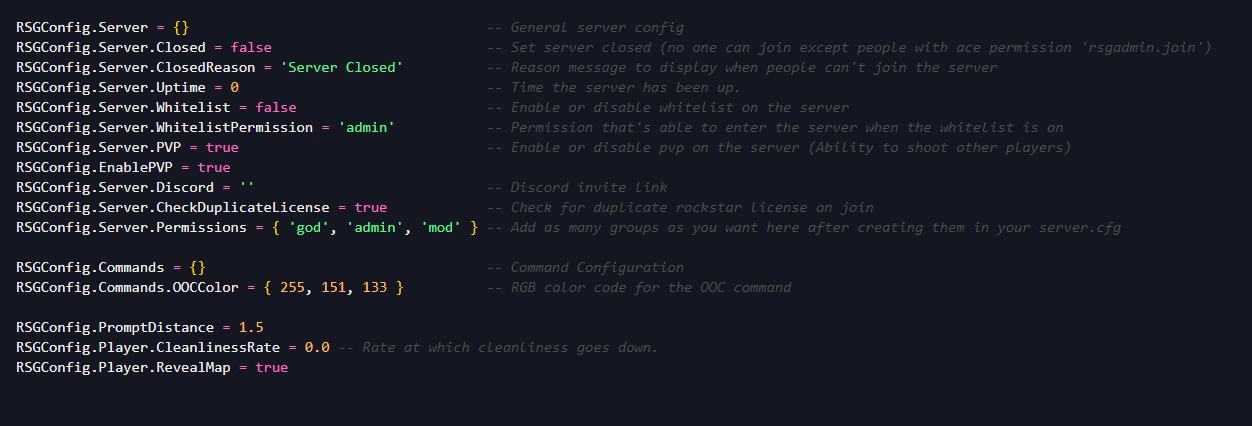 Here you can add more groups, lets say I wanted to make one for police I would have `RSGConfig.Server.Permissions = {'god', 'admin', 'mod', 'law'}`
Making a command for only leo can access would look like
```
RSGCore.Commands.Add('cuff', 'Cuff Player', {}, false, function(source)
-- Run code
end, 'law')
```
So now when you add this command using the qbcore function it will automatically generate an ace called rsgcore.law with an ace of command.cuff! Now you can add a principal of a player with `add_principal identifier.license:xxxx rsgcore.law` and now that command will be restricted to only those with that permission as well as remove the chat suggestion for anyone without this permission! Imagine if you used this when setting a players job or when a player clocked in/out to dynamically remove the permission. This also completely eliminates the need to ever check job permissions on a command like this because the command itself will already be restricted